

Category Image Manager by DevDesignDazzle
Category Image Manager by DevDesignDazzle is a lightweight WordPress plugin to add images to WordPress categories.
Plugin info
Maintenance & Compatibility
Maintenance score
Stale • Last updated 358 days ago
Is Category Image Manager by DevDesignDazzle abandoned?
Likely maintained (last update 358 days ago).
Compatibility
Similar & Alternatives
Explore plugins with similar tags, and compare key metrics like downloads, ratings, updates, support, and WP/PHP compatibility.
Description
Category Image Manager by DevDesignDazzle enhances your WordPress site! Easily add images to categories for stunning pages, archives, and menus. This lightweight plugin lets you upload category images via the admin panel and display them anywhere with a simple function. Perfect for bloggers, e-commerce, and custom themes. Supports multiple image sizes (thumbnail, medium, large, full) and future-ready for premium upgrades. Boost your site’s visuals—install now!
Usage
- Add Images: Navigate to Posts > Categories, edit or create a category, and use the “Category Image” field to upload an image.
- Display Images: Use this function in your theme files:
- Category Archives Example: Add this to
archive.phporcategory.phpafterget_header():
- Image Sizes: Customize with sizes like
'thumbnail','medium','large', or'full':
Support
- Plugin Website: DevDesignDazzle
- Support Forum
Privacy
Category Image Manager by DevDesignDazzle does not collect or store any personal data.
Installation
- Upload the plugin files to
/wp-content/plugins/category-image-manager-by-devdesigndazzle - Activate the plugin through the ‘Plugins’ screen in WordPress
- Go to Posts > Categories to add images to your categories
Frequently Asked Questions
Go to Posts > Categories, edit a category, and upload an image in the “Category Image” field.
Use dddCatImageManager_get_category_image($category_id) in your theme files—see Usage section for examples.
Yes, pass a size parameter like 'thumbnail', 'medium', 'large', or 'full' to the function.
Visit DevDesignDazzle.com for help or future premium features.
Review feed
Screenshots
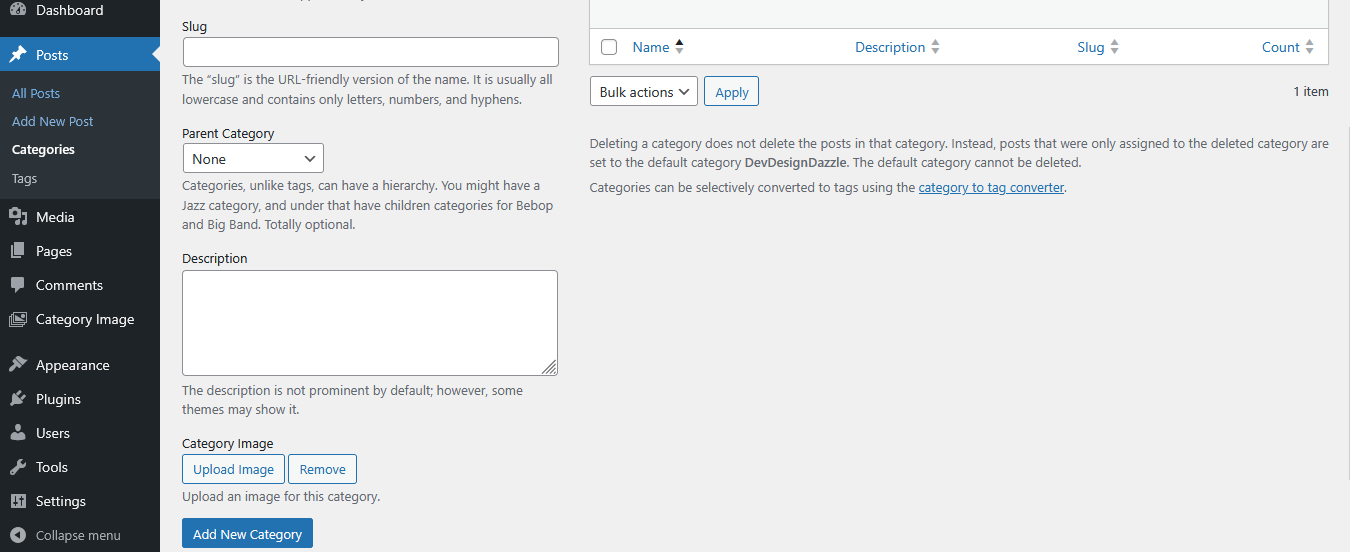
Adding an image in the category creation screen.
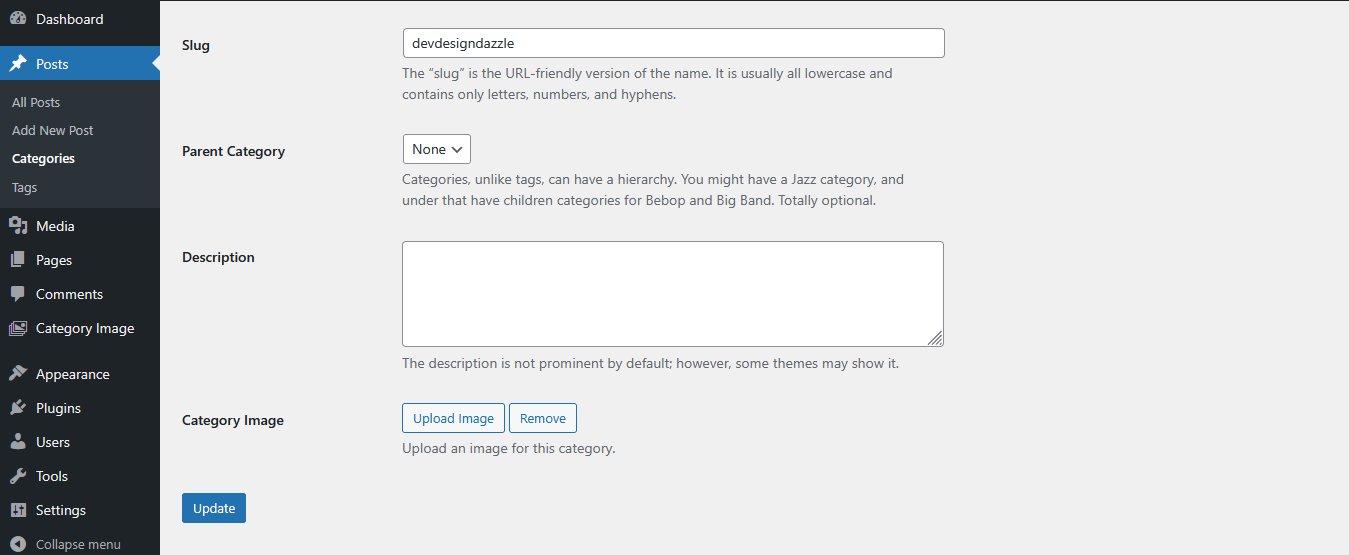
Editing a category with the image upload field.

Help menu in WordPress admin showing usage instructions.
Changelog
1.0
- Initial release with category image upload and display functionality.