

Category Tools for WooCommerce
Category Tools for WooCommerce simplifies bulk category management, allowing you to add, remove, copy, and move products between categories efficientl …
Plugin info
Maintenance & Compatibility
Maintenance score
Stale • Last updated 365 days ago
Is Category Tools for WooCommerce abandoned?
Likely maintained (last update 365 days ago).
Compatibility
Similar & Alternatives
Explore plugins with similar tags, and compare key metrics like downloads, ratings, updates, support, and WP/PHP compatibility.
Description
Category Tools for WooCommerce is a powerful plugin designed to enhance the bulk management of product categories in WooCommerce. This tool provides a comprehensive set of features to manage product categories efficiently, saving you time and effort in your WooCommerce store management.
Features:
- Bulk Category Add: Quickly add a category to multiple products at once
- Bulk Category Remove: Easily remove a category from multiple products
- Category Copy: Copy all products from one category to another while keeping them in the original category
- Category Move: Move all products from one category to another, removing them from the source category
- Category Clear: Remove all products from a specific category at once
This plugin is perfect for store managers who need efficient tools to manage product categories without the complexity of advanced category management systems. Whether you’re reorganizing your product structure or performing routine category maintenance, Category Tools for WooCommerce provides the functionality you need.
Category Tools for WooCommerce is an independent plugin and is not affiliated with or endorsed by WooCommerce or Automattic.
Requires WooCommerce to be installed and active.
License
This plugin is licensed under the GPLv2 or later. See the LICENSE file for more details.
Installation
- Install the plugin through the WordPress admin interface or upload the
category-tools-for-woocommercefolder to the/wp-content/plugins/directory. - Activate the plugin through the ‘Plugins’ menu in WordPress.
- Navigate to the WooCommerce product list page or the Categories page to access the new category management features.
- Use the bulk actions dropdown or category-specific actions to manage your product categories.
Frequently Asked Questions
This plugin requires WooCommerce 3.0 or higher. It is tested with the latest versions up to WooCommerce 9.7.1.
No, this plugin is specifically designed for managing product categories in WooCommerce.
Category Tools for WooCommerce is lightweight and designed to operate efficiently, so it should have minimal impact on your site’s performance.
When copying products between categories, the products will be added to the target category while remaining in their original category. This is useful when you want to organize products in multiple categories.
When moving products between categories, they will be removed from the source category and added to the target category. This is useful when you want to reorganize your product structure.
Review feed
Screenshots
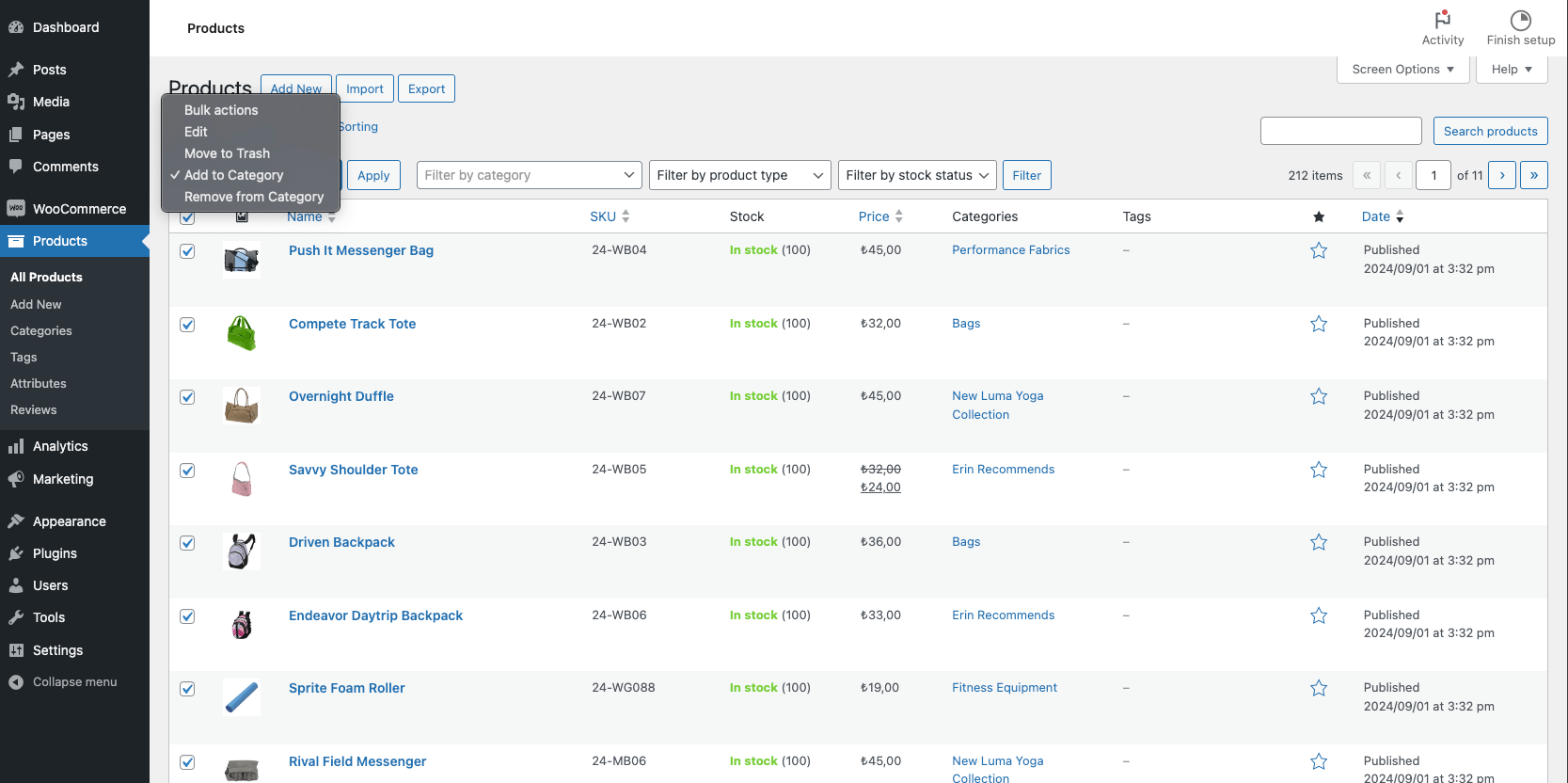
Bulk action dropdown with the new category management options

Category selection screen for bulk adding categories to selected products

Category selection screen for bulk removing categories from selected products
Changelog
1.0.2
- Added new feature to copy all products from one category to another
- Added new feature to move all products from one category to another
- Added new feature to remove all products from a category
- Improved user interface for category management
- Enhanced documentation and help text
1.0.1
- Fixed an issue with the Contributors field in the readme.txt file
1.0.0
- Initial release with basic bulk category add and remove functionality