

Centralized Content Management for WordPress Multisite Networks
The Centralized Content Management (CCM) plugin enables seamless content management across WordPress multisite networks.
Plugin info
Maintenance & Compatibility
Maintenance score
Stale • Last updated 306 days ago • Support resolved 0%
Is Centralized Content Management for WordPress Multisite Networks abandoned?
Likely maintained (last update 306 days ago).
Compatibility
Similar & Alternatives
Explore plugins with similar tags, and compare key metrics like downloads, ratings, updates, support, and WP/PHP compatibility.
Description
The Centralized Content Management (CCM) plugin streamlines content management across WordPress multisite networks. This powerful tool enables you to create, update, and synchronize content from a central site to selected subsites, ensuring consistency and efficiency. Whether managing posts, pages, taxonomies, or media, CCM simplifies multisite content distribution with selective syncing and automated updates.
Key Features
👉 Centralized Content Hub
- Manage content efficiently from one dashboard.
- Reduce the risk of inconsistent information across your network.
👉 Selective Site Synchronization
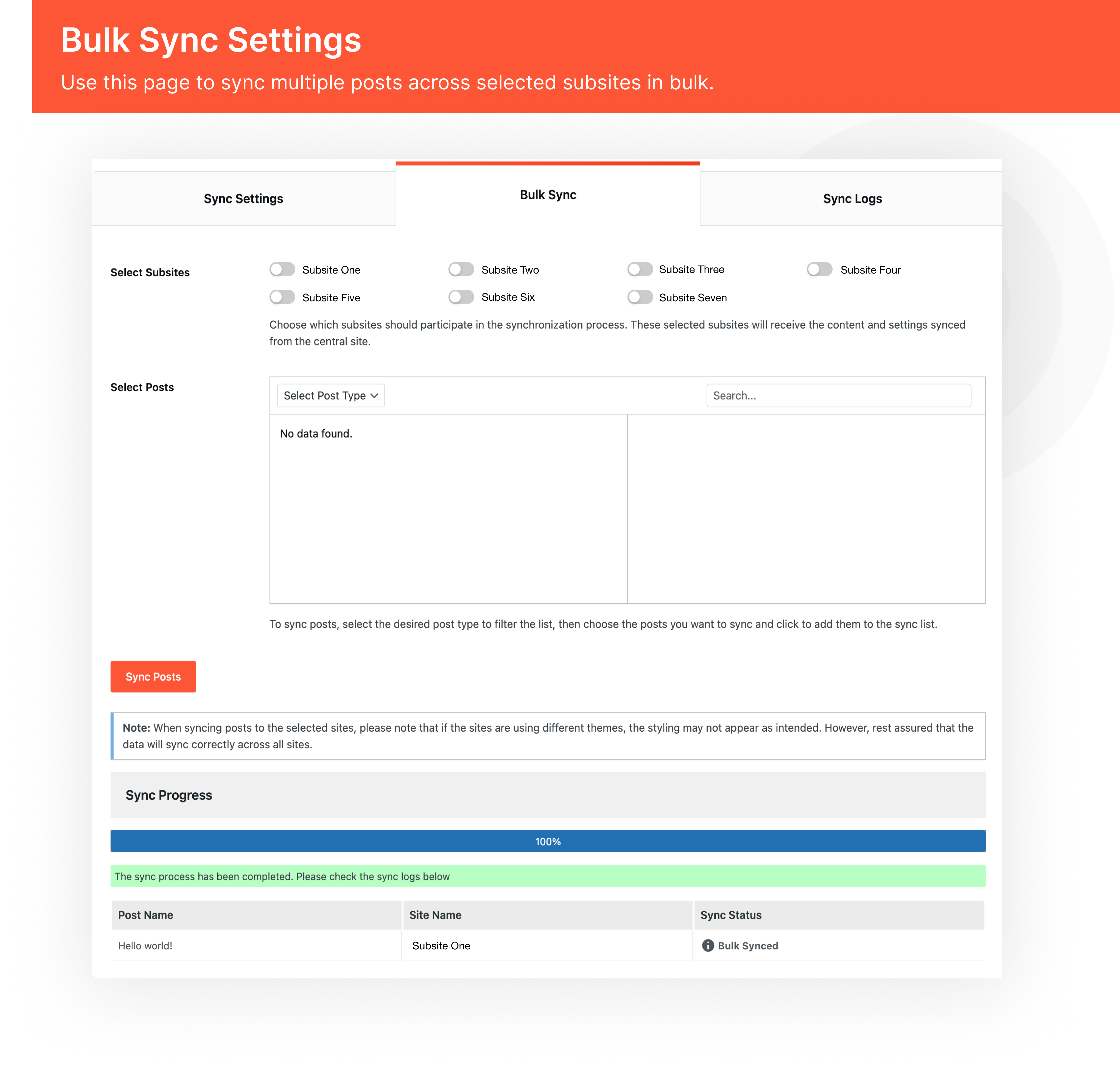
- Sync content with specific subsites as required.
- Customize distribution settings for different sites.
👉 Automated & Manual Updates
- Automate content synchronization for hassle-free updates.
- Manually push updates when necessary for more control.
👉 Multi-Content Type Syncing
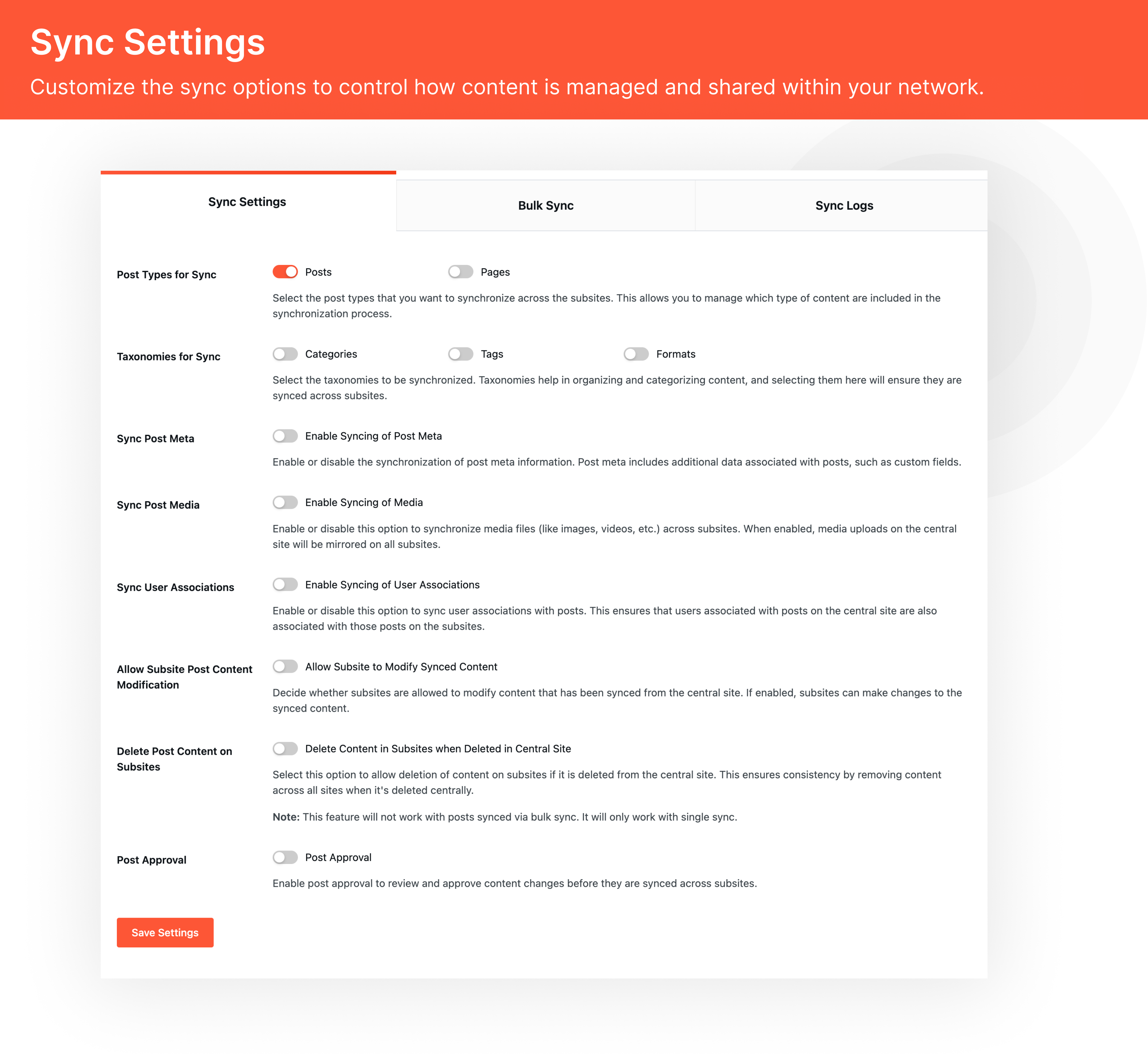
- Supports posts, pages, categories, tags, and media synchronization.
- Maintain complete control over what content is shared.
Why Choose Centralized Content Management?
- Efficiency: Manage all content from one central location, reducing redundancy and saving time.
- Consistency: Ensure uniform content across all sites in your network.
- Flexibility: Select specific subsites for content updates based on your needs.
- Ease of Use: Simple setup and intuitive controls make managing multisite content effortless.
License
This plugin is licensed under the GPLv2 or later license.
Installation
- Download and install the plugin via the WordPress Plugin Directory or manually upload it to /wp-content/plugins/.
- Activate the plugin through the ‘Plugins’ menu in WordPress.
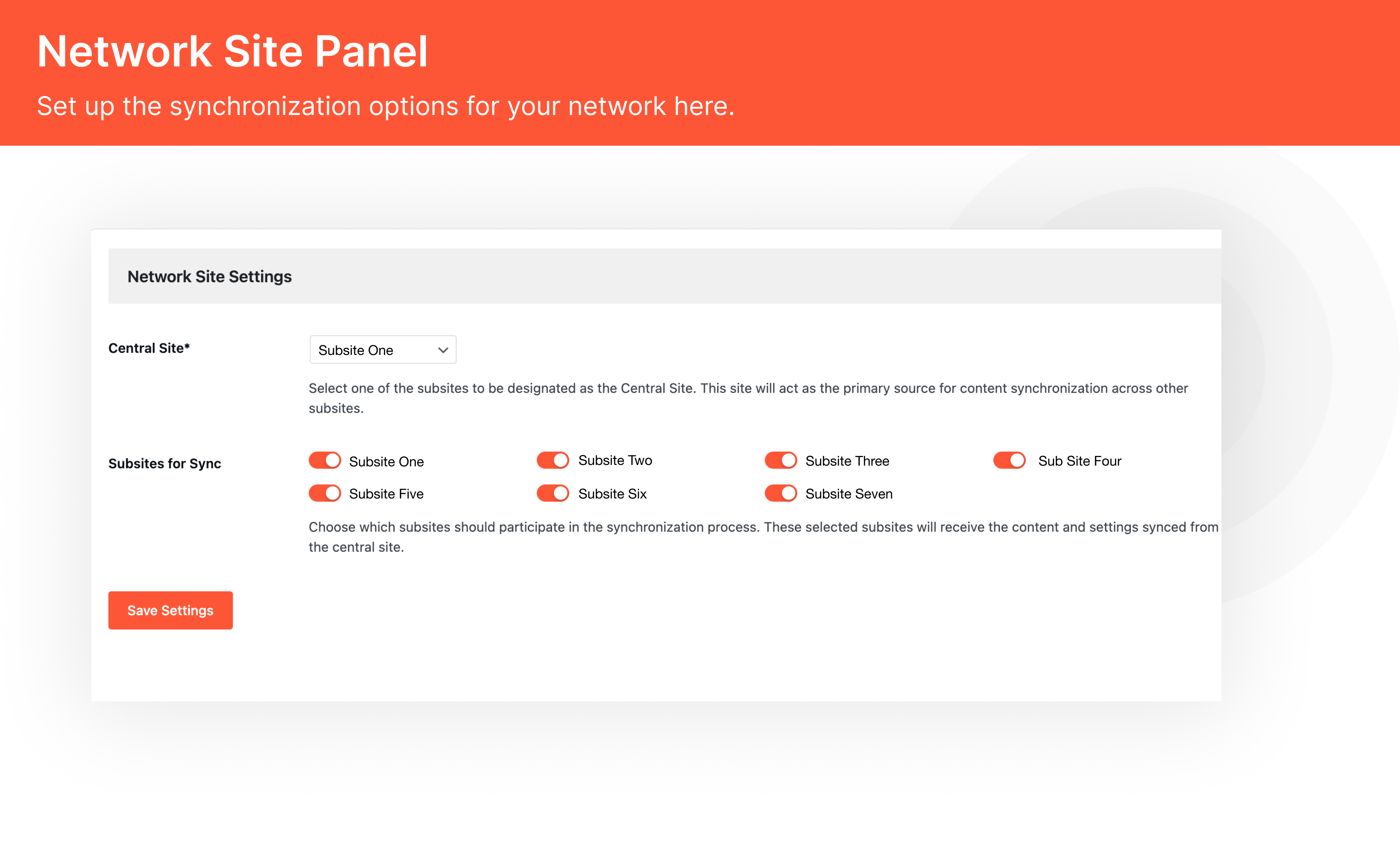
- Navigate to CCM Settings in the network admin dashboard and configure the plugin.
- Select the content types and subsites for synchronization.
- Start managing and syncing content effortlessly!
Frequently Asked Questions
Visit the plugin’s settings page in the network admin and choose the subsites you want to include in the sync.
The plugin offers options to automatically delete the corresponding content from selected subsites to keep them in sync.
Yes, you can restrict content editing on subsites based on the settings configured in the plugin, ensuring centralized control over synced content.
Yes, the plugin can sync media files along with posts and pages, ensuring that all assets are available across selected subsites.
CCM is designed to work seamlessly with most WordPress plugins, but we recommend testing compatibility in a staging environment before deployment.
Disable other plugins one by one to identify conflicts. If the issue persists, contact our support team for assistance.
You can post your queries on the WordPress.org support forum for the plugin.
Review feed
Screenshots
Changelog
1.0
- Initial release of the Centralized Content Management plugin.