

Contact Form 7 Spam Killer
"Contact Form 7 Spam Killer" is a advance spam blocker that will help to prevent unwanted spam for your Contact Form 7 plugin.
Plugin info
Maintenance & Compatibility
Maintenance score
Stale • Last updated 269 days ago • 4 reviews
Is Contact Form 7 Spam Killer abandoned?
Likely maintained (last update 269 days ago).
Compatibility
Similar & Alternatives
Explore plugins with similar tags, and compare key metrics like downloads, ratings, updates, support, and WP/PHP compatibility.
Description
“Contact Form 7 Spam Killer” is a advance spam blocker that will help to prevent unwanted spam for your Contact Form 7 plugin.
Form Spam Killer – A permanent solution to stop spam emails from your wordpress website
“Contact Form 7 Spam Killer” plugin gives double layer security to your contact form 7. This plugin is very effective to stop machine and human spam for Contact Form 7 plugin. This plugin helps you to prevent unwanted spam from all forms of the website that has been created by Contact Form 7 plugin. As Form 7 is most popular contact form plugin and many users faced the spam issue with this form so we have created this plugin to give a permanent solution from spam emails issue.
Plugin tested with latest version 6.1 of Form 7
Do You Have Any Query? Submit here
Features
- Math Captcha
-
Hidden Captcha (Honeypot)
Installation
In most cases you can install plugin by single click from WordPress admin dashboard.
However, if you install this manually, follow these steps:
- Upload the entire
cf7-advance-securityfolder to the/wp-content/plugins/directory. - Activate the plugin through the ‘Plugins’ menu in WordPress.
Frequently Asked Questions
Go to “Contact/Advacne Security” and configure the plugin settings
You can add captcha by [cf7ascaptcha] shortcode
Review feed
Screenshots
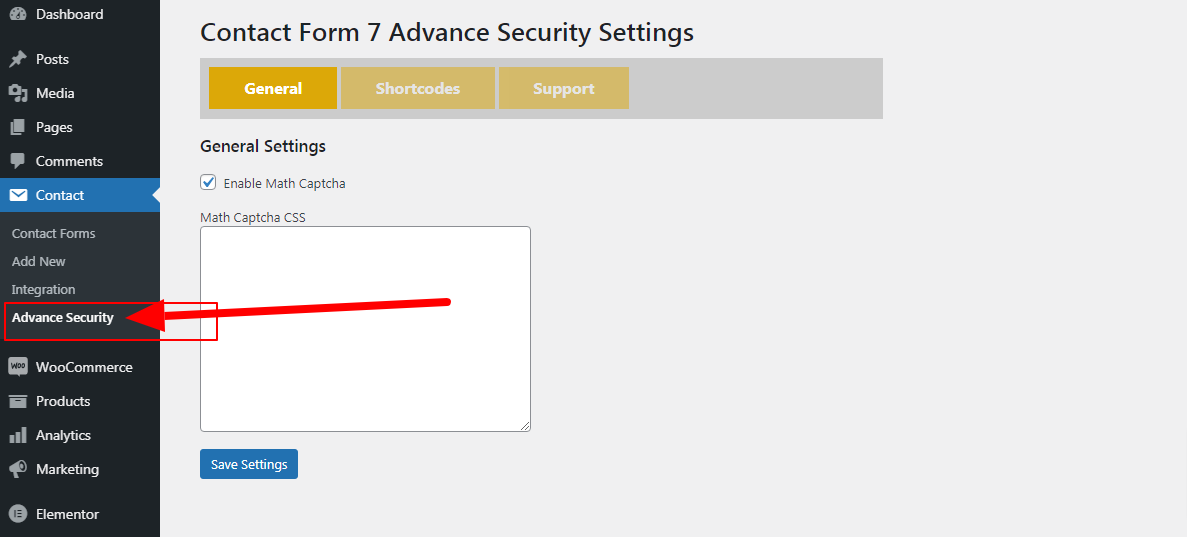
screenshot-1.png

screenshot-2.png

screenshot-3.png
Changelog
= 1.7=
* Tested with latest wordpress version 6.7.2
* Tested with Contact Form 7 Version 6.0.4
= 1.2=
* Tested with latest wordpress version 5.7.1
* Move the settings menu under Contact
* Tested with Contact Form 7 Version 5.4
= 1.1=
* Tested with latest wordpress version 5.4.2
* Tested with Contact Form 7 Version 5.1.9
1.0
- First stable release