

Contact Form 7 Element Converter
Convert HTML5 elements into Contact Form 7 shortcodes
Maintenance 20/1002472d since update
Active installs
100
Downloads
2,340
Reviews
0
Age
6.8y
Plugin info
Total downloads: 2,340
Active installs: 100
Total reviews: 0
Average rating: 0
Support threads opened: 0
Support threads resolved: 0 (0%)
Available in: 6 language(s)
Contributors: 1
Last updated: 6/27/2019 (2472 days ago)
Added to WordPress: 6/27/2019 (6 years old)
Minimum WordPress version: 5.2.1
Tested up to WordPress version: 5.2.23
Minimum PHP version: 5.2.4
Maintenance & Compatibility
Maintenance score
Possibly abandoned • Last updated 2472 days ago
20/100
Is Contact Form 7 Element Converter abandoned?
Possibly abandoned (last update 2472 days ago).
Compatibility
Requires WordPress: 5.2.1
Tested up to: 5.2.23
Requires PHP: 5.2.4
Developers
Similar & Alternatives
Explore plugins with similar tags, and compare key metrics like downloads, ratings, updates, support, and WP/PHP compatibility.
No similar plugins found yet.
Description
Convert HTML5 elements into Contact Form 7 shortcodes
This plugin currently supports:
- Text
- Tel
- Number
- URL
- Textarea
And supports the following attributes:
- ID
- Required
- Class
- Placeholder
Installation
Getting started is as easy as can be:
- Upload the plugin files to the
/wp-content/plugins/cf7-element-converterdirectory, or install the plugin through the WordPress plugins screen directly. - Activate the plugin through the ‘Plugins’ screen in WordPress
- Create or edit a form in Contact Form 7.
- Paste the HTML5 form elements into the form field and hit save
- You will see the new shortcodes you can use to replace the raw HTML5 elements.
Frequently Asked Questions
Do I have to hit save to see the shortcodes
Yes. You do not see the shortcodes until after you’ve saved the HTML code.
Review feed
No reviews available
Screenshots
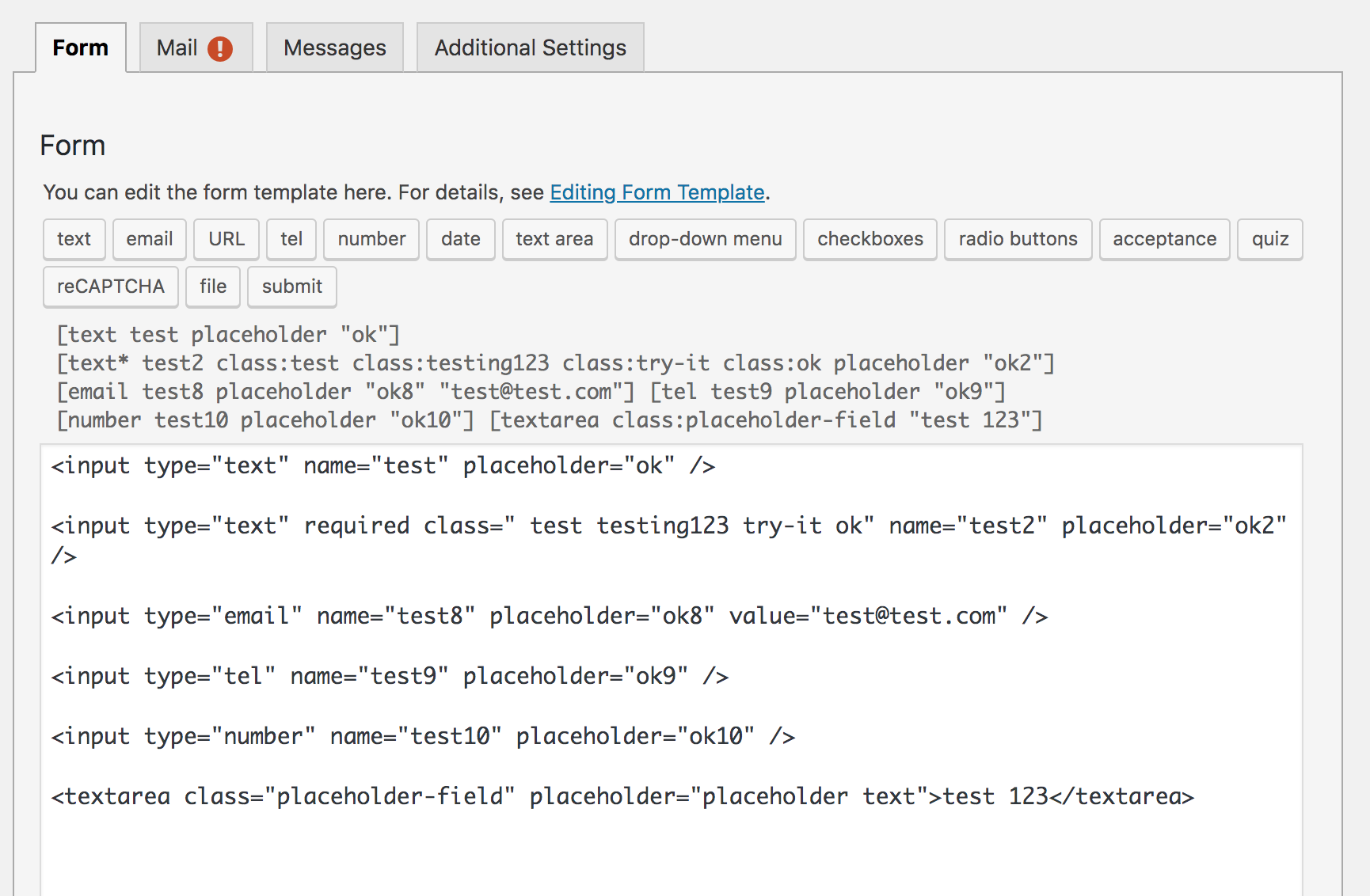
This is an example of HTML5 elements being converted
Changelog
1.0.0
- Initial Version. Much more to come.= 1.0.0 =
- Initial Version. Much more to come.