
Plugin info
Maintenance & Compatibility
Maintenance score
Maintained • Last updated 150 days ago • 3 reviews
Is HTML Template for CF7 abandoned?
Likely maintained (last update 150 days ago).
Compatibility
Developers
Similar & Alternatives
Explore plugins with similar tags, and compare key metrics like downloads, ratings, updates, support, and WP/PHP compatibility.
Description
Contact Form 7 (CF7) is a awesome plugin used by 1+ million WordPress websites.
But even it allow users to use HTML instead of just Plain Text email it’s not trivial to users who aren’t developers create something really pro.
However, time to leave all your worries behind! As a recently launched “Contact Form 7 – HTML Mail Template Extension” will allow you, WordPress developers or not, to use a simply but beautiful HTML Template in your CF7 so users will get better emails than just amount of text.
Configurations
Easily and quickly! No configurations required to start, but you can change a lot of stuff like colors, header image and width (by now… new versions will come).
Email Template
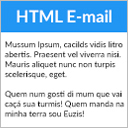
The plugin applies a HTML template to email sent from your CF7. The Template is optimized to show your HTML emails perfectly in the most popular email browsers including mobile ones.
Installation
Install Contact Form 7
- Upload
contact-form-7-html-mail-template-extension.phpto the/wp-content/plugins/directory - Activate the plugin through the ‘Plugins’ menu in WordPress
- Done!
Frequently Asked Questions
No. The intention here is to improve CF7 functionality.
We’ll create another version to all WordPress emails or add an option to extend this plugin, but not in this version.
You can add the following code to your functions.php file:
add_filter( 'cf7hete-disable-ace-editor', '__return_true' );
Review feed
Screenshots

HTML Template configurations.

Example HTML Email with CF7 default Form.

Preview button on dashboard.
Changelog
2.2.2
- Fix unresponsive tabs in form editor with CF7 6.1+
Props for “Francesco Zeno Selva” (zenotds). Thanks!
2.2.1
- Avoiding deprecated log for empty mail_2 settings.
2.2.0
- Added a module base class to avoid deprecated call on PHP 8.3.
Props for “Pascal DUBOIN”. Thanks.
2.1.0
- Added a filter for developers: “cf7hete_default_template” allow you to override the default template content.
- Replaced “cf7hete-disable-ace-editor” filter by “cf7hete_disable_ace_editor”. We kept the Backward compatibility.
- Added a preview mail button on administration.
2.0.3
- Fix saving header and foot with new editor.
2.0.0
- Improved Code Editor.
- Refact all the plugin boilerplate (only for developers).
1.0.2
- Plugin Renamed.
1.0
- It’s alive!
- Basic use and configurations.
- Send HTML Emails like in screenshot 2.
- User can choose it Form will use HTML Template.
- HTML Template can be edited or customized.