

Plugin info
Maintenance & Compatibility
Maintenance score
Possibly abandoned • Last updated 545 days ago • 5 reviews
Is Change Username abandoned?
Possibly abandoned (last update 545 days ago).
Compatibility
Languages
Similar & Alternatives
Explore plugins with similar tags, and compare key metrics like downloads, ratings, updates, support, and WP/PHP compatibility.
Description
Change usernames of your WordPress users effectively.
Change Username
This plugin allows you to change usernames of your WordPress users in an effective and safe way.
By default, WordPress itself does not allow usernames to be changed. The other plugins for changing usernames do not scale all that well for sites with a large number of users.
This plugin takes a different approach by simply enhancing the default “edit user” page and then processing the username change over AJAX, resulting in a much faster and user-friendly experience.
Requirements
- PHP version 7.2 or higher
- WordPress version 4.1 or higher
About the author
Danny van Kooten has been developing plugins for WordPress since version 3.0, all the way back in 2010. Read more about him on his personal website or have a look at his various other WordPress plugins.
Installation
Installing the plugin
- In your WordPress admin panel, go to Plugins > New Plugin, search for Change Username and click “Install now“
- Alternatively, download the plugin and upload the contents of
change-username.zipto your plugins directory, which usually is/wp-content/plugins/. - Activate the plugin
Frequently Asked Questions
Change Username does not come with its own settings page. You can change the username of your users on the page where you would normally edit that user.
Not right now. Only logged-in users with the edit_users capability can change usernames.
Yes.
Review feed
Screenshots
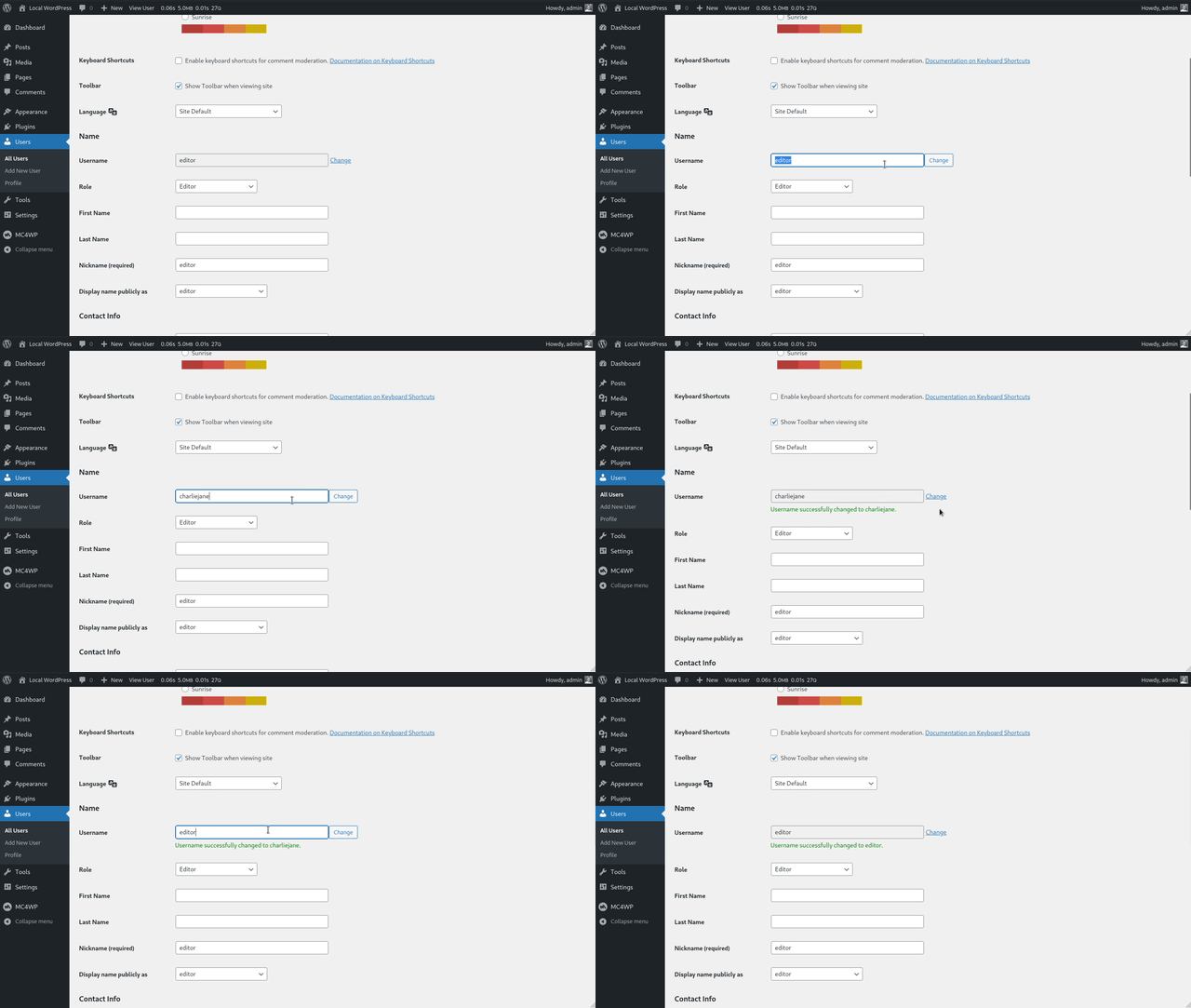
What changing a username with this plugin looks like.
Changelog
1.0.2 – Oct 04, 2024
- Show message when new username is less than 3 characters long.
- Show message when new username is more than 60 characters long.
- Improved request validation in general.
- Remove ES6 code from JS file to support a wider range of browsers.
- Bump required PHP version to 7.2 or higher.
1.0.1 – Dec 23, 2022
- Always load minified JS asset by default
1.0 – Dec 2016
Initial release.