

Changeloger – Release Notes & Changelog Manager
Effortlessly transform plain text changelogs into visually stunning representations with pagination and version links.
Plugin info
Maintenance & Compatibility
Maintenance score
Maintained • Last updated 129 days ago • 3 reviews
Is Changeloger – Release Notes & Changelog Manager abandoned?
Likely maintained (last update 129 days ago).
Compatibility
Languages
Similar & Alternatives
Explore plugins with similar tags, and compare key metrics like downloads, ratings, updates, support, and WP/PHP compatibility.
Description
Introducing Changeloger, the ultimate WordPress plugin designed to effortlessly transform plain text changelogs into visually stunning representations within the WordPress block editor. Gone are the days of mundane changelogs that users struggle to interpret. With Changeloger, software developers, product managers, and website owners can now present their updates and changes in a captivating, user-friendly format.
Changeloger streamlines the process of conveying complex updates by enabling users to upload their changelog text files directly into the plugin. Once uploaded, Changeloger instantly converts the plain text content into an eye-catching and visually designed changelog. Users can bid farewell to tedious manual formatting and focus on delivering the most crucial information to their audience.
Video Overview / How to Use Changeloger:
Key Features:
-
Seamless Integration: Changeloger effortlessly integrates into the WordPress block editor, allowing users to access its powerful features with just a few clicks.
-
Visual Design Options: Customize the appearance of your changelogs with various design options. Choose from pre-defined templates or create your own, ensuring that your changelogs match your website’s style and branding.
-
Time-Saving Automation: No more manual formatting or styling! Changeloger automates the process, converting plain text changelogs into visually appealing layouts with speed and precision.
-
Changelog Import: Users can upload their existing changelog text files, saving time and effort in the conversion process. Say goodbye to tedious copying and pasting!
-
Version Management: Easily manage multiple versions of your software or product updates with Changeloger. Users can categorize and organize changelogs by version numbers, ensuring clarity and transparency.
-
Mobile Responsiveness: Changelogs created with Changeloger are optimized for mobile devices, providing an exceptional user experience across all platforms.
-
Real-time Preview: Instantly visualize your changelog changes as you make edits, allowing you to fine-tune the design to perfection.
Changeloger empowers WordPress users to present their software and product updates with elegance and clarity, enhancing user engagement and comprehension. Keep your audience informed, impressed, and delighted with Changeloger – the ultimate WordPress plugin for transforming plain text changelogs into visually designed masterpieces. Download Changeloger now and elevate your changelog game to new heights!
Core Features
Free Version Includes:
✨ Sidebar Versions – Displays all changelog versions in a sidebar, allowing users to quickly switch between different releases.
✨ Upload Changelog URL – Allows users to import changelog content directly from a public URL and instantly load it into the editor.
✨ Upload Changelog (.txt file) – Enables uploading a plain .txt file to automatically populate the changelog editor with its contents.
PRO Features
-
Pagination: Breaks long changelogs into multiple pages, making navigation easier and preventing long scrolling.
-
Filter: Lets users filter changelog items by categories such as New, Fixed, Updated, or Improved for quick access.
-
Search: Enables keyword-based search inside the changelog so users can instantly find specific updates or fixes.
-
Changelog Layout: Offers additional layout styles to organize changelog items in a cleaner, more professional visual structure.
Installation
This section describes how to install the plugin and get it working.
e.g.
- Upload the plugin files to the
/wp-content/plugins/changelogerdirectory, or install the plugin through the WordPress plugins screen directly. - Activate the plugin through the ‘Plugins’ screen in WordPress
Frequently Asked Questions
Changeloger is a powerful WordPress plugin that allows users to convert plain text changelogs into visually designed and engaging representations. It streamlines the process of presenting software or product updates in a user-friendly format within the WordPress block editor.
Installing Changeloger is easy. Simply go to your WordPress dashboard, navigate to “Plugins,” click on “Add New,” search for “Changeloger,” and click “Install Now.” Once installed, activate the plugin, and you’re ready to use it.
Absolutely! Changeloger provides a convenient “Changelog Import” feature, allowing you to upload your plain text changelog files. This saves time and effort, eliminating the need for manual entry.
Certainly! Changeloger offers several customization options, including font styles, colors, layout formats, and more. You can personalize your changelogs to ensure they align with your website’s design and aesthetic.
Yes, Changeloger is fully integrated with the WordPress block editor, making it seamless to create and manage visually designed changelogs directly within your content.
Changeloger simplifies version management by allowing you to categorize and organize changelogs based on version numbers. This ensures clarity and makes it easier for users to understand the progression of updates.
Absolutely! The changelogs created with Changeloger are optimized for mobile devices, providing a seamless user experience across all platforms.
Yes, Changeloger offers a real-time preview feature, enabling you to see how your changelog looks as you make edits. This allows you to fine-tune the design to perfection before publishing.
Of course! Changeloger provides comprehensive customer support to assist users with any queries, technical issues, or customization needs. Reach out to our support team, and we’ll be happy to help you.
Yes, Changeloger is designed to work seamlessly with most WordPress themes. It ensures compatibility with the block editor and offers a consistent experience across different themes.
Absolutely! While Changeloger is ideal for software updates, it can be used for any changelog scenario where you want to visually present changes or updates to your audience.
Review feed
Screenshots
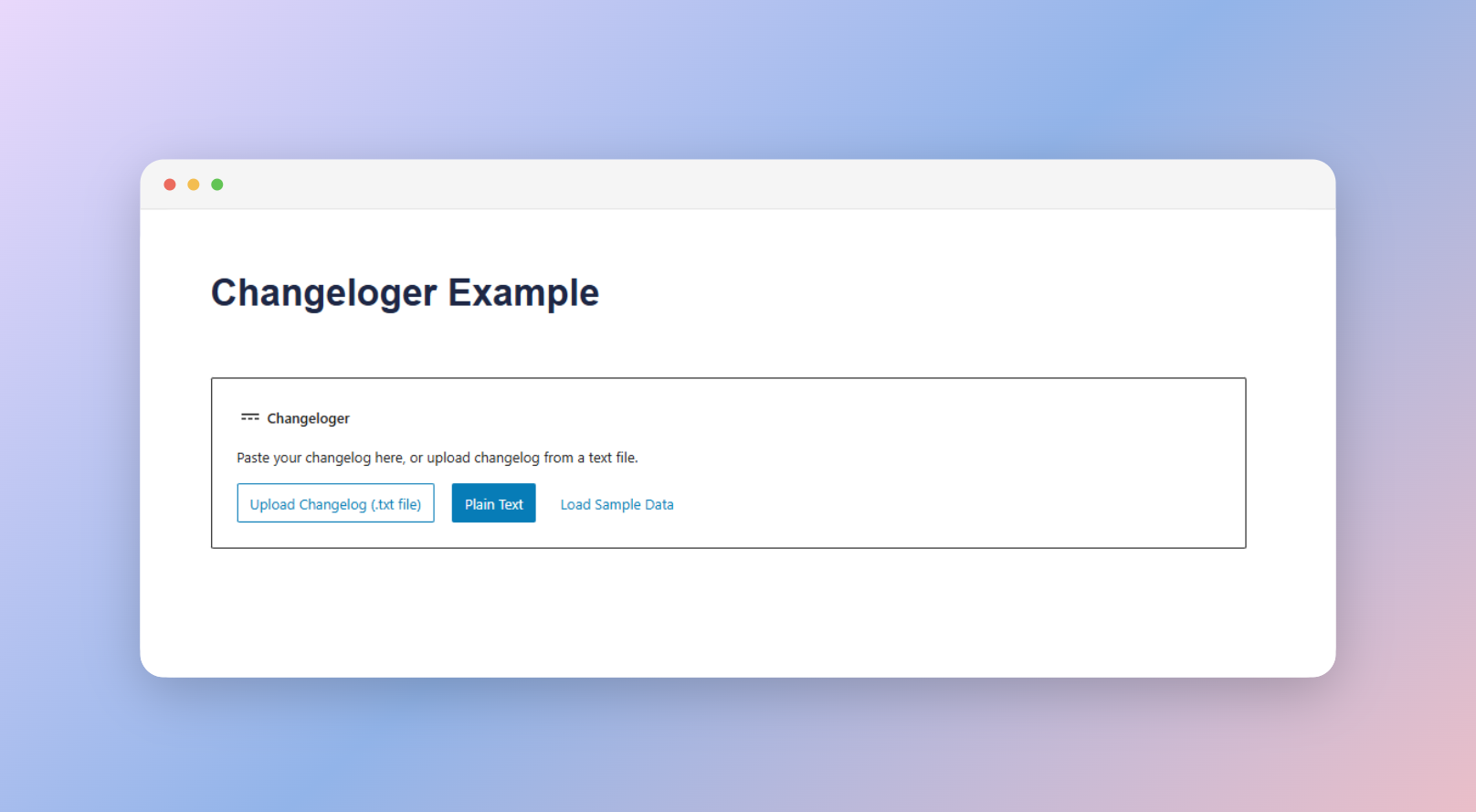
Changeloger block initial screen in the WordPress block editor. You can choose between upload file and Paste plain text options.

Plain text changelogs in the Changeloger block editor. You can edit/modify the existing changelog content.

Changeloger block editor with a preview of the visually designed changelog. You can customize the design and layout options.
Changelog
1.2.0 (24 November 2025)
New: Added Changeloger input field for uploading Changelog URL
Fixed: Minor bugs and improved overall stability
1.1.0 (18 November 2025)
Enhanced: Tabbed Changeloger interface development in progress for a more organized viewing experience
Updated: Freemius SDK updated to 2.13.0
1.0.1 (18 March 2025)
New: Added color control for pagination button on hover
New: Added an option for Loading sample data (you can see the changeloer frontend view with sample data if you want)
New: Integrate with EazyDocs
Tweaked: Improved Color control
1.0.0 (Oct 11 2024)
Tweaked: Now the Date and Version format will detect more intelligently.
Tweaked: Anchor tag support in the changelog item content.
Tweaked: Ignore empty line in the changelog content. Unwanted empty line will be removed/skipped automatically.
Tweaked: Design was breaking in the block editor, now fixed.
New: Regex condition added to find Markdown-style links and convert them to HTML anchor tags in the changelog content.
0.1.0 (Dec 9 2023)
- Initial release of Changeloger plugin.