

Chargily ePay Gateway
Chargily is dedicated to simplify and making payments easier for Algerians. Also, with Integrated Chargily Setup (Easy Setup), connecting to ePay by C …
Plugin info
Maintenance & Compatibility
Maintenance score
Possibly abandoned • Last updated 1445 days ago • Support resolved 0%
Is Chargily ePay Gateway abandoned?
Possibly abandoned (last update 1445 days ago).
Compatibility
Similar & Alternatives
Explore plugins with similar tags, and compare key metrics like downloads, ratings, updates, support, and WP/PHP compatibility.
Description
Chargily is dedicated to simplify and making payments easier for Algerians. Also, with Integrated Chargily Setup (Easy Setup), connecting to ePay by Chargily platform is as simple as clicking a button – just an API keys to copy and paste from your account profile. No need to spend weeks on paperwork or security compliance procedures.
No more lost conversions because you don’t support a shopper’s favorite payment method or because they don’t feel safe. We made payments intuitive and safe for merchants and their customers.
Email: [email protected]
Tel: +213-982-423-423
Fb: facebook.com/chargily
Installation
Frequently Asked Questions
The plugin supports both EDAHABIA and CIB cards payment.
Yes, during the initial setting of the plugin.
You can contact us if you have any questions or comments about this plugin: [email protected]
Review feed
Screenshots

This is the display of payment methods in the checkout page.
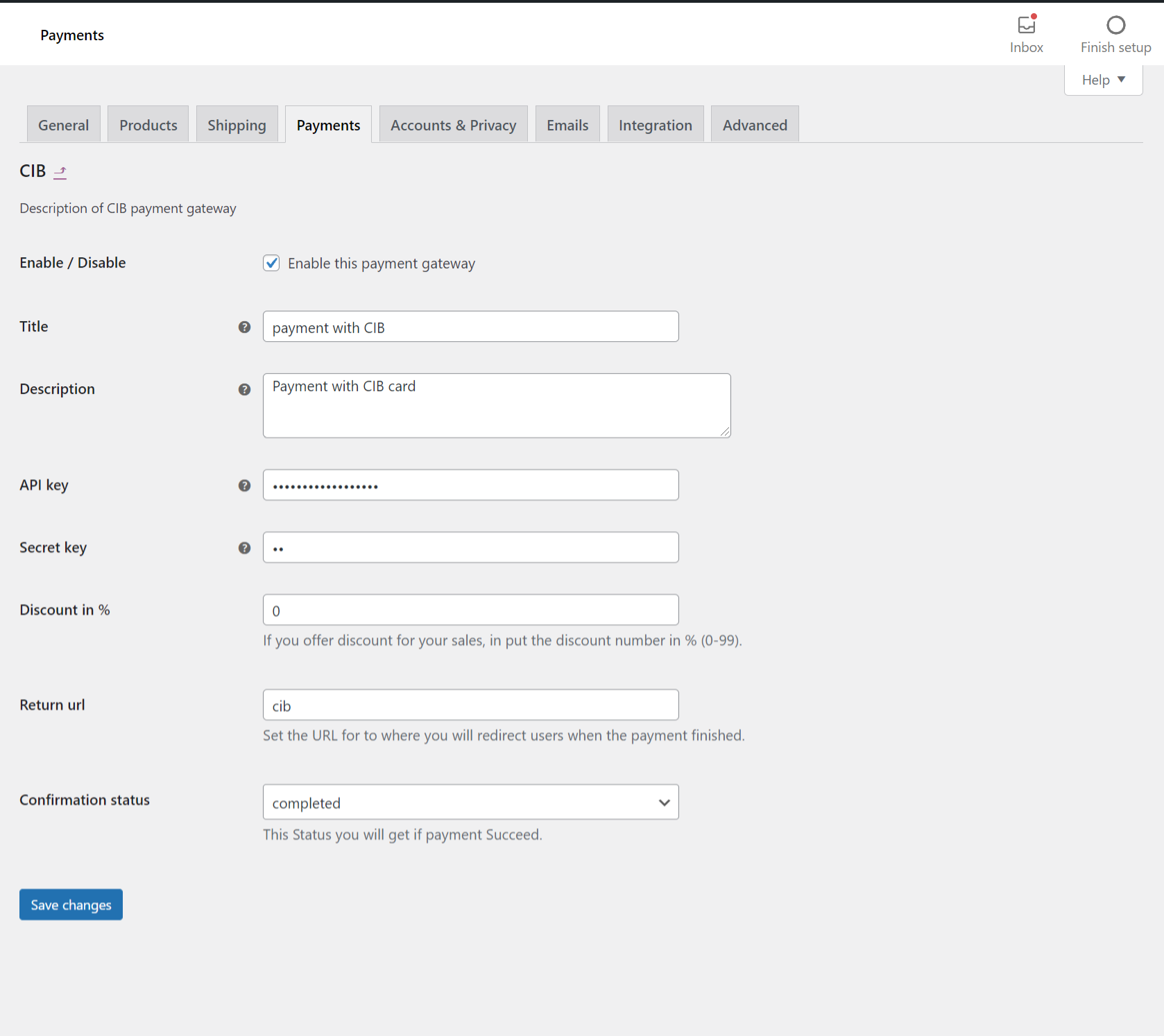
This is the CIB settings page.

This is the EDAHABIA settings page.

You can enable or disable a method from the woocommerce payment settings.
Changelog
2.0.0
- Separated the payment methods in checkout page.