

Charts Ninja: Create Beautiful Graphs & Charts and Easily Add Them to Your Website
Create Beautiful Graphs & Charts with our Charts maker and Easily Add Them to Your Website. All chart types supported! Powered by Common Ninja.
Plugin info
Maintenance & Compatibility
Maintenance score
Possibly abandoned • Last updated 2152 days ago • 1 reviews
Is Charts Ninja: Create Beautiful Graphs & Charts and Easily Add Them to Your Website abandoned?
Possibly abandoned (last update 2152 days ago).
Compatibility
Similar & Alternatives
Explore plugins with similar tags, and compare key metrics like downloads, ratings, updates, support, and WP/PHP compatibility.
Description
Charts Ninja is a chart maker that allows you to create and add beautiful graphs and charts to your website. Charts Ninja’s charts are responsive, meaning, they will be displayed properly on all devices including smartphones, tablets, laptops, and desktop computers.
We support 20+ different chart types including:
* Column Chart
* Line Chart
* Pie Chart
* Bar Chart
* Area Chart
* Stacked Chart
* Pyramid Chart
* Funnel Chart
* Radial Bar
* Spiderweb
* Radar Chart
* 3D Charts
And more.
You may browse our public gallery to see some examples.
IMPORTANT: In order to add a chart to your WordPress website, you will FIRST need to go to Charts Ninja, sign up for FREE, and create a new chart in our charts maker.
Got any feedback or question? Contact us via contact{at}commoninja.com.
** It’s really easy. Get started in 2 minutes tops, no training needed! **
Installation
Creating a chart
- Create a FREE account at Charts Ninja.
- Create a new chart by clicking the “Try it now” button on Charts Ninja’s homepage.
- Customize the chart. Make it beautiful. Import or set data, change color scheme, play with the settings.
- Click the “Save Changes” button.
Extracting the chart ID
- Go to your account’s dashboard.
- Find the chart you want to add, and click the plugin’s menu (3 dots icon).
- Look for the “Add to Site” button and click it.
- Under the embeddable code, you’ll see a “Plugin ID” section. Copy the ID, and save it for later.
Attach a chart to a WordPress post
- Use Charts Ninja’s shortcode directly in the editor: [chartsninja chartid=”YOUR_CHART_ID”].
- Make sure you replace
YOUR_CHART_IDwith the one from “Extracting the chart ID” section above.
Arguments provides by the shortcode:
- ‘chartid’ Your chart ID from Charts Ninja
Frequently Asked Questions
Q: What is Charts Ninja?
Charts Ninja is a powerful tool for web designers, developers and site owners to create beautiful HTML5 graphs and charts on the fly.
Q: What can I use Charts Ninja for?
You can use Charts Ninja to create and add beautiful charts to your WordPress website. No prior knowledge required.
Q: Who can use Charts Ninja
Everyone. Really, it’s that simple. We’re using innovative and intuitive user interfaces so you don’t need any prior knowledge to use it.
Q: How do I start using Charts Ninja?
Sign up to Charts Ninja, create a new chart and install the Charts Ninja plugin on your WordPress admin panel.
Review feed
Screenshots

Charts Ninja shortcode

Charts Ninja - Pie Chart

Charts Ninja - Bar Chart

Charts Ninja - Line Chart

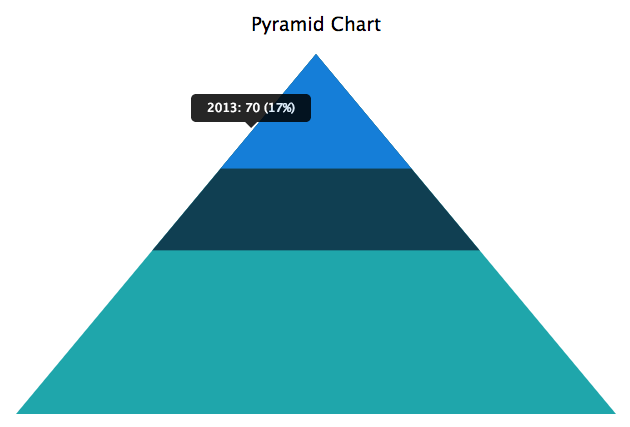
Charts Ninja - Pyramid Chart
Changelog
2.1.0
- Removing button from editor, updating shortcode
2.0.1
- Updating main script
1.0.1
- Editor plugin path fix
1.0.0
- Initial Version