

Plugin info
Maintenance & Compatibility
Maintenance score
Possibly abandoned • Last updated 2376 days ago
Is Chat Forms abandoned?
Possibly abandoned (last update 2376 days ago).
Compatibility
Similar & Alternatives
Explore plugins with similar tags, and compare key metrics like downloads, ratings, updates, support, and WP/PHP compatibility.
Description
Fetches a published Google Form using a WordPress custom post or shortcode, removes the Google wrapper HTML and then renders it as a Chat Form embedded in your blog post or page. When using Chat Form post type, the wpcform shortcode accepts one parameter, id, which is the post id of the form. There are a number of other options, refer to the documentation for further details.
For example, suppose you want to integrate the form at https://docs.google.com/spreadsheet/viewform?hl=en_US&pli=1&formkey=ABCDEFGHIJKLMNOPQRSTUVWXYZ12345678#gid=0, (not a real URL) use the following shortcode in your WordPress post or page:
[wpgform id=\'861\']
Currently, this plugin only supports Google Forms that are public. Private Google Forms are not supported.
Installation
- Install using the WordPress Plugin Installer (search for
WordPress Chat Form) or downloadWordPress Chat Form, extract thewpcformsfolder and uploadwpcformsto the/wp-content/plugins/directory. - Activate the plugin through the \’Plugins\’ menu in WordPress.
- Configure
WP Chat Formsfrom theSettingsmenu as appropriate. - Recommended: Create a Chat Form Custom Post Type and then use the
[wpcform id=\'1\']shortcode wherever you\\’d like to insert the a Chat Form or simply publish the form and use it\\’s permalink URL.
Frequently Asked Questions
What is a Chat Form?
Chat Form is a Form that uses a chat interface to interact with the user.
How can I create a Chat Form?
First you need to create a public Google Form and than paste the Google Form link to the Chat Forms plugin, select a language and click on the \\’Generate\\’ button.
How does a Chat Form interacts with Google Forms?
All replies are being directly send to the Google Form that is behind the google form and feed to the attached spreadsheet.
How is behind Chat Forms?
Chat Forms is a free tool created by inter-act
Can I see more examples?
For more examples go to Chat Forms website.
Review feed
Screenshots
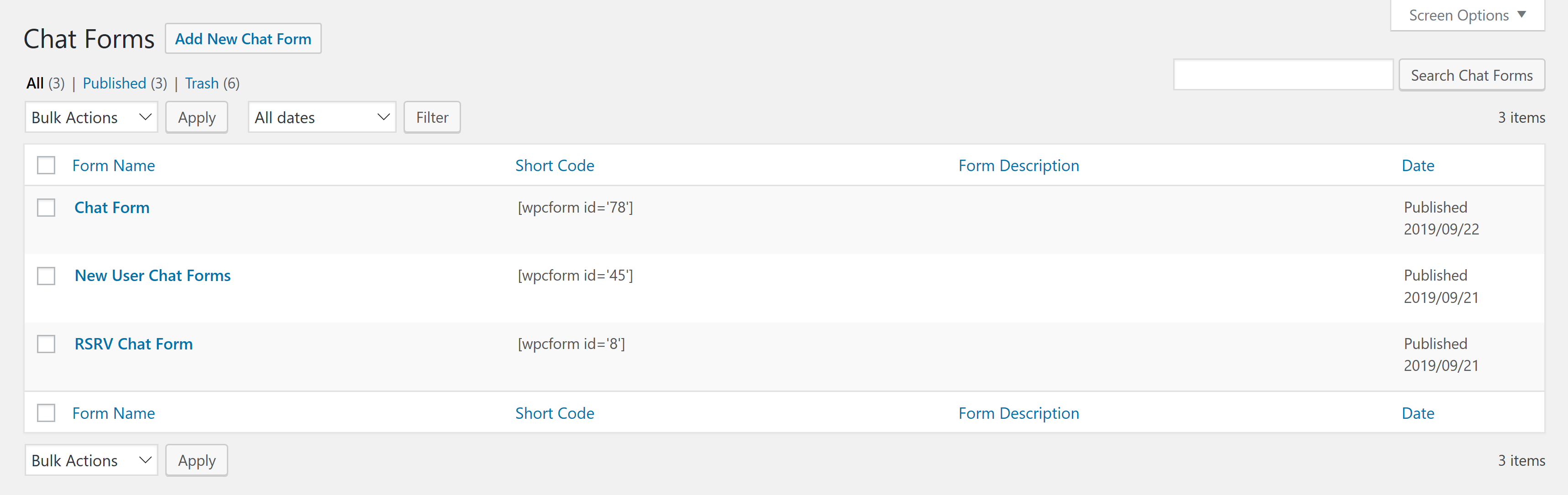
Chat Forms assets list view

Chat Form edit screen

Chat Form configurations

Post edit screen with a Chat Form Shortcode

Post view with embedded Chat Form
Changelog
Version 1.0.3
- Remove debug hooks
Version 1.0.2
- Initial submission