

Plugin info
Maintenance & Compatibility
Maintenance score
Possibly abandoned • Last updated 3309 days ago • 13 reviews
Is Chat Room abandoned?
Possibly abandoned (last update 3309 days ago).
Compatibility
Languages
Similar & Alternatives
Explore plugins with similar tags, and compare key metrics like downloads, ratings, updates, support, and WP/PHP compatibility.
Description
The Chat Room plugin allows administrators to easily create chat rooms for their users to participate in. Chat rooms are created via the WordPress administrative interface. After creation, users can access it via the permalink for the chat room.
The plugin currently will only support servers that have direct PHP filesystem access, which may not be available on all hosting environments.
All official development on this plugin is on GitHub. Version bumps will still be published here on WordPress.org. You can find the repo at https://github.com/WebDevStudios/Chat-Room. Please file issues, bugs, and enhancement ideas there, when possible.
Pluginize was launched in 2016 by WebDevStudios to promote, support, and house all of their WordPress products. Pluginize is not only creating new products for WordPress all the time, but also provides ongoing support and development for WordPress community favorites like CPTUI, CMB2, and more.
Installation
- Upload
chat-roomfolder to the/wp-content/plugins/directory - Activate the plugin through the ‘Plugins’ menu in WordPress
- Create chat rooms via newly added menu item.
Frequently Asked Questions
Review feed
Doesn't work
Screenshots

An example of a chat room in use within the Twenty Eleven theme.

The chat rooms are easily modifiable in the admin interface.
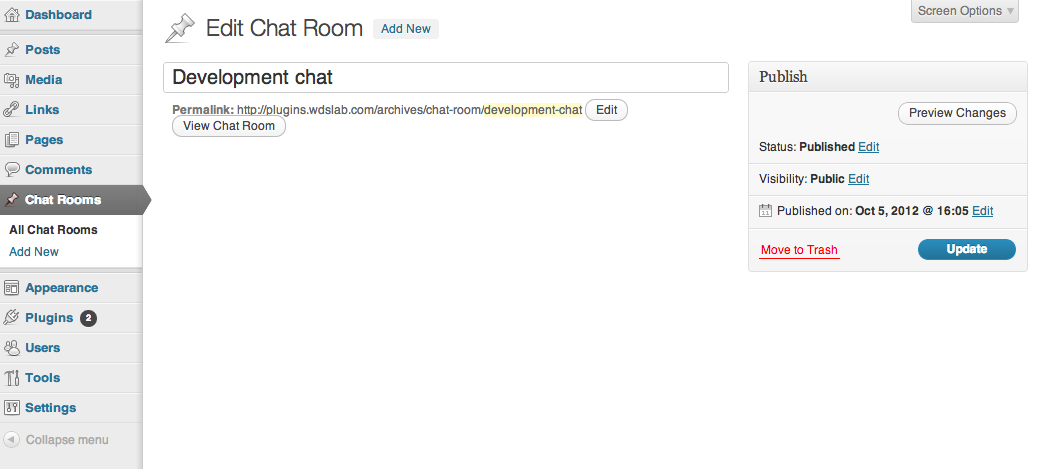
Chat rooms only require a title.
Changelog
0.1.3
- Touch up on some security/sanitization.
0.1.2
- Fix auto-scroll of the div down to new messages for Windows FF.
0.1.1
- Fix bug that hid display of contents of non-chat room post types.
0.1
- Initial release