

Chatim Live Chat & Chatbot
Free Live Chat and chatbot plugin. Engage visitors instantly and automate customer support 24/7. No coding skills required.
Plugin info
Maintenance & Compatibility
Maintenance score
Stale • Last updated 250 days ago
Is Chatim Live Chat & Chatbot abandoned?
Likely maintained (last update 250 days ago).
Compatibility
Similar & Alternatives
Explore plugins with similar tags, and compare key metrics like downloads, ratings, updates, support, and WP/PHP compatibility.
Description
The Chatim Live Chat & Chatbot plugin brings powerful conversational tools to your WordPress website. Combine real-time live chat with intelligent chatbot automation to engage visitors, capture leads, and provide exceptional customer support around the clock.
Why Choose Chatim?
Chatim goes beyond traditional live chat by offering intelligent chatbot automation that works seamlessly alongside human agents. Our lightweight widget loads instantly without slowing down your website while providing advanced features that convert visitors into customers.
Key Features
🚀 Live Chat
* Talk directly with your website visitors in real-time
* Mobile-optimized chat interface
* Customizable chat widget design
* Multiple agent support
* Chat history and visitor insights
* Mobile and desktop apps – connect with visitors anywhere, anytime
🤖 AI-Powered Chatbots
* Drag-and-drop chatbot builder – no coding required
* Start with simple rule-based bots, upgrade to AI automation
* Handle common questions automatically
* Capture leads and schedule appointments
* 24/7 automated customer support
⚡ Performance & Integration
* Lightweight widget that loads instantly
* Seamless WordPress integration
* Mobile and desktop optimized
* Customizable to match your brand
* Easy setup and configuration
* Multi-language support (Spanish, French, Ukrainian, Romanian, English)
📈 Business Benefits
* Increase conversion rates
* Reduce support workload
* Capture more leads automatically
* Provide 24/7 customer service
* Improve customer satisfaction
Perfect For
- Small businesses – Automate customer interactions so you can focus on growing your business instead of answering repetitive questions
- E-commerce stores – Answer product questions and reduce cart abandonment
- Service businesses – Schedule appointments and qualify leads automatically
- SaaS companies – Provide instant support and onboard new users
- Any website – Engage visitors and convert them into customers
How It Works
- Install & Connect – Install the plugin and connect your Chatim account
- Select Your Project – Choose which Chatim project to display on your site
- Customize – Configure your chatbot and live chat settings from the Chatim dashboard
- Go Live – Start engaging visitors and providing automated support immediately
Pricing
Chatim offers flexible pricing plans to suit businesses of all sizes. Start with our free plan and upgrade as your business grows. Visit chatim.app for current pricing information.
Support
Need help? We provide comprehensive support through multiple channels:
* Live chat support at chatim.app
* Email support: [email protected]
* Detailed documentation and tutorials
External Services
This plugin connects to external services provided by Chatim LLC to provide live chat and chatbot functionality. The following services are used:
Chatim API Service (https://api.chatim.app)
* What it is: Authentication and project management API for Chatim accounts
* What it’s used for: User authentication, retrieving user projects, and managing widget installation
* When data is sent:
– When users sign in through the plugin admin interface
– When loading available projects from user’s Chatim account
* Data sent:
– User credentials (email and password) for authentication
– Authorization tokens for API requests
– Project selection data for widget installation
* Privacy policy: https://chatim.app/en/privacy-policy/
* Terms of service: https://chatim.app/en/terms-of-service/
Chatim Widget Service (https://chatimwidget.com)
* What it is: JavaScript widget that provides the live chat and chatbot interface
* What it’s used for: Displaying the live chat widget on your website’s frontend
* When data is sent:
– When the widget loads on each page visit
– When visitors interact with the chat widget
* Data sent:
– Website visitor interactions and chat messages
– Project configuration data
– Visitor session information for chat functionality
* Privacy policy: https://chatim.app/en/privacy-policy/
* Terms of service: https://chatim.app/en/terms-of-service/
Important Note: A Chatim account is required to use this plugin. By using this plugin, you agree to Chatim’s Terms of Service and Privacy Policy. The plugin will only connect to these external services when you have an active Chatim account and have installed a widget.
Installation
Adding Chatim live chat and chatbot to your WordPress site is simple:
-
Install the Plugin
- Download and install the Chatim plugin from the WordPress directory
- Activate the plugin from your WordPress admin panel
-
Connect Your Account
- Go to
SettingsChatim Live Chatin your WordPress admin - Sign in to your existing Chatim account or create a new free account
- If you don’t have an account, visit chatim.app/signup
- Go to
-
Create and Select Project
- Create a new project in your Chatim dashboard if needed
- Select the project you want to display on your WordPress site
- The widget will be automatically added to all pages
-
Customize and Launch
- Customize your chat widget and chatbot from the Chatim dashboard
- Configure automated responses and workflows
- Start chatting with your visitors!
Note: You’ll need a Chatim account to use this plugin. Create your free account here
Frequently Asked Questions
Chatim offers a free plan with basic features. As your business grows, you can upgrade to paid plans with advanced chatbot automation, multiple agents, and premium support features.
No! Chatim features a drag-and-drop chatbot builder that requires no coding knowledge. You can create sophisticated automated conversations with our visual interface.
Yes, you can fully customize the chat widget to match your brand, including colors, position, greeting messages, and more from the Chatim dashboard.
No, Chatim’s widget is designed to be lightweight and loads asynchronously, ensuring it doesn’t impact your website’s loading speed or performance.
Yes, you can add multiple agents to handle live chats and manage different aspects of customer support from a single dashboard.
Absolutely! The Chatim widget is fully responsive and optimized for both desktop and mobile devices, ensuring a great experience for all visitors. Additionally, Chatim offers dedicated mobile and desktop apps so you can chat with your website visitors from anywhere using your smartphone or computer.
Yes, Chatim offers various integrations and API access to connect with your existing business tools and workflows.
We offer comprehensive support including live chat, email support, documentation, and video tutorials to help you get the most out of Chatim.
Review feed
Screenshots
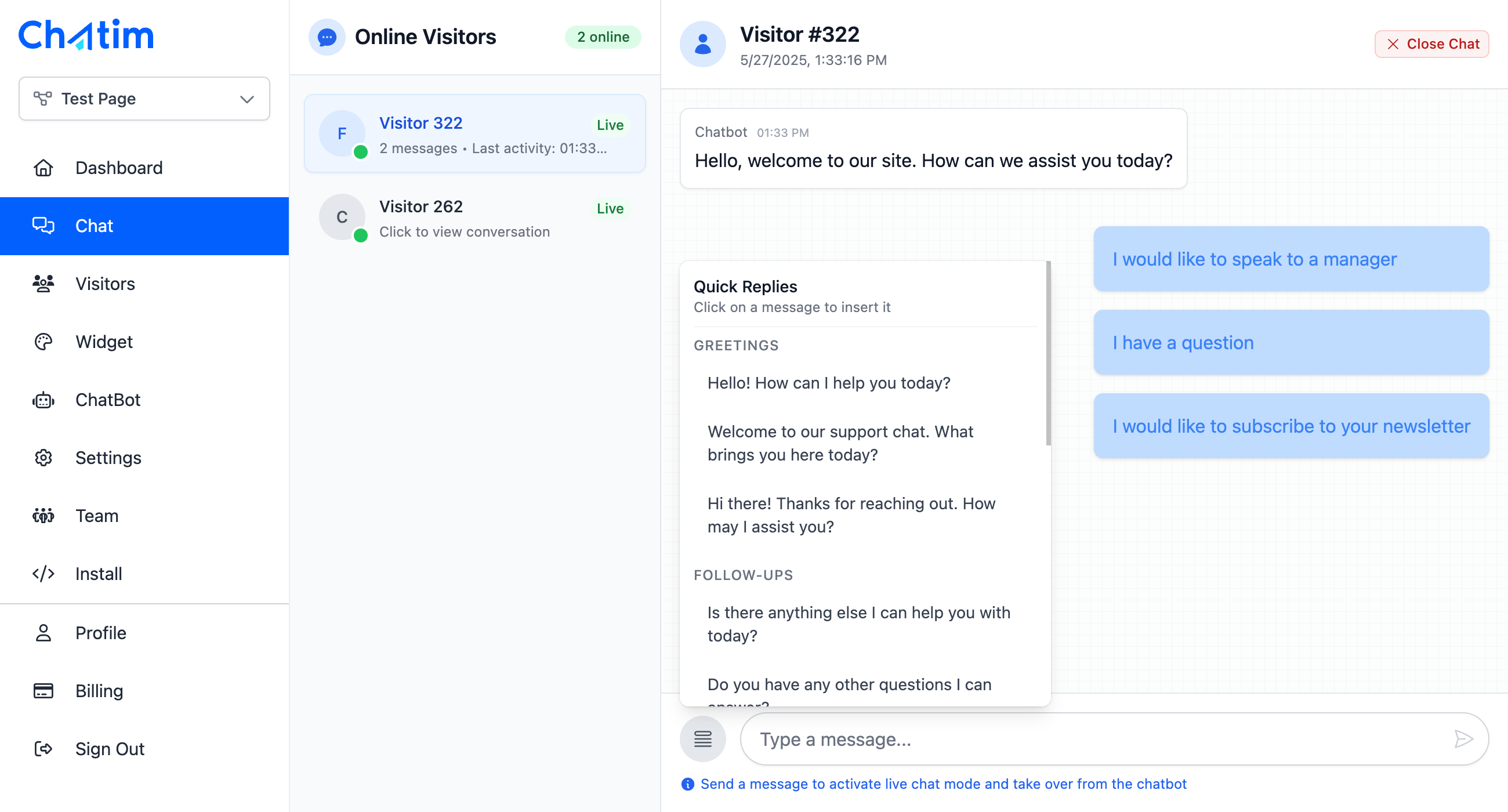
Live chat widget on website - Clean, customizable design
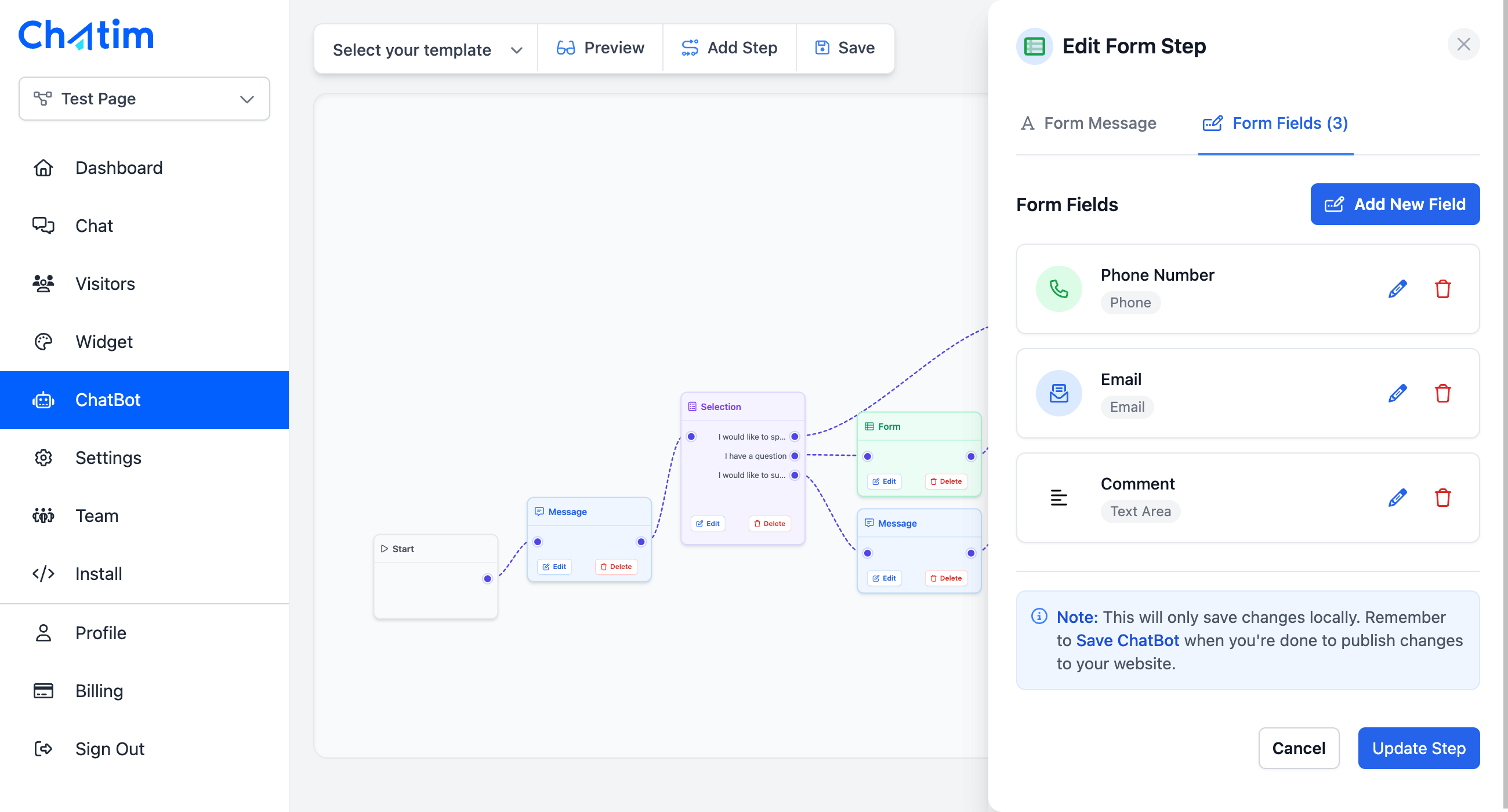
Chatbot build flow - Intelligent automated responses
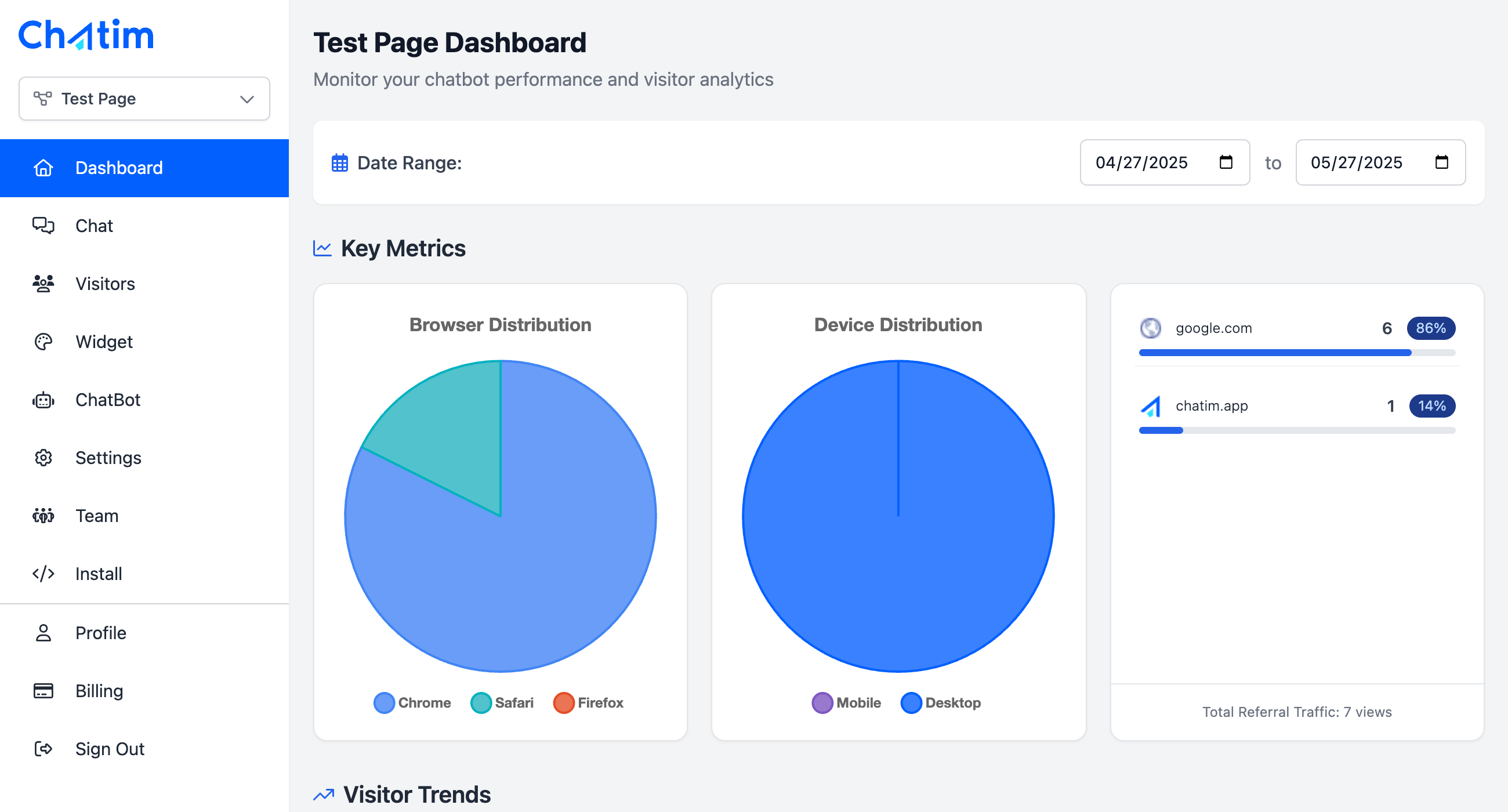
Chatim dashboard - Comprehensive management interface
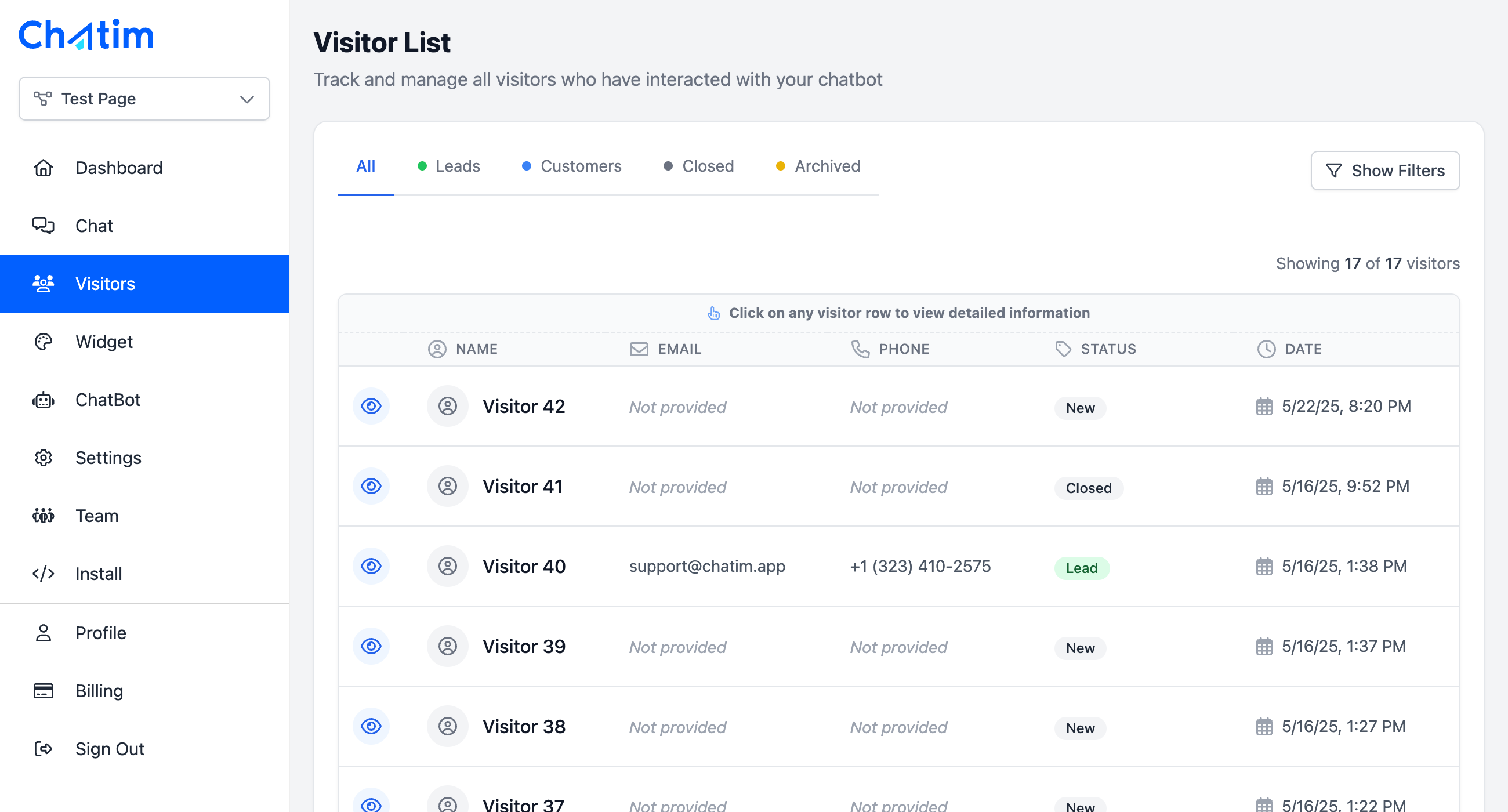
Chatim CRM - Organize and track customer interactions, leads, and sales
Changelog
0.0.1
- Initial release
- Live chat (Chatbot) widget integration
- Project-based configuration
- Account authentication and project selection
- Secure widget installation and management