

Check for Broken Links
Check for Broken Links is a WordPress plugin that helps you find and fix broken links on your website.
Plugin info
Maintenance & Compatibility
Maintenance score
Possibly abandoned • Last updated 418 days ago • 4 reviews
Is Check for Broken Links abandoned?
Possibly abandoned (last update 418 days ago).
Compatibility
Similar & Alternatives
Explore plugins with similar tags, and compare key metrics like downloads, ratings, updates, support, and WP/PHP compatibility.
Description
Check for Broken Links is a lightweight yet powerful WordPress plugin designed to keep your site error-free and optimized. Broken links not only frustrate visitors but also harm your SEO rankings. This plugin scans your entire website—including posts, pages, media, and even custom post types—for dead links and makes it easy to fix them in just a few clicks.
Benefits of Using Check for Broken Links
-
Enhance User Experience
Automatically detect and fix broken links to ensure visitors never encounter frustrating dead ends on your site. -
Boost SEO Performance
Eliminate broken links that can hurt your search rankings and keep your site optimized for search engines. -
Save Time with Automated Scans
Schedule regular, automatic link checks to free yourself from manual monitoring, letting you focus on content. -
Simple, User-Friendly Interface
Manage and repair broken links effortlessly from your WordPress dashboard with clear, actionable reports.
Features
- Scans posts, pages, comments, and media files (like images, PDFs, and videos) for broken links, ensuring your entire site stays error-free.
- Provides easy-to-read reports with exact link and media file locations, so you can quickly identify and fix issues.
- Export reports in CSV format for offline review, making it simple to track and manage broken links.
- Exclude specific URLs, domains, or media files from scans to avoid unnecessary alerts on trusted content.
- Customize scan frequency—set it to run daily, weekly, or manually whenever it fits your workflow.
- Get real-time alerts when broken links or media files are detected, allowing you to fix issues before they affect your visitors.
Installation Instructions
- Upload the
wpcbl-check-for-broken-linksfolder to the/wp-content/plugins/directory - Activate the plugin through the ‘Plugins’ menu in WordPress
- Go to the Check for Broken Links page in the admin menu to start scanning your website for broken links
Usage
- Go to the Check for Broken Links page in the admin menu
- Click on the ‘Scan’ tab
- Click on the ‘Export Report in CSV’ button to export the report in CSV format
License
This plugin is licensed under the GPL v2 or later.
For more details, see: GPLv3
Installation
Frequently Asked Questions
Unlike standard broken link checkers that only scan posts and pages, this plugin goes deeper by analyzing all files, including images, media uploads, and hidden references in widgets, shortcodes, and theme files. It also detects filename inconsistencies, special character issues, and missing auto-generated image sizes, ensuring no broken assets are overlooked.
Why is this important?
Many broken link plugins only detect standard 404 errors in posts and pages, but missing images, incorrectly encoded filenames, and hidden links in widgets or themes can also impact your website. These issues can lead to poor user experience, slower page load times, and SEO penalties if search engines repeatedly find broken assets. By going deeper, this plugin helps you identify and fix hidden problems that other scanners might miss, ensuring your site remains fully functional and optimized.
What does the plugin check?
• URL links (internal & external)
• File links (images, PDFs, CSS, JS)
• Media library files
• Theme & widget references
• Shortcodes & dynamic content
• Encoded & special character filenames
🚀 This ensures your entire website remains free of broken assets, improving performance, SEO, and user experience.
The Check for Broken Links plugin is a tool designed for WordPress sites to identify and manage dead links (also known as broken links) across posts, pages, and comments. It automatically scans your website and reports any links that lead to non-existent or inaccessible pages, helping you maintain a cleaner and more user-friendly site.
Install the The Check for Broken Links plugin, run a scan, and view the results in the plugin dashboard. It’s quick, accurate, and designed specifically for WordPress.
You can configure the frequency of the scans according to your needs. The plugin allows you to set up automated scans on a daily, weekly, or monthly basis. Additionally, you can manually initiate a scan at any time if you suspect there are new dead links due to recent changes on your site or external websites.
While the Check for Broken Links plugin efficiently identifies dead links, it does not automatically fix them. It provides a comprehensive report including the location of each dead link, allowing you to decide the most appropriate action—whether to update, redirect, or remove the link.
The plugin is designed to handle websites of various sizes, from small blogs to larger corporate sites. However, performance may vary based on your hosting environment and the total content volume. For very large sites, we recommend performing scans during low-traffic periods to minimize any potential impact on site performance.
Yes, search engines prioritize websites with working links. Fixing broken links ensures better rankings and a smoother user experience.
Yes, the plugin is 100% free to use.
Review feed
Works well, but lacks support for CPT.
Perfect
Screenshots
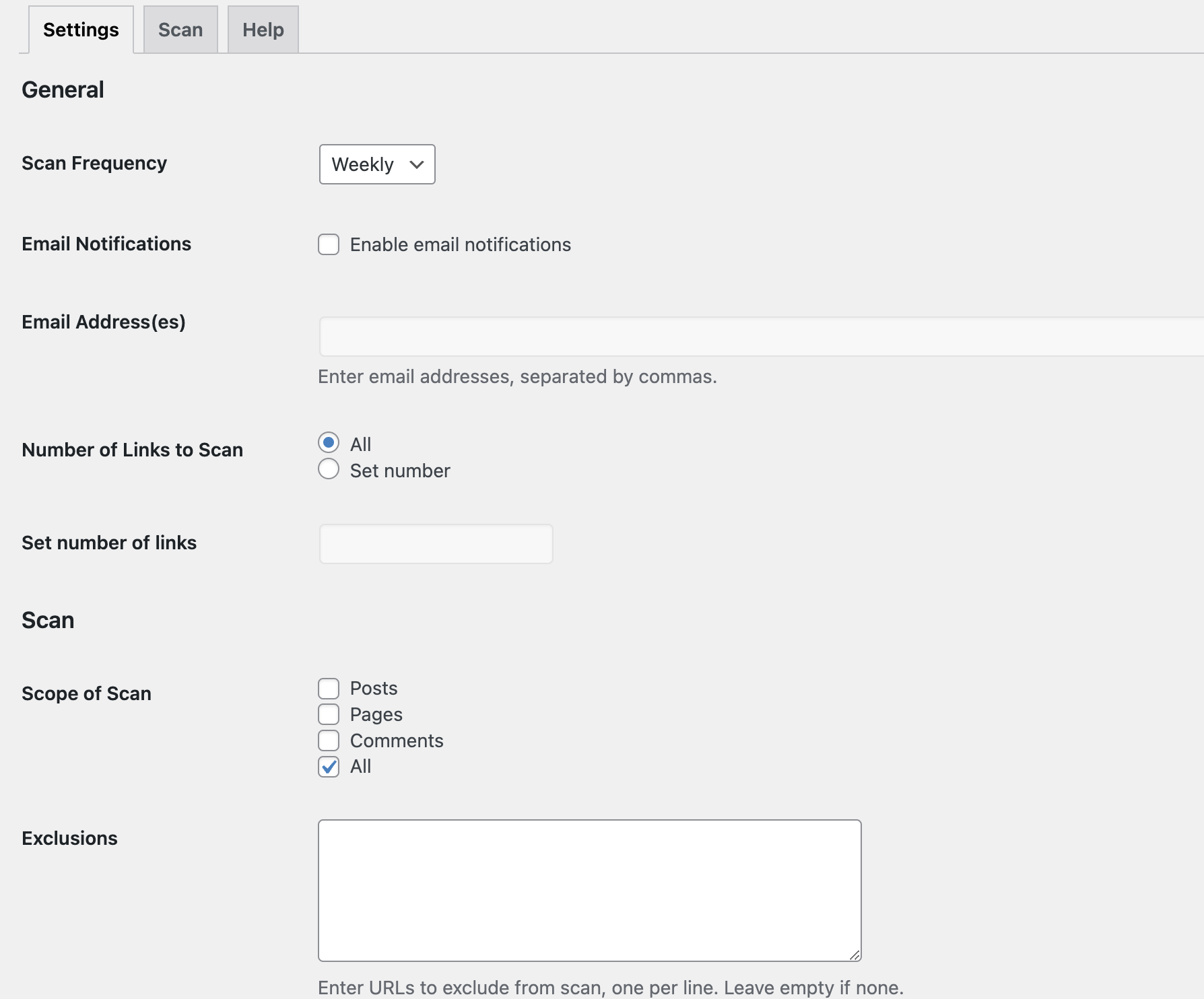
Plugin Settings
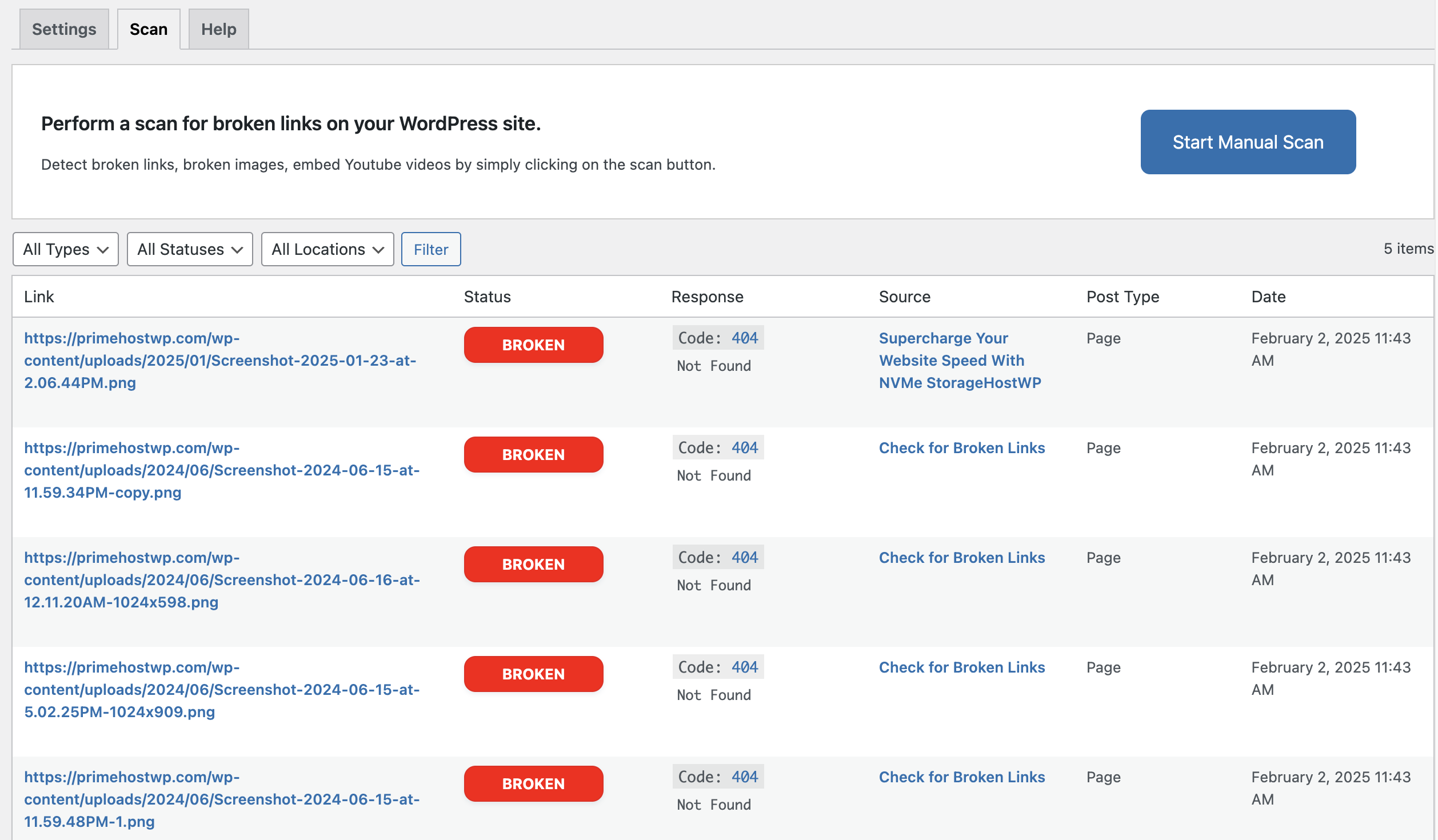
Scan Dashboard
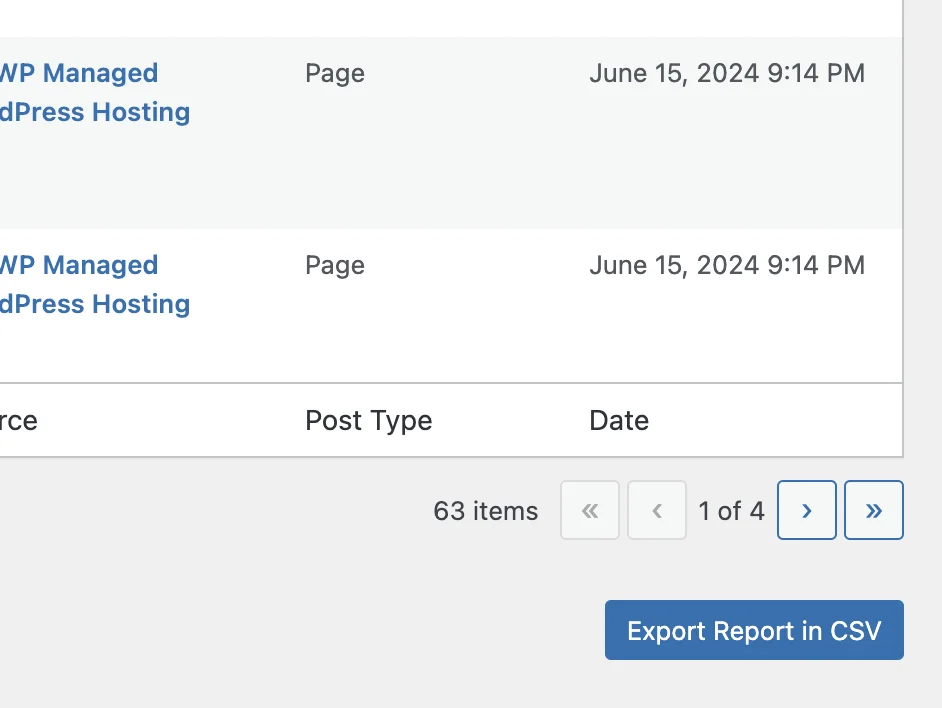
Export Scan Report to CSV
Changelog
1.0.0
06 Feb 2025
* Initial release