

Choose Your Best Selling Products
A WordPress plugin to display top selling products with flexible settings for manual or automated product selection.
Plugin info
Maintenance & Compatibility
Maintenance score
Stale • Last updated 330 days ago
Is Choose Your Best Selling Products abandoned?
Likely maintained (last update 330 days ago).
Compatibility
Similar & Alternatives
Explore plugins with similar tags, and compare key metrics like downloads, ratings, updates, support, and WP/PHP compatibility.
Description
Choose Your Best Selling Products (CBSP) allows WooCommerce store owners to display a customizable grid of top selling products or manually chosen products. This plugin integrates seamlessly with the WooCommerce and Gutenberg editor to offer flexible layouts and easy product selection.
The plugin provides several features, making it a perfect tool for showcasing top products either automatically (based on last week’s sales) or manually selecting featured products.
Features
- Display products in a customizable grid layout.
- Fetch and display WooCommerce’s top selling products for the last week (Sunday to Saturday).
- Option to manually choose products for display.
- Show or hide specific product information (e.g., Image, Title, Price, View Product Button).
- Fully responsive grid using Bootstrap.
- Real-time preview and updates in Gutenberg editor.
Feature Details
Product Grid Layout
- Option to configure the number of columns and rows.
- Shows top selling products initially, with real products pulled from WooCommerce.
Manual and Automated Product Selection
- Automatically display top selling products based on WooCommerce’s sales data from the last week.
- Manually select products for display from a dropdown menu with search functionality.
Customizable Product Display Settings
- Choose whether to show or hide product details like image, title, price and view product button.
Installation
- Upload the plugin files to the
/wp-content/plugins/choose-your-best-selling-productsdirectory, or install the plugin through the WordPress plugin screen directly. - Activate the plugin through the ‘Plugins’ screen in WordPress.
- Go to the Gutenberg editor, add the “CBSP” block, and customize your settings.
- Use the automatic layout which fetches the top selling products from last week or switch to manual mode to add your products in a grid layout.
- Save your changes and view your store’s top selling or selected products on the frontend.
Frequently Asked Questions
This mode automatically pulls the top selling products from the last week using WooCommerce sales data.
Yes, in manual mode, you can manually select products from a searchable dropdown list.
The plugin supports simple and variable products. For other product types, further customization may be required.
Review feed
Screenshots
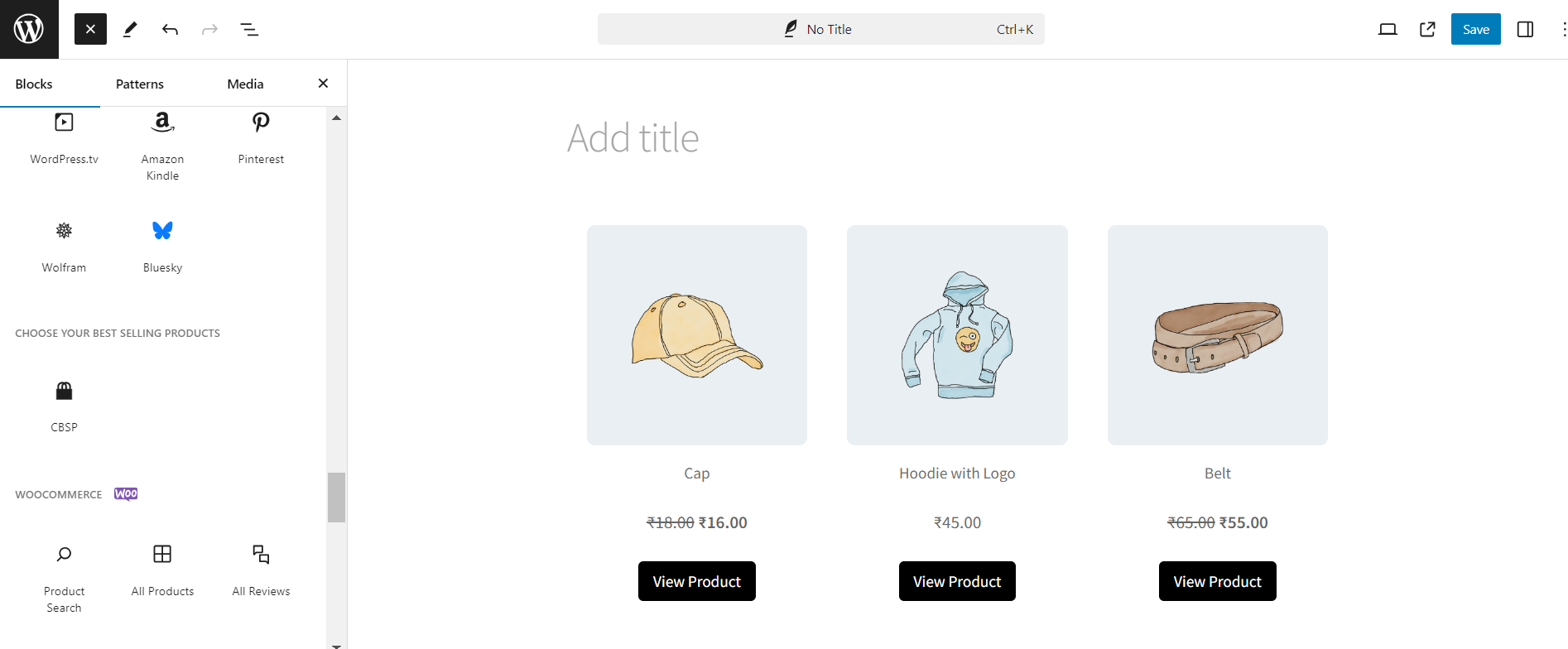
Choose Your Best Selling Products (CBSP) Gutenberg block section. - screenshot-1.png

Example of automatically fetched products from last week (Sunday to Saturday). - screenshot-2.png

Example of products added manually from the products listing. - screenshot-3.png

Example showing no products available from last week and suggesting you add your products manually. - screenshot-4.png

Confirmation dialog when switching from manual to top selling products mode. - screenshot-5.png
Changelog
1.0.1
- Bug fix: Fixed manually selected products being unselected after admin page refresh.
1.0.0
- Initial release of Choose Your Best Selling Products (CBSP).
- Added automatic product showing feature based on WooCommerce sale data from last week.
- Added manual product selection feature with search functionality.