

Cinematic 3D Parallax Touch Slider
Responsive 3D Parallax Touch Slider. The most realistic mobile 3D layer photo animation in the market.
Plugin info
Maintenance & Compatibility
Maintenance score
Stale • Last updated 277 days ago • 2 reviews
Is Cinematic 3D Parallax Touch Slider abandoned?
Likely maintained (last update 277 days ago).
Compatibility
Similar & Alternatives
Explore plugins with similar tags, and compare key metrics like downloads, ratings, updates, support, and WP/PHP compatibility.
Description
Cinematic – is a responsive. touch-friendly Slider that displays your content with parallax 3D effect.
You can easily prepare layers for your own images in photo editor – a video lesson for Adobe Photoshop is included.
Installation
INSTALLATION STEPS
- Install the plugin through the WordPress plugins screen.
- Activate the plugin through the ‘Plugins’ menu in WordPress.
- Open Cinematic page at admin menu.
- Open example slider or create new one.
- Copy cinematic shortcode of your slider.
- Insert cinematic shortcode at the desired page.
- Open this page to see a slider in action.
Frequently Asked Questions
Review feed
Screenshots
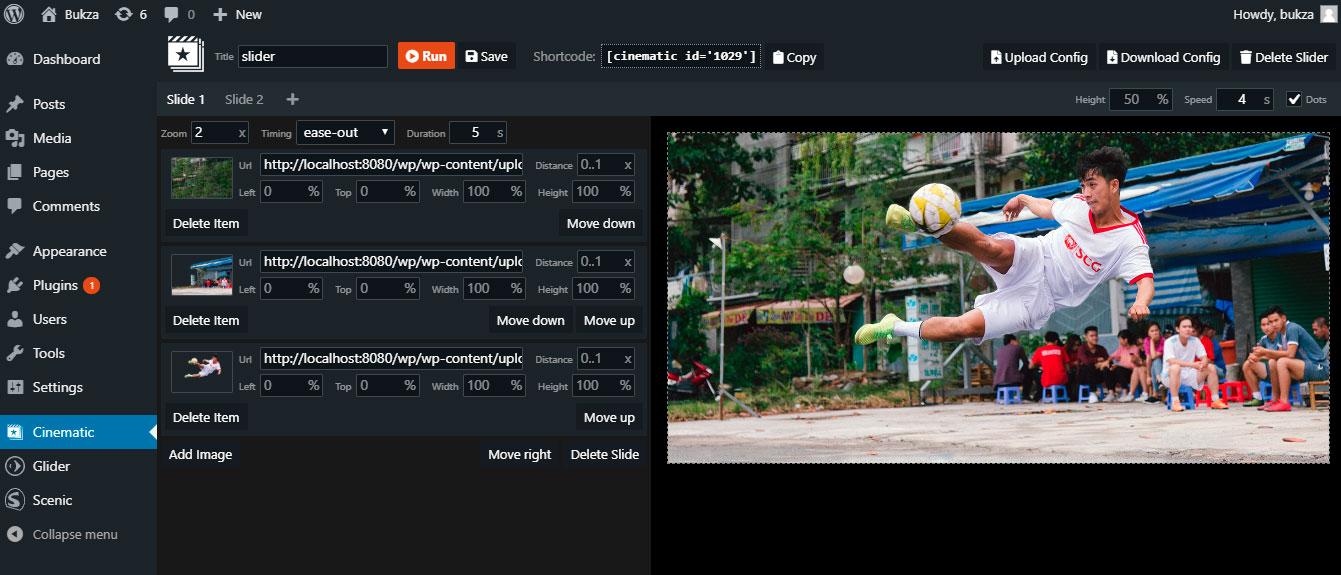
Slider Constructor - Allows you to construct your own slider.
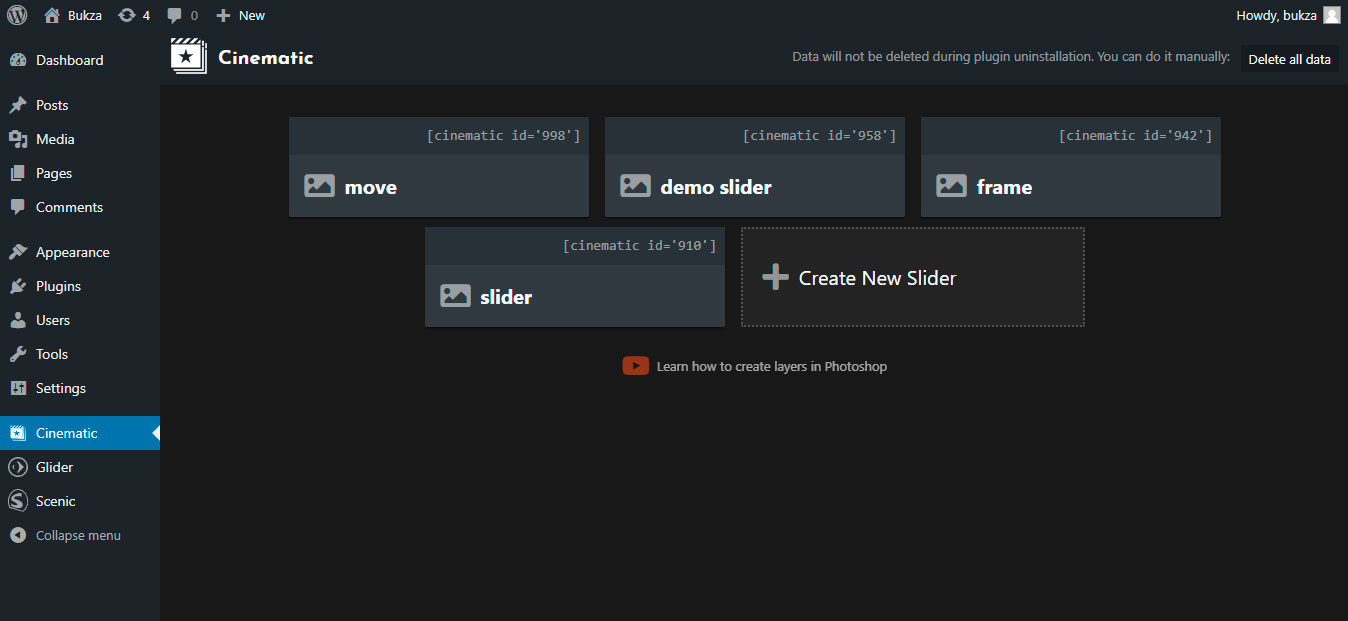
List of sliders - Contains all sliders that you have created.

Preview mode - You can preview how slider looks directrly in the constructor.
Changelog
1.0
- Initial Plugin Version