

Circle Progress Bar
Circle Progress Bar plugin will display the awesome unlimited circle progess bar with radiant colors.
Plugin info
Maintenance & Compatibility
Maintenance score
Possibly abandoned • Last updated 2748 days ago
Is Circle Progress Bar abandoned?
Possibly abandoned (last update 2748 days ago).
Compatibility
Similar & Alternatives
Explore plugins with similar tags, and compare key metrics like downloads, ratings, updates, support, and WP/PHP compatibility.
Description
Circle Progress Bar plugin will display the awesome unlimited circle progess bar with radiant colors.
Fill circle bar color with two different colors. In addition, you can also customize color by providing the required percentage.
You can easily add/edit/delete Circle Progress Bar items from the admin panel. You can use shortcode in pages, posts or sidebar using Text Widget.
Features:
1. It will show circle progressbar.
2. Enter a numerical value to set the percentage of filled area
3. Change title, Percentage and color.
4. Easy to implement
5. Fill circle bar color with two different colors
6. Unlimited Circle Bars.
7. Support post or page.
8. And many more.
Usages:
Just use [circlebar] short code.
Simple usage instruction:
1. Install This plug in your WordPress Site
-
Place [circlebar] this shortcode where you want to use it.
-
You can use this in your theme by Placing in your templates
Installation
USING THE WORDPRESS DASHBOARD
- Navigate to the ‘Add New’ in the plugins dashboard
- Search for Circle Progress Bar
- Click Install Now
- Activate the plugin on the Plugin dashboard
UPLOADING IN WORDPRESS DASHBOARD
- Navigate to the ‘Add New’ in the plugins dashboard
- Navigate to the ‘Upload’ area
- Select custom-circle-progress-bar.zip from your computer
- Click ‘Install Now’
- Activate the plugin in the Plugin dashboard
USING FTP
1. Download custom-circle-progress-bar.zip
2. Extract the custom-circle-progress-bar directory to your computer
3. Upload the custom-circle-progress-bar directory to the /wp-content/plugins/ directory
4. Activate the plugin in the Plugin dashboard
Frequently Asked Questions
Easy to use this plugin. Just install it and check under settings for Circle Progress Bar. Given the shortcodes for usage. Just place the shortcode in any page or post and you should be done.
Installation Instructions:
- Install as regular WordPress plugin.
- Go your Pluings setting via WordPress Dashboard and activate it.
- After activate plugin you will use Shortcode in settings menu to display Circle Progress bars post or page. use this shortcode [circlebar] to display Circle Progress Bars any where post of pages. Before display this shortcode [circlebar] set the color of circle bar in Setting option.
Installation Instructions
USING THE WORDPRESS DASHBOARD
- Navigate to the ‘Add New’ in the plugins dashboard
- Search for Circle Progress Bar
- Click Install Now
- Activate the plugin on the Plugin dashboard
UPLOADING IN WORDPRESS DASHBOARD
- Navigate to the ‘Add New’ in the plugins dashboard
- Navigate to the ‘Upload’ area
- Select custom-circle-progress-bar.zip from your computer
- Click ‘Install Now’
- Activate the plugin in the Plugin dashboard
USING FTP
1. Download custom-circle-progress-bar.zip
2. Extract the custom-circle-progress-bar directory to your computer
3. Upload the custom-circle-progress-bar directory to the /wp-content/plugins/ directory
4. Activate the plugin in the Plugin dashboard
Review feed
Screenshots
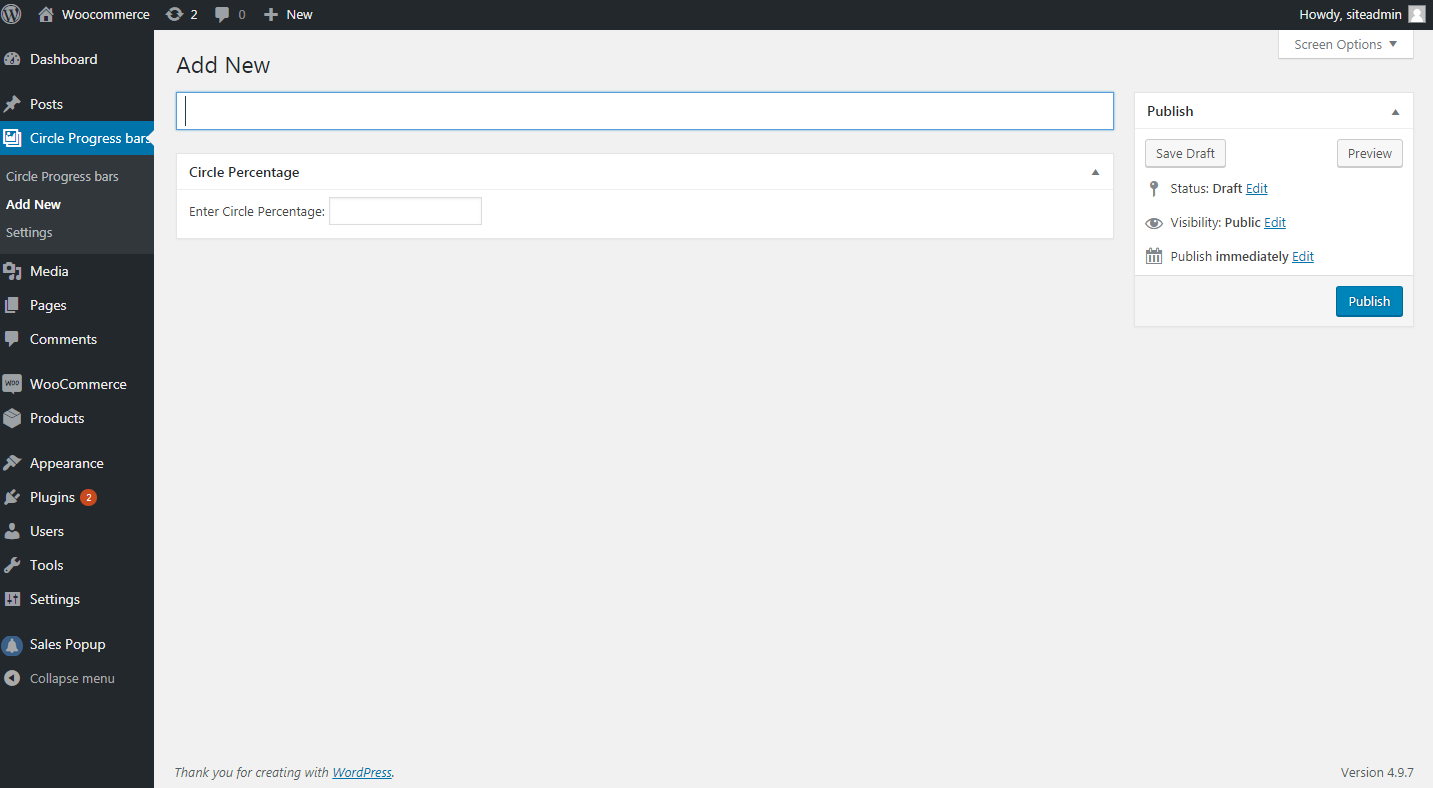
Add new circle progress bar with title and percentage.

List of circle progress bar items, In this area you can easily add/edit/delete Circle Progress Bar.

Admin settings & shortcodes.

Disply circle progress bar.
Changelog
1.0
Initial Public Release.