
Circular Year Planner
A circular year planner to visualize fiscal years and events.
Plugin info
Maintenance & Compatibility
Maintenance score
Maintained • Last updated 150 days ago
Is Circular Year Planner abandoned?
Likely maintained (last update 150 days ago).
Compatibility
Similar & Alternatives
Explore plugins with similar tags, and compare key metrics like downloads, ratings, updates, support, and WP/PHP compatibility.
Description
Circular Year Planner is a WordPress plugin that visualizes fiscal years and events in a circular calendar. Perfect for organizations and businesses that want to plan and communicate their activities in a visually appealing way.
Features
- Circular Calendar View – Year’s months, weeks and events in concentric rings
- Flexible Event Management – Customizable event types with individual colors
- Administrative Settings – Manage event types and fiscal years
- Easy Integration – Use shortcode to display the calendar
- REST API – For external integrations
- Responsive Design – Works on all devices
- Dynamic Scaling – Rings automatically adjust for 6+ event types
- Month Dividers – Visual guide lines for better readability
Usage
Use shortcode in any page or post:
[circular_year_planner]
Parameters:
year– Display specific fiscal year, e.g.[circular_year_planner year="2024/2025"]types– Display only certain event types (index), e.g.[circular_year_planner types="0,1"]widthandheight– Customize size, e.g.[circular_year_planner width="1000" height="1000"]
Technical Information
- Uses WordPress built-in jQuery
- SVG-based rendering for sharp graphics
- REST API endpoints for external integrations
- Follows WordPress Coding Standards
Additional Info
For support and questions, visit the plugin page on GitHub: https://github.com/andlun57/year-planning
Installation
- Upload the plugin folder to
/wp-content/plugins/ - Activate the plugin through the WordPress admin panel
- Go to “Year Planning” “Settings” to configure
- Add events via “Year Planning” “Add Event”
- Use shortcode
[circular_year_planner]to display the calendar
Frequently Asked Questions
Go to Year Planning Settings and click the color picker for each event type.
Yes, select which month the fiscal year starts in the settings. If you choose anything other than January, the year will be displayed as “24/25”.
You can have unlimited event types. The plugin automatically scales the rings proportionally from 6 event types upwards.
Yes, you can use multiple shortcodes with different parameters on the same page.
Review feed
Screenshots
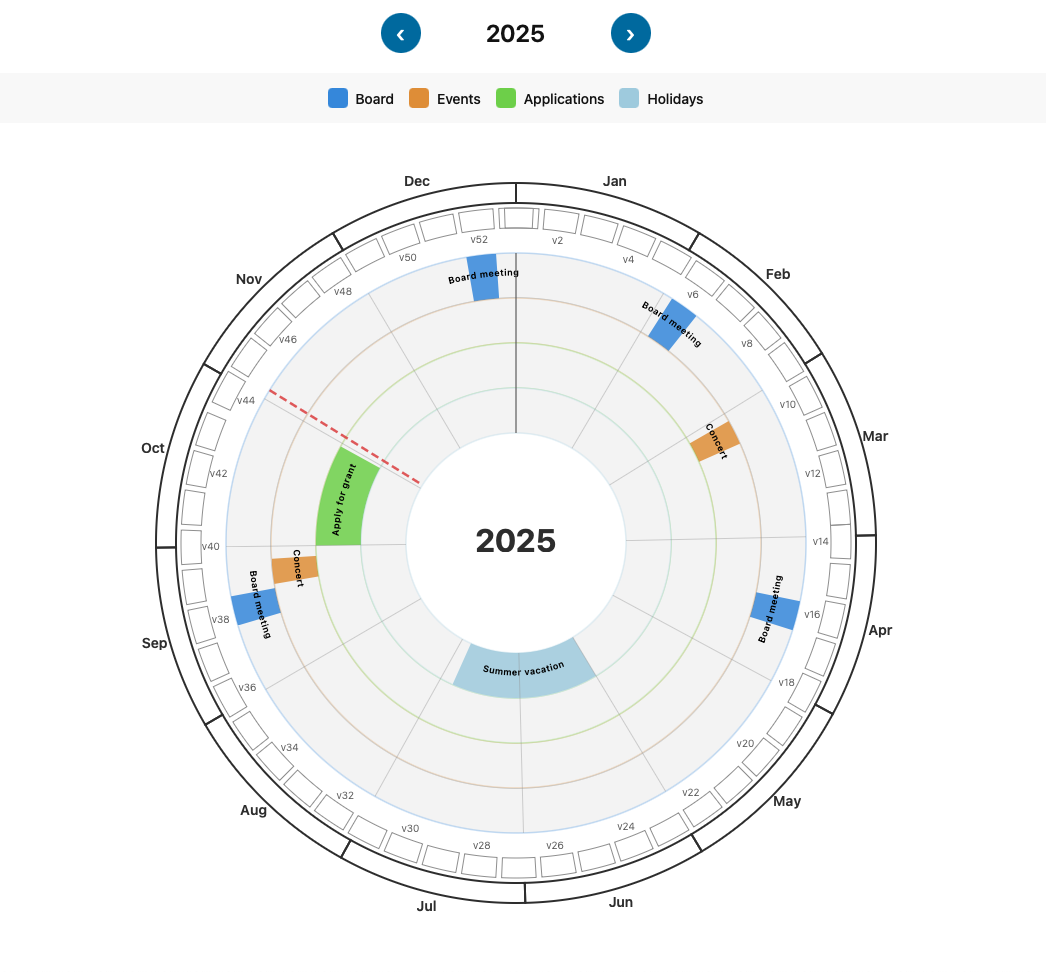
Circular calendar view with months, weeks and events
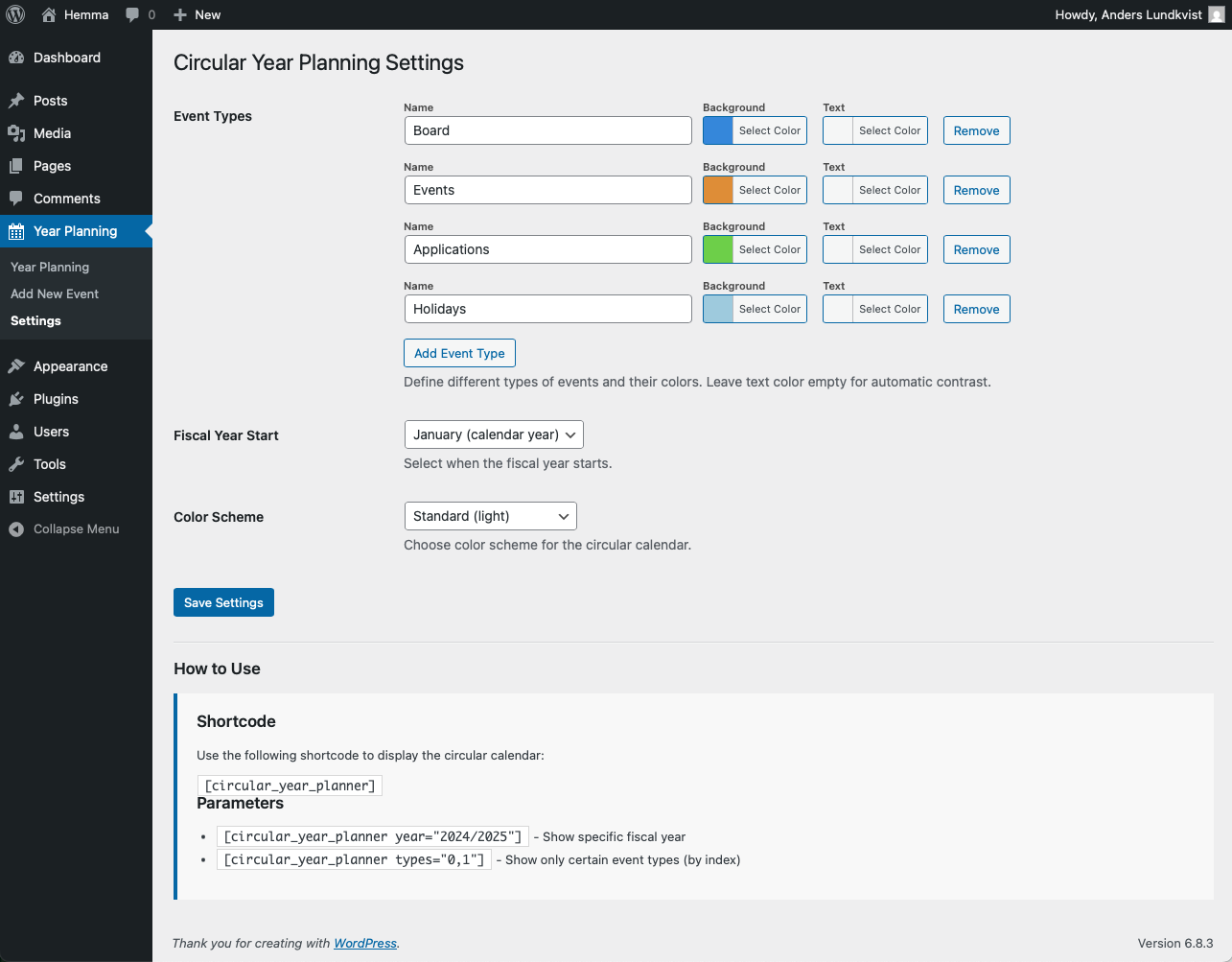
Administrative settings for event types
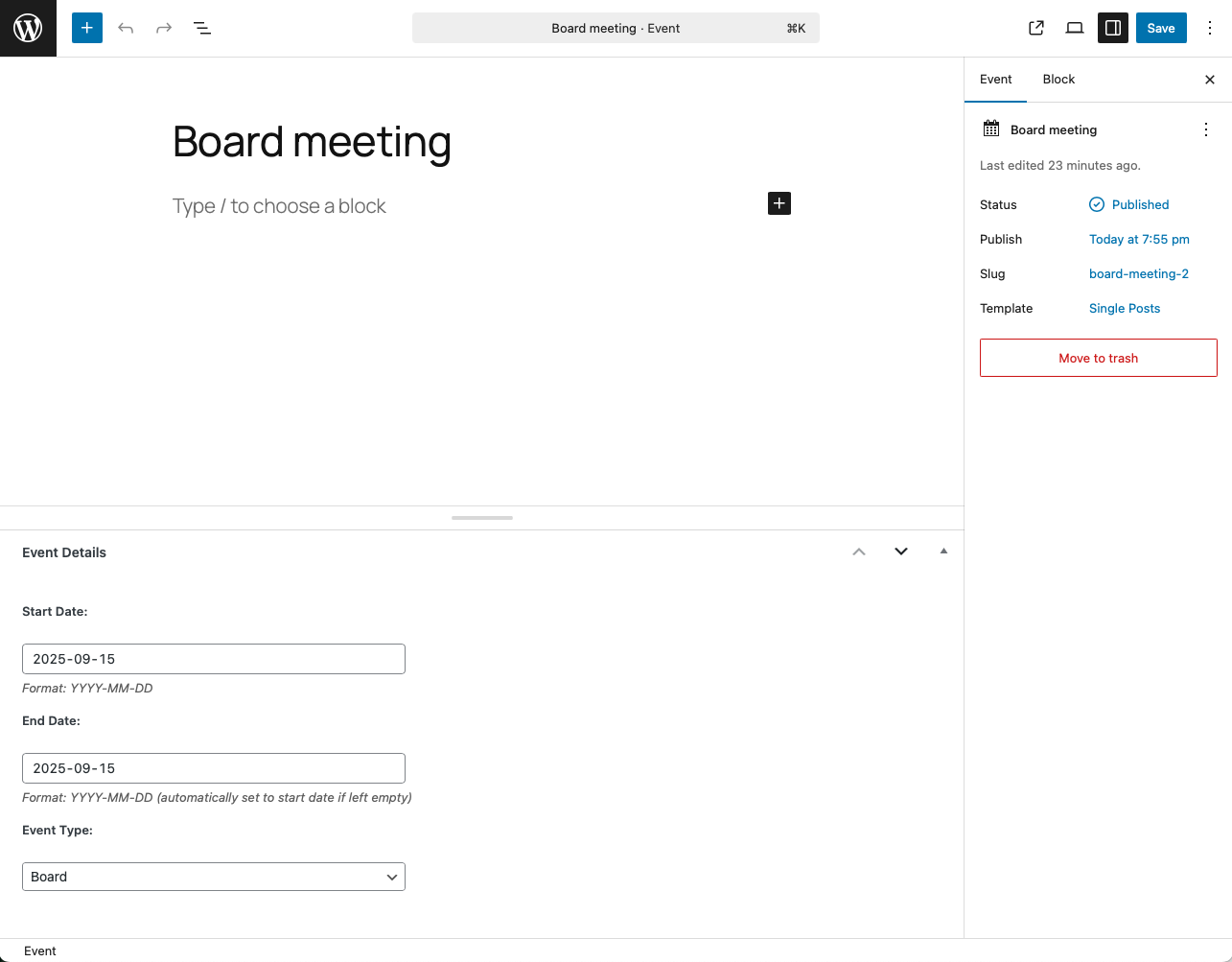
Event editor with dates and type
Changelog
1.0.22 – 2025-10-26
- Fixed color scheme functionality – color schemes now properly apply to the calendar
- Added CSS support for blue and green color schemes
1.0.21 – 2025-10-26
- Fixed CSS for dropdown menus to be consistent width
- Fixed alignment issues in settings page event type rows
1.0.20 – 2025-10-26
- Removed load_plugin_textdomain() function call (WordPress loads translations automatically)
- Removed load_textdomain() method and its hook
1.0.19 – 2025-10-26
- Changed prefix from “cyp” to “cypl” (4 characters minimum)
- Updated all class names, constants, and option names
- Changed post type from “cyp_event” to “cypl_event”
- Updated REST API namespace from “cyp/v1” to “cypl/v1”
1.0.18 – 2025-10-26
- Fixed contributors field in readme.txt
- Removed inline styles and scripts from settings page
- Moved all CSS to external files using wp_enqueue_style
- Moved all JavaScript to external files using wp_enqueue_script
- Added proper translation support for JavaScript strings
- All code now follows WordPress Plugin Directory guidelines
1.0.15 – 2024-10-17
- Dynamic ring size for 6+ event types
- Rings scale automatically proportionally
- Month dividers as radial guide lines
- Extra marked year divider line
- Better visual delimitation of months and years
- GPL v2 license added
- WordPress Plugin Directory guidelines followed
1.0.14 – 2024-10-16
- Week numbers now displayed every other week
- Better readability of week numbers
1.0.13 – 2024-10-16
- Text automatically flips on the left side
- All event text is now readable regardless of position
1.0.12 – 2024-10-16
- Event rings made 50% wider
- Light gray background on all event rings
1.0.11 – 2024-10-16
- Shortened display of fiscal year
- Fiscal year displayed as “2025” or “24/25”
1.0.0
- First version