

Citation Note
Easily add, manage, and display citations, references, and footnotes in posts, pages, or custom post types using a user-friendly editor interface.
Plugin info
Maintenance & Compatibility
Maintenance score
Stale • Last updated 260 days ago
Is Citation Note abandoned?
Likely maintained (last update 260 days ago).
Compatibility
Languages
Similar & Alternatives
Explore plugins with similar tags, and compare key metrics like downloads, ratings, updates, support, and WP/PHP compatibility.
Description
Citation Note plugin easily add, manage, and display citations, references, and footnotes in posts, pages, or custom post types using a user-friendly editor interface.
This is developed to help content creators manage and display content citations or references directly from the post/page editor.
This plugin adds a custom meta box with dynamic citation fields that allow users to:
– Add multiple citation entries.
– Remove or reorder citations.
– Output citations in the frontend or within blocks.
Ideal for blogs, research publications, or any content that benefits from structured citation management.
How to use
- After activate the plugin and select the post type to apply citations.
- Go to the edit screen of any selected post type.
- Scroll down to the Citation List meta box.
- Click Add Citation to insert new fields.
- Fill in your citation data (citation number and description).
- In the content editor, insert the placeholder (e.g.,
citation_1) where the citation reference should appear. - Save or update the post.
- Use the shortcode
[citenote_display_list]or template functiondo_shortcode('[citenote_display_list]')to render the citation list on the frontend.
License
This plugin is licensed under the GPLv2 or later. For more information, see https://www.gnu.org/licenses/gpl-2.0.html.
Installation
- Upload the plugin folder to
/wp-content/plugins/citation-note/or install via the Plugins menu. - Activate the plugin through the Plugins menu in WordPress.
- After activate the plugin, go to the plugin settings screen at
/wp-admin/options-general.php?page=citenote.- Select the post type(s) to apply citations.
- Set the citation footnote title (this will be displayed on the frontend).
Frequently Asked Questions
Yes, we can apply to only selected post type.
Yes. The plugin includes a CSS file you can override in your theme.
All citations are saved as post meta data under a structured array key.
Yes, it loads only on post editor screens and integrates seamlessly with the block editor.
Review feed
Screenshots
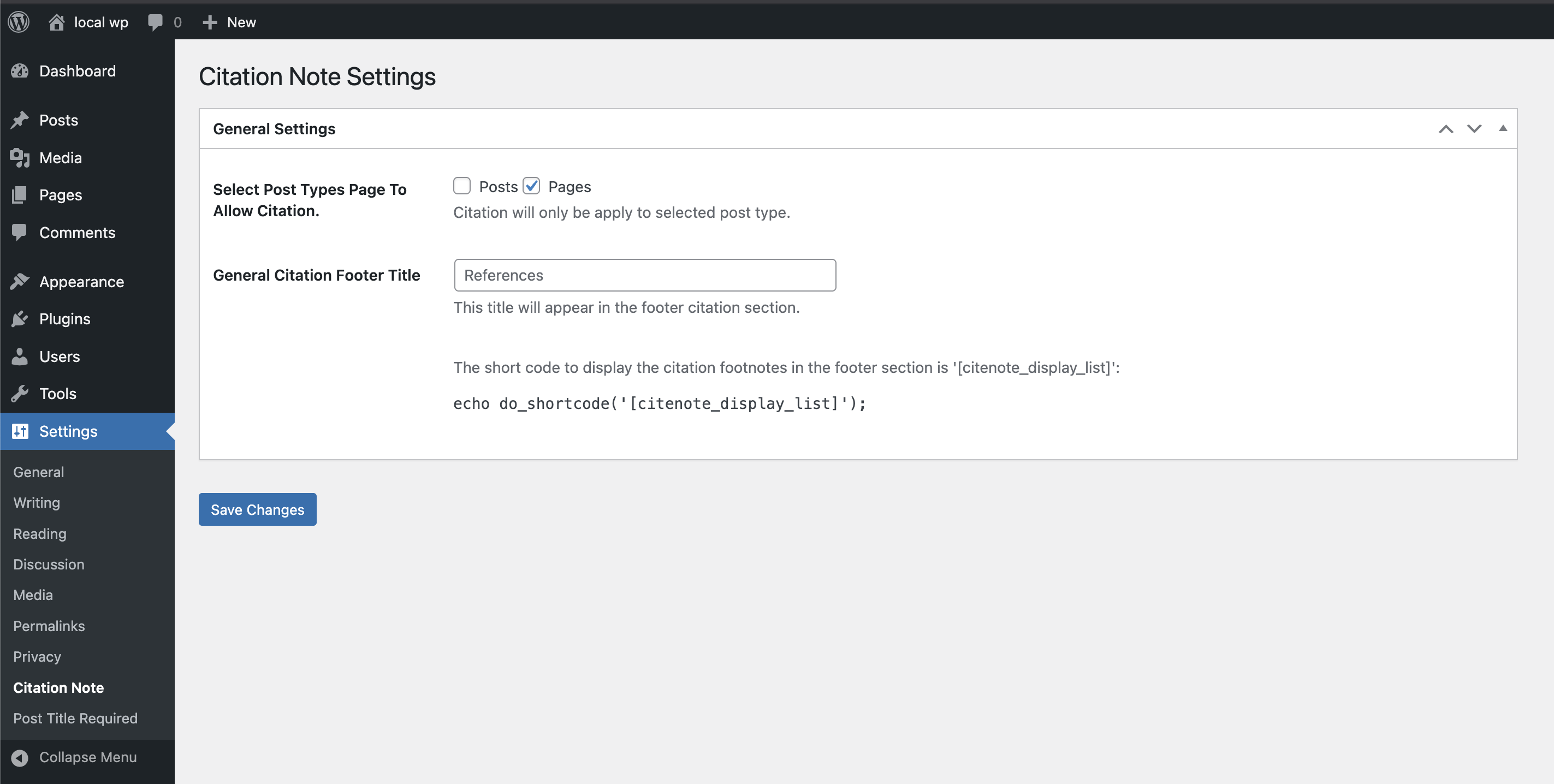
Plugin settings screen.
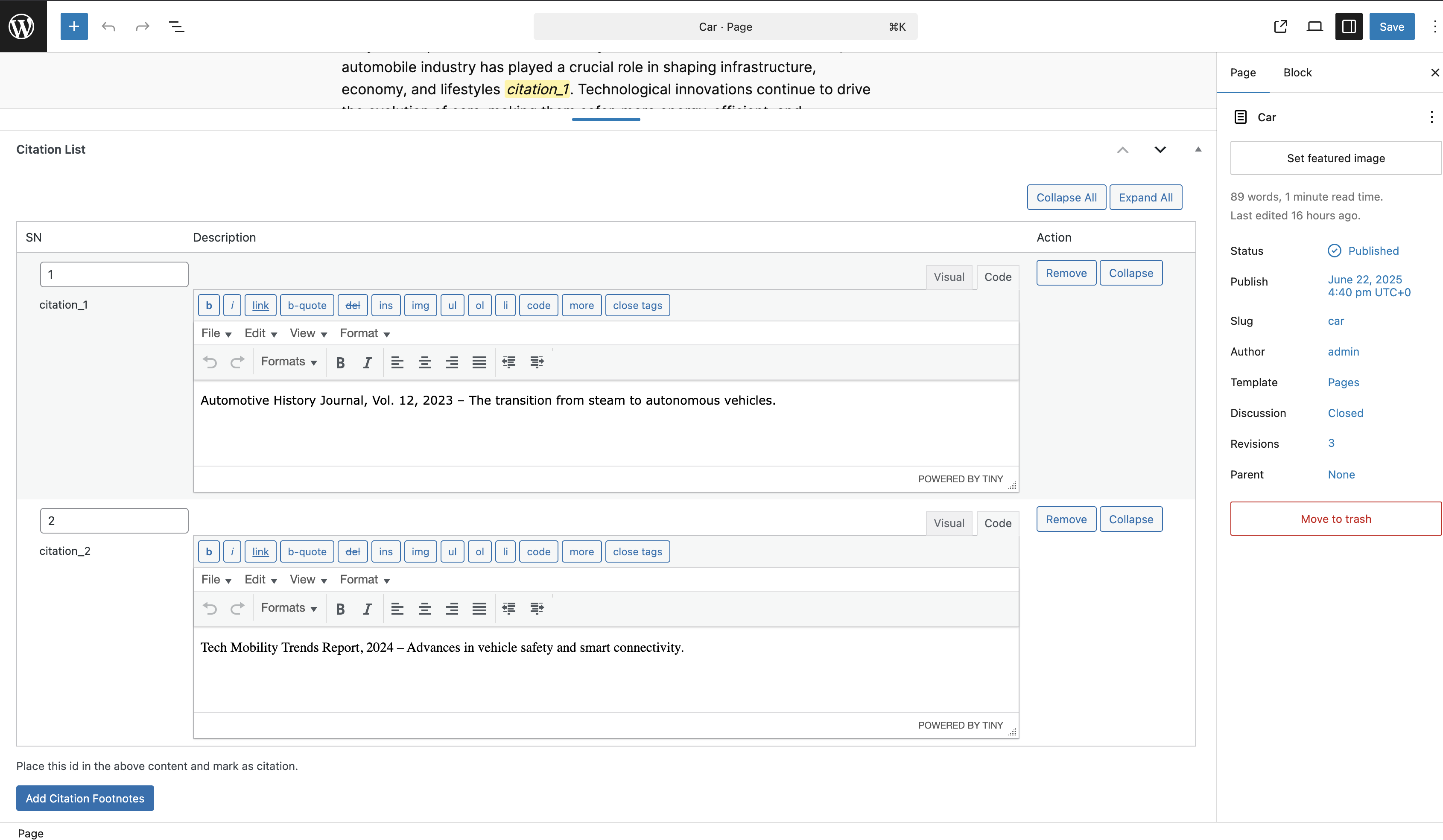
Citation meta box for entering data.
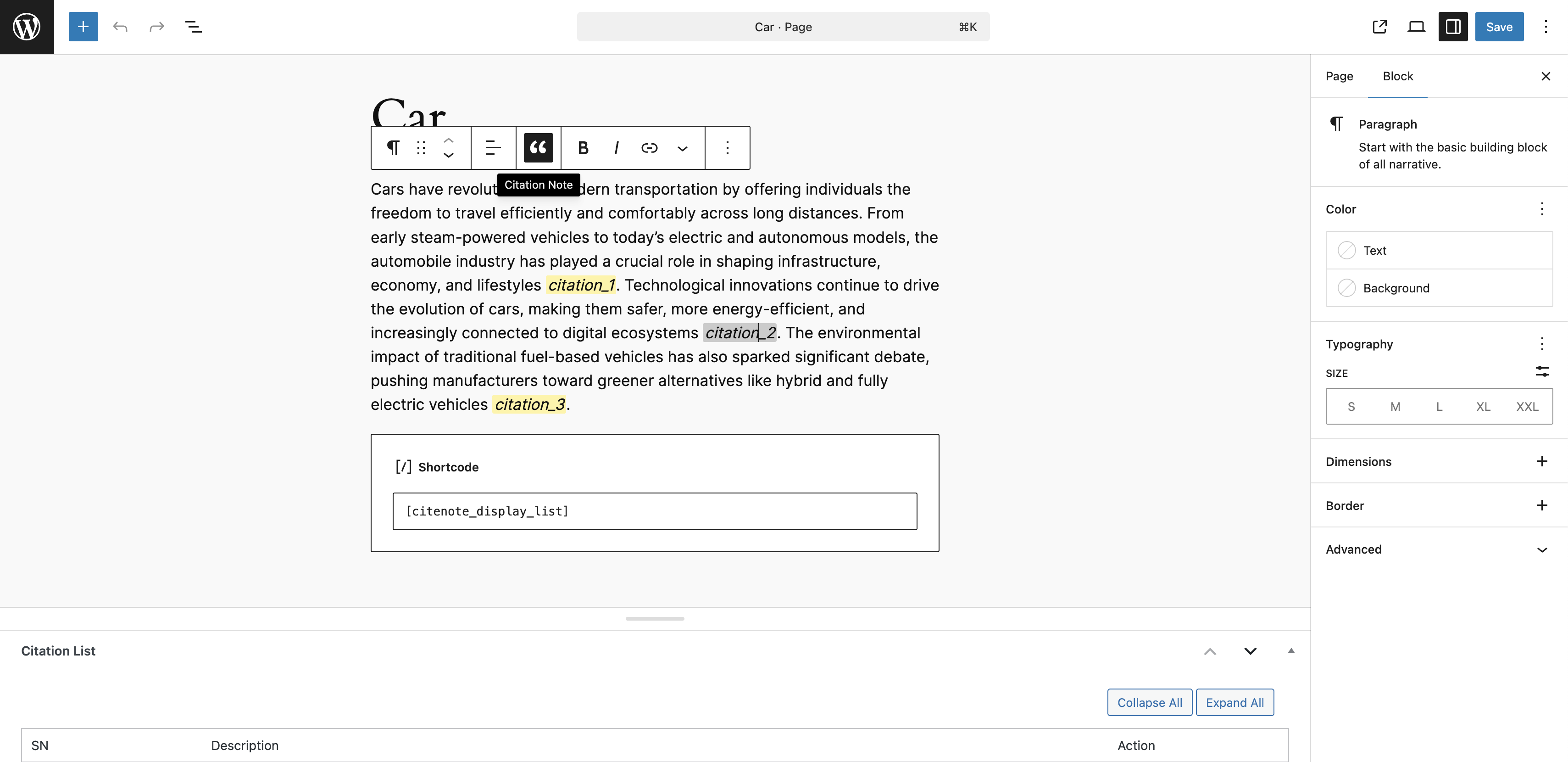
Citation placeholders and shortcode in content.
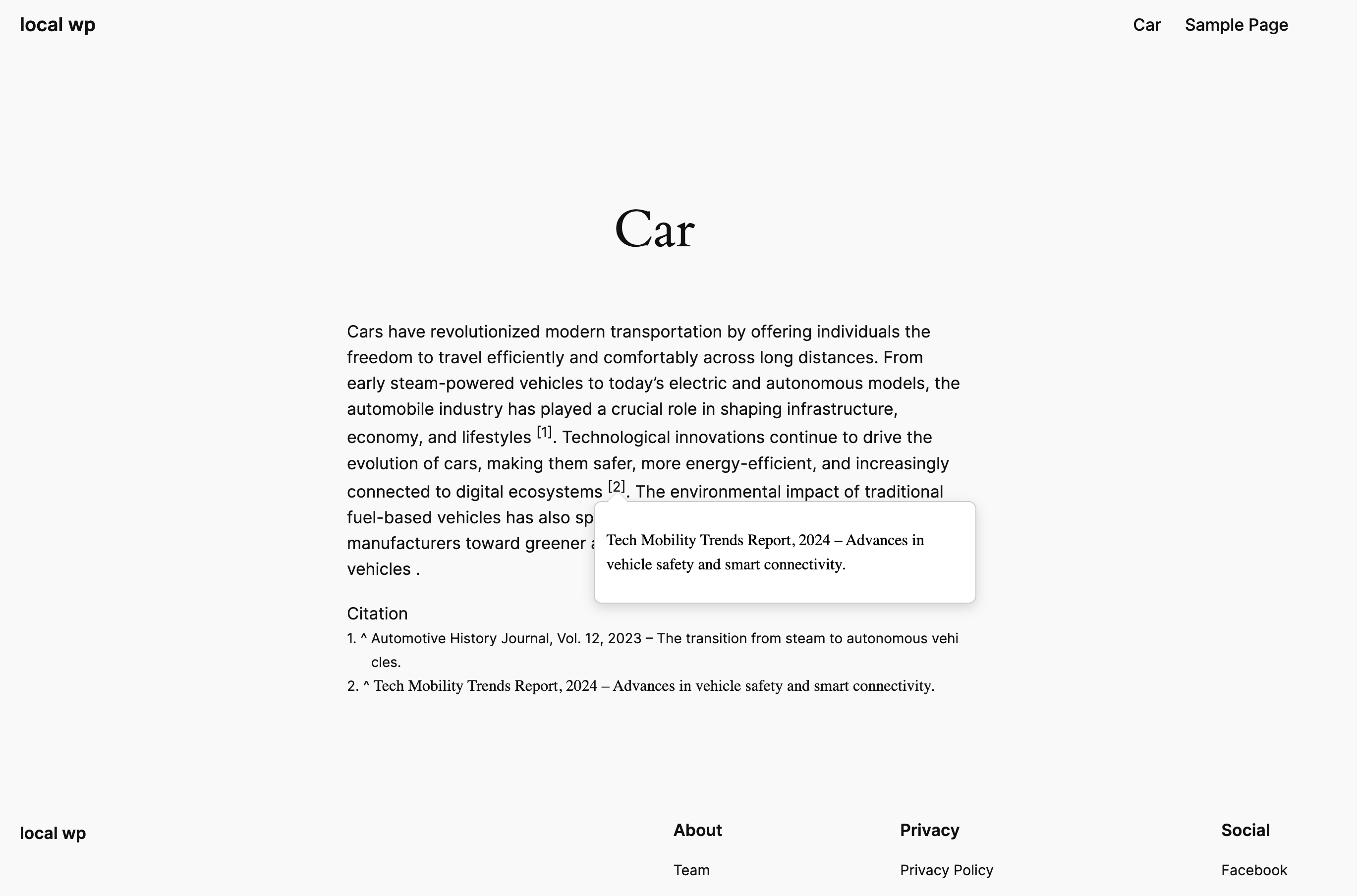
Frontend rendering of citation.
Changelog
1.0.0
- Initial release of Citation Note.
- Added support for dynamic citation fields and placeholder rendering.
- Included shortcode for citation list output.
- Admin settings to select post types and footnote title.