

ClaimPress – Warranty, Refunds & Returns for WooCommerce
A complete warranty, refunds, and returns management system for WooCommerce.
Plugin info
Maintenance & Compatibility
Maintenance score
Maintained • Last updated 132 days ago • 1 reviews
Is ClaimPress – Warranty, Refunds & Returns for WooCommerce abandoned?
Likely maintained (last update 132 days ago).
Compatibility
Similar & Alternatives
Explore plugins with similar tags, and compare key metrics like downloads, ratings, updates, support, and WP/PHP compatibility.
Description
ClaimPress is a complete warranty and returns management system built for WooCommerce.
It allows store owners to add included or paid warranty options directly to their product pages.
Customers can file claims from their “My Account” page, or guests can use a secure form to file claims with their order ID and email.
All claims are managed in a simple, clean interface in the WordPress dashboard.
Key Features:
- Per-Product Warranties: Add free “Included” warranties (e.g., “1 Year Warranty”) or complex “Paid” warranties (e.g., “3 Years for $10”) directly on the product edit page.
- Dual Claim System: Works for both logged-in customers (via “My Account” page) and guest customers (via a shortcode).
- Guest Claim Shortcode: Just add
[claimpress_guest_form]to any page to create a secure claim form for guest users. - Centralized Claim Management: A new “ClaimPress” menu item shows all pending claims, just like managing posts.
- Claim Statuses: Use statuses like Pending, Approved, and Rejected to manage your workflow.
- Admin Notifications: Receive emails for new claims.
- Customer Communication: Reply to customers directly from the claim management screen.
Installation
- Upload the
claimpressfolder to the/wp-content/plugins/directory. - Create an empty folder named
languagesinside theclaimpressfolder. - Activate the plugin through the ‘Plugins’ menu in WordPress.
- Go to
ClaimPress > Settingsto configure your notification emails and guest claim page. - Edit a WooCommerce product, go to the “Warranty” tab, and add your warranty options!
Frequently Asked Questions
Logged-in customers will automatically see a “My Warranties” tab in their WooCommerce “My Account” page, where they can see their warrantied items and file a claim.
- Create a new page (e.g., “File a Claim”).
- Add the shortcode
[claimpress_guest_form]to the page. - Go to
ClaimPress > Settingsand select this page from the “Guest Claim Page” dropdown. - Guests can now visit this page, enter their Order ID and Email, and submit a claim.
Yes! This plugin automatically enables shortcodes in widgets.
You can add a “Text” or “Custom HTML” widget to your sidebar or footer and paste the [claimpress_guest_form] shortcode inside it.
This version of ClaimPress focuses on the warranty system.
Full refund and return management features are planned for future updates!
Review feed
Screenshots
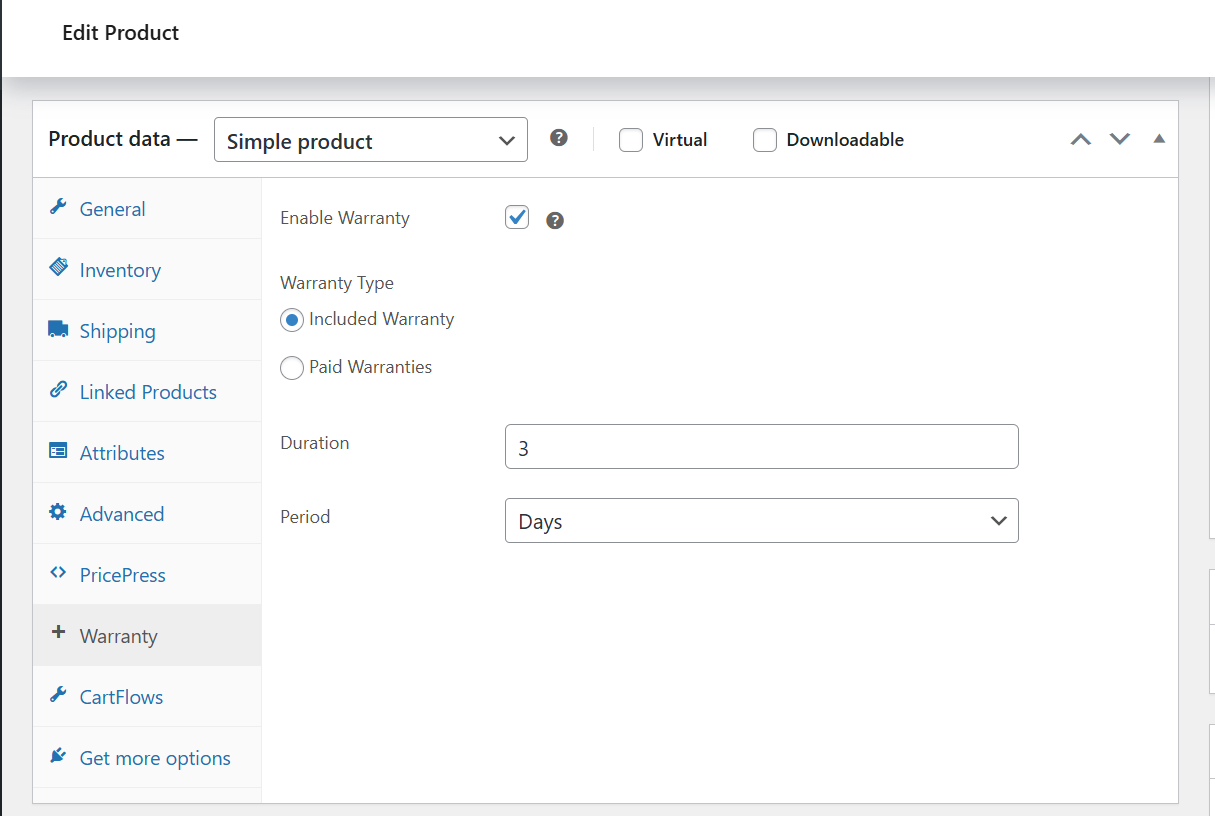
Configure simple "Included Warranties" directly within the WooCommerce product data tab.
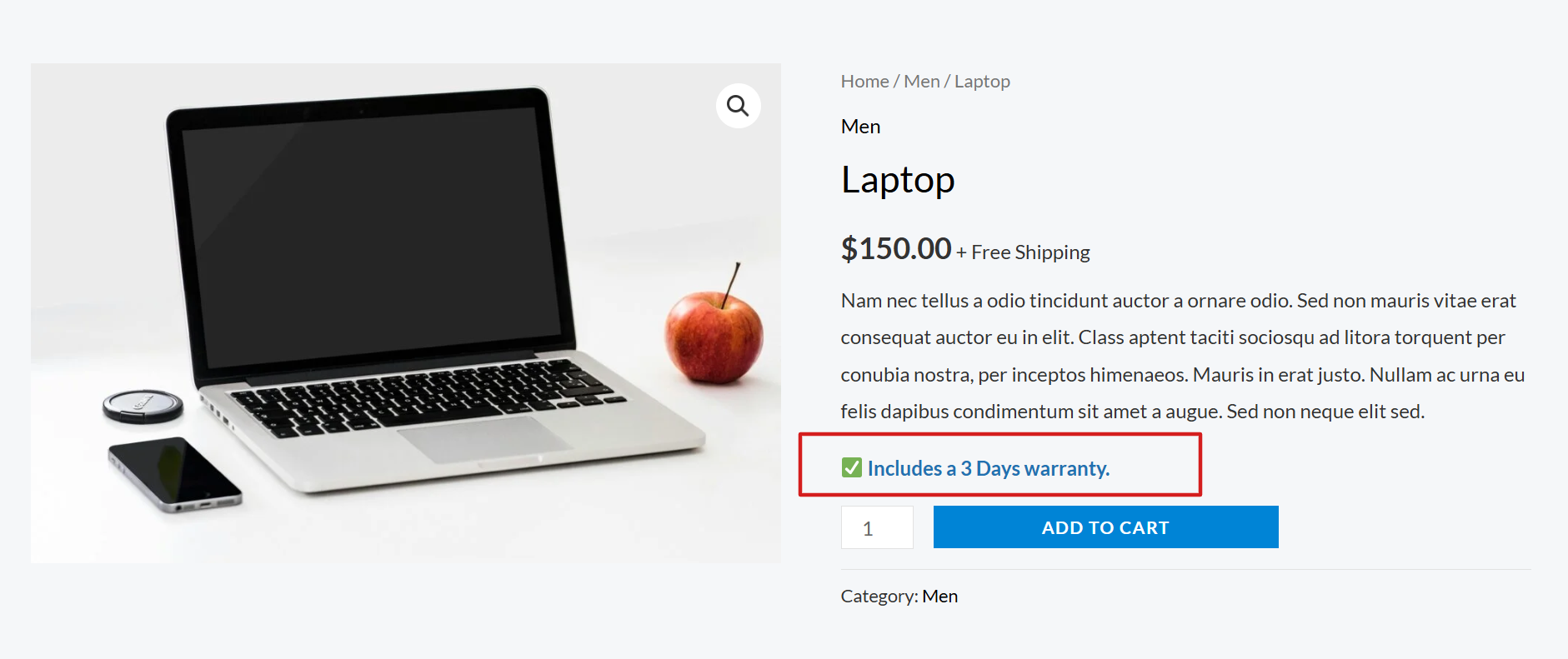
The frontend view showing the included warranty information to the customer.
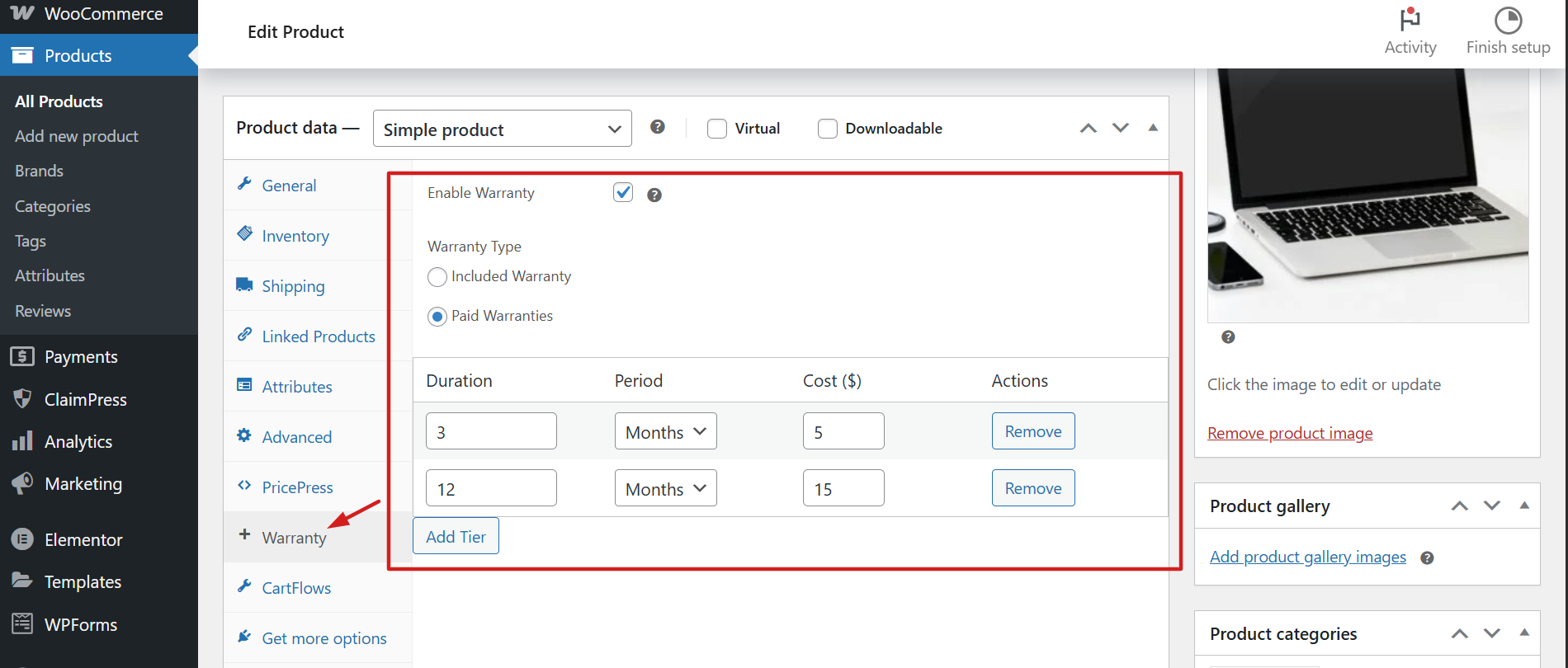
Create multiple distinct "Paid Warranty" tiers with custom durations and pricing.
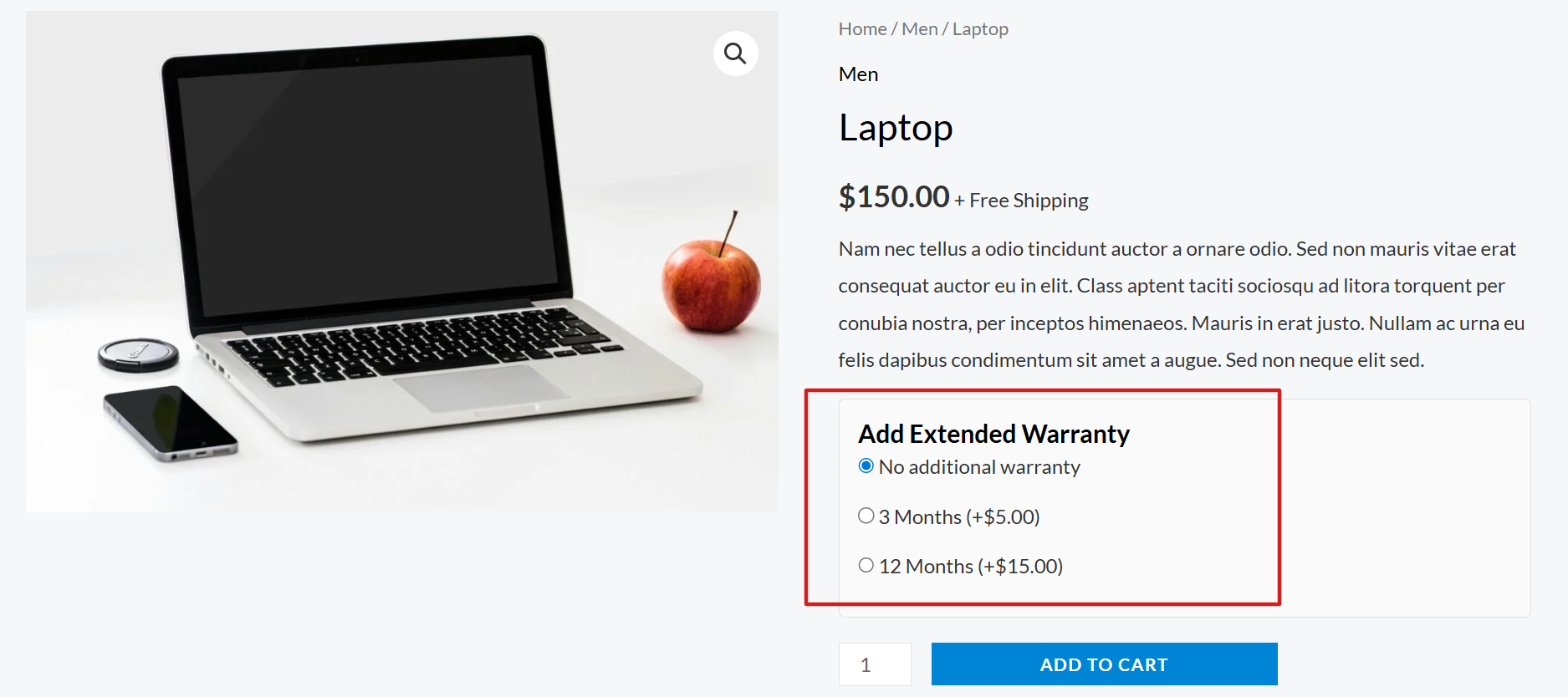
Customers can easily select optional extended warranties right on the product page.
Changelog
1.0.0
- Initial release.
- Implements a full-featured warranty system.
- Adds per-product warranty options (included and paid).
- Adds a dual claim-system for logged-in users and guests.
- Provides a full admin interface for managing claims, including statuses and email replies.
- Includes a settings page for notifications and guest form setup.
- Passes all WordPress.org plugin review checks.