

Classic Visual Editor Options
Restores the “Visual Editor Options” section in user profiles.
Plugin info
Maintenance & Compatibility
Maintenance score
Maintained • Last updated 123 days ago • 4 reviews
Is Classic Visual Editor Options abandoned?
Likely maintained (last update 123 days ago).
Compatibility
Similar & Alternatives
Explore plugins with similar tags, and compare key metrics like downloads, ratings, updates, support, and WP/PHP compatibility.
Description
💬
Dear and respected members of the WordPress community, especially those who still believe that “Code is Poetry” — believe it or not, there are people like me for whom this removed feature still matters.
This plugin restores the classic
“Visual Editor Options”
section to the user profile screen.
It’s a clean, dependable tweak — made for those who prefer writing in plain text, without distraction, without visual clutter.
No extra settings. No noise. Just the option that once was.
Perfect for:
- writers who live in the HTML tab,
- developers who avoid visual editors,
- or anyone who simply misses that checkbox.
It works with both the Classic and Block editors,
and doesn’t require any additional plugins.
Just install, and enjoy the silence of plain text.
How It Works
- A checkbox labeled “Disable the visual editor when writing” is added to each user’s profile page.
- When checked, the plugin disables visual editing features and saves the preference (
rich_editing = false). - Both TinyMCE and Gutenberg are bypassed — only the plain text editor is shown.
Additional behaviors (enabled by default):
- Prevents loading of unnecessary editor scripts and styles for users who opt out.
- Removes visual editor metaboxes when not needed.
- Displays a dismissible admin notice if visual editing is disabled but the plugin is no longer active.
Compatibility
- Works with both Classic and Block (Gutenberg) editors.
- Compatible with the Genesis Framework and most modern themes.
- Functions independently — does not require the Classic Editor plugin.
- Honors native WordPress capabilities like
user_can_richeditanduse_block_editor_for_post.
Translations
This plugin is translation-ready.
Currently available in:
- Japanese (thanks to @kimipooh)
If you would like to contribute a translation, please visit:
https://translate.wordpress.org/projects/wp-plugins/classic-visual-editor-options/
Installation
- Upload the plugin to
/wp-content/plugins/or install it directly via Plugins > Add New. - Activate the plugin.
- Go to Users > Your Profile, check “Disable the visual editor when writing”, and save changes.
- Done. The editor will now default to plain text for that user.
Frequently Asked Questions
Yes — for users who disable the visual editor. The plugin uses native filters to bypass both Gutenberg and TinyMCE.
Nothing changes for them unless they also choose to disable the visual editor in their profile.
No. This plugin works entirely on its own.
Yes — as long as those plugins respect WordPress coding standards and core filters.
Yes — by a developer who still writes in HTML mode.
Review feed
Great plugin!
Screenshots
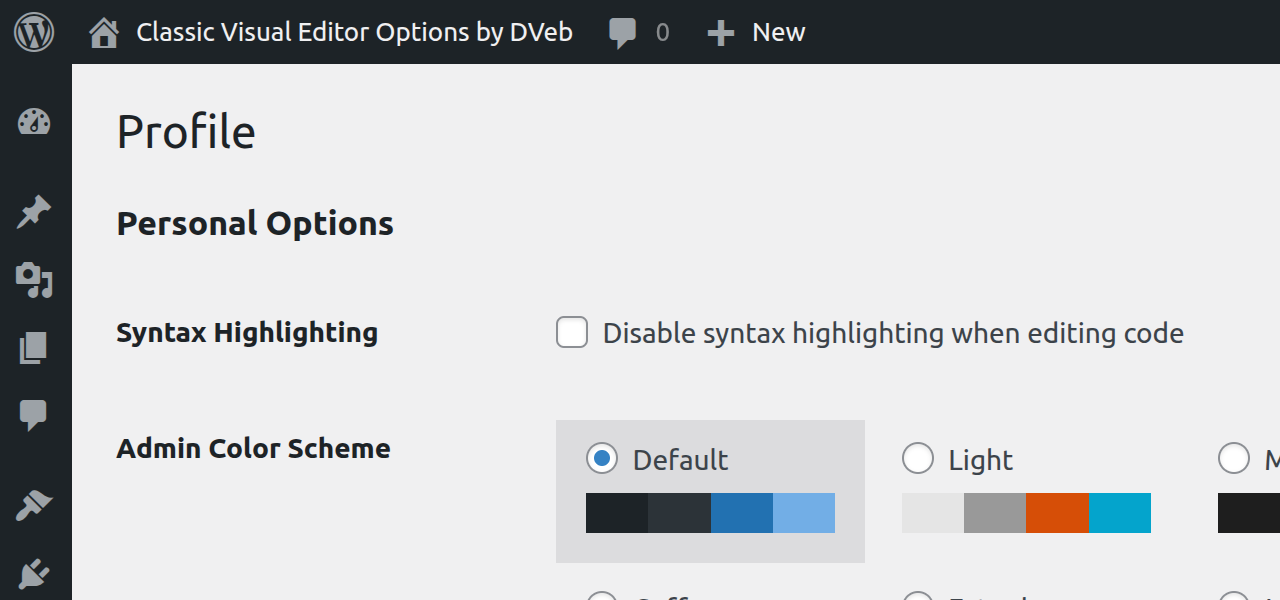
Legacy versions of WordPress where the checkbox was removed.
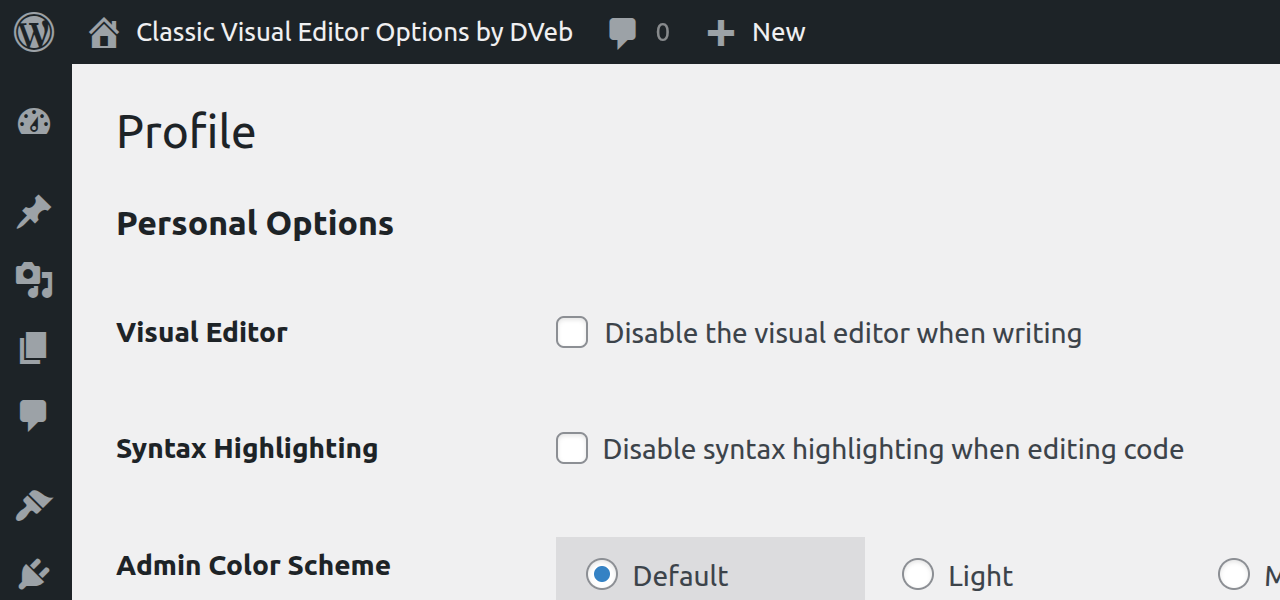
The restored checkbox — default state (unchecked).
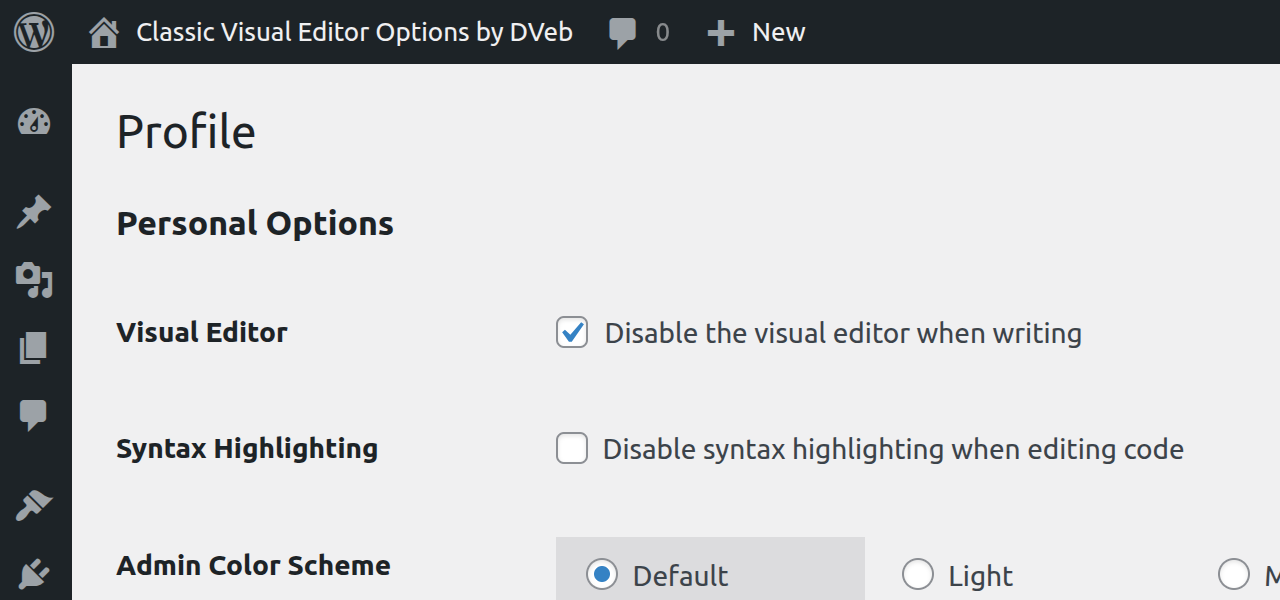
The restored checkbox — active (checked), visual editor disabled.
Changelog
1.0.2
- Updated “Tested up to” to WordPress 6.9.
- Prefixed a global variable to meet WordPress PHPCS standards.
- Added a minor security hardening check for
$_SERVER['PHP_SELF']. - General maintenance and compatibility updates.
1.0.1
- Added Japanese translation credit (@kimipooh)
- Readme updates
1.0.0
- Initial release.
- Plugin was originally submitted as “Restore Visual Editor Options.”
- Renamed to Classic Visual Editor Options for clarity and naming consistency.