

Clean unused shortcodes
Remove unused shortcodes from your posts content with an improved user interface and advanced functionality.
Plugin info
Maintenance & Compatibility
Maintenance score
Possibly abandoned • Last updated 472 days ago • 7 reviews
Is Clean unused shortcodes abandoned?
Possibly abandoned (last update 472 days ago).
Compatibility
Similar & Alternatives
Explore plugins with similar tags, and compare key metrics like downloads, ratings, updates, support, and WP/PHP compatibility.
Description
Clean unused shortcodes from your posts, pages, and any custom post types with ease.
This plugin provides an intuitive user interface powered by React and supports advanced features like:
– Preview unused and used shortcodes.
– View the location of shortcodes in posts or pages.
– Clean specific shortcodes or all unused shortcodes with one click.
– Improved visual indicators and functionality for better management of your content.
Installation
- Upload
clean-unused-shortcodesfolder to the/wp-content/plugins/directory. - Activate the plugin through the ‘Plugins’ menu in WordPress.
- Navigate to Tools “Clean Unused Shortcodes”.
- Preview unused or used shortcodes.
- Choose your preferred post types or clean all unused shortcodes at once.
Frequently Asked Questions
Review feed
Screenshots
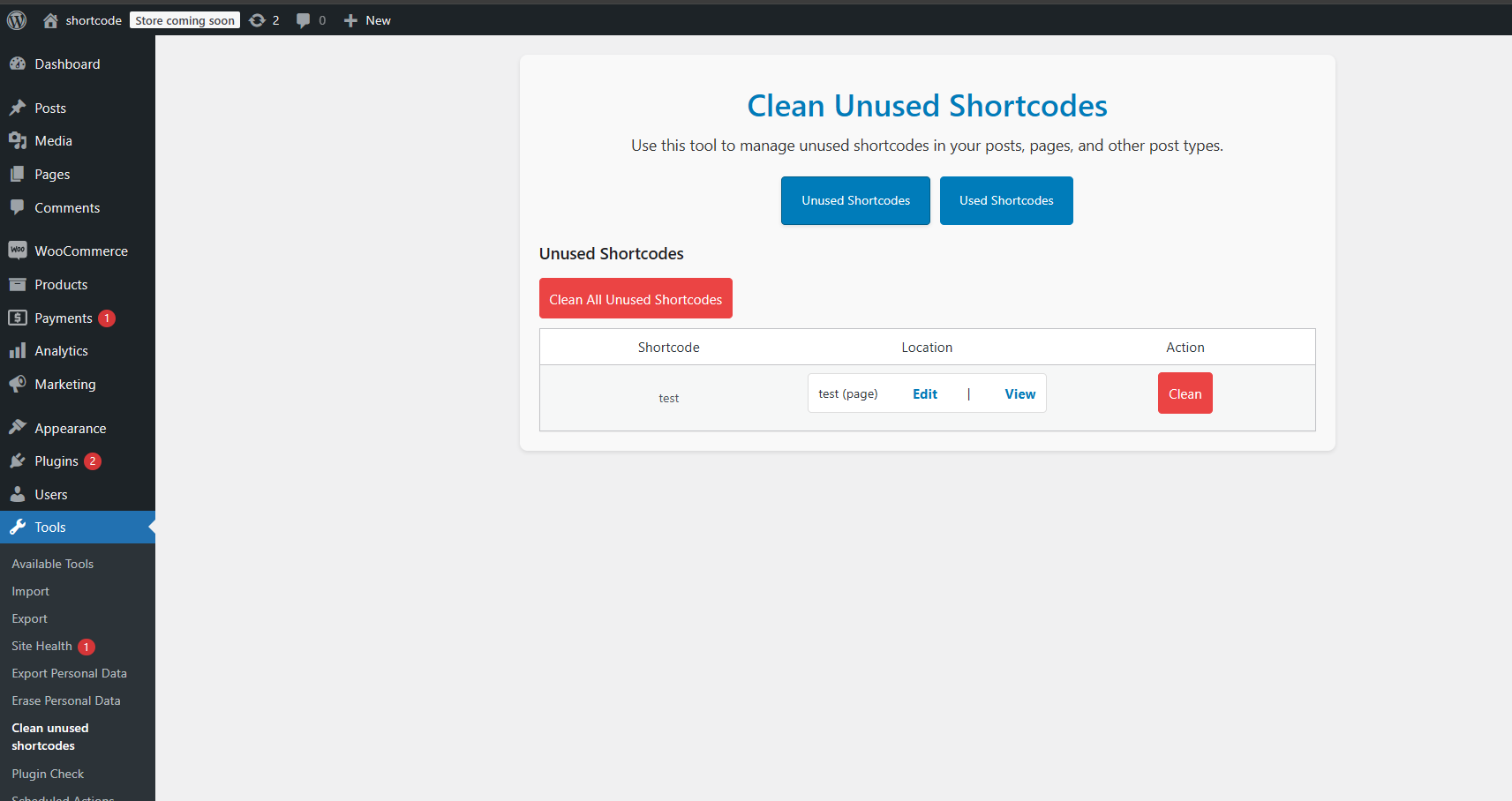
Admin interface showing unused shortcodes with edit and view links.

Preview used shortcodes in posts and pages.
Changelog
2.0.0
- Complete plugin rewrite using React for the admin UI.
- Introduced the ability to preview unused and used shortcodes.
- Display shortcode locations with links to edit or view posts/pages.
- Added a “Clean All” button to remove all unused shortcodes in one click.
- Improved performance and stability.
- Enhanced the visual design with SASS-based styles.
- Fixed edge cases for nested and unregistered shortcodes.
1.0.4
- Update UI.
- Fix white screen.
1.0.3
- Test with WordPress 6.1.1.
1.0.2
- Update plugin description.
1.0.1
- Update donate link.
1.0.0
- First release.