

Plugin info
Maintenance & Compatibility
Maintenance score
Possibly abandoned • Last updated 3571 days ago • 17 reviews
Is Clean WP Admin Menu abandoned?
Possibly abandoned (last update 3571 days ago).
Compatibility
Similar & Alternatives
Explore plugins with similar tags, and compare key metrics like downloads, ratings, updates, support, and WP/PHP compatibility.
Description
Most of the plugins and even standart WordPress tabs in the admin menu are not used very often.
With this plugin you can make rarely used items in the admin menu invisible until you need them.
You can just toggle them whenever you need them with Toggle Extra button in the left menu.
Installation
- Download and activate the plugin.
- Browse to the
Clean Admin Menusection under Settings to configure.
Frequently Asked Questions
How does it work
It simply hides&show the elements via css and javascript.
Review feed
Still works!
Screenshots
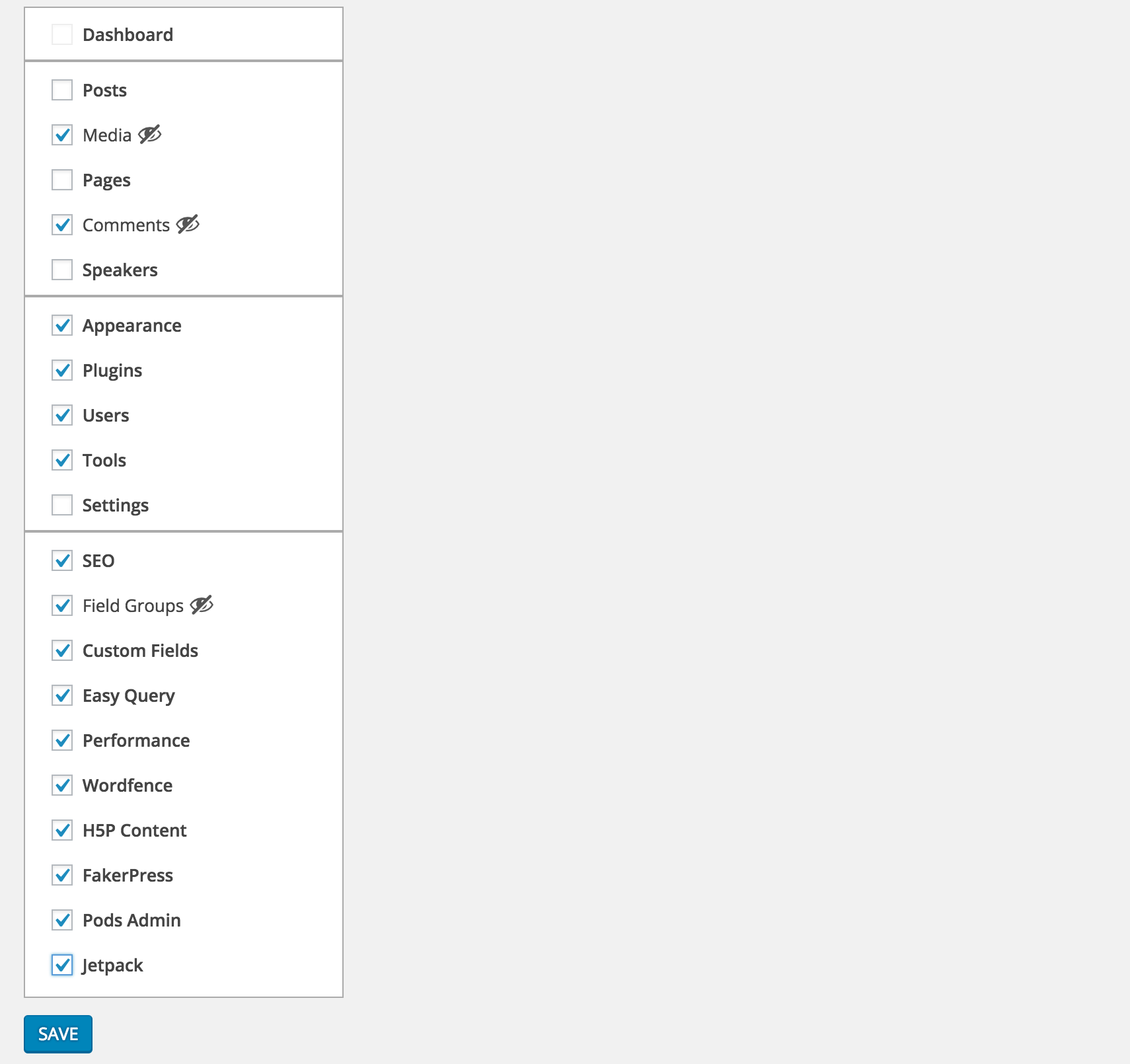
Select the menu items you want to hide from Settings > Clean Admin Menu

Unless they are current active item, selected items will be hidden

To see the selected items you can simply press Toggle Extra
Changelog
1.0.0
- First version
1.0.1
- PHP 5.2 syntax fix