

Forms to CRM / Gravity Add-On
Integrate doBoard (CRM) with Gravity Forms (GF). Automatically create tasks for leads, orders and support requests.
Plugin info
Maintenance & Compatibility
Maintenance score
Maintained • Last updated 118 days ago
Is Forms to CRM / Gravity Add-On abandoned?
Likely maintained (last update 118 days ago).
Compatibility
Languages
Similar & Alternatives
Explore plugins with similar tags, and compare key metrics like downloads, ratings, updates, support, and WP/PHP compatibility.
Description
Seamlessly integrate Gravity Forms with doBoard (CRM). Automatically create tasks for every message from site.
This add-on creates tasks in doBoard for every submission made through a Gravity Forms on your site. It automates the processing of leads, orders, support requests, and any other data collected through your website’s forms.
doBoard.com is a project management system that can also be used as a customer relationship management (CRM) tool. It helps teams communicate with customers and manage midterm projects effectively.
KEY FEATURES
- Direct integration between Gravity Forms and doBoard.com. No need for team members to manually create new tasks, which saves time for real work.
- Automated task creation from submitted forms.
- Organization of project contact information.
- Team collaboration features for sales and support teams
- A simple alternative to heavyweight CRM platforms
- Ideal for small and medium teams managing customer relationships, service requests, or sales funnels through WordPress.
HOW DOES IT WORK?
Every form entry goes directly into your doBoard project, creating tasks that can be assigned, tracked, and completed. No manual data transfer, no lost submissions—just a clear process from form to action. The workflow like this,
- Store contact information from submitted forms in organized projects
- Track customer interactions through comments and task updates
- Segment contacts by assigning them to specific projects or workflows
- Track interaction history and follow-up status in a single dashboard
SIMPLIFIED LEAD MANAGEMENT
Sales and support teams can systematically manage incoming leads. Each submission becomes a trackable task with attached contact information, making it easy to assign responsibility, set follow-up dates, and track conversion progress.
SUPPORT
If you have questions or suggestions, contact us at [email protected].
EXTERNAL SERVICES
This plugin integrates with api.doboard.com service. By using this plugin, you agree to terms and privacy policy of doBoard service.
Cases of data transmission to this service:
-
User Authentication
Data Sent: Only the user_token as a URL query parameter. -
Fetching Projects
Data Sent: The account_id (in the path) and session_id (as a URL query parameter). -
Fetching Task Boards (Tracks)
Data Sent: The account_id (path), session_id, the fixed parameter status=ACTIVE, and an optional project_id (all as URL query parameters). -
Fetching Labels
Data Sent: The account_id (path) and session_id (as a URL query parameter). -
Adding a Task
Data Sent: The account_id (in the path). The task data (an array of properties like title, description, etc.) is sent in the body of the POST request, which is encoded as JSON. -
Adding a Comment
Data Sent: The account_id (in the path). The comment data (e.g., task_id, message, etc.) is sent in the body of the POST request, which is encoded as JSON.
Installation
- Install the plugin through the WordPress -> Plugins screen directly or upload the plugin files to the /wp-content/plugins/cleantalk-doboard-add-on-for-gravity-forms directory.
- Activate the plugin through the ‘Plugins’ screen in WordPress.
- Go to Gravity Forms -> Settings -> doBoard and enter your doBoard user token (global setting).
- Go to Forms -> Form Settings -> doBoard Feeds and configure the integration options (account, project, board, labels, etc.).
- Save your settings. Tasks will now be created automatically on form submission according to your feed configuration.
Frequently Asked Questions
You’ll need:
Gravity Forms 2.5 or higher
An active account at doBoard
You can find your token in your doBoard account settings under API section.
Review feed
Screenshots
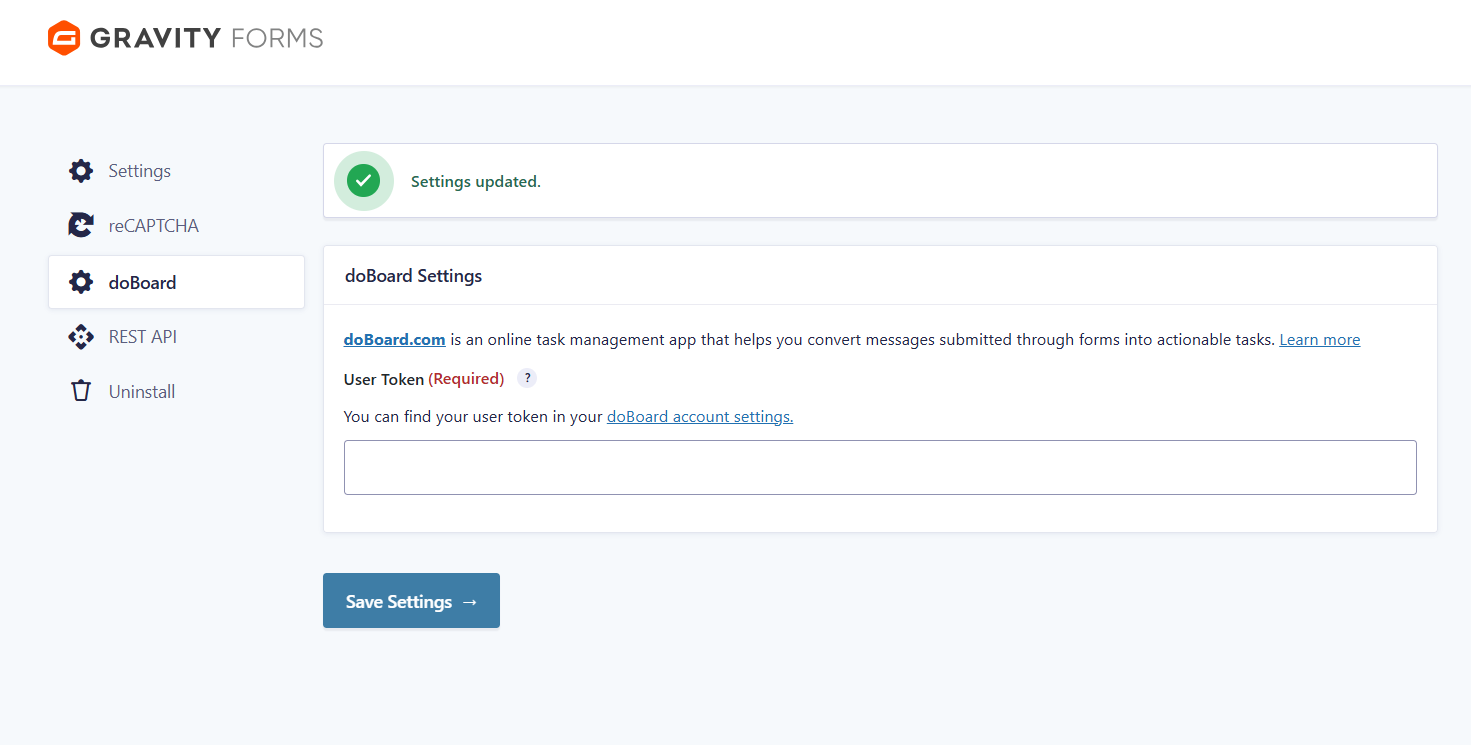
Plugin settings page.
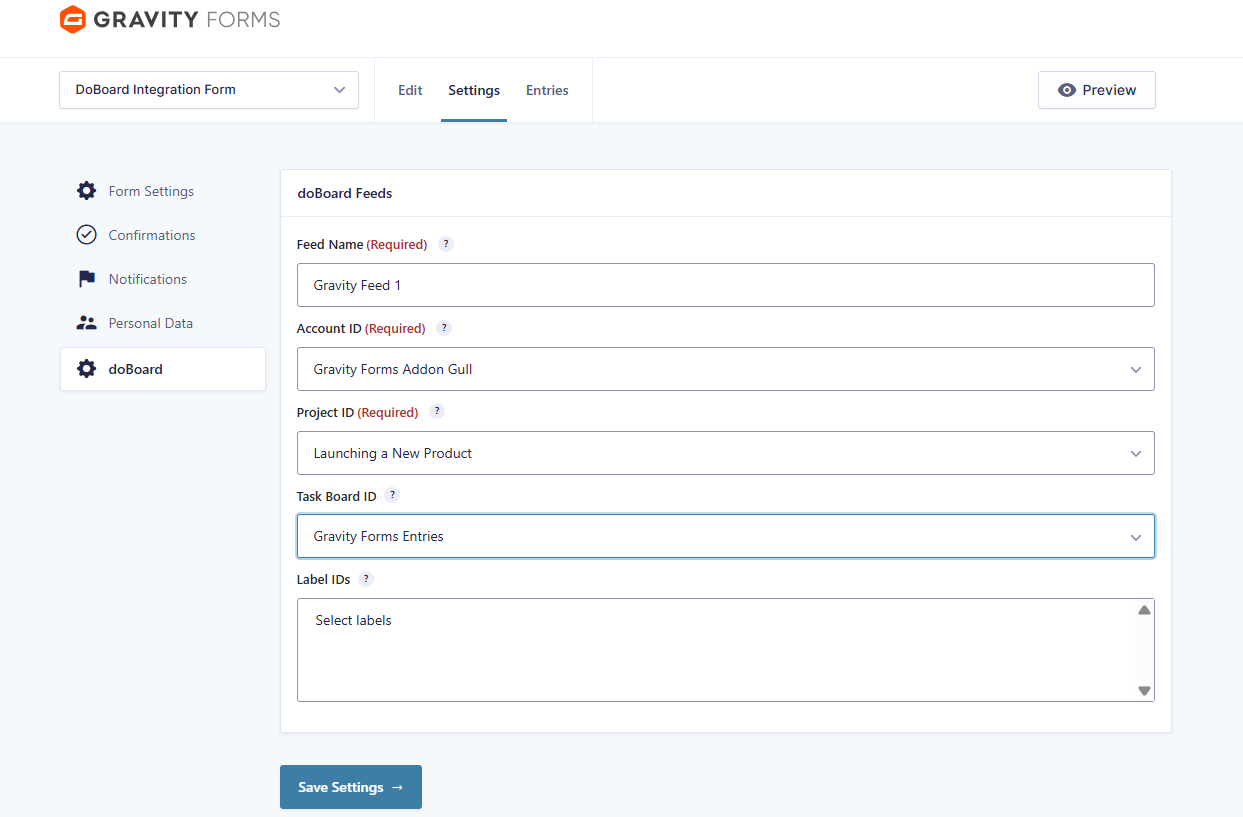
Feed configuration example.
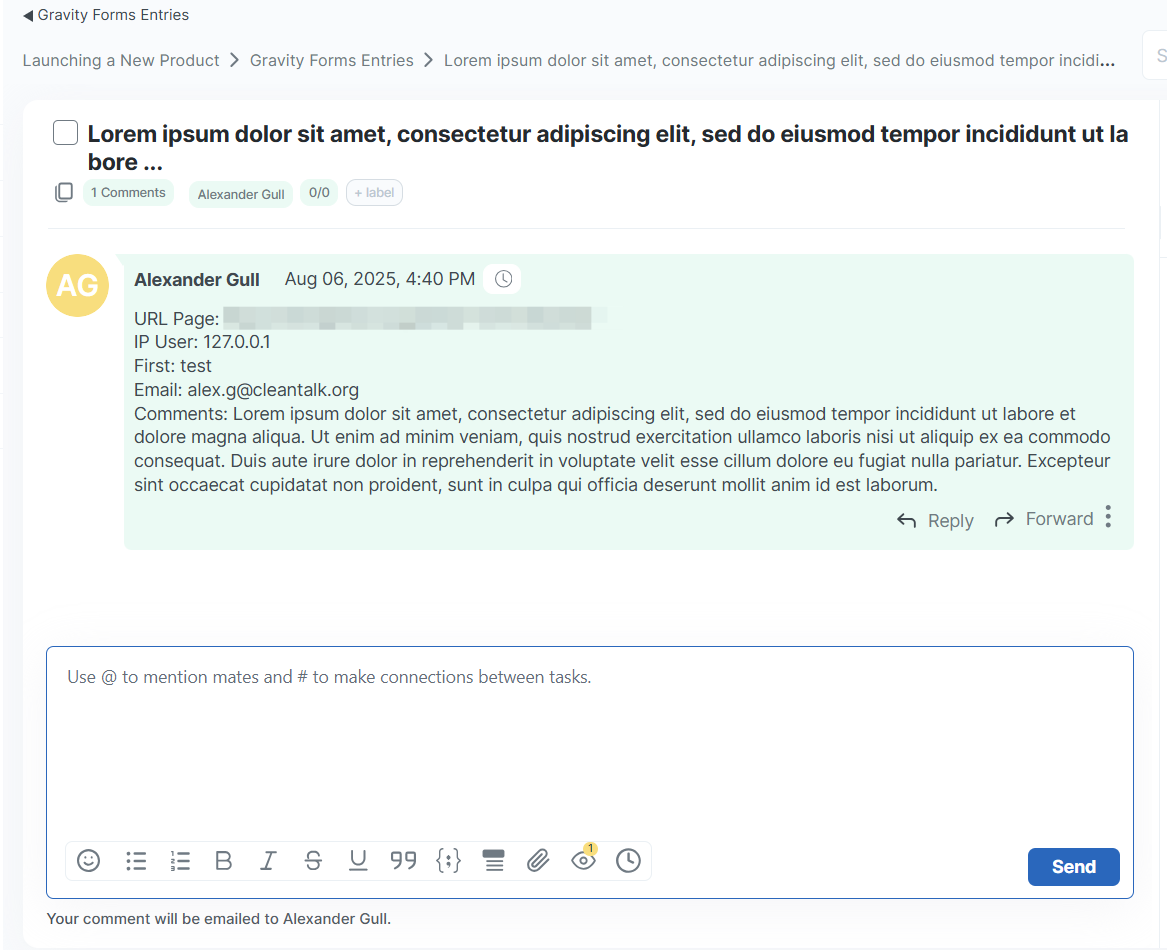
Task created in doBoard.
Changelog
1.0.4
- Upd. Resources handling updated.
1.0.3
- Upd. Implemented changes required by the WordPress review team.
- Upd. Namings.
- Upd. API class initialization refactored.
1.0.2
- Upd. Implemented changes required by the WordPress review team..
- Fix. Exceptions on task/comment adding when the doBoard license is inactive.
1.0.1
Docs and readme.txt added.
1.0.0
Initial release