

Clickable Blocks
Transform blocks into clickable links effortlessly with 'Clickable Blocks' – enhance user engagement instantly!
Plugin info
Maintenance & Compatibility
Maintenance score
Possibly abandoned • Last updated 759 days ago • 3 reviews
Is Clickable Blocks abandoned?
Possibly abandoned (last update 759 days ago).
Compatibility
Similar & Alternatives
Explore plugins with similar tags, and compare key metrics like downloads, ratings, updates, support, and WP/PHP compatibility.
Description
Clickable Blocks plugin brings flexibility and power to the WordPress editor.
This intuitive and easy-to-use plugin lets you add a link to any group block effortlessly, turning any section of your layout into a gateway for new discoveries for your visitors.
Clickable Blocks is the perfect solution for those looking to make their site more interactive and navigable.
Ideal for informative boxes, portfolio sections, or any other area you wish to make clickable, this plugin increases engagement and improves user experience on your site.
How to Use:
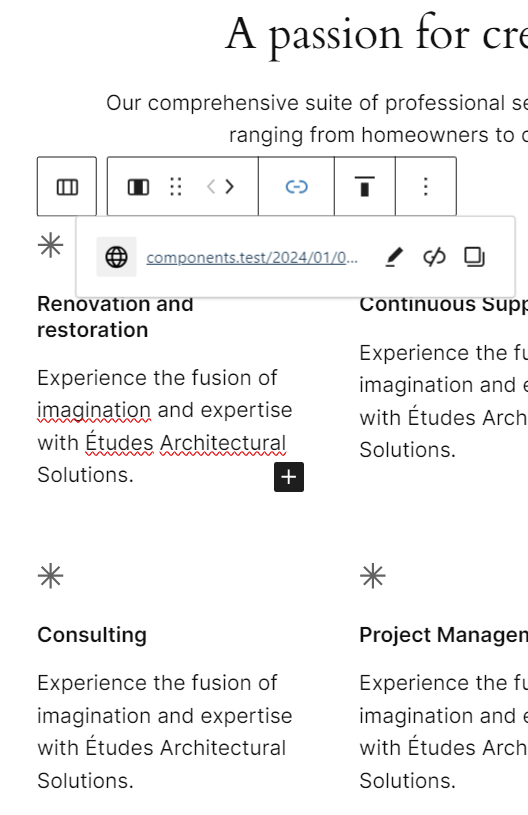
After installing the plugin, select a group/columns/column block, and you’ll see an “Edit Link” button appear in the Toolbar. Click it and insert your link.
Key Features:
– Fluid Links on Blocks: With just a few clicks, any group block can become a clickable link. Whether it’s a text section, an image, or a complex layout, your block is ready to link.
– Two Linking Modes: Choose between inserting an tag within the group for a direct link, or opt for the JavaScript option to keep the DOM unaltered. Flexibility is at the heart of our design.
– Total Control over Link Behavior: Decide whether to open links in a new tab with _blank or keep the user on the same page. The choice is in your hands.
– Ease of Use: No coding knowledge required. The plugin is designed to be user-friendly, allowing you to add links quickly and easily.
– Compatibility and Performance: Tested with the latest WordPress versions and optimized to not slow down your site.
– Compatible with WordPress >= 6.4 and PHP >= 7.4
Feedback is welcome through this link
Installation
- Go to your admin area and select Plugins -> Add new from the menu.
- Search for “Clickable Blocks”.
- Click install.
- Click activate.
Frequently Asked Questions
Review feed
Screenshots
Changelog
1.0.0
- First Release