

Worksuite WP – ERP, Workplace, CRM, HRM, Project Manager & Company Board
Turn your WordPress site into a complete digital workplace — manage services, clients, projects, and helpdesk in one connected system powered by Clood …
Plugin info
Maintenance & Compatibility
Maintenance score
Maintained • Last updated 164 days ago • 6 reviews
Is Worksuite WP – ERP, Workplace, CRM, HRM, Project Manager & Company Board abandoned?
Likely maintained (last update 164 days ago).
Compatibility
Similar & Alternatives
Explore plugins with similar tags, and compare key metrics like downloads, ratings, updates, support, and WP/PHP compatibility.
Description
Cloodo Workplace for WordPress brings the full power of a Digital Workplace directly into your WordPress dashboard.
It connects your site to Cloodo WorkSuite, allowing you to create, display, and manage your services, portfolios, testimonials, FAQs, clients, and projects — all without coding.
ERP • CRM • HRM • Project • Helpdesk • Services • LiveChat
No multiple plugins. No complex setup. Just install, connect, and start managing your business.
🔗 Live Demo: https://demo.cloodo.com/company-profiles/cloodo-workplace/
Who It’s For
Cloodo Workplace WP is designed for:
– Agencies and service providers who need a professional digital storefront.
– Freelancers and consultants who want structured service presentation and automation.
– Small and medium businesses seeking an easy, all-in-one management hub.
– Non-technical teams who want everything to “just work.”
Key Problems Solved
- No professional way to present service packages or pricing on WordPress.
- Scattered client data across emails, forms, and chat tools.
- Disorganized testimonials and portfolio content.
- No automation to convert quotes or inquiries into projects or tickets.
- Multiple disconnected plugins creating maintenance issues.
Cloodo Workplace solves all these by combining WorkSpace (on WordPress) and WorkSuite (in the cloud) — a unified ecosystem for creation and operations.
Features
1. Instant Activation & Smart Setup
- Auto-creates and connects your Cloodo account using your WordPress admin email and domain.
- 3-step onboarding wizard: Connect Import Demo See Your Website Go Live.
- Imports ready-made Services, Portfolios, Testimonials, and FAQs instantly.
- Adds a WorkSpace Dashboard inside WordPress to manage Services, Profiles, and FAQs.
After installation, your WorkSpace handles content and presentation while your WorkSuite manages CRM, ERP, and Helpdesk operations — supporting both automation and manual workflows.
2. Service & Portfolio Builder
- Build professional Service Packages with titles, pricing, deliverables, and call-to-action buttons (“Get a Quote”, “Contact Now”).
- Manage Portfolio Items and Testimonials with clean, responsive layouts.
- Sync content automatically between WordPress and your Cloodo WorkSuite workspace.
3. CRM, Project & Helpdesk Management (via WorkSuite)
The connected Cloodo WorkSuite is your operational control center:
– Manage all leads and clients in one CRM.
– Create and track projects, tasks, and milestones in real time.
– Convert incoming requests into Helpdesk Tickets.
– Use HRM tools for staff profiles, leave requests, and performance.
– View KPI reports and analytics to monitor growth.
WorkSuite eliminates fragmented tools, giving SMBs a unified view of their entire business.
4. LiveChat Integration
- A LiveChat button is available after installation.
- To display it publicly, you must connect your own WhatsApp or preferred number in the plugin settings.
- All chat messages can route to your Cloodo Helpdesk or WhatsApp CRM for client tracking.
This provides a personal yet traceable communication channel with customers.
5. Elementor Widgets & Gutenberg Blocks
Includes fully responsive, SEO-ready widgets for:
– Services Grid
– Pricing Table
– Service Detail Tabs
– Portfolio Carousel
– Testimonials Slider
– Quote / Contact Form
– Helpdesk Embed
– FAQ Block
– KPI Overview
Easily drag and drop these widgets into Elementor or Gutenberg to build your business site without code.
WorkSuite Highlights
WorkSuite is the cloud platform that powers Cloodo Workplace.
Key advantages:
– Combines ERP, CRM, HRM, Project, and Helpdesk management.
– Centralizes every task, message, and milestone in one view.
– Automates ticket routing, reminders, and workflow follow-ups.
– Provides analytics and KPI dashboards for data-driven decisions.
– Enables secure multi-user collaboration with custom roles and permissions.
Pain points solved:
– Teams using too many tools for daily operations.
– Lost leads and inconsistent follow-ups.
– Delayed responses or lack of team visibility.
– No clear overview of performance or project status.
WorkSpace Highlights
WorkSpace lives inside your WordPress admin panel and focuses on creation and content management.
Key advantages:
– Manage Services, Profiles, Testimonials, and FAQs without leaving WordPress.
– Preview updates and publish instantly.
– Sync automatically with WorkSuite for backend operations.
– Perfect for non-technical users managing a growing service business.
Pain points solved:
– Difficulty keeping website content consistent.
– Need for developers to update services or pricing.
– Lack of an easy, unified business dashboard inside WordPress.
Custom Integration Services (Premium)
For Premium Users, Cloodo offers Custom Integration Services upon request.
Our engineering team can connect your WorkSuite to external tools or APIs (Slack, Zapier, CRM systems, etc.) to match your workflow — no technical effort required.
Plans
Free Plan
– Includes WorkSpace, Service Builder, Portfolio, Testimonials, and Quote Form.
– Connects to Cloodo WorkSuite for CRM and Helpdesk access.
Pro Plan
– Adds KPI dashboard, Helpdesk Embed, and automation tools.
Premium Plan
– Unlocks AI automation, WhatsApp CRM, and custom integration services.
Start free, grow your operations, and upgrade as you scale.
Vision
Cloodo’s mission is to make Digital Transformation accessible for everyone.
With Cloodo Workplace for WordPress, any business can create a professional Digital Workplace within minutes — combining WorkSpace for creation and WorkSuite for operations.
Your WordPress site becomes your Business Command Center — simple, connected, and ready to grow with you.
Installation
- Upload the plugin files to
/wp-content/plugins/cloodo-workplaceor install via the WordPress Plugin Directory. - Activate the plugin through the ‘Plugins’ screen.
- Upon activation, your Cloodo account will be auto-created or linked.
- Follow the onboarding wizard to import demo content and set up your WorkSpace.
- Configure your LiveChat number in the plugin settings.
- Start managing services, clients, and support tickets right away.
Frequently Asked Questions
No manual signup is needed. When you activate the plugin, it automatically creates or connects your account based on your WordPress admin email and domain.
Yes. You can connect your WhatsApp or any preferred number to display the LiveChat button on your WordPress site.
Yes. All widgets are fully responsive and compatible with most modern WordPress themes and page builders.
Not yet. E-commerce integration will be available through future updates or custom services for Premium users.
Yes. Premium users can request Custom Integration Services to connect Cloodo with tools like Slack, Zapier, or CRM systems.
Review feed
Not a WordPress-enabled ERP
Screenshots
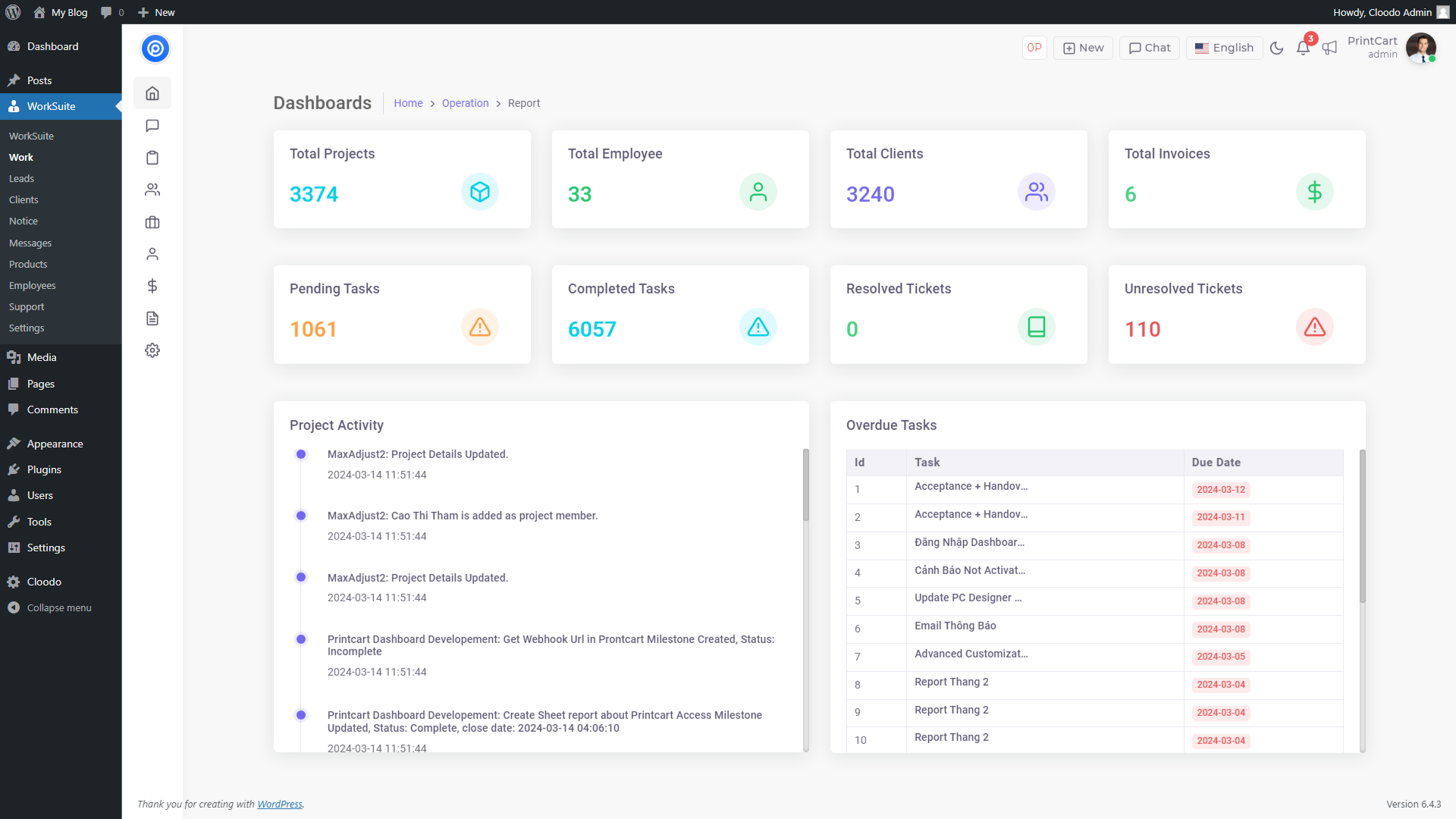
Dashboard
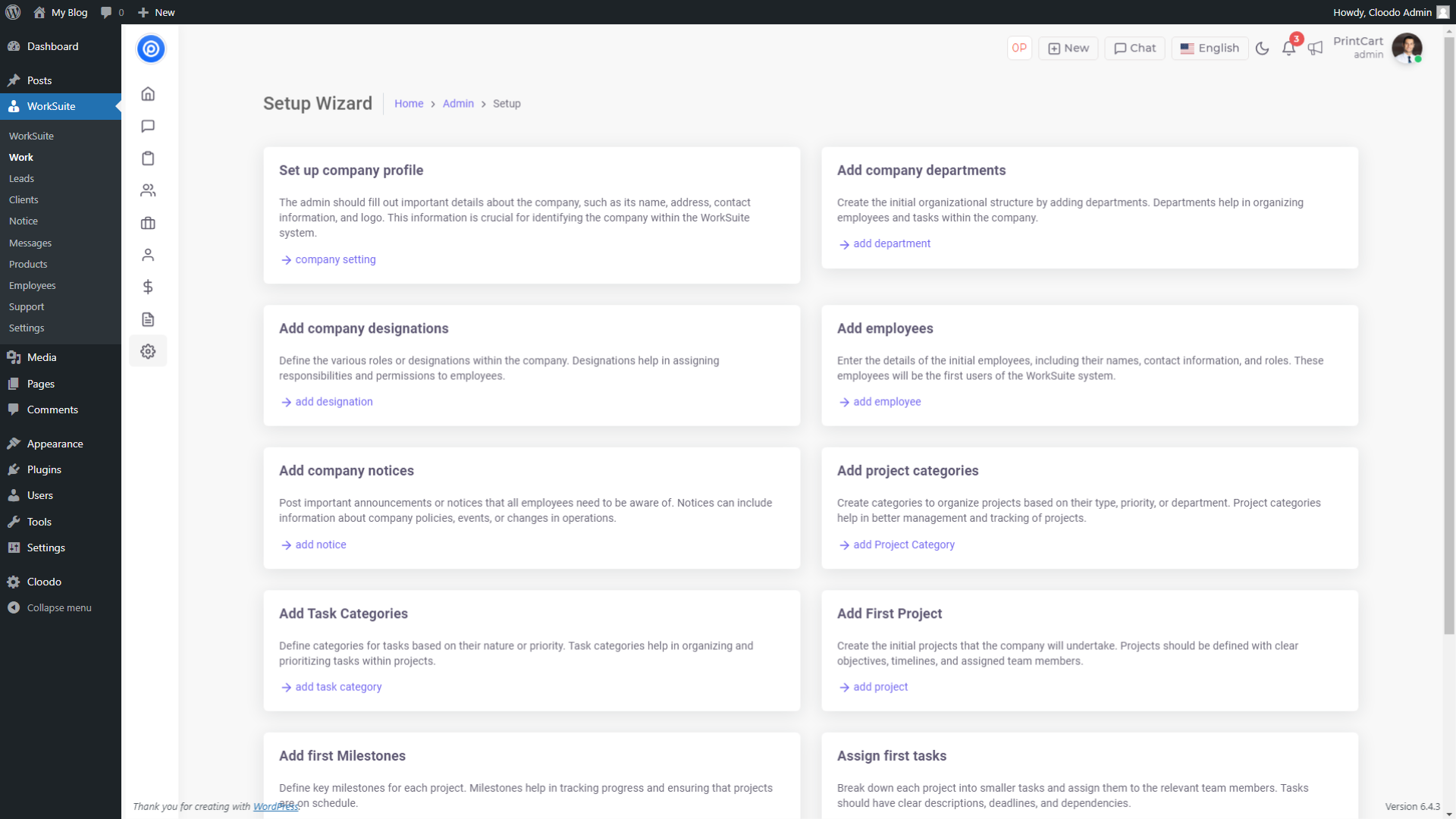
Set-up Wizard

Project Reports

Project Details

List Leads

Leads Reports

Clients Details

Clients Reports

Clients Ticket

Chat Messages

Product Management
Changelog
2.2.5 (October 20, 2025)
- Add Shortcode Guide and Cleanup
- Profile Grid UI & Import Wizard Updates + New CBs Reviews/FAQs
- Enhance Content Generation & Admin UI with Shortcodes, Meta Boxes and More
2.2.4 (March 13, 2024)
- Fix iframe can’t load for new user
2.2.3 (March 11, 2024)
- Fix dashboard link
- Update iframe loading
- Update settings interface
- Update CSS for settings interface
- Fix warning
2.2.2
- Fix error on new API version
2.2.1
- Security fix
2.2.0
- Sync WordPress User to Employees
- Update core app login via email
2.1.1
- Fix error register account
2.1.0
- Add new feature: Products Management
- Sync Woocommerce Customers to Clients
2.0.0
- Update New UI
- Add new feature Projects, Leads, Notice Board, Messages
1.1.0
- Add Client feature
1.0.0
- Init