

Spam Protection, AntiSpam, reCaptcha, Stop bad bots, tor, Spam submissions, web scraping / FREE by CloudFilt
Prevent and stop bots traffic. This plugin inserts in your website the CloudFilt codes for the security tracking available on https://cloudfilt.com/.
Plugin info
Maintenance & Compatibility
Maintenance score
Stale • Last updated 350 days ago • 3 reviews
Is Spam Protection, AntiSpam, reCaptcha, Stop bad bots, tor, Spam submissions, web scraping / FREE by CloudFilt abandoned?
Likely maintained (last update 350 days ago).
Compatibility
Similar & Alternatives
Explore plugins with similar tags, and compare key metrics like downloads, ratings, updates, support, and WP/PHP compatibility.
Description
Prevent and stop bots traffic, Web Scraping, Tor traffic, Spam Submissions, Web Fraud, Business logic and Denial of service (DDoS).
This plugin inserts in your website the CloudFilt codes for the security tracking available on https://cloudfilt.com/.
Tags : Wp security scan, security plugin wordpress, contact form anti spam, wordpress spam comments, bot protection, stop robots
Features
-
Authentification form
- Using your public and private key to connect your WordPress website to your CloudFilt account and enable CloudFilt features.
- Check if your website is still connected to your CloudFilt account.
-
Enabled CloudFilt features
- Prevents and stop bots traffic, Web Scraping, Tor traffic, Spam Submissions, Web Fraud, Business logic and Denial of service (DDoS).
- Injects JS into pages to track and detect potentially dangerous users.
Demo
- Login to your CloudFilt account and go to https://app.cloudfilt.com/websites.
- Select the website and go to Settings > Integration & Plugins.
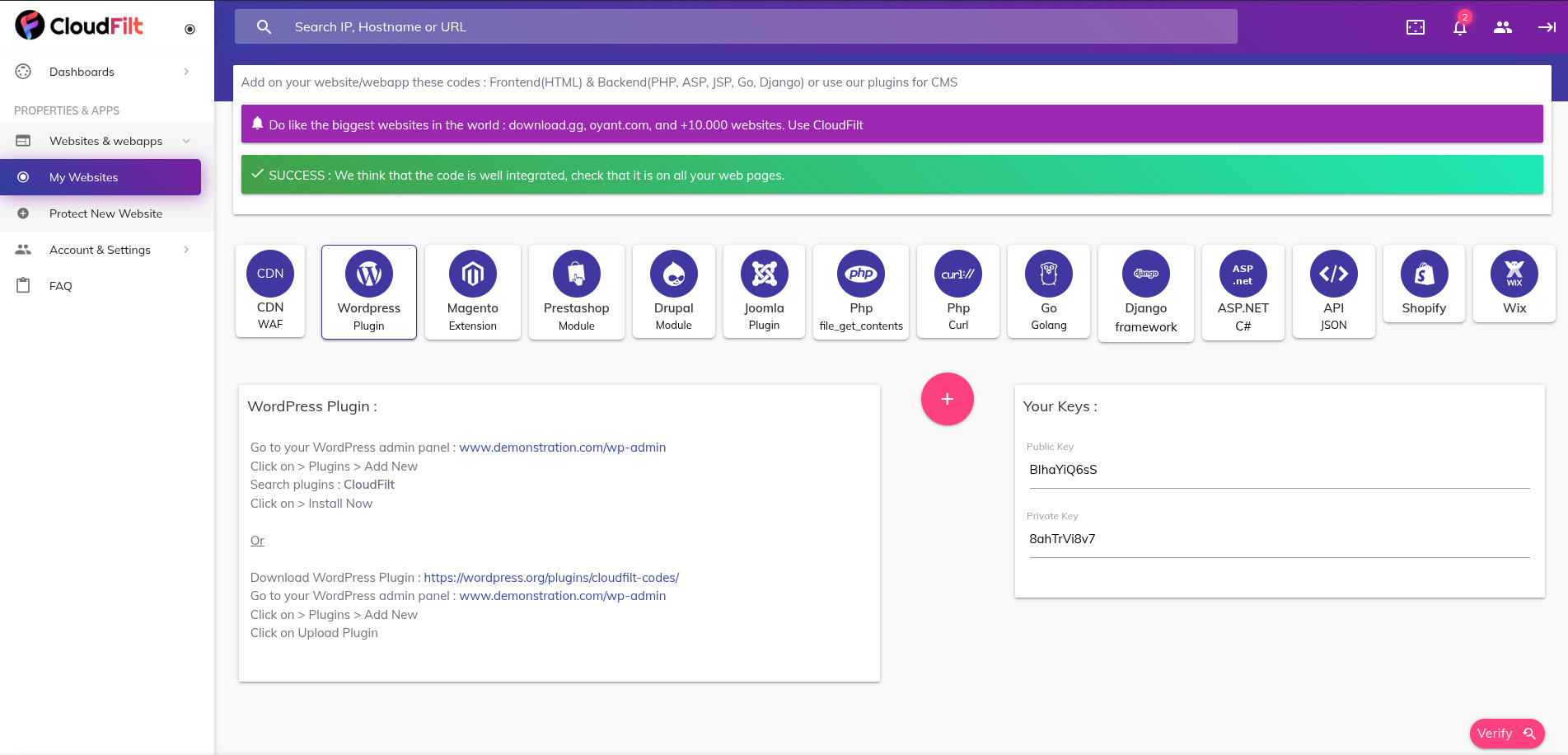
- In the “WordPress” tab, retrieve the public key and the private key.
- Login to the administration page of your WordPress and select the “CloudFilt” plugin from the menu.
- In the form, paste the keys you retrieved from your CloudFilt account.
- Once it is done, you can go back to https://app.cloudfilt.com and access to your website’s security statistics. Bots can’t be anymore go on your website and users are tracked.
To learn more, see the screenshots section.
Installation
Frequently Asked Questions
Visit our website to get more informations or contact us.
These are available on our website: General Terms and Conditions, GDPR
Review feed
Screenshots

CloudFilt login Form

Preview of security data in CloudFilt


Changelog
1.0.16
- Compatibility test with WordPress 6.8.
1.0.15
- Internal cache management.
1.0.14
- Added a new feature for capturing user data, enabling AI to analyze and prevent spam.
1.0.13
Release Date – 21 September 2023
* Bug : New version
1.0.12
- Bug : New version
1.0.11
- Bug : Test new version
1.0.10
- Bug : Exclusion of some user levels.
1.0.9
- Improvement : Exclusion of some user levels.
1.0.8
- Exclusion of some user levels.
1.0.7
- Exclusion of some user levels.
1.0.6
- Rejected users are now redirected by a 307.
1.0.5
- Fix “option_page” error.
1.0.4
- The tracking of IPv6 has been updated.
1.0.3
- URLs for queries to CloudFilt have changed.
1.0.2
- The style is now loaded when the CloudFilt login form is empty.
1.0.1
- The style of the CloudFilt login form has been updated
- The call of “checkIsConnected()” is removed from the front panel
- The readme is completed with more information (Features, Demo)
1.0.0
- Initial version of the plugin.