

CM Blocks
CM Blocks is a collection of page building blocks for WordPress block editor.
Plugin info
Maintenance & Compatibility
Maintenance score
Stale • Last updated 307 days ago
Is CM Blocks abandoned?
Likely maintained (last update 307 days ago).
Compatibility
Similar & Alternatives
Explore plugins with similar tags, and compare key metrics like downloads, ratings, updates, support, and WP/PHP compatibility.
Description
Introducing CM Blocks, the hassle-free and robust WordPress plugin designed to streamline your site-building experience. CM Blocks adds functionality to the WordPress editor without unnecessary bloat, ensuring an efficient user experience. Additionally, CM Blocks offers niche, easy-to-use options on each block type, making customization simple and intuitive.
Plugin Features:
Starter Sites:
Starter Sites lets you quickly launch your website with fully designed, ready-to-import site templates.
No code required. Get setup in under a minute Learn More
Design Library:
Explore our extensive collection of expertly crafted patterns and page designs. Choose from a variety of options to create your site exactly as you envision it.
Prebuilt Block Templates:
Jump Start your projects with ease using our prebuilt block templates. With just a click, you’re ready to start crafting your site. Spend less time configuring and more time perfecting your designs.
Lightweight Performance:
Say goodbye to bloat. CM Blocks only loads what it needs to, ensuring lightning-fast performance for your website. Experience speed without sacrificing functionality.
CM BLocks Suite:
Unlock endless possibilities with our feature-rich blocks and an extensive design library for the WordPress block editor. Check CM Blocks Suite
LINKS
DEMO LINKS
Block Animations
Advanced Heading, Shape Group, Separator
Slider
Masonry Gallery
Accordion
Progress Bar
Counter
Countdown
Icon
Icon Box
Icon List
Timeline
Social Share
Star Rating
Time to Read
Installation
- Upload the plugin files to the
/wp-content/plugins/cm-blocksdirectory, or install the plugin through the WordPress plugins screen directly. - Activate the plugin through the ‘Plugins’ screen in WordPress
Frequently Asked Questions
Review feed
Screenshots
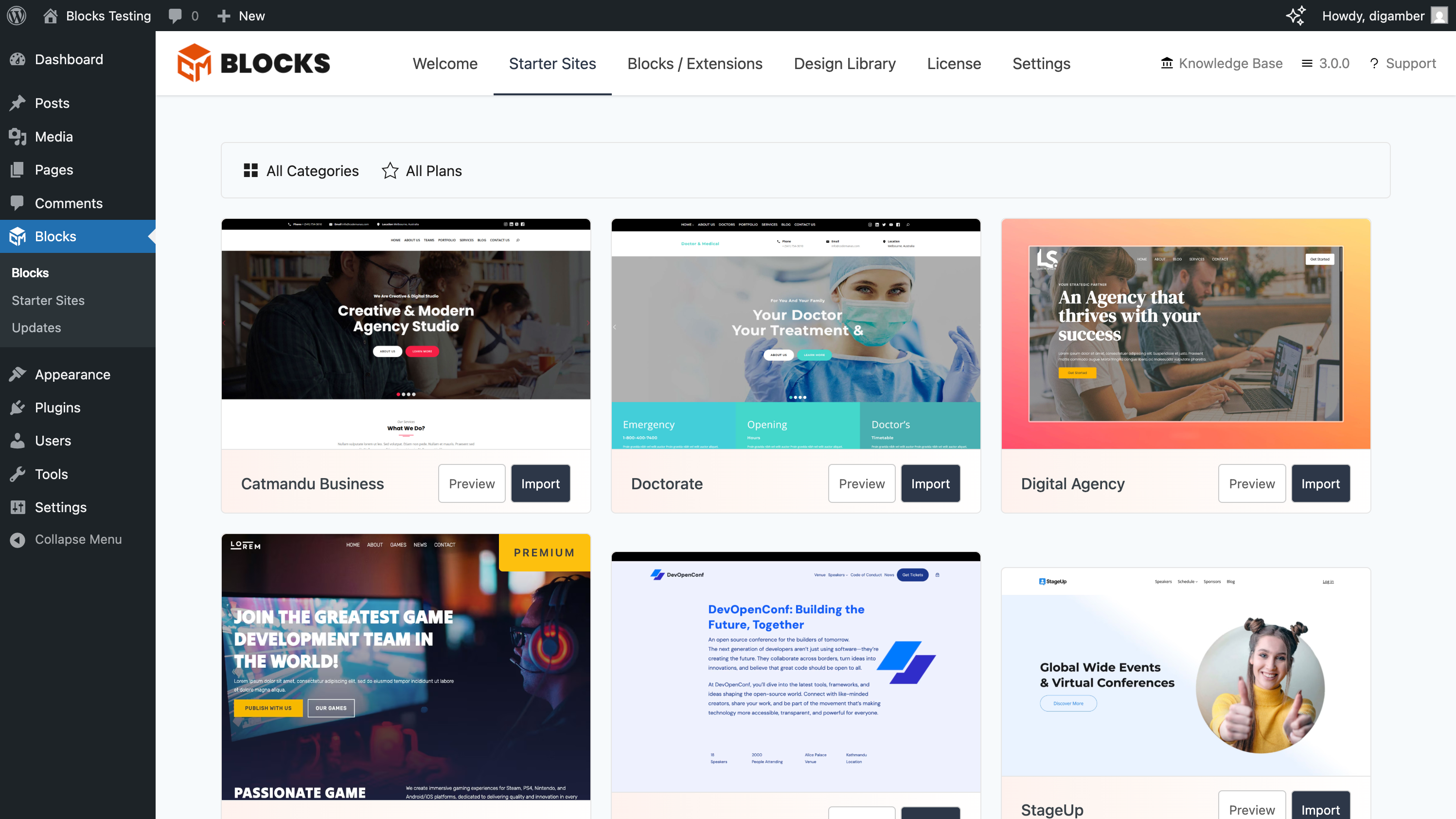
Site Importer

Kits
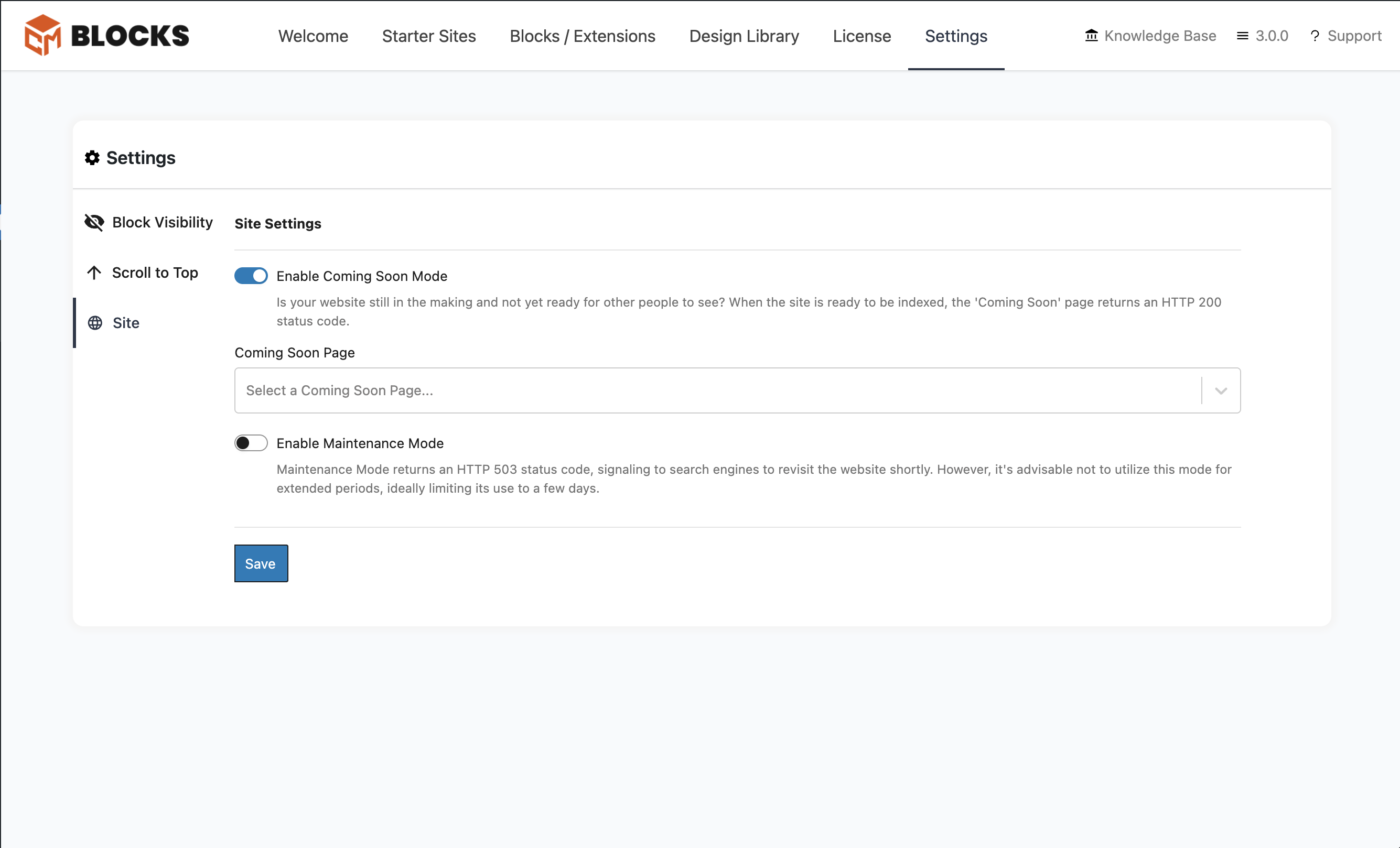
Site Settings
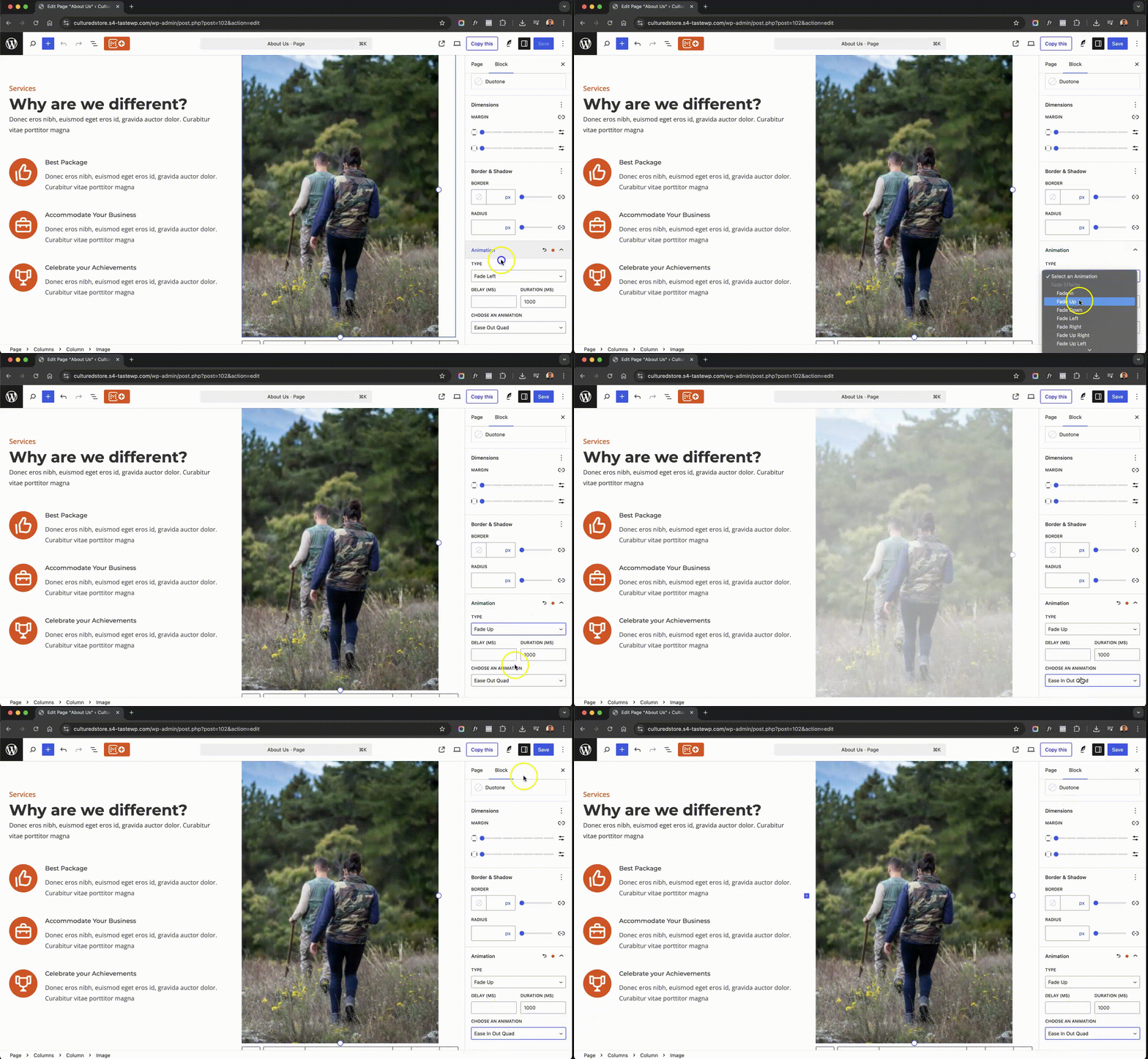
Animations
Changelog
3.1.0 2025-05-30
- Fix: Importer not syncing post images.
- Fix: Site logo not syncing if not exists.
- Fix: WooCommerce products not importing.
- Fix: Navigations failing to import.
- Fix: 3rd Party plugins data were not imported.
3.0.1 2025-05-21
- Minor Update – Code Refactoring
- Misc: Update screenshots
3.0.0 2025-05-02
- Introducing Starter Sites: Learn More
- New Feature: Add Animations to your site Learn More
- New Blocks: Advanced Header, Separator, Shape Group Learn More
- Feature: Sticky header with advanced header options, make your headers stick out
- Enhancement: Plugin settings page UI/UX revamped
- Enhancement: Design Library UI/UX improvement
- Fix: Quality of Life updates and minor bug fixes.
2.2.0 2024-10-29
- Release of block enhancements Announcement Post
- Features:
- Block Visibility: Control content visibility by setting display conditions based on user roles or screen sizes. Learn More
- Site Modes Easily switch your site to Maintenance or Coming Soon Mode with SEO-friendly redirects and customizable designs. Learn More
- Copy/Paste Block Styles: Instantly replicate styling across blocks for a cohesive design without extra effort. Learn More
- Scroll to Top: Add a customizable scroll button for smooth, user-friendly navigation on long pages. Learn More
- Dev: Refactor & Optimization
2.1.0
- Bug Fix: CM Star Rating – Star colors not changing for other rating blocks if more that one block on a single post / page
- Documentation: Added Demo Links to all new blocks
- Documentation: Correct Icons Added to show up on wp.org listing
- Fix: Change widget category from widgets to codemanas-blocks
2.0.0 2024-09-18
Read more about this update: Announcement
* New: CM Icon
* New: CM Icon List
* New: CM Icon Box
* New: CM Timeline
* New: CM Star Rating
* New: CM Time to Read
* Dev: Bundling optimization
1.4.6 2024-08-14
- Branding: Use New CM Blocks Logo
- Enhancement: Update POT file
1.4.5 2024-07-31
- Fix: Issue with Pattern Importer for Pricing Patterns not working.
1.4.4 2024-07-29
- Fix: The Loop issue not resetting global $post if template is edited.
1.4.3 2024-07-29
- Misc: Update tested upto to 6.6.1
1.4.2 2024-07-25
- New Feature: Sticky header option added to allow header on theme to be made sticky Learn More
- Dev: Refactor logic for kits
1.4.1 2024-07-15
- Fix: Remove data type on database creation for support of PHP 7.4
1.4.0 2024-07-15
- Enhancement: Add to Favourites and listing of Favourites added Read More
- Enhancement: Redirection to plugin info page on plugin activation
1.3.0 2024-07-01
- Enhancement: Implement Kits design system
- Update: Changed the default Slider transition speed from 300 to 800
- Update: Added Padding option to the Slider [Deprecation v2 used for this one.]
1.2.4 2024-06-26
- Enhancement: Use images instead of
iframesfor patterns/page preview - Fix: Add nonce verification for plugin installation
1.2.3 2024-06-10
- Fix: Design Library conflict with CM Masonry Gallery
- Enhancement: Design Library will now replace default (Type / to choose a block) block
1.2.2 2024-05-31
- Enhancement: Design Library Now Available in Site Editor as Well as Block Editor
- Fix: Proper structure for Slider Navigation Arrows
- Misc: Bump required PHP version to 7.4
1.2.1 2024-05-29
- Enhancement: Update banner image
- Fix: Fix progress bar svg icon on w.org
1.2.0 2024-05-28
- Enhancement: Introducing Design Library: explore our extensive collection of expertly crafted patterns and page designs. Choose from a variety of options to create your site exactly as you envision it.
- Enhancement: Plugin setting page on admin
- Enhancement: Accordion icon color option
- Fix: Change class name
cm-blocks-countdowntocmblocks-countdown - Fix: Added block deprecation code for Countdown
- Fix: Spacing issue in Accordion and line height issue in Countdown solved.
- Fix: Alignment support for CM Masonry removed
- Enhancement: use
useSettingsinstead of depreciateduseSetting - Fix: Icon color for CM progress bar fixed to be shown on w.org
1.0.5 2024-05-02
- Enhancement: Add plugin version constant for future updates
1.0.4 2024-04-26
- Fix: Block icons on w.org
1.0.3 2024-04-24
- Fix: Update plugin main name on w.org
1.0.2 2024-04-18
- Add: Setup automatic deploy from GitHub
1.0.1 2024-04-18
- Fix: Missing translation and escaping
- Fix: Restrict direct file access in pattern directory files
- Add: Provide uncompressed files
1.0.0 2023-09-28
- Initial Release