

Code Block – Embed Code with One-Click Copy Feature
The Code Snippets block plugin lets you easily copy, style, and view beautifully highlighted, responsive code on any device.
Plugin info
Maintenance & Compatibility
Maintenance score
Maintained • Last updated 138 days ago
Is Code Block – Embed Code with One-Click Copy Feature abandoned?
Likely maintained (last update 138 days ago).
Compatibility
Languages
Similar & Alternatives
Explore plugins with similar tags, and compare key metrics like downloads, ratings, updates, support, and WP/PHP compatibility.
Description
The Code Snippets block plugin makes it easy to copy code and change its colors with different themes. It helps present code in a clean, beautiful way, making it easier for users to read and use. With syntax highlighting for many programming languages, the code is even easier to understand. Plus, the snippets are responsive, so they look good on any device.
Features
- Easy code copying with a single click.
- Theme options to change code colors.
- Clean and beautiful code presentation.
- Syntax highlighting for multiple programming languages.
- Responsive design for all devices.
How to use
- First install the Code Snippets plugin
- Add the Code Snippets block from the block category called “Widgets” in Gutenberg editor.
- You can change block settings from the right side settings sidebar.
-
Enjoy!
-
For installation help click on Installation Tab
Feedback
- Liked that plugin? Hate it? Want a new feature? Send me some feedback
⭐ Check out the Parent Plugin of this plugin-
🔥 b Blocks – Best gutenberg blocks collections for WordPress.
⭐ Check out our other WordPress Plugins-
🔥 Html5 Audio Player – Best audio player plugin for WordPress.
🔥 Html5 Video Player – Best video player plugin for WordPress.
🔥 PDF Poster – A fully-featured PDF Viewer Plugin for WordPress.
🔥 StreamCast – A fully-featured Radio Player Plugin for WordPress.
🔥 3D Viewer – Display interactive 3D models on the webs.
Installation
From Gutenberg Editor:
- Go to the WordPress Block/Gutenberg Editor
- Search For Code Snippets
- Click on the Code Snippets to add the block
Download & Upload:
- Download the Code Snippets Block plugin (.zip file)
- In your admin area, go to the Plugins menu and click on Add New
- Click on Upload Plugin and choose the
code-snippets-block.zipfile and click on Install Now - Activate the plugin and Enjoy!
Manually:
- Download and upload the Code Snippets Block plugin to the
/wp-content/plugins/directory - Activate the plugin through the Plugins menu in WordPress
Frequently Asked Questions
Yes, Code Snippets Block is a free Gutenberg block plugin.
Yes, it will work with any standard WordPress theme.
Yes, you can change block settings from the Gutenberg block editor’s right sidebar.
You can use unlimited times as you want.
You can post your questions on the support forum here
Review feed
Screenshots
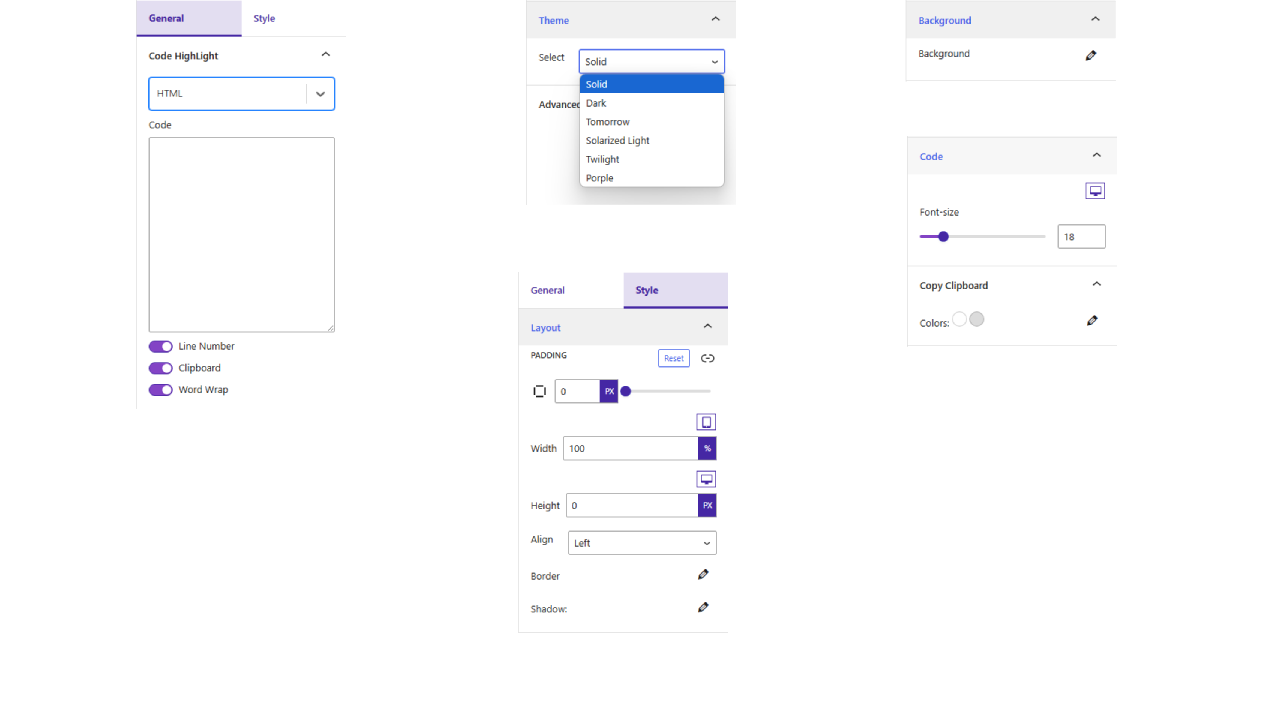
Settings
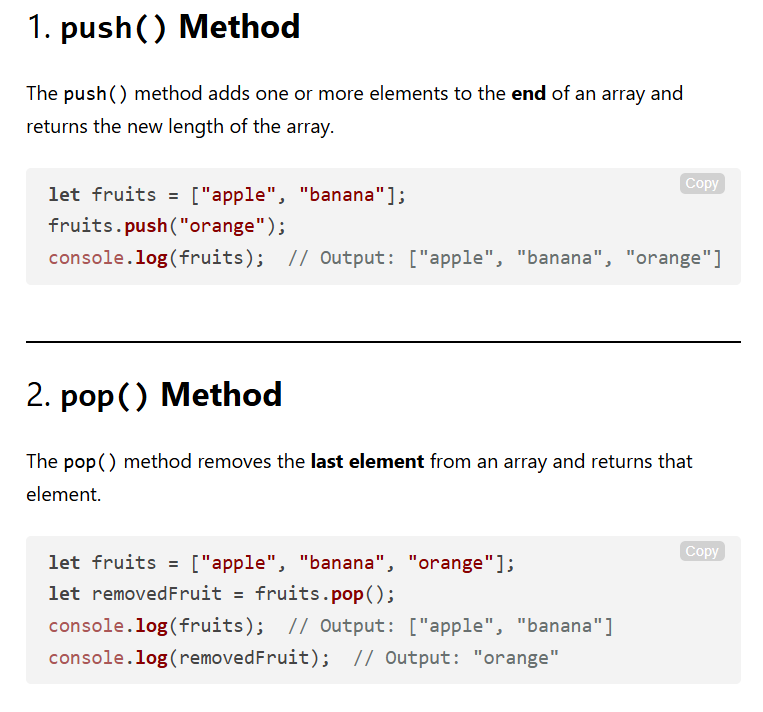
Demo 1
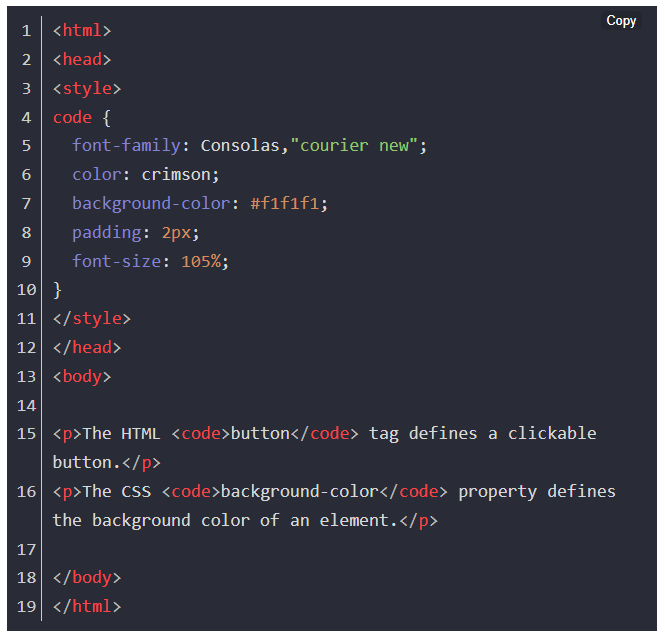
Demo 2
Changelog
1.0.3 – 14 Oct, 2025
- remove extra double ” ;
1.0.2 – 27 April, 2025
- border issues fixed;
- Plugin title change, block title change and some assets updated;
1.0.1 – 22 April, 2025
- Some issues fixed;
- assets added;
1.0.0
- Initial Release