

Bitly URL Shortener
Bitly URL Shortener uses the functionality of Bitly API to generate Bitly short link without leaving your WordPress site.
Plugin info
Maintenance & Compatibility
Maintenance score
Stale • Last updated 291 days ago • 5 reviews
Is Bitly URL Shortener abandoned?
Likely maintained (last update 291 days ago).
Compatibility
Similar & Alternatives
Explore plugins with similar tags, and compare key metrics like downloads, ratings, updates, support, and WP/PHP compatibility.
Description
Bitly URL Shortener (Previously Codehaveli Bitly URL Shortener) uses the functionality of Bitly API to generate bitly short link automatically from your WordPress dashboard when you publish new post.
Bitly URL Shortener allows you to connect your WordPress Website to the Bitly API via access code.
Features
- Generate Bitly link without leaving your site.
- Share Bitly link from your Post List and Post Edit page.
- Support for Custom Post Type.
- Support for Custom Bitly Domain.
- Generate Bitly link of your old posts with just one click.
- Option to choose from your list of post types.
- Optimized code and Small in Size 16KB ( Compressed ).
Terms of Use
This is not a Official plugin of Bitly
This plugin only connect your https://bitly.com account to WordPress.
Please read privacy and terms of service of Bitly before using this plugin.
Bug reports
Bug reports for Bitly URL Shortener are welcomed in our Bitly URL Shortener repository on GitHub. Please note that GitHub is not a support forum, and that issues that are not properly qualified as bugs will be closed.
Further Reading
For more info on Bitly and Codehaveli , check out the following:
- Codehaveli official homepage.
- Read “How to generate Bitly OAuth access token?” from Codehaveli Blog
- Bitly API Documentation
- Follow Codehaveli on Facebook, Instagram & Twitter.
Frequently Asked Questions
Read FAQ from our Github Page.
Installation
- Visit the plugins page within your dashboard and select Add New
- Search for Bitly URL Shortener
- Activate Bitly URL Shortener from your Plugins page.
- Go to settings from Tools Menu or Settings fromm WordPress Plugin list
- Get Your access token from https://bitly.com and save it in access token field
- Click on Get GUID if you don’t have the Group GUID. [Plugin will get it from your bitly account via API call]
- You are ready to go, From now when ever you publish a post your link will be generate automatically
Frequently Asked Questions
$link = get_wbitly_short_url($post_id); // link or false
Review feed
Screenshots

Settings Panel Screenshot
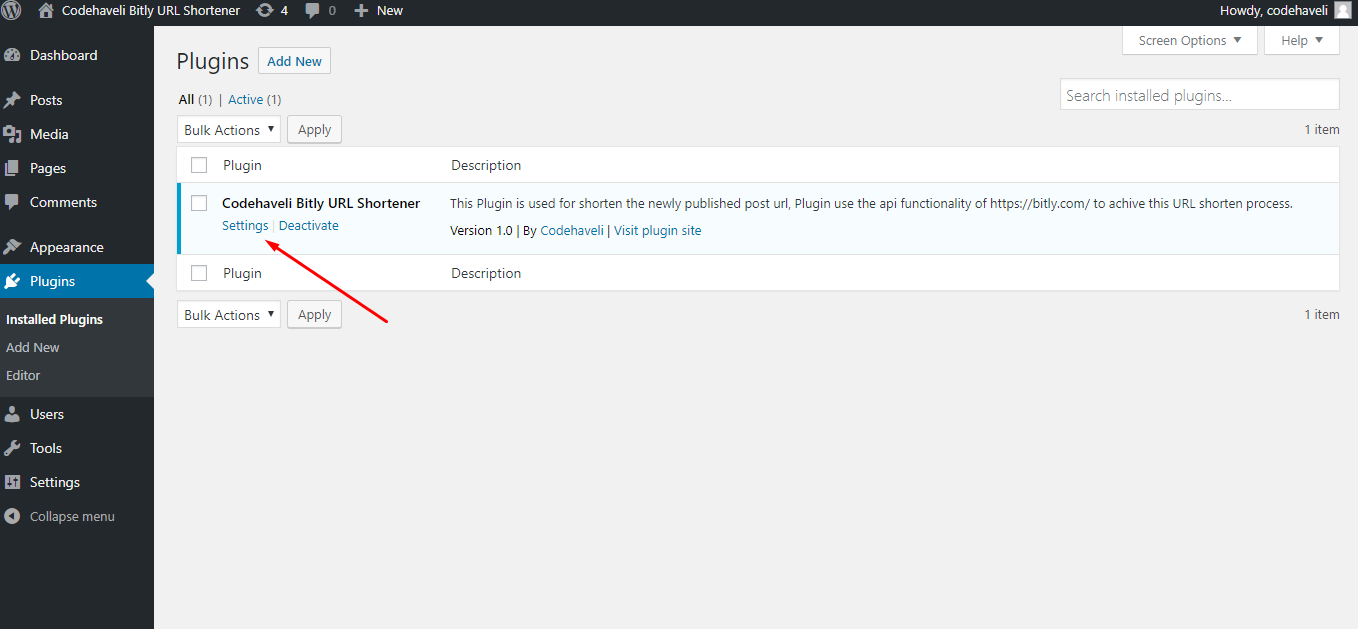
You can go to settings from Plugn list settings
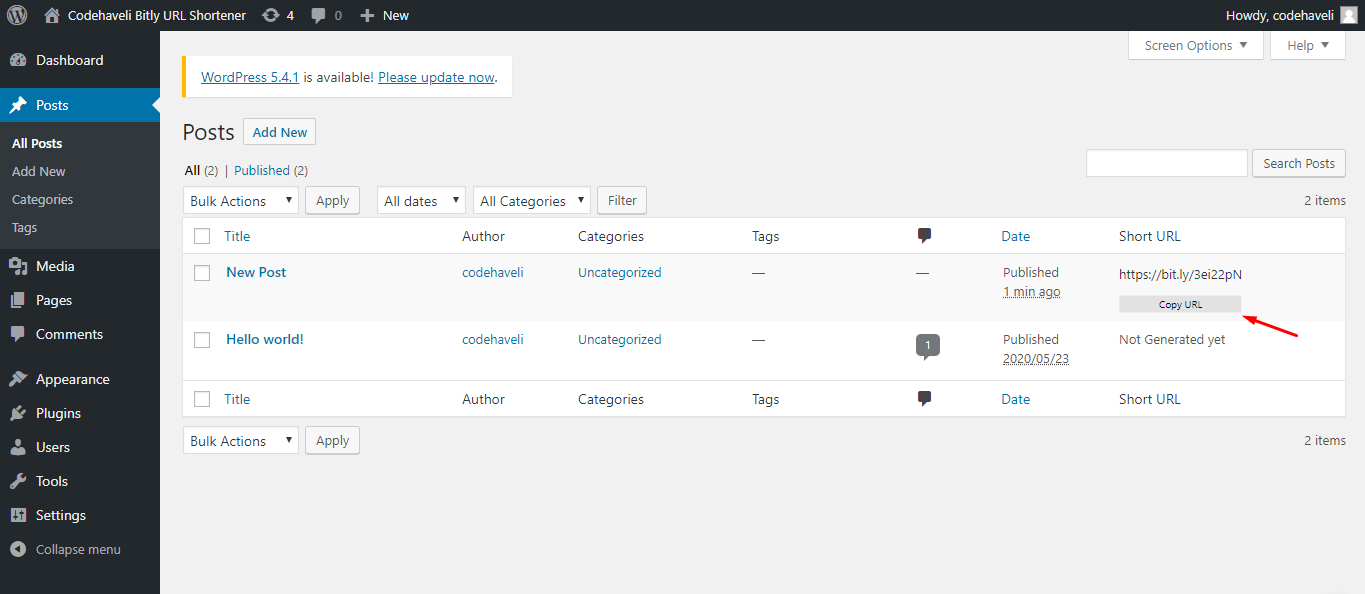
Generated URL column in post list
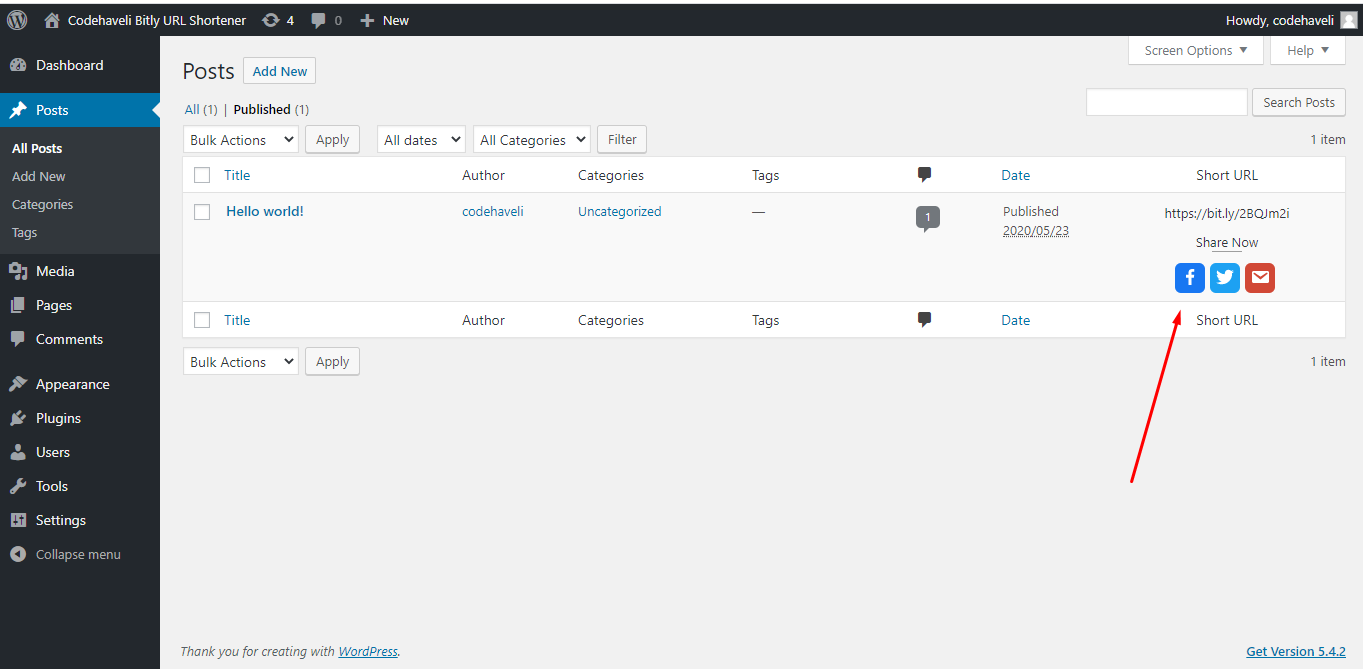
Share button in post list
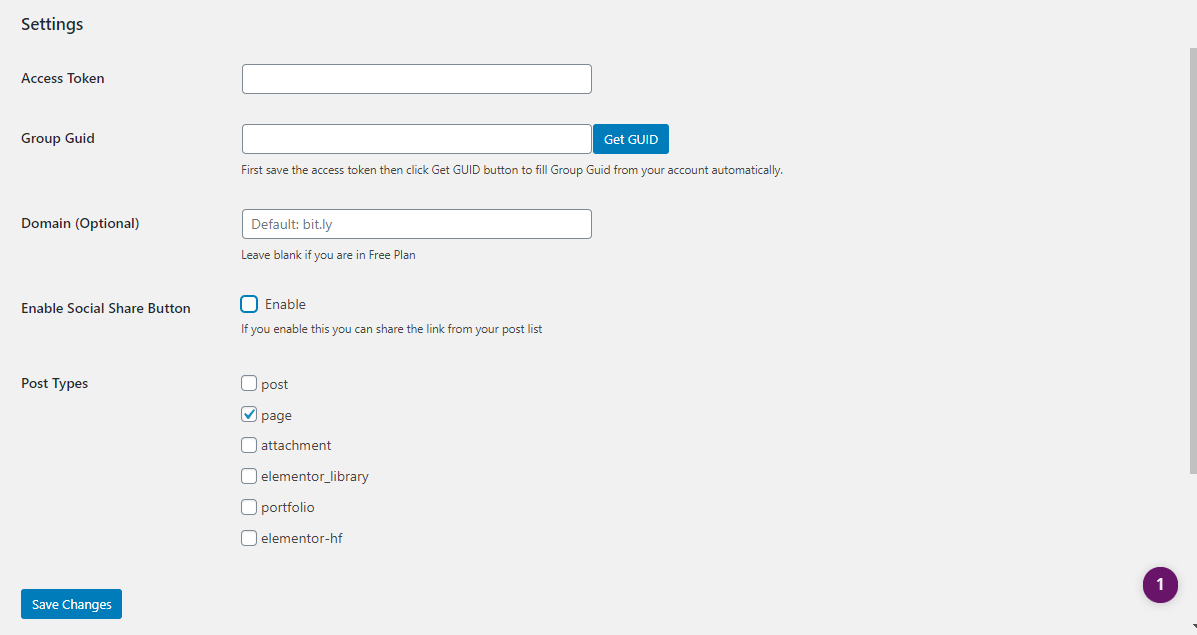
Custom Post type selection checkbox.
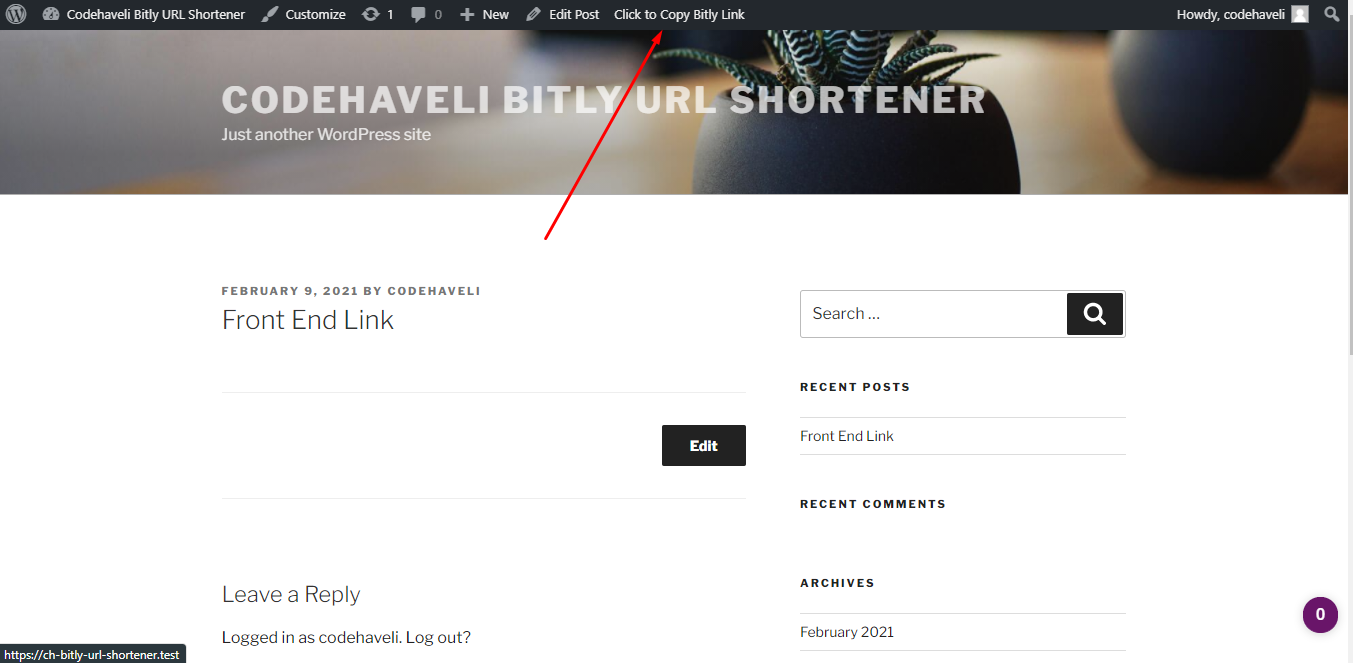
Copy Shortner link from Front end.
Changelog
1.4.1
- Updated: tested up to value
- Security Fix
- Updated Twitter logo to X
- Refactor ajax code
1.3.3
- Updated: tested up to value
1.3.2
- Updated: tested up to value
- Add support for Yoast Duplicate Post
1.3.1
- PHP Warning: Fixed
1.2.2
- Name chnaged from
Codehaveli Bitly URL ShortenertoBitly URL Shortenerdue to SEO conflict with codehaveli.com
1.2.1
- Support WordPress Core Shortlinks Filters.
- Shortener link from Front end.
- Code optimized.
1.1.4
- Meta Box added in Post Edit Page, now you can share link from your post page
- Some security issue fixed.
1.1.3
- Custom Post Type Selection Added and default set to ‘post’.
- Small bug fixed
1.1.2
- Custom Post Type Support Added
1.1.1
- Versioning fixed.
- Code optimized.
1.1
- Option added to share link from post list
- Genereate old posts link from post list
- Function refactored
- Error handler added
- Some bug fixed
1.0
Initaial Release