

Codevery Quiz
Create engaging quizzes on your WordPress site and offer incentives for high scores. Users can earn discount coupons based on their quiz results.
Plugin info
Maintenance & Compatibility
Maintenance score
Maintained • Last updated 140 days ago • 4 reviews
Is Codevery Quiz abandoned?
Likely maintained (last update 140 days ago).
Compatibility
Similar & Alternatives
Explore plugins with similar tags, and compare key metrics like downloads, ratings, updates, support, and WP/PHP compatibility.
Description
You can make your WordPress site more interesting by creating fun quizzes. Plus, you can reward your users with discount coupons based on how well they perform on the quiz.
The Codevery Quiz plugin allows you to create custom quizzes. You can add an unlimited number of questions. Also, you can customize the appearance of your quiz to match your website’s style.
FEATURES
-
Increase Engagement: Customers can earn a coupon with a promo code for a discount in an interactive way after successfully completing the quiz
-
Quick and easy to create: You can create and customize a quiz on a single page and then insert the shortcode into any post or page and you’re good to go (it’s done)
-
Customisable: Questions with text or image answer type, fully customizable coupon and you can add anything you want to the results page (success and failure)
-
Capture emails: To collect email addresses, there is a form to send coupons to customers, these emails can then be exported to a CSV file.
-
Certificate Generation: Ability to generate certificates with discounts for customers who successfully complete the quiz
-
Timer: Set a time limit for users to complete the quiz, increasing challenge and urgency
-
Progress Bar: Visually shows quiz takers how far they’ve progressed through the quiz
SALE COUPON
Our plugin has a special feature that allows users to offer discount coupons as a reward for achieving high scores on quizzes. By setting a point threshold, users can trigger the issuance of a discount coupon, which can help boost sales by motivating users to take the quiz and rewarding those who perform well.
Installation
Automatic installation
Automatic installation is the easiest way to install the plugin. So we suggest you to use that option.
In your WordPress dashboard, go to Plugins > Add New. In the search bar, type in Codevery Quiz. Locate the plugin in the search results and click on the Install Now button next to it. Once the plugin is installed, click on the Activate button to activate it.
Upload via WordPress Admin
Go to the the Codevery Quiz plugin page at https://wordpress.org/plugins/codevery-quiz/ and click the Download button to download the zip file. Login to your WordPress Dashboard and select Plugins > Add New from the menu. Select Upload Plugin from the top of the main page. Select the zip file from your local filesystem and click Install Now. Once installation has finished click the Activate Plugin button.
Manual installation
For installing a plugin by manually transferring the files onto the server see this instructions.
Getting started
Once the plugin is installed and activated, go to Quizzes, you will find there a demo quiz. Copy the shortcode and add it to a page to test the plugin’s features.
Then you can edit it or create a new quiz.
Frequently Asked Questions
You can add questions with text or with image answers.
You can set a point threshold that, when reached, triggers the issuance of a discount coupon (the shortcode has to be add to ‘Success description’ in the settings). This incentivizes users to take the quiz and rewards those who perform well.
Users who achieve a specified point threshold in the quiz become eligible to receive a coupon. The coupon functionality is integrated with WooCommerce, allowing users to use their coupons during checkout on your WooCommerce-powered online store. Once the user reaches the required points, the plugin automatically generates a unique coupon code, which can be applied in the coupon field on the WooCommerce checkout page.
Please note that the coupon functionality is designed to work exclusively with WooCommerce, ensuring a smooth and streamlined experience for your customers. And also the discount coupon shortcode should be added to the ‘Success description’ field in the plugin settings.
Review feed
Nice design
Screenshots
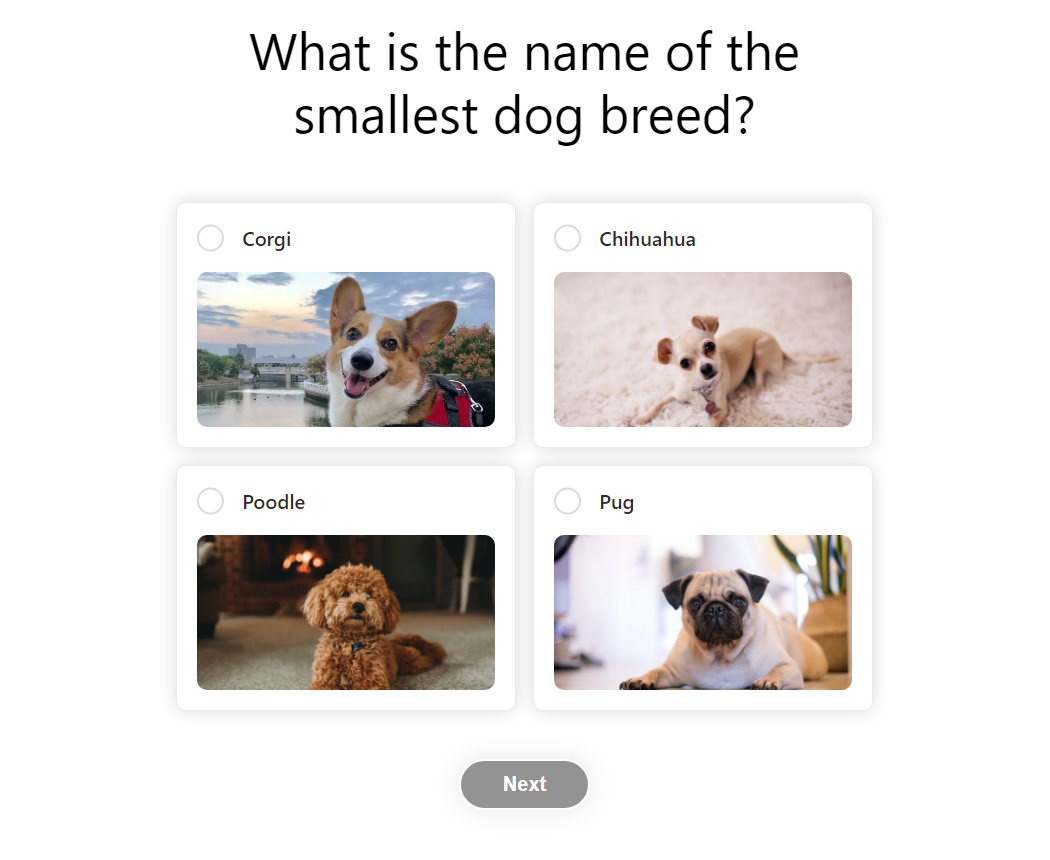
Sample quiz
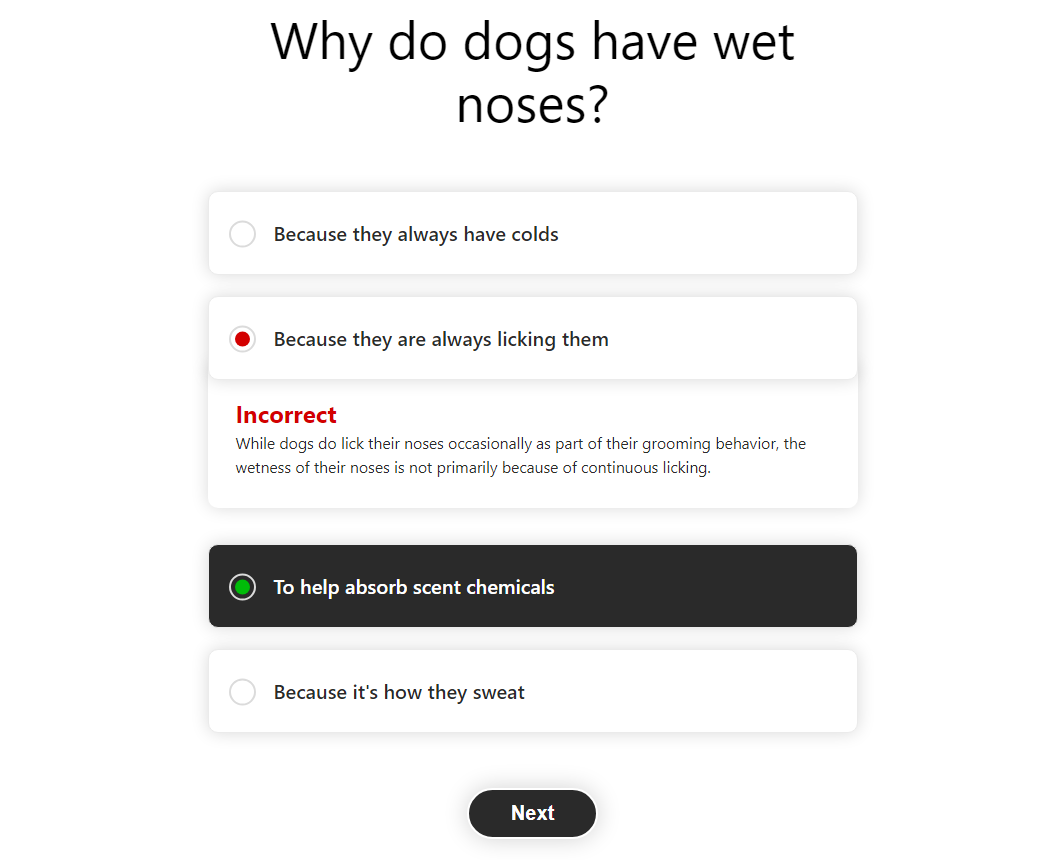
Incorrect answer
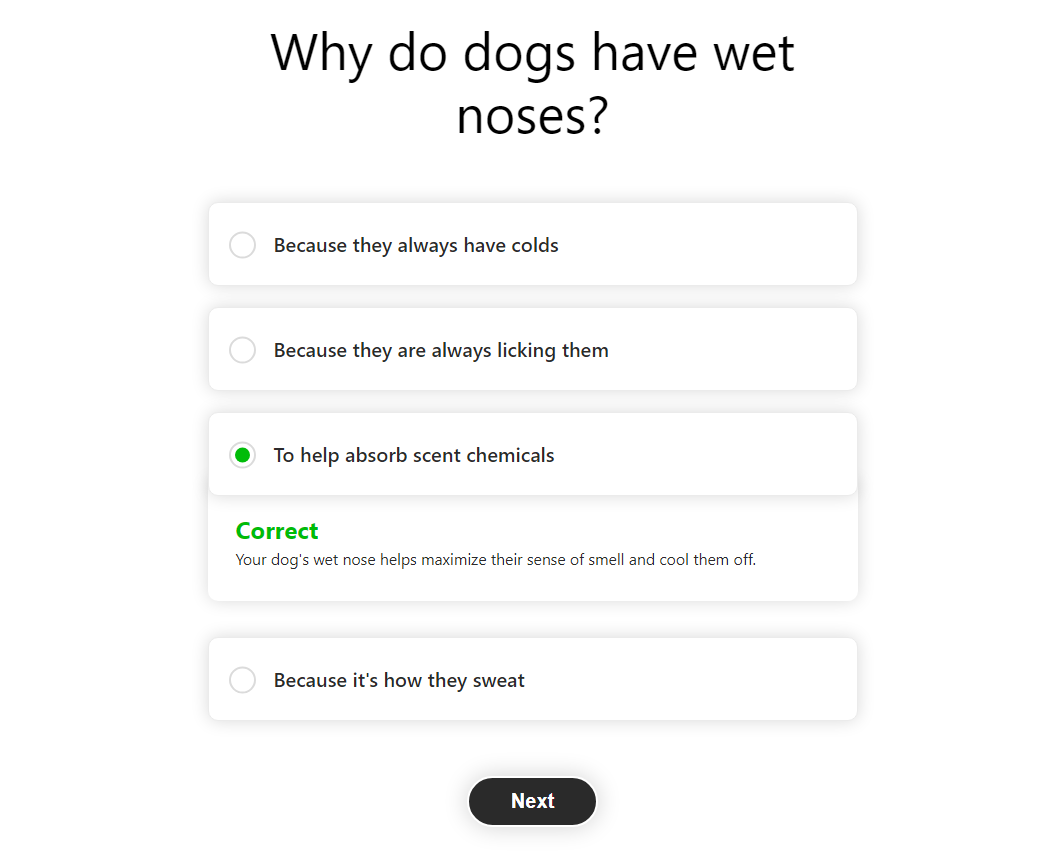
Correct answer

Successful result page
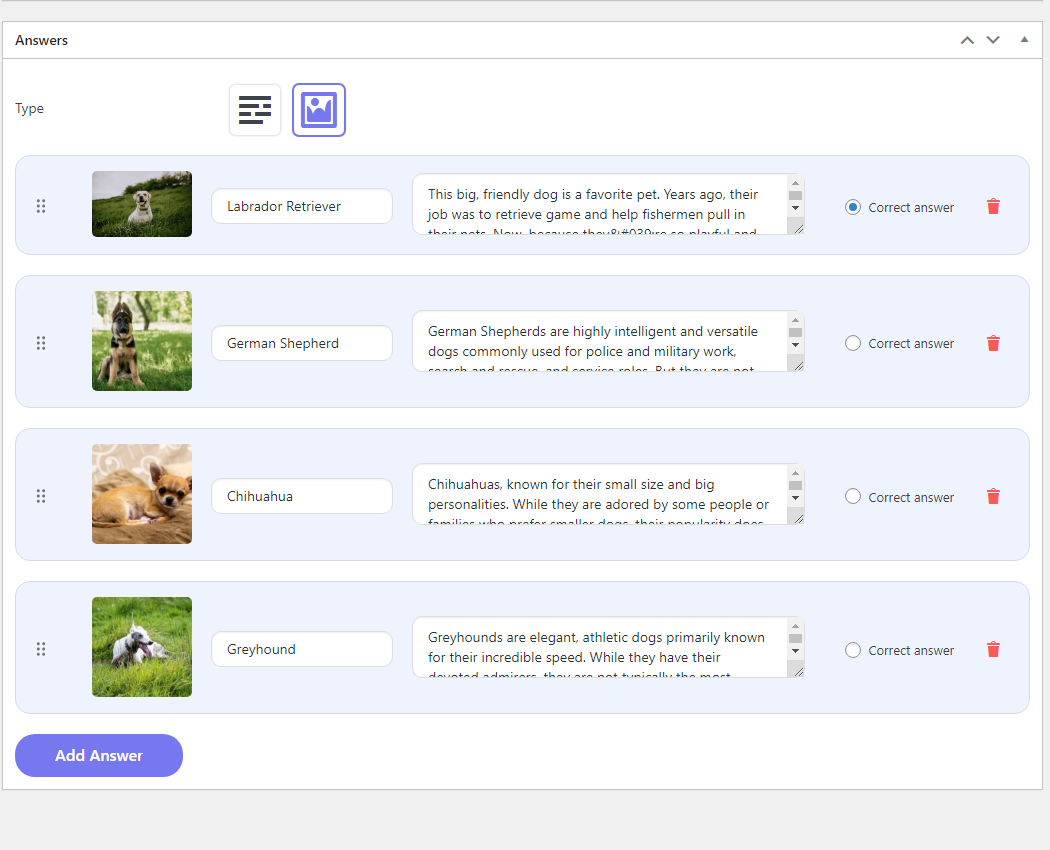
Question editing screen

Quiz settings - coupon customization
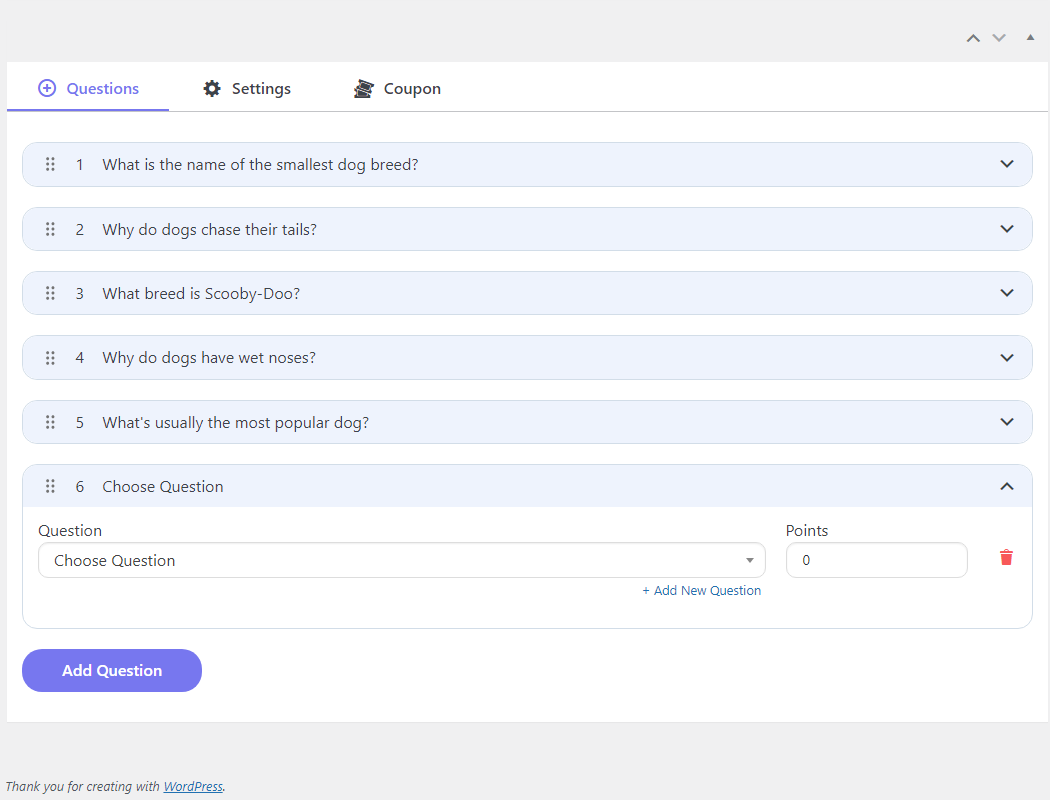
Quiz settings - adding questions
Changelog
1.1.2
- Tested up to: 6.8.1
- Added a filter hook
cquiz_answer_status_textto allow changing the “Correct” and “Incorrect” text.
1.1.1
- Tested up to: 6.8.1
- Fixed custom column hooks conflict
- Fixed javascript error in the coupon email error handler
1.1.0
- Tested up to: 6.6.2
- Added a progress bar
- Added a timer
1.0.1
Tested up to: 6.5.2
1.0.0
Initial release of the Codevery Quiz Plugin.