CodingBunny Custom Account Tabs Lite
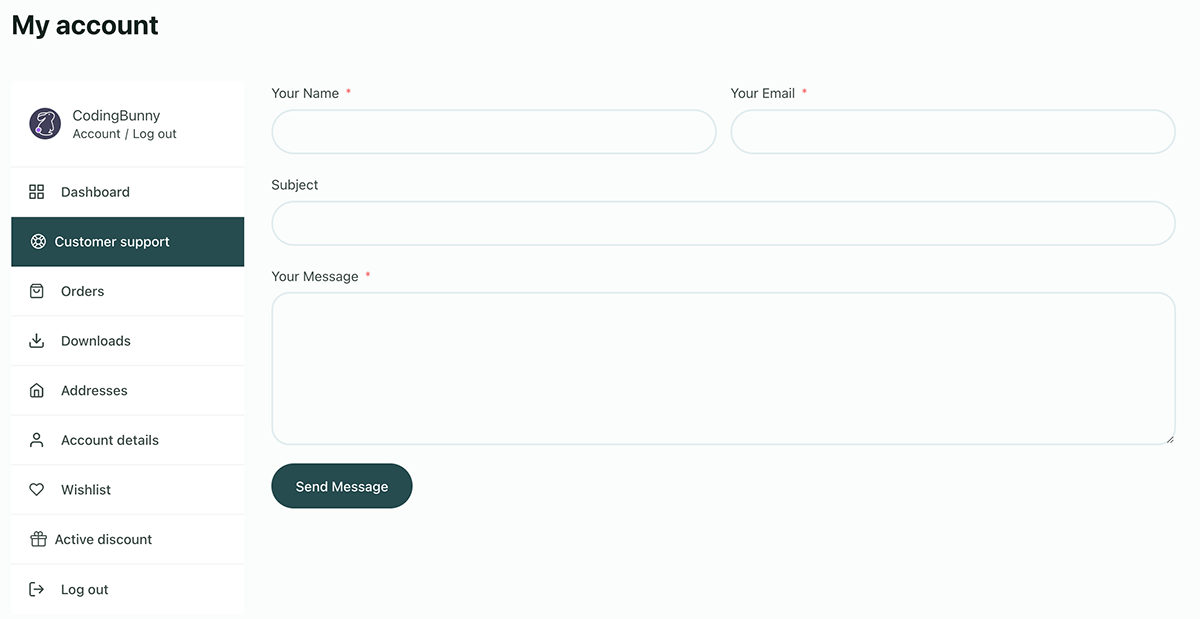
Add unlimited custom tabs to WooCommerce Account page, with support for sorting, YouTube embeds and shortcodes.
Plugin info
Maintenance & Compatibility
Maintenance score
Stale • Last updated 357 days ago
Is CodingBunny Custom Account Tabs Lite abandoned?
Likely maintained (last update 357 days ago).
Compatibility
Similar & Alternatives
Explore plugins with similar tags, and compare key metrics like downloads, ratings, updates, support, and WP/PHP compatibility.
Description
Want to customize your WooCommerce Account page with additional tabs? Custom Account Tabs for WooCommerce allows you to easily create an unlimited number of tabs, organizing information in a clear and intuitive way.
This plugin is ideal for store owners who want to offer their customers a more complete experience with extra structured and easily accessible content.
Enhance your WooCommerce shop today with Custom Account Tabs for WooCommerce!
Features
- Unlimited custom tabs – Add as many custom tabs as you need for your WooCommerce Account page.
- YouTube embedding support – Ability to easily embed YouTube videos directly into tabs.
- Orderable tabs – Organize tabs with a custom order entry field for better content layout.
- Multilingual support – Compatible with WPML and Polylang for multilingual stores.
- Support for rich content – Add images, text, videos, FAQs and more.
- Shortcode compatibility – Use WordPress shortcodes to insert dynamic content into tabs.
- Page builder compatibility – Create your own content with your page builder and insert it into tabs via shortcodes.
PRO Features
- Conditional display based on users – Selects which users can view a tab.
- Conditional display based on purchased products categories – Select which users can view a tab based on product categories purchased.
Installation
The plugin is simple to install:
- Download coding-bunny-custom-account-tabs.zip
- Unzip
- Upload coding-bunny-easy-duplicate-post directory to your /wp-content/plugins directory
- Go to the plugin menu page and activate the plugin
Frequently Asked Questions
-
Can I add HTML content?
Yes, you can add HTML content. The tab content section uses the editor s, allowing you to include any HTML content supported by the WordPress post editor. -
How many tabs can I add?
There are no restrictions on the number of tabs you can add. -
Can I arrange the tabs?
Yes, you can arrange both tabs according to your preferences. -
Is it possible to delete tabs?
Yes, you can delete tabs if necessary. -
How can I add YouTube videos to the content of the tabs?
To add YouTube videos to the content of tabs, simply use the native widget of WordPress or the page builder you use.
1.1.1: 2025-04-03
– Improvement: Changed license management system (PRO).
1.1.0: 2025-03-06
– New: PRO version released
– New: Added Conditional Display based on Users and Purchased Products Categories (PRO)
– Improvement: General code improvement.
1.0.0: 2025-02-12
– New: Initial Release