

Plugin info
Maintenance & Compatibility
Maintenance score
Maintained • Last updated 126 days ago
Is CodoBookings abandoned?
Likely maintained (last update 126 days ago).
Compatibility
Similar & Alternatives
Explore plugins with similar tags, and compare key metrics like downloads, ratings, updates, support, and WP/PHP compatibility.
Description
CodoBookings is a modern, lightweight booking and appointment-management plugin for WordPress. It’s designed to make scheduling, managing, and tracking appointments effortless.
Whether you’re a coach, consultant, tutor, or agency, CodoBookings helps you manage your entire booking process directly inside WordPress — cleanly, securely, and efficiently.
🎯 Key Features
- 🔁 Flexible Booking Types – Supports both one-time and weekly recurring appointments.
- 👥 Guest Bookings – Customers can book appointments without creating an account by just providing their email address.
- 💬 Email Notifications – Automatic HTML email confirmations and status update notifications for you and your clients.
- 🧱 Shortcodes for Easy Embedding – Display booking calendars or grids anywhere using simple shortcodes.
- 🧭 Admin Dashboard Widget – See your key booking stats right on the WordPress dashboard.
- 🎨 Clean Front-End Interface – Modern, minimal design that adapts to any WordPress theme.
- 🌍 Translation Ready – Includes
.potfile for localization with tools like Poedit. - 🧩 Extensible Architecture – Modular structure ready for integrations and add-ons.
- 🔒 Secure & Optimized – Sanitized inputs, escaped outputs, and lightweight queries.
CodoBookings provides a full, professional booking system built natively for WordPress — without bloat or dependency chains.
Developer Hooks & Filters
CodoBookings offers several hooks to extend functionality:
codobookings_admin_overview_stats– Extend the dashboard widget with custom stats.codobookings_booking_created– Triggered when a new booking is created.codobookings_booking_status_changed– Fires when a booking’s status is updated.codobookings_emails_sent– Fires when a confirmation email is sent.codobookings_status_email_sent– Fires when a status update email is sent.
Planned Extensions
- PMPro Integration – Restrict or enable bookings based on membership level. (Coming soon)
- WooCommerce Integration – Sell bookings as WooCommerce products with a full checkout flow. (Coming soon)
- Google Calendar Sync – Sync bookings with Google Calendar. (Coming soon)
- Custom Email Templates – Create branded, customizable email templates. (Coming soon)
License
This plugin is licensed under the GPLv2 or later license.
You are free to use, modify, and redistribute it under the same license.
Author & Links
Author: CodoBookings Team – Codoplex
Demo: https://wpdemo.codoplex.com/codobookings/demo/
Support: https://care.codoplex.com/
Installation
- Upload the plugin folder
/codobookings/to the/wp-content/plugins/directory, or install it via the Plugins screen in WordPress. - Activate CodoBookings through the Plugins menu in WordPress.
- Navigate to CodoBookings Settings to configure general options and email preferences.
- Create your first booking calendar under CodoBookings Calendars.
- Add a calendar to any page using this shortcode: [codo_calendar id=”123″].
- You can also view any calendar on a page which is automatically created upon the plugin activation by providing calendar_id as a query parameter.
- To display multiple calendars in a grid layout, use: [codo_calendars_grid columns=”3″]
- To display calendars from a specific category in a grid layout, use: [codo_calendars_grid columns=”3″ category=”category-slug”]. The category-slug is available on CodoBookings Categories page for each category.
Frequently Asked Questions
All calendars can be viewed and managed under CodoBookings Calendars. You can update, define availability slots, change the calendar type, or define a custom confirmation message easily from the admin area.
All bookings can be viewed and managed under CodoBookings Bookings. You can update, confirm, or cancel bookings easily from the admin area.
Yes! CodoBookings uses a modular structure and provides multiple hooks and filters for extending core functionality.
Yes, the plugin includes a .pot file under the /languages/ directory for easy translation via Poedit or WPML.
Not yet, but upcoming extensions will integrate with WooCommerce and Paid Memberships Pro to handle payments and restrictions.
Review feed
Screenshots
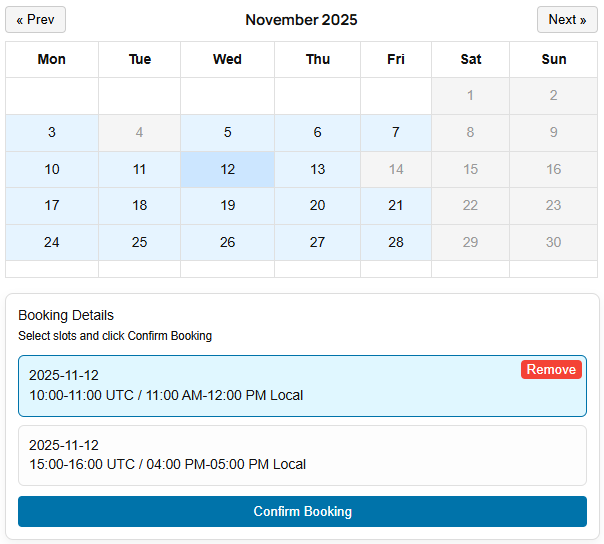
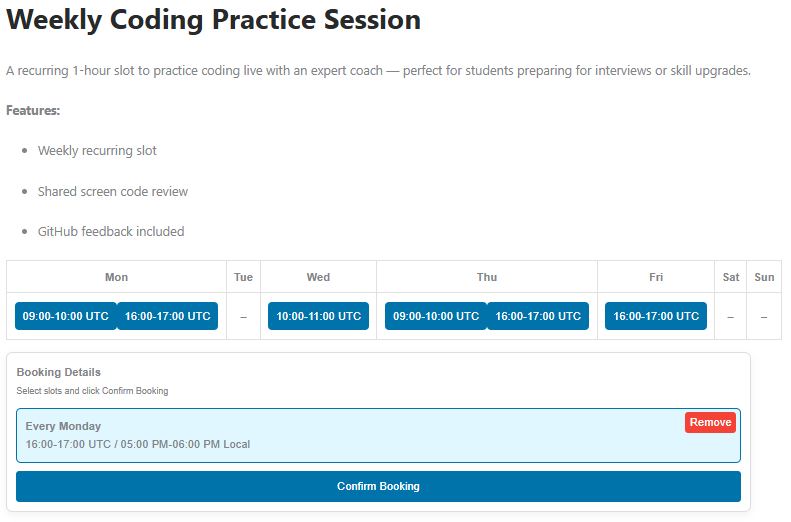
Single calendar view with available slots.
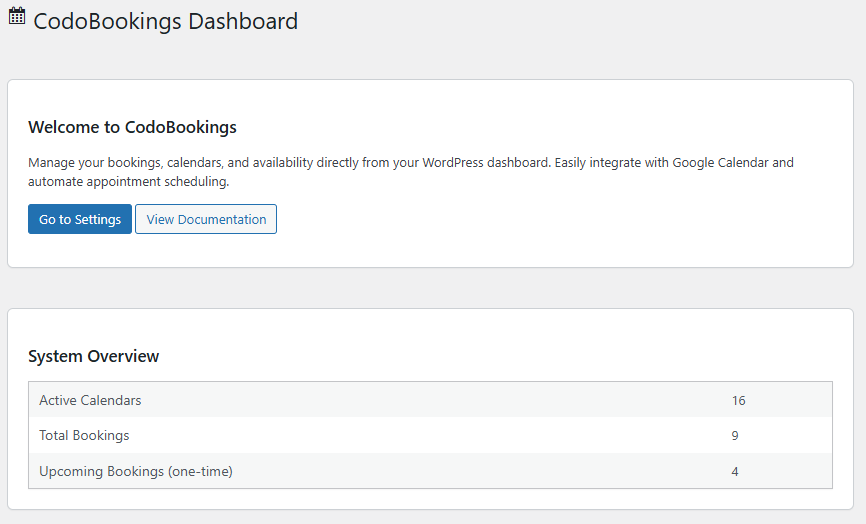
Admin dashboard overview widget.
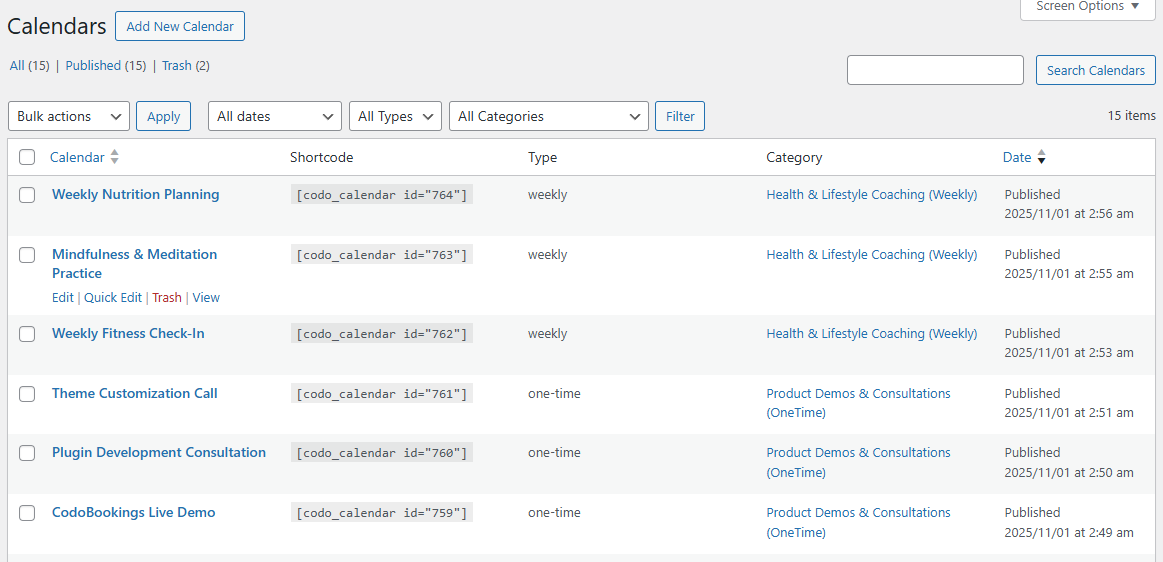
Calendars list management in the WordPress admin.
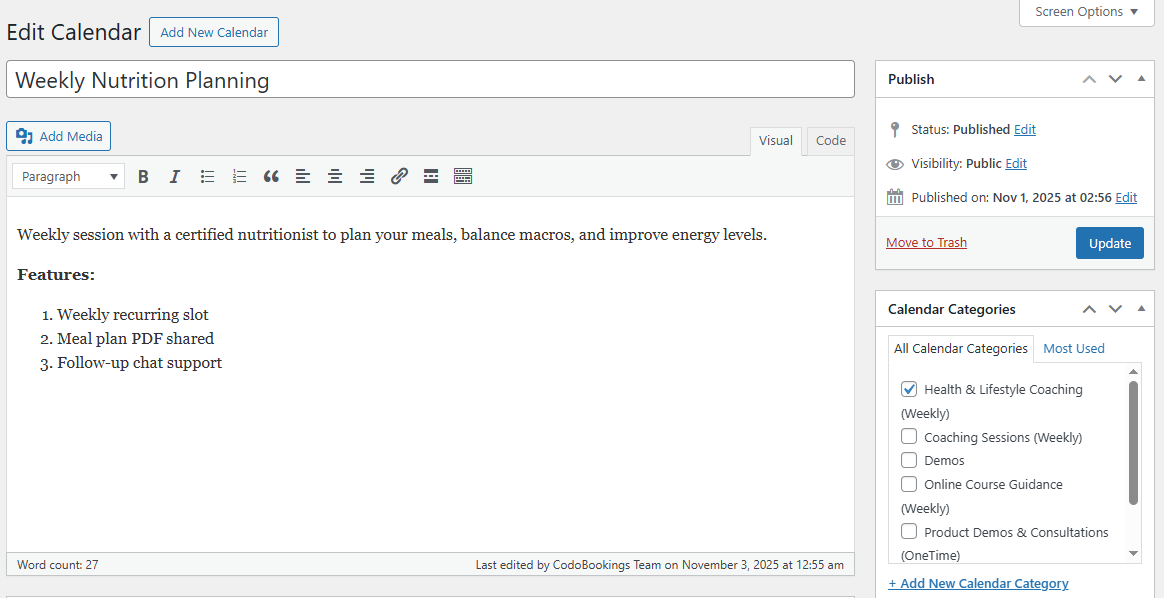
Edit calendar view in the WordPress admin.
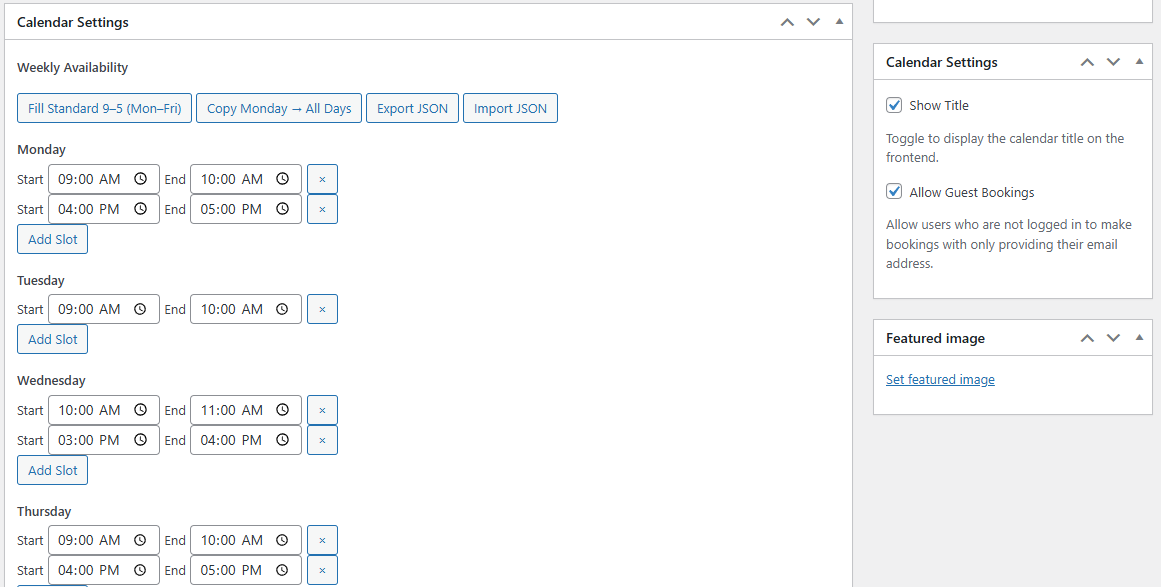
Edit calendar settings view in the WordPress admin.
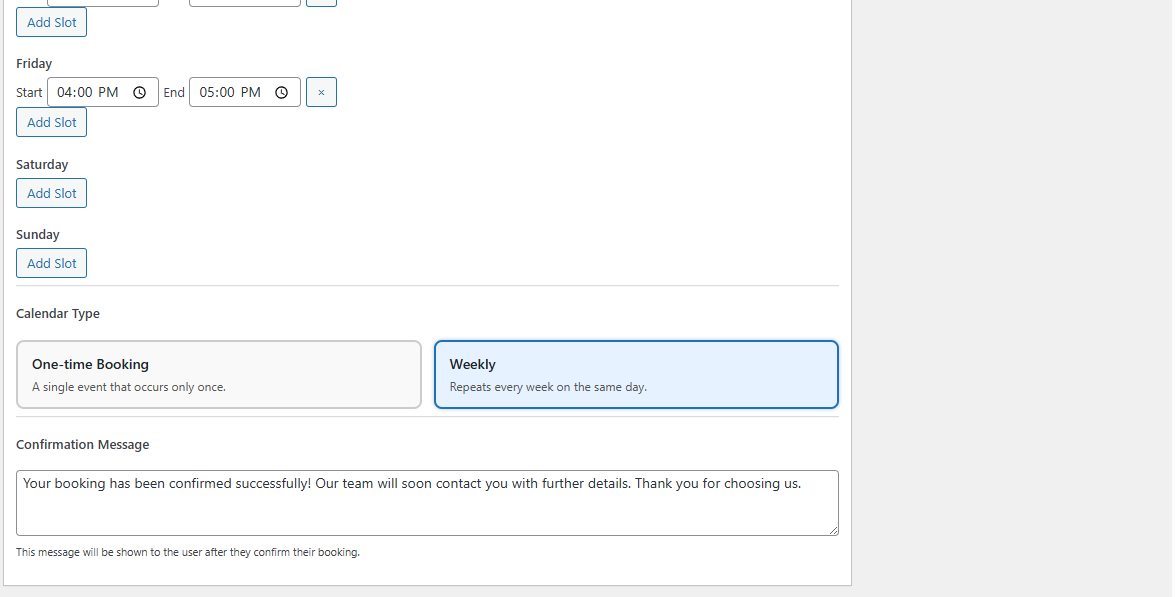
Define calendar type and confirmation message in the WordPress admin.
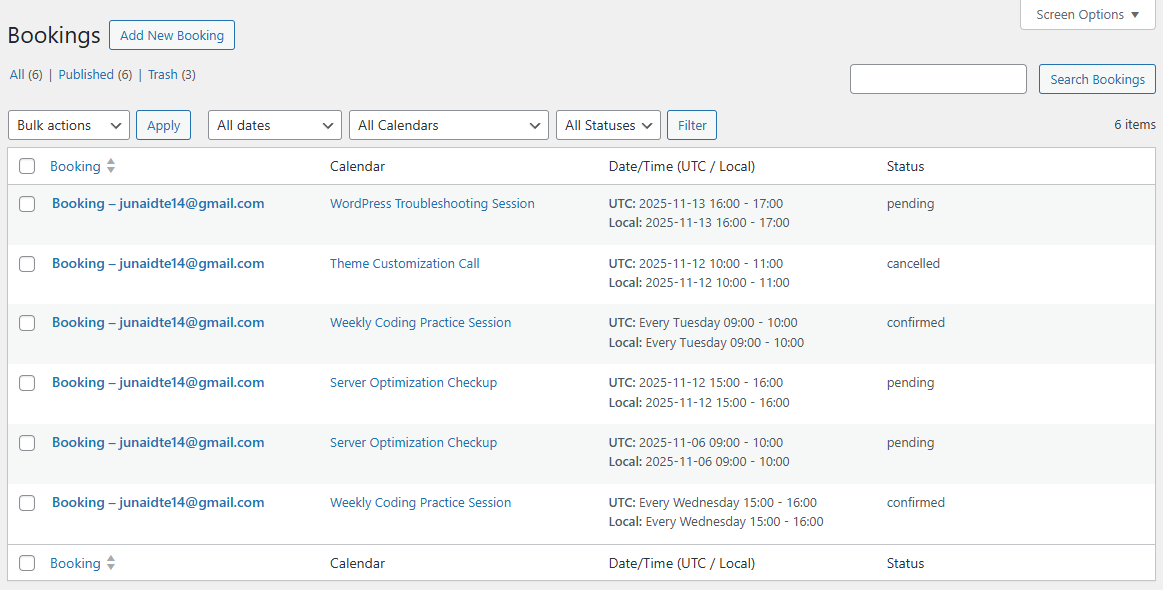
Bookings list management in the WordPress admin.
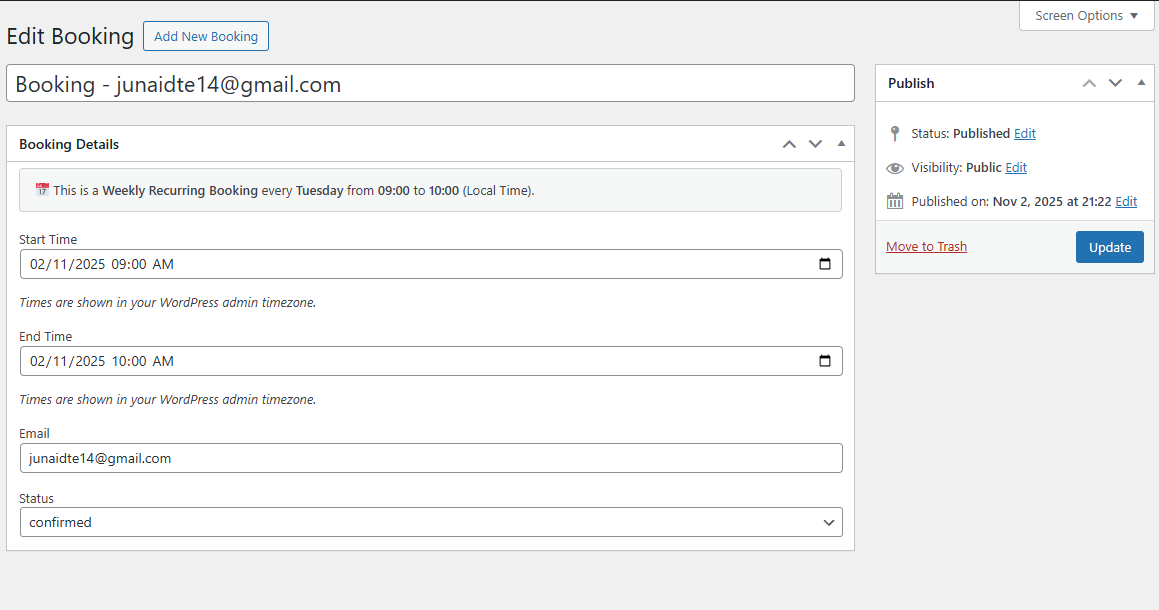
Edit single booking in the WordPress admin.
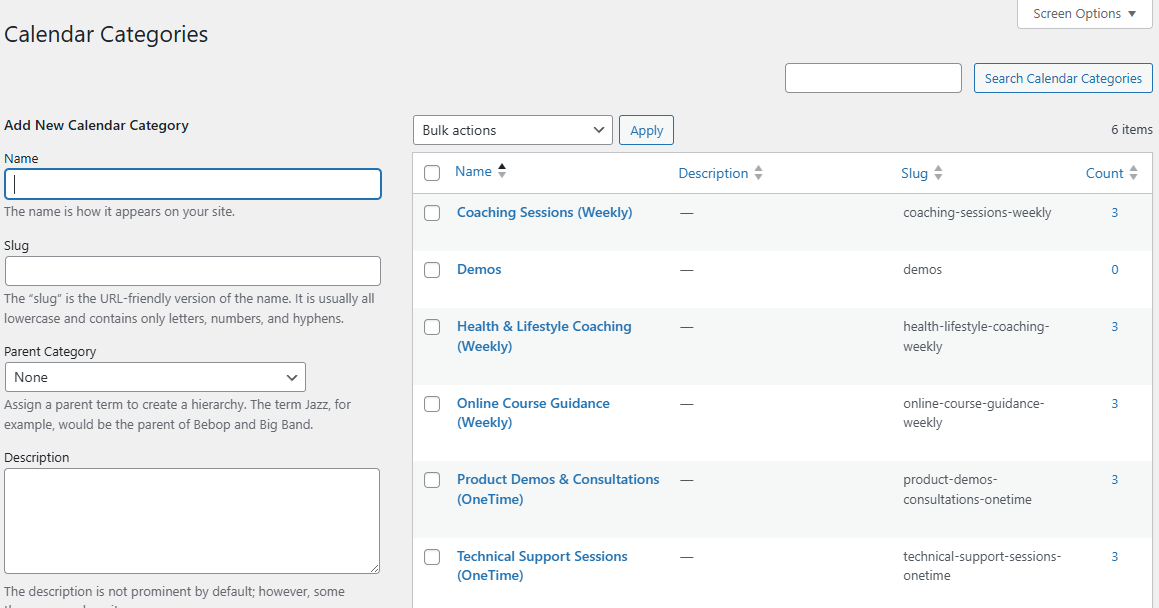
Calendar categories management in the WordPress admin.

Plugin settings management in the WordPress admin.
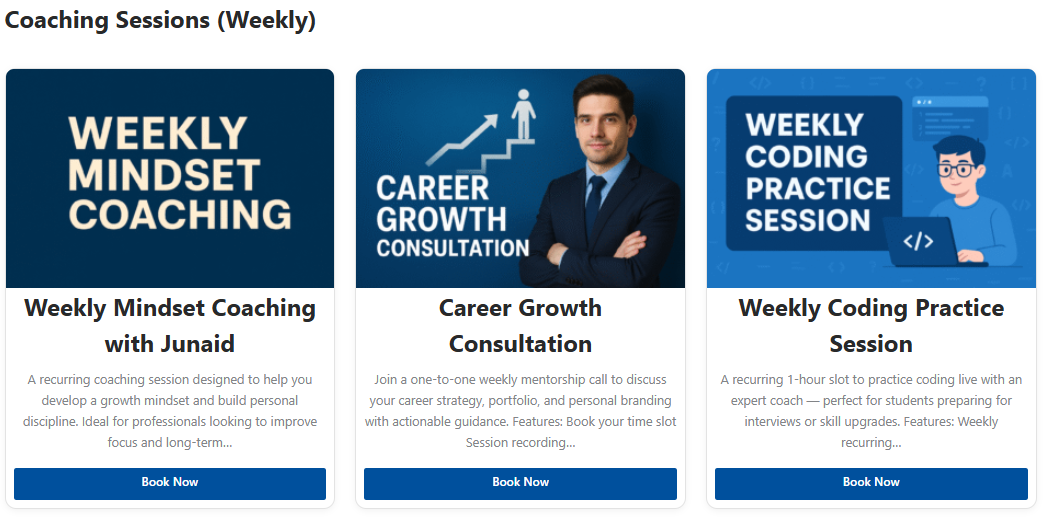
Booking calendar grid on the frontend.
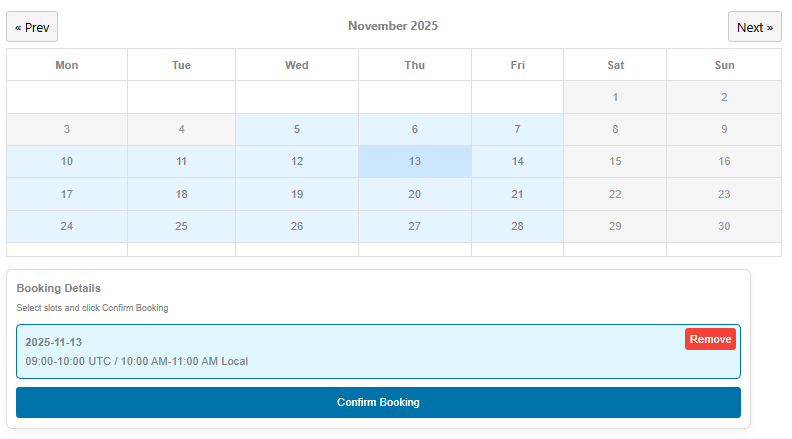
One-Time booking calendar view on the frontend.
Changelog
1.2.0
- Added User Fields Extension link on dashboard page
- Updated the translations file
1.1.0
- New hooks introduced in PHP code
- Some wording changes
- Hooks added in JS code for future extensibility
- Fixed confirmation message visibility
1.0.0
- Initial Release with following features
- Added booking grid and single calendar shortcodes.
- Added recurring booking logic (weekly).
- Added guest bookings feature.
- Added admin dashboard widget for quick stats.
- Added booking management interface.
- Added global email notification system.
- Translation ready with
.potfile included.