

Comdev Downloads
Comdev Downloads is a powerful plugin for uploading, managing, and tracking download packages, as well as displaying download links.
Plugin info
Maintenance & Compatibility
Maintenance score
Possibly abandoned • Last updated 567 days ago • 1 reviews
Is Comdev Downloads abandoned?
Possibly abandoned (last update 567 days ago).
Compatibility
Similar & Alternatives
Explore plugins with similar tags, and compare key metrics like downloads, ratings, updates, support, and WP/PHP compatibility.
Description
Comdev Downloads offers a user-friendly interface for uploading and managing downloadable file packages (grouping multiple files into Download Lists). Easily insert these download lists into posts and pages, set download expiration dates, and manage file versions seamlessly.
Features
- Group files into a downloadable list to save space on your page. Reuse the same files to create download packages that share common sub-files, optimizing storage and organization.
- Add, edit, and remove downloads effortlessly within a familiar WordPress interface. Manage your downloads just like you would your posts.
- Fully compatible with Gutenberg, allowing you to easily insert shortcodes directly into your Gutenberg blocks.
- Modify the display of download links using customizable template files.
- Files versions support
- Organize your downloads by categorizing, tagging, and adding metadata.
- Display download links on the frontend using shortcodes.
- Downloads Exclusive to Members: Users Must Log In to Access Your Files.
Documentation
Explore our documentation and knowledge base at: https://wiki.comdev.eu/books/wordpress-plugins, where you’ll find comprehensive guidance on setting up and utilizing Comdev Downloads effectively.
Installation
Automatic installation
The simplest way to install is by letting WordPress handle the file transfers automatically, eliminating the need to leave your web browser. Here’s how to do it:
- Log in to your WordPress admin panel.
- Navigate to the Plugins menu and select Add New.
- In the search field, enter “Comdev Downloads” and click Search Plugins.
- Once you locate the plugin, you can access details such as the point release, rating, and description.
- To install, simply click on “Install Now.”
Manual installation
The manual installation method involves downloading the plugin and uploading it to your webserver via your favourite FTP application.
To manually install the plugin, follow these steps:
- Download the plugin file to your computer and extract it.
- Using your preferred FTP application or hosting control panel, upload the extracted plugin folder to the wp-content/plugins/ directory of your WordPress installation.
- Once uploaded, navigate to the Plugins menu in your WordPress admin area and activate the plugin.
Frequently Asked Questions
Navigate to the Comdev Downloads -> Download Items section in your WordPress dashboard, click ‘Add New’, and upload your file.
Certainly! The plugin offers Download Lists, allowing you to group multiple files together effortlessly.
Use the WordPress.org forums for community support. If you spot a bug, please contact us on email: https://comdev.eu/contact-us
Review feed
Comdev Downloads
Screenshots

The main admin screen with Dashboard and basic statistics
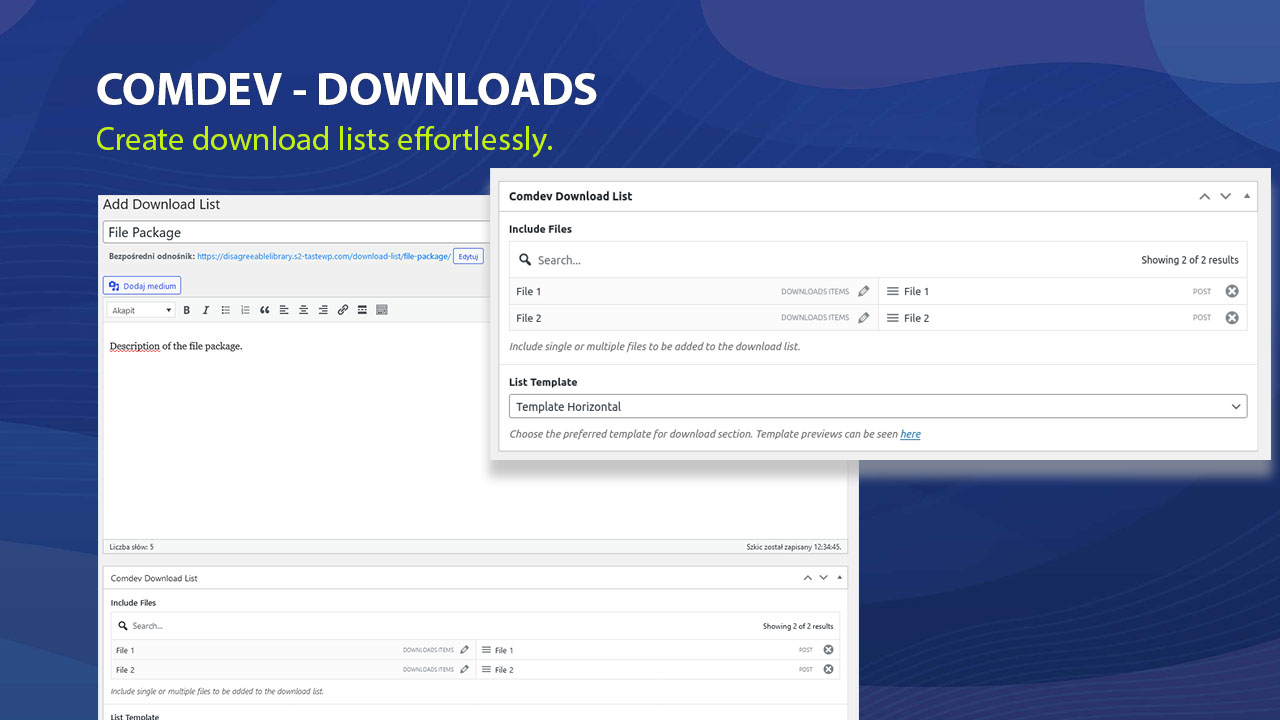
Easily add file multiple files into Download List

Easily add download lists to your website with shortocde inserted into Gutenberg block
Changelog
1.1.0
In current version update of the file also refreshes that file under Lists, Products and Orders.
1.0
- Initial release with file management, user permissions, and download tracking features.