
Comment Form Js Validation
This plugin use for wordpress comments form js validation.
Plugin info
Maintenance & Compatibility
Maintenance score
Possibly abandoned • Last updated 778 days ago • 5 reviews
Is Comment Form Js Validation abandoned?
Possibly abandoned (last update 778 days ago).
Compatibility
Similar & Alternatives
Explore plugins with similar tags, and compare key metrics like downloads, ratings, updates, support, and WP/PHP compatibility.
Description
This plugin is used for WordPress comments JavaScript validation in the comment form. It provides options to set your own validation message and add Google Captcha (reCAPTCHA).
Features
- Easy to install
- Custom validation message
- Google Captcha (reCAPTCHA)
Installation
- Go to Plugins > Add New.
- Searh \”comment form js validation\”
- install and activate the WordPress Plugin.
Frequently Asked Questions
Follow the next steps in order to get and enable Google Captcha (reCAPTCHA) protection using the official Google Captcha keys:
1. Open your WordPress admin dashboard.
2. Go to Settings > Comment form js validation > Google Captch Tab.
3. Click the “Get the API Keys” link.
4. Enter your domain name and click “Create Key” button.
5. You will see your public and private keys. Copy them and paste to the appropriate fields on plugin Settings page.
6. Save changes.
Review feed
Awesome Work
Very useful plugin.. Working well
It works
Screenshots
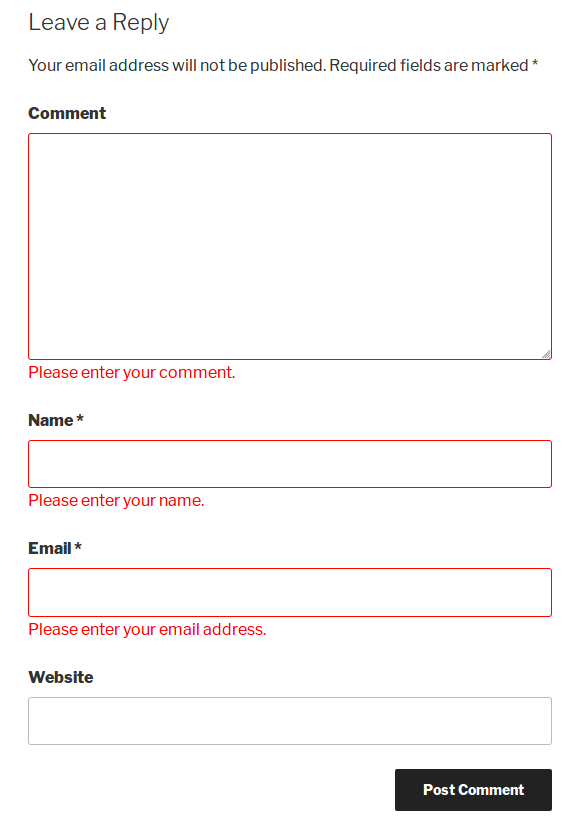
screenshot-1.png

screenshot-2.png

screenshot-3.png

screenshot-4.png

screenshot-5.png
Changelog
V1.2
- New : Add Google Captcha (reCAPTCHA)
V1.1
- New : Add setting page for set Custom validation message.
V1.0
- Initial release.