

ComplexLife
A powerful lifestreaming plugin which provides a historical views of your activities online by aggregating it from any service you use.
Plugin info
Maintenance & Compatibility
Maintenance score
Possibly abandoned • Last updated 6397 days ago
Is ComplexLife abandoned?
Possibly abandoned (last update 6397 days ago).
Compatibility
Similar & Alternatives
Explore plugins with similar tags, and compare key metrics like downloads, ratings, updates, support, and WP/PHP compatibility.
Description
ComplexLife is a fork from Kieran’s SimpleLife which has been on hiatus/slow development for a while.
Simply, it shows your activity for any service that gives a date sorted rss/atom activity feed. The plugin then displays all that activity in any place you want it sorted by time, as a personal lifestream. You can see a sample here
Features
- All the features provided with version 1.1 of Simplelife (the point of the fork) and I will also attempt to merge any new future changes as well
- Support for as many and as obscure services as possible. I have already included stuff that no one else does like PMOG, Atheist Nexus, Cocomments, Getboo etc.
- Longer history via utilizing google reader.
- Comment tracking from everywhere. That is, each time you leave a comment in the blogosphere or in a forum, it will show in your lifestream (AFAIK, no other lifestreaming service does this)
- Pie Charts. 🙂
=Important Notes=
- This plugin requires the Simplepie Core plugin in order to work.
- PHP 5 is required.
Future features
I have a few ideas I’d like to implement in the future. I’m not certain I can but I’m listing them here in case anyone would like to tackle them.
- An Ajax-y settings page where the user selects from the top which services he needs to use and then only they appear
- Unlimited custom feeds. User should be able to put a number on a field and get that many custom rss fields to use.
- Integration with the plugin cache if it exists for faster speeds.
- Allow variables to be set on the plugin php call which would allow it to be included, say, in the sidebar but showing only the last 5 actions.
- A way for it to export an rss file which can be used by people elsewhere. This file could be created/updated every time it’s called, every time the plugin runs or with a cronjob.
Installation
- Extract the directory
- Upload
/complexlife/to the/wp-content/plugins/directory - (Optional but important) Disable SimpleLife you have it.
- Activate the plugin through the ‘Plugins’ menu in WordPress
- Configure it from the `Settings > Complexlife’ WP Admin page.
- Place
in a page template, a widget or in your sidebar.
Frequently Asked Questions
How fast is it?
I would not suggest you put it in your sidebar for now. Depending on how many feeds you’ve used and the items in them, the first run (before the simplepie cache takes over) might take 10 or more seconds.
I don’t seem to have caching.
In order to utilize the cache, make sure you have a wp-content/cache folder that is writable (755). See here
I don’t get it. What is a lifestream and why do I need it?
Just check the Lifestream blog explanation explanation.
I want/need so-and-so feature
Patches are welcome and I’m always open to more developers who want to join.
Unfortunately I’m not that great with php so I don’t know if I’ll be able to do it myself.
Review feed
Screenshots

A look at how the stream of activities look.
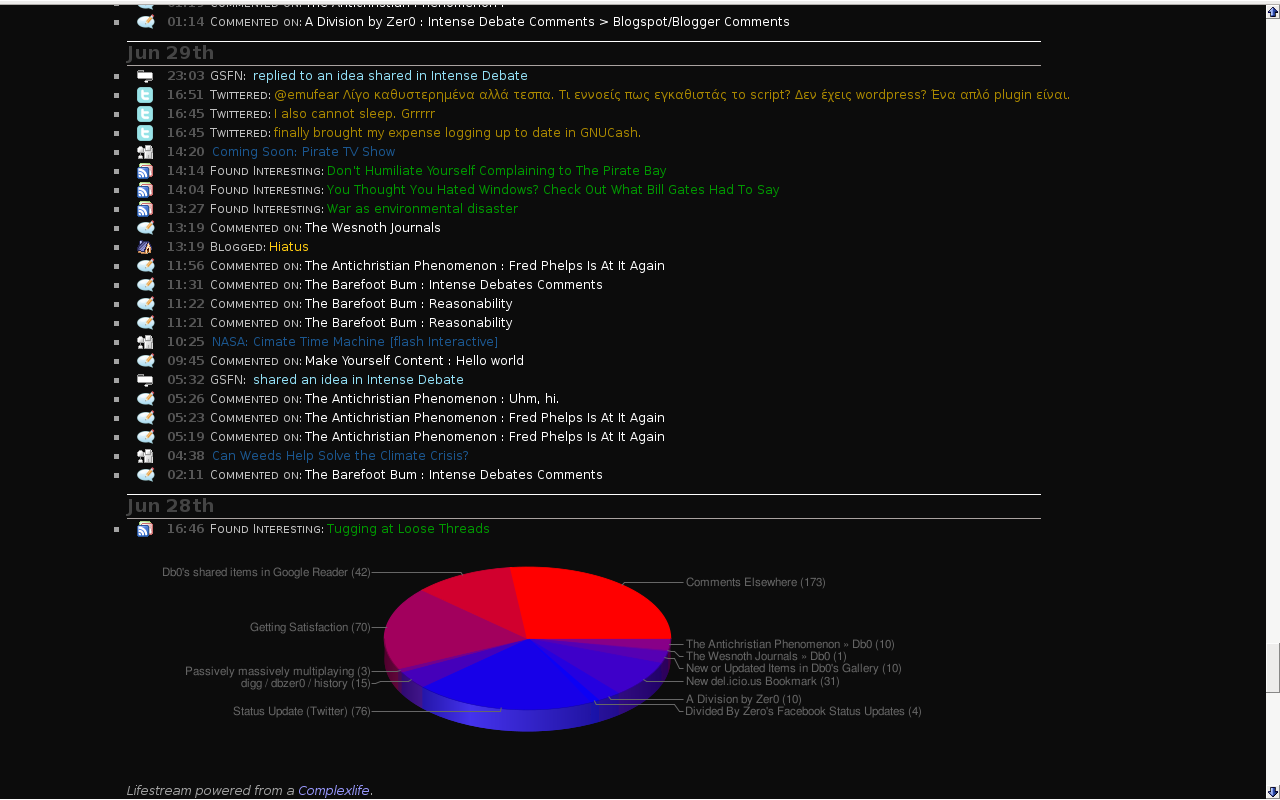
The Pie Chart for your activities.

The Settings page