

Conditional Logic for Beaver Builder and Woo Memberships
Simple plugin for Beaver Builder's Beaver Themer to enable conditional logic based on WooCommerce Membership status
Plugin info
Maintenance & Compatibility
Maintenance score
Stale • Last updated 323 days ago
Is Conditional Logic for Beaver Builder and Woo Memberships abandoned?
Likely maintained (last update 323 days ago).
Compatibility
Similar & Alternatives
Explore plugins with similar tags, and compare key metrics like downloads, ratings, updates, support, and WP/PHP compatibility.
Description
If you use WooCommerce Memberships and Beaver Builder’s Beaver Themer, you will want to use this plugin. It enables you to have blocks that use conditional logic to display different content depending on the visitor’s membership status.
To use:
- Edit a page in Beaver Builder.
- Click on a block.
- Go to the Advanced tab and choose Conditional Logic from the Display menu.
- Click Open Conditional Logic Settings
- Define your rule by selecting “User Membership” and then choose the plan that you are checking.
- If you just want to check if the user is active or inactive, “is set” will be true for any active status and “is not set” will be false for any active status. You can also create rules by comparing to specific Membership statuses by using “equal” or “not equal”.
Note: if you do not select a Membership Plan, then it will default to looking for the first of the user’s plans it finds, and if it can’t find any plan, the user will always be considered “inactive”. So if you have more than one plan available, it is not recommended to leave this unselected.
Installation
Frequently Asked Questions
No.
Yes, this plugin is free and open-source.
Review feed
Screenshots
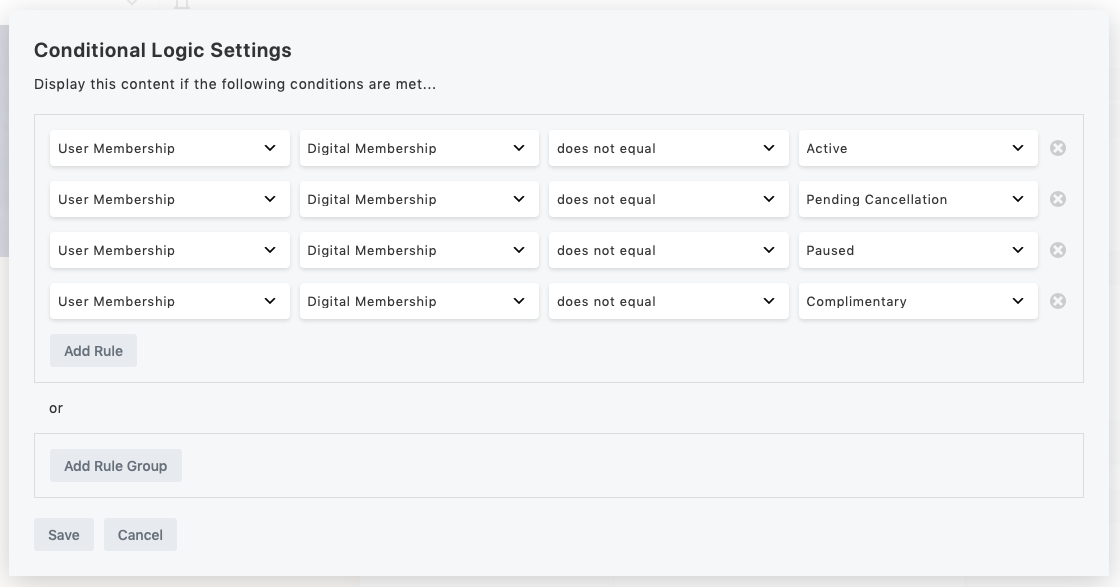
Combine rules to check if the user does not have any of several statuses.
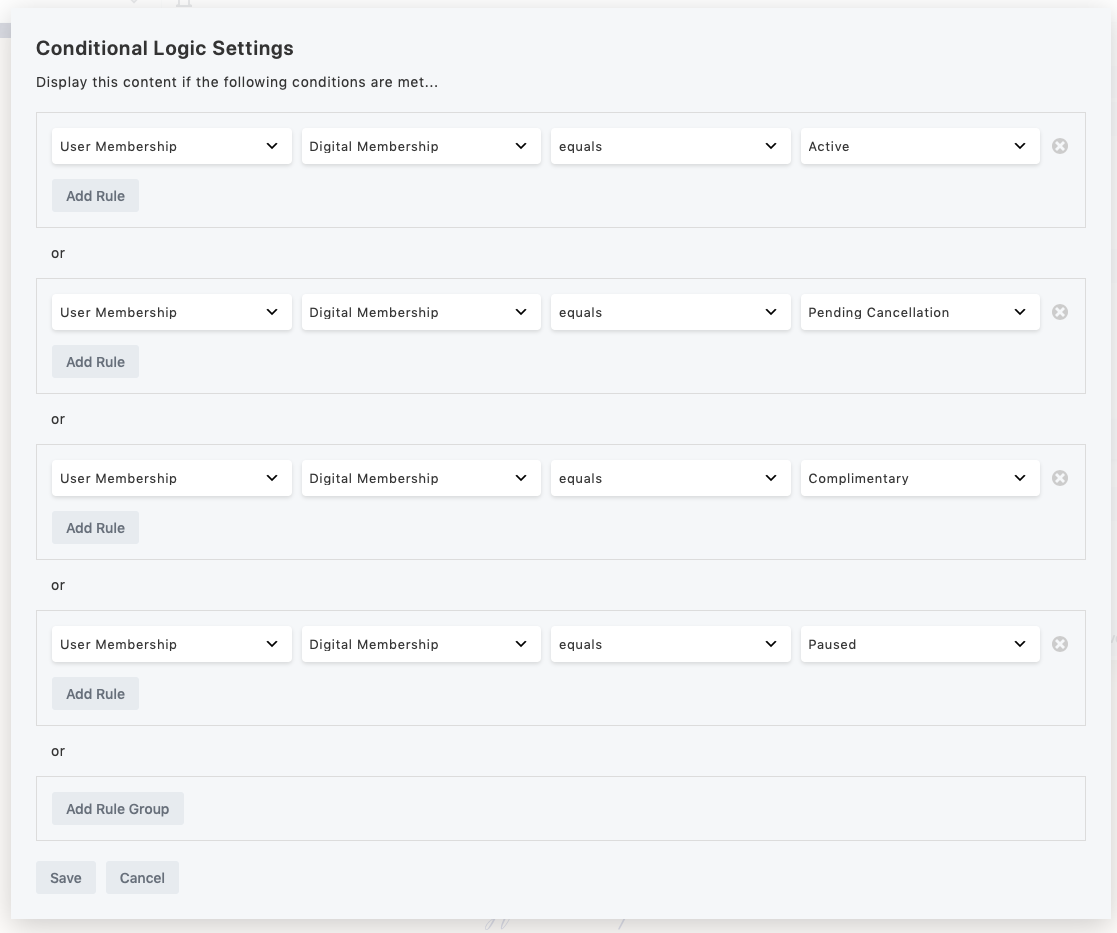
Combine rules with OR to check if the user has any of several statuses.
Changelog
1.4
- Ensure Woo, BB, and Memberships plugins are active
- Change default plan to first user membership
1.3.2
- Added dependencies
1.3.1
- Confirmed tested up to 6.8
1.3
- Eliminate some php notices
1.2
- This is the first public version.