

Plugin info
Maintenance & Compatibility
Maintenance score
Maintained • Last updated 150 days ago
Is Condotel abandoned?
Likely maintained (last update 150 days ago).
Compatibility
Similar & Alternatives
Explore plugins with similar tags, and compare key metrics like downloads, ratings, updates, support, and WP/PHP compatibility.
Description
Condotel allows property owners and managers to easily handle guest check-ins and check-outs, manage unit scheduling, track guest stays, monitor maximum stay limits, and display an interactive frontend interface for users.
Key Features:
- Admin dashboard with active stays, overstays, and stats
- User interface with statistics about their usage
- Email notifications on check-in or check-out
- Customizable settings for unit count, maxinmum stay, and more
License
This plugin is licensed under the GPLv2 or later. See https://www.gnu.org/licenses/gpl-2.0.html for details.
Installation
- Install the plugin through the WordPress plugins screen.
- Activate the plugin through the ‘Plugins’ screen in WordPress.
- Configure plugin settings in the Condotel admin menu.
- Use the
[condotel]shortcode to display the check-in interface on any page.
Frequently Asked Questions
It displays the frontend check-in/check-out form for users. Place this on any page to show the frontend interface.
Go to Condotel Settings in your WordPress dashboard. Enter the total number of units in the Unit Count field and save changes.
Setting the total number of units in the complex allows the plugin to track occupancy percentages over time.
Yes. In Condotel Settings, uncheck Track Guest Count and save. The check-in/out forms and reports will no longer display guest count fields.
Go to Condotel Dashboard, click Check In, choose a unit, fill in any guest details (if enabled), and click Confirm Check-In.
Go to Condotel Dashboard, find the unit under Active Stays, click Check Out, and confirm. The stay will be moved to the recent stays area.
From Condotel Dashboard, use the Add Stay option. Select the unit, set the check-in and check-out dates, and save. This is useful for entering past or upcoming stays.
The Dashboard shows all active stays and flags any that have exceeded the maximum allowed stay duration.
Go to Condotel Settings, enter the number of days in the Maximum Stay (Days) field, and save.
No. Maximum stay is for monitoring purposes. It will notify the user and the admin that the person is over the maximum stay. It will also keep track of these occurences.
Go to Condotel Units. Here you can assign unit numbers to your WordPress users.
In Condotel Settings, enable Email Notifications and enter one or more email addresses (comma separated). You will get an email each time someone checks in or out.
Yes. In Condotel Dashboard, use the reporting range selector (Monthly, Yearly, All Time) to see occupancy rates, busiest days, and top users.
Go to Settings General in WordPress and change the Date Format. Condotel uses your site-wide date format for all displays.
Simply remove the page containing the [condotel] shortcode or restrict access to that page with WordPress page visibility settings.
Deactivate and delete the plugin from your WordPress dashboard. If you want to also remove all stored stays and settings, click “Delete” when prompted — the uninstall process will clean up all database entries.
Review feed
Screenshots
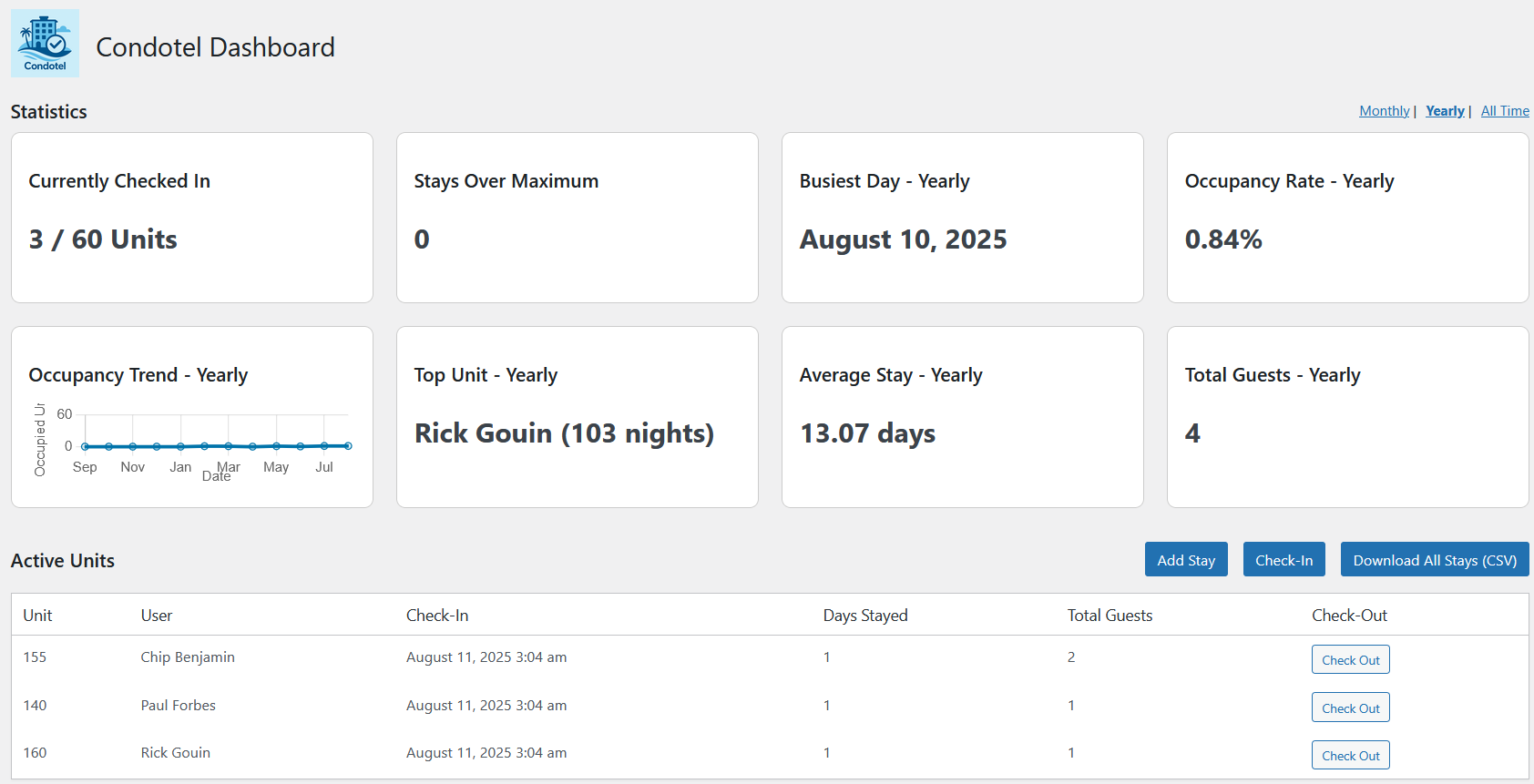
Admin dashboard showing active stays
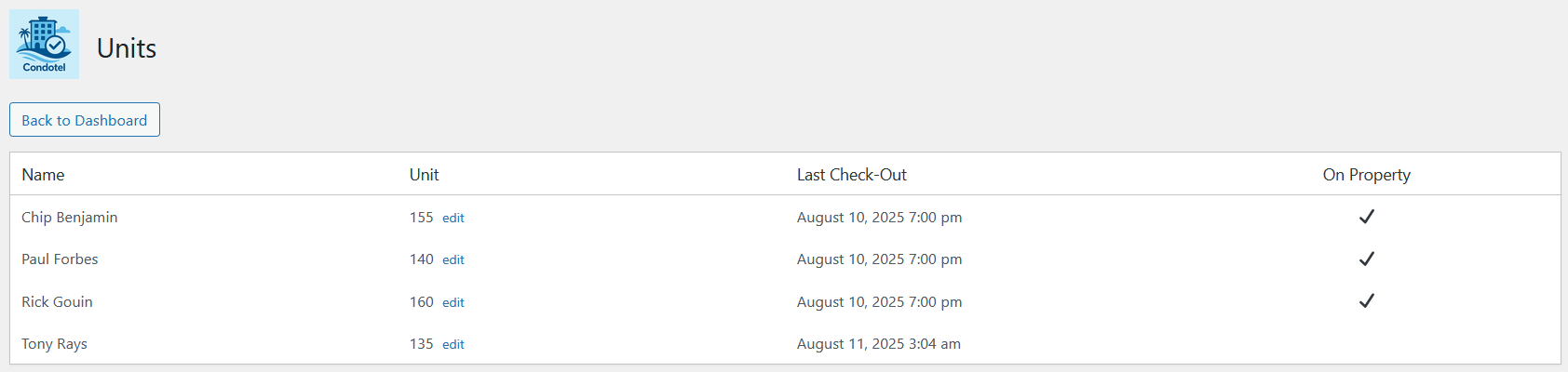
Unit management screen
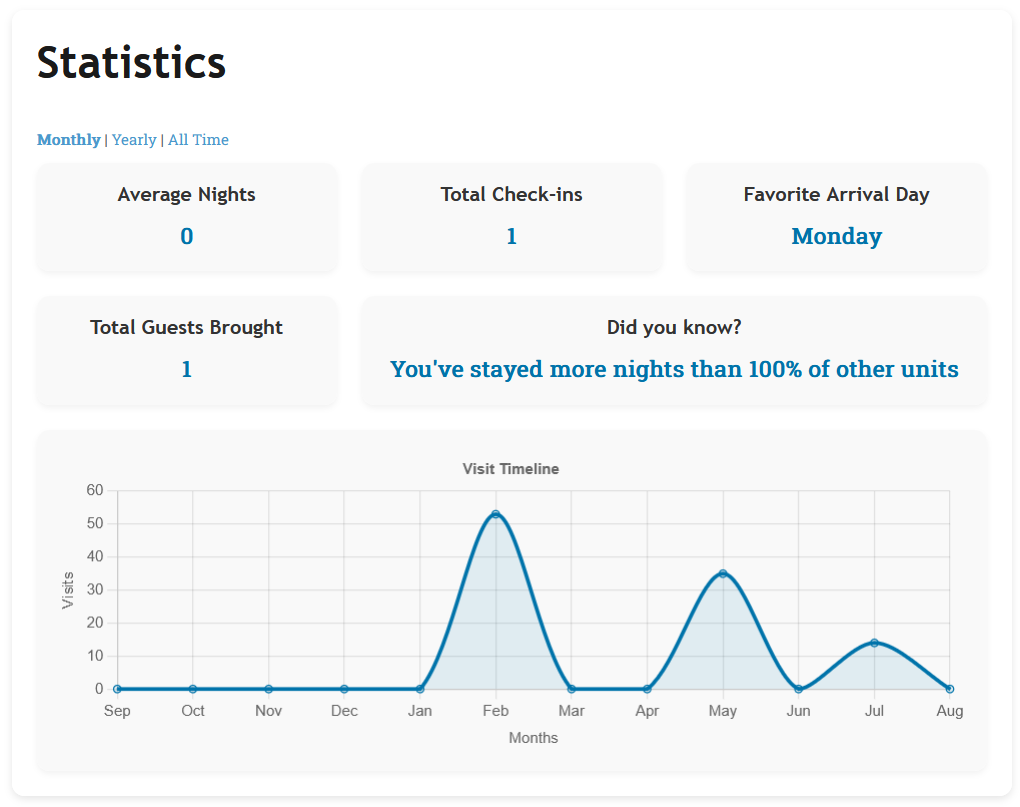
Front end user statistics area
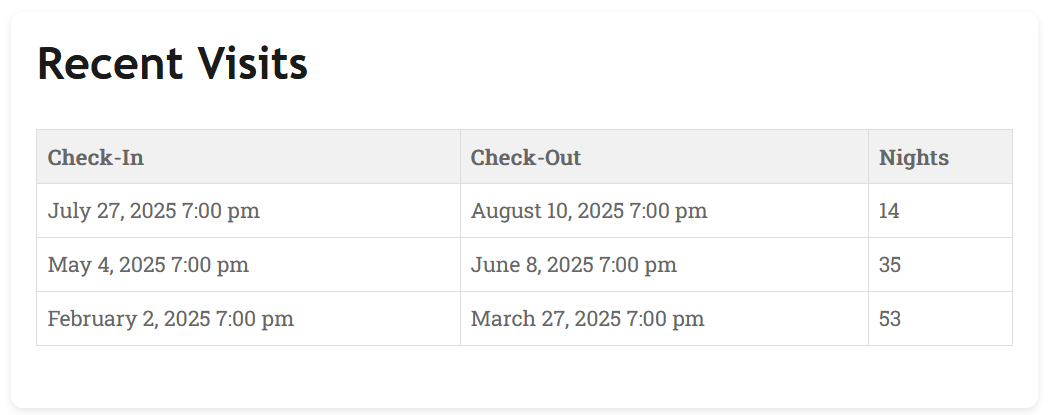
Front end recent visits information
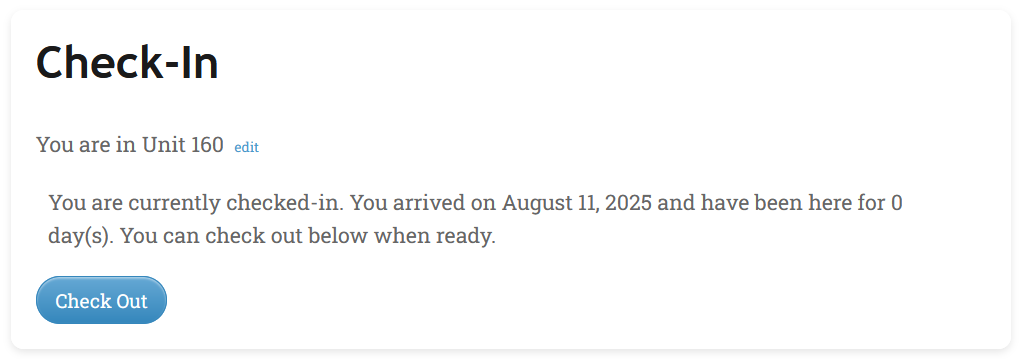
Front end check-in/check-out screen
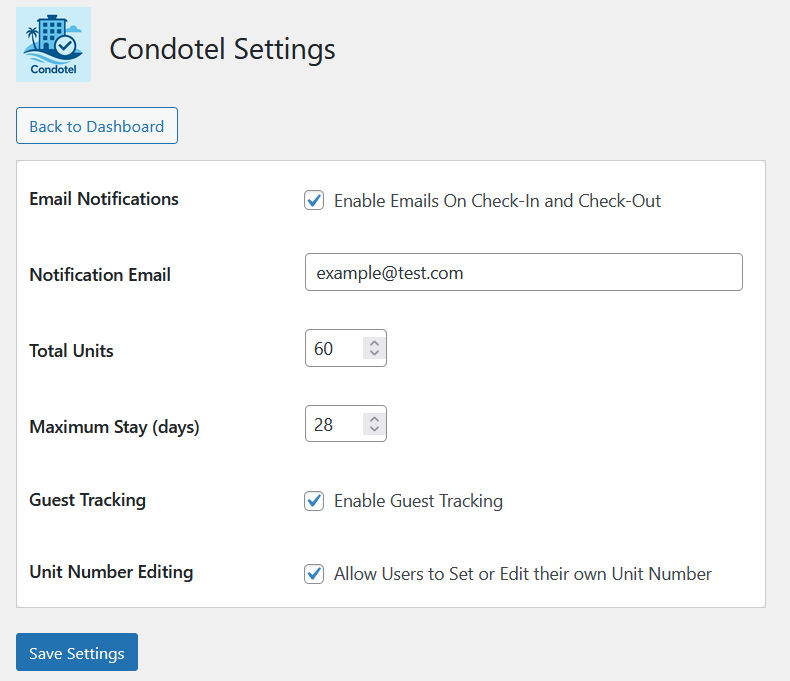
Admin settings panel
Changelog
1.0
- Initial release
- Check-in/check-out tracking
- Stay dashboard with overstays and busiest day
- Frontend shortcode and unit editing
- Settings page