

PostHog for WP – PostHog.com Integration
PostHog for WP - PostHog.com Integration is a simple, lightweight solution for inserting your PostHog.com Snippet code to your WordPress website.
Plugin info
Maintenance & Compatibility
Maintenance score
Actively maintained • Last updated 74 days ago • 1 reviews
Is PostHog for WP – PostHog.com Integration abandoned?
Likely maintained (last update 74 days ago).
Compatibility
Similar & Alternatives
Explore plugins with similar tags, and compare key metrics like downloads, ratings, updates, support, and WP/PHP compatibility.
Description
PostHog for WP – PostHog.com Integration is a simple, lightweight solution for inserting your PostHog.com Snippet code to your WordPress website.
PostHog is an open-source product analytics platform that helps you understand user behavior. This plugin makes it easy to add PostHog tracking to your WordPress site without editing theme files.
Features:
- Easy setup – just paste your PostHog snippet code
- Enable/disable tracking with one click
- Lightweight and fast
- Compatible with latest WordPress version
- No coding required
Installation
- Upload
posthog-for-wp-posthog-com-integrationto the/wp-content/plugins/directory or install directly through WordPress - Activate the plugin through the ‘Plugins’ menu in WordPress
- Go to Settings PostHog Settings
- Paste your PostHog snippet code from your PostHog project settings
- Enable the tracking and save
Frequently Asked Questions
No, this is a community-maintained plugin that integrates with PostHog.com.
For more info go to the official site: PostHog
Once signed in to PostHog, copy your snippet code from “Project” “Settings” “Web” or visit the Settings page
Yes, the PostHog snippet will track all pages including WooCommerce pages. WooCommerce-specific event tracking will be added in a future update.
Review feed
Screenshots
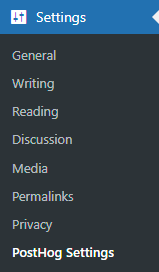
PostHog Settings menu
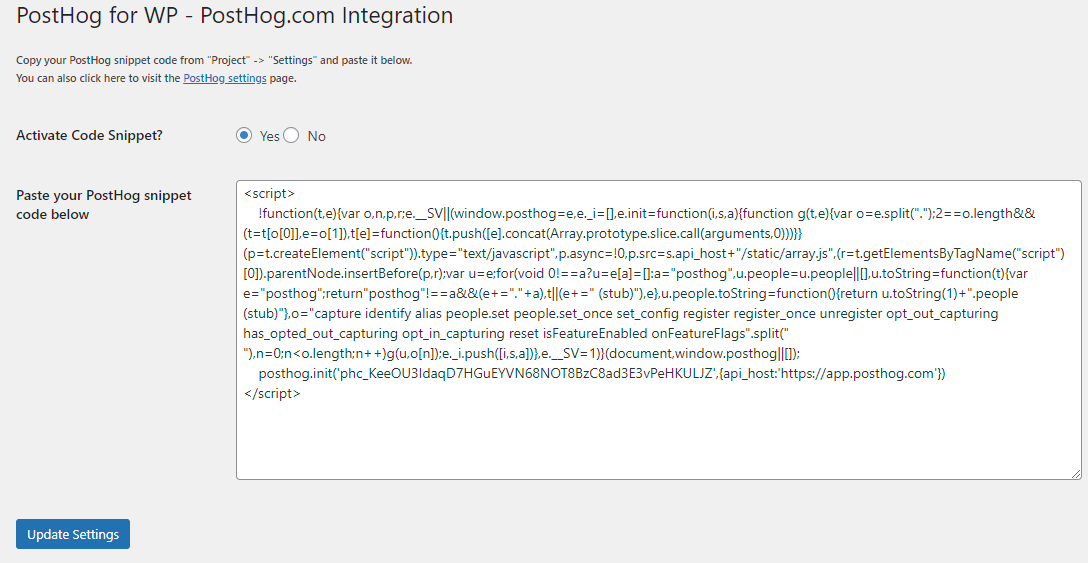
Plugin Settings
Changelog
1.4.0
- Updated: WordPress 6.9 compatibility
- Updated: PHP 7.4 minimum requirement
- Improved: Security with proper input sanitization and validation
- Improved: Settings API with proper sanitize callbacks
- Improved: Code quality following WordPress coding standards
- Improved: Accessibility with ARIA labels and proper form structure
- Fixed: Deprecated functions replaced with modern equivalents
- Fixed: Capability checks now use manage_options instead of administrator role
- Fixed: Used WordPress helper functions (checked(), esc_textarea(), etc.)
- Added: Comprehensive PHPDoc comments
- Added: Input validation for PostHog snippet
- Added: Better error messages and user guidance
1.3.0
- Previous stable release
1.0.0
- Initial public release