

Contact Form 7 Database Addon – CFDB7
Save and manage Contact Form 7 messages. Never lose important data. It is a lightweight contact form 7 database plugin.
Plugin info
Maintenance & Compatibility
Maintenance score
Maintained • Last updated 125 days ago • Support resolved 0% • 1,867 reviews
Is Contact Form 7 Database Addon – CFDB7 abandoned?
Likely maintained (last update 125 days ago).
Compatibility
Similar & Alternatives
Explore plugins with similar tags, and compare key metrics like downloads, ratings, updates, support, and WP/PHP compatibility.
Description
The “CFDB7” plugin saves contact form 7 submissions to your WordPress database. Export the data to a CSV file.
By simply installing the plugin, it will automatically begin to capture form submissions from contact form 7.
Features of CFDB 7
- No configuration is needed
- Save Contact Form 7 form submitted data to the database.
- Single database table for all contact form 7 forms
- Easy to use and lightweight plugin
- Developer friendly & easy to customize
- Display all created contact form 7 form list.
- Export CF7 DB (CF7 Database – cf7db) data in CSV file
Form Email Testing Tool
Plugins
Pro Addons
- Scheduled CSV Export
Automatically export CFDB7 form entries to CSV on a schedule - Advanced MYSQL DB
Separate MySQL column for each cf7 input field - Excel Spreadsheet (XLSX) Extension
Connect CFDB7 to an external database or another DB - Drag & Drop File Upload
Contact form 7 drag and drop files upload plugin. - Already Submitted?
Trigger error if a field is already submitted - Popup Message
Replace your validation and success messages with beautiful popup messages to attract visitors. - Export PDF File
Easy to export contact forms from database to PDF file - Import CSV to Database
Import data from the CSV file to the CFDB7 database
Support : http://www.ciphercoin.com/contact/
Extensions : Contact form 7 more Add-ons
Installation
- Download and extract plugin files to a wp-content/plugin directory.
- Activate the plugin through the WordPress admin interface.
- Done!
Frequently Asked Questions
To change the CSV delimiter to a semicolon, add the following code to your theme’s functions.php file:
add_filter('cfdb7_csv_delimiter', function( $delimiter ){

    return ';';

});
Review feed
Awesome
Seems to work well
A wordpress must have plugin
Nice plugin
С задачей справляется
Screenshots
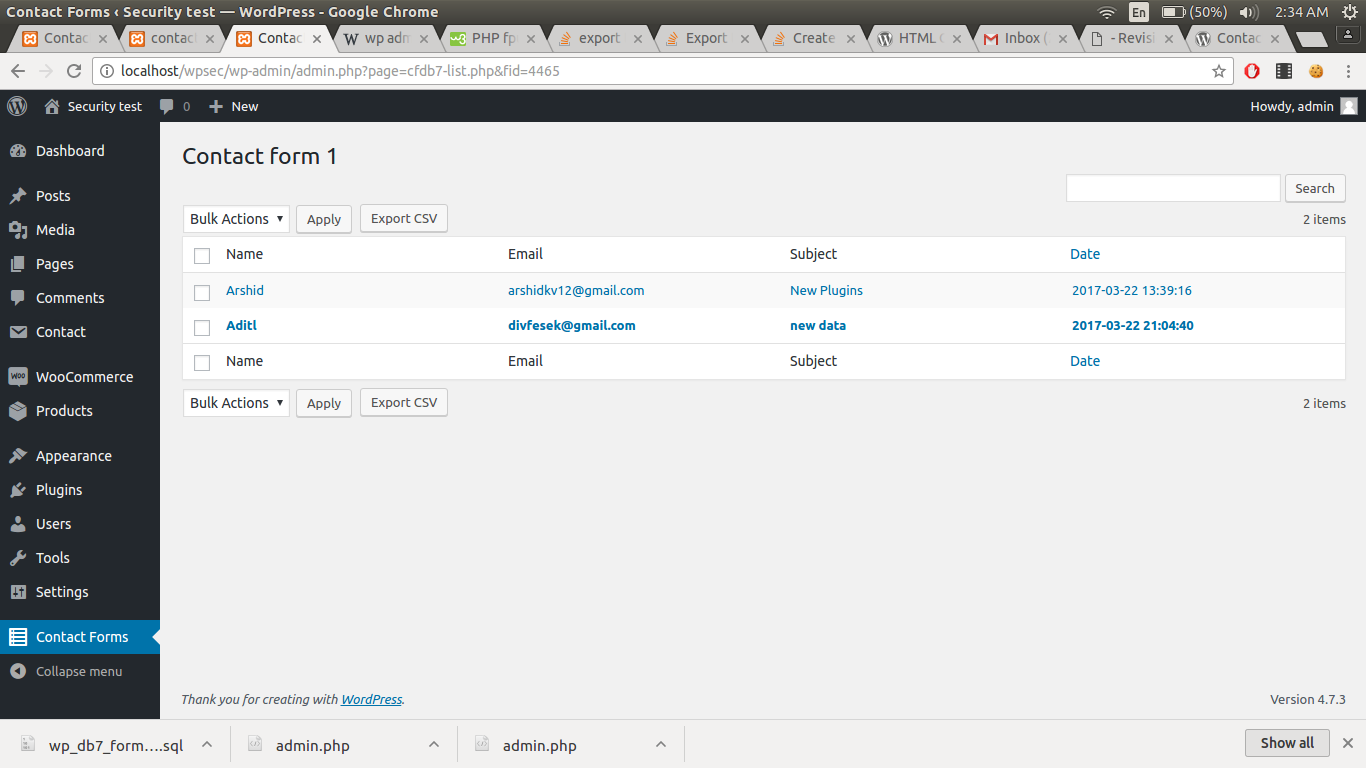
Admin
Changelog
1.3.3
Security improvements
1.3.2
Added esc_html
1.3.1
Changed the text
1.3.0
Hooks are modified
1.2.10
Fixed csv header issues
1.2.9
Changed csv delimiter to comma with filter
1.2.8
Changed csv delimiter to semicolon
1.2.7
Extra protection for files