

Contact Page
Easily create a contact page with relevant address information, Google Maps, your latest tweets and links to relevant social media profiles.
Maintenance 22/1004859d since update
Active installs
300
Downloads
15,237
Reviews
2
Age
13.4y
Plugin info
Total downloads: 15,237
Active installs: 300
Total reviews: 2
Average rating: 3.5
Support threads opened: 0
Support threads resolved: 0 (0%)
Available in: 1 language(s)
Contributors: 1
Last updated: 12/11/2012 (4859 days ago)
Added to WordPress: 11/11/2012 (13 years old)
Minimum WordPress version: 3.0
Tested up to WordPress version: 3.5.2
Minimum PHP version: f
Maintenance & Compatibility
Maintenance score
Possibly abandoned • Last updated 4859 days ago • 2 reviews
22/100
Is Contact Page abandoned?
Possibly abandoned (last update 4859 days ago).
Compatibility
Requires WordPress: 3.0
Tested up to: 3.5.2
Requires PHP: f
Similar & Alternatives
Explore plugins with similar tags, and compare key metrics like downloads, ratings, updates, support, and WP/PHP compatibility.
Simple Map
Rating 4.7/5 (12 reviews) • Active installs 10,000
Simple Address Autocomplete
Rating 0.0/5 (0 reviews) • Active installs 200
Custom Post Type Permalinks
Rating 4.8/5 (71 reviews) • Active installs 200,000
Custom Permalinks
Rating 4.1/5 (116 reviews) • Active installs 100,000
zipaddr-jp
Rating 5.0/5 (6 reviews) • Active installs 50,000
Description
Create a contact page that is easy to maintain, with some special features like fully customizable Google Maps integration and Twitter feed.
- Google Maps
Installation
- Place the ‘contact-page’ folder in your ‘/wp-content/plugins/’ directory.
- Activate ‘Contact Page’.
- Go to ‘Settings > Contact Page’ and fill in your contact details.
- Add the shortcode
[contact-page]to any page (or post). - Have a look at your site.
Frequently Asked Questions
No FAQ available
Review feed
No reviews available
Screenshots
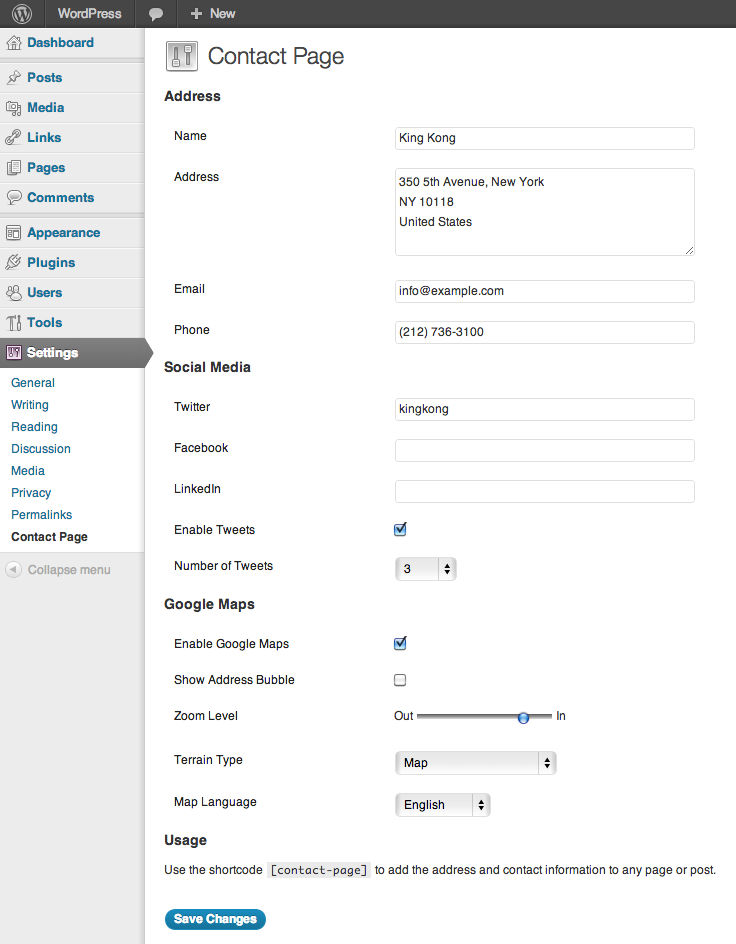
Contact Page settings
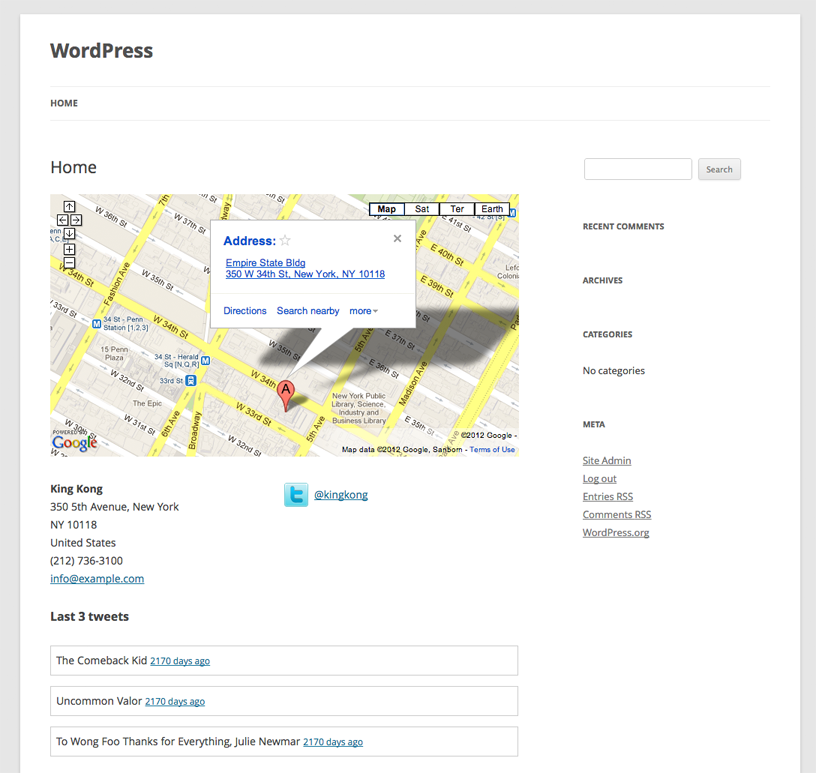
The page that is generated by the plugin
Changelog
1.0
- First public release of the plugin.