

Curatora Stories by Curatora.io
Curotara Stories by Curatora.io is a WordPress plugin that seamlessly integrates with the Curatora.io app to deliver a seamless content curation exper …
Plugin info
Maintenance & Compatibility
Maintenance score
Possibly abandoned • Last updated 917 days ago
Is Curatora Stories by Curatora.io abandoned?
Possibly abandoned (last update 917 days ago).
Compatibility
Similar & Alternatives
Explore plugins with similar tags, and compare key metrics like downloads, ratings, updates, support, and WP/PHP compatibility.
Description
Curotara Stories by Curatora.io is a WordPress plugin that seamlessly integrates with the Curatora.io app to deliver a seamless content curation experience. This plugin allows you to effortlessly publish your curated posts from the Curatora.io app to your website, without any manual intervention. Making it easier to share the best content with your audience. Get started with Curotara today and take your content curation to the next level.
🔔 Features and Capabilities
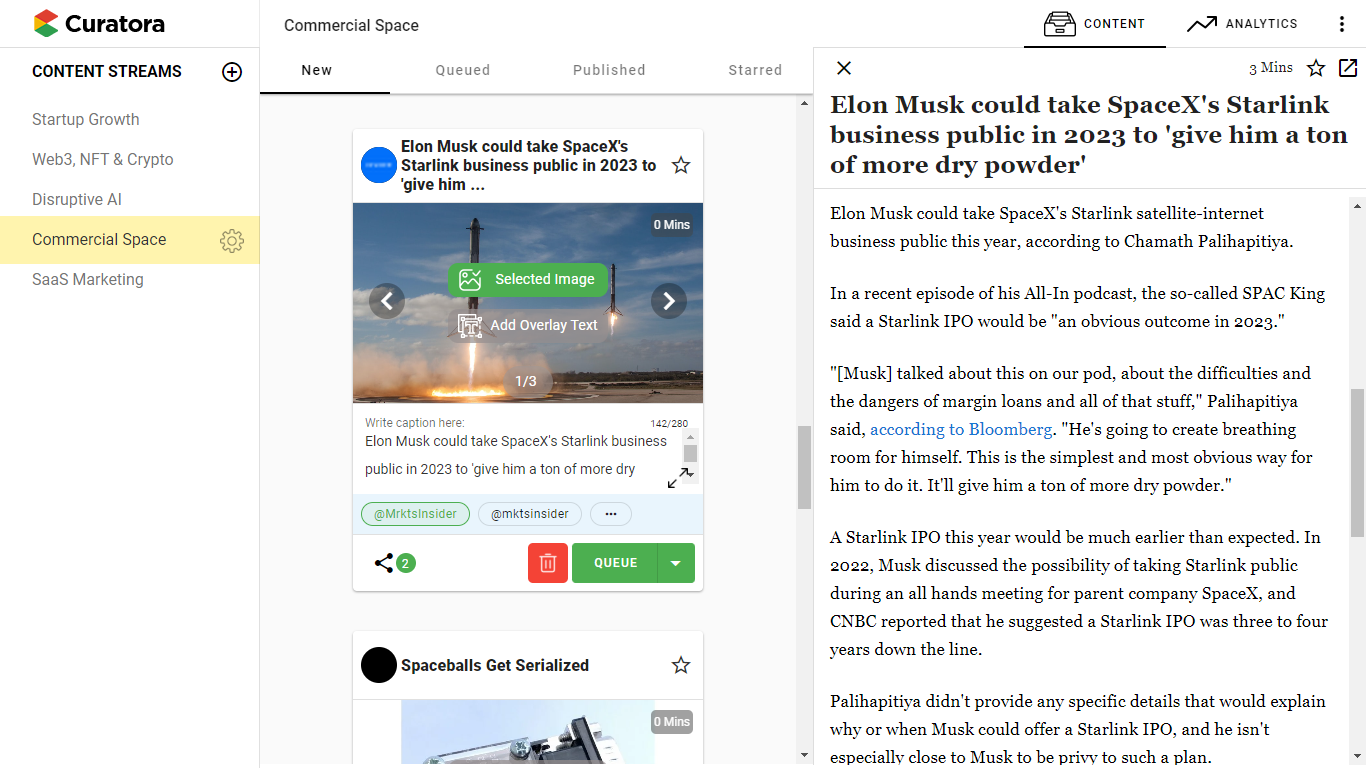
- Quickly review and choose the right articles to share.
- Our readable view makes your curation process hassle-free without having to jump tabs to read the article.
- Captions, hashtags, mentions, or images … easily add annotations to enhance your post.
- Lets you collaborate and curate with your team.
- Schedule and publish to multiple social media platforms in one quick go.
- Use custom annotations and captions for your social media shares on different platforms.
- See how your posts perform and use the data to improve your future curation.
- Our AI learns your preferences and suggests valuable content that interests your target audience.
- Easily manage your content sources or add new ones with a click of a button.
- and a lot more…
REQUIREMENTS
Please follow and complete the installation and configuration instructions for the plugin here.
Getting Started With Curatora
Installation
- Upload the plugin folder to your /wp-content/plugins/ folder.
- Go to the Plugins page and activate the plugin.
Frequently Asked Questions
You need to have an active Curatora.io account to use this plugin.
Simply deactivate and delete the plugin.
Review feed
Screenshots



Changelog
1.0
- Plugin released.