

Content Freshness
Keep your content fresh and up to date! Content Freshness plugin shows a list of posts that have not been updated for a set period of time.
Plugin info
Maintenance & Compatibility
Maintenance score
Possibly abandoned • Last updated 498 days ago
Is Content Freshness abandoned?
Possibly abandoned (last update 498 days ago).
Compatibility
Similar & Alternatives
Explore plugins with similar tags, and compare key metrics like downloads, ratings, updates, support, and WP/PHP compatibility.
Description
Updating your articles is important to keep them fresh and to help maintain their rankings in Google and other search engines. But if you have a large site with hundreds of posts, it may be hard to keep track of all your articles and when they were last updated.
With Content Freshness, you can easily see which articles are in need of an update. You will see the dates when they were last modified, so that you can update them accordingly. You can select the timeframe for content updating – whether 3 months, 6 months, or 1 year (the default is 6 months).
If your website is already added to Google Search Console, you can choose to activate the GSC Performance option. Use it to check your individual post’s search results performance in Google Search Console before you update your articles.
Installation
- Unzip the download file if necessary and upload the ‘wp-freshness’ folder and all its contents to your ‘/wp-content/plugins/’ directory.
- Activate the plugin through the ‘Plugins’ menu in your WordPress admin.
- Click the ‘Content Freshness’ menu in your WordPress admin.
- Select the timeframe and enable GSC Performance (if applicable).
- Click the Save Changes button to apply.
- Click ‘View Posts’ under the ‘Content Freshness’ menu to see posts that are in need of an update.
Frequently Asked Questions
Google’s algorithm has more than 200 ranking factors and content freshness is one of them. By updating your articles regularly, you’ll send a signal to Google that the information is current, relevant and therefore, deserving of a higher search ranking.
The Content Freshness plugin helps you determine which articles or posts are in need of an update, based on your selected timeframe. It shows the date when the post was last modified, as well as the number of months and days since it was last updated.
Yes, you can use the Content Freshness plugin whether your site has 10 articles or 1,000.
Absolutely not! The plugin is less than 10KB in size and doesn’t add any code to the frontend of your site. Everything works in the backend.
Review feed
Screenshots

WP Freshness settings page
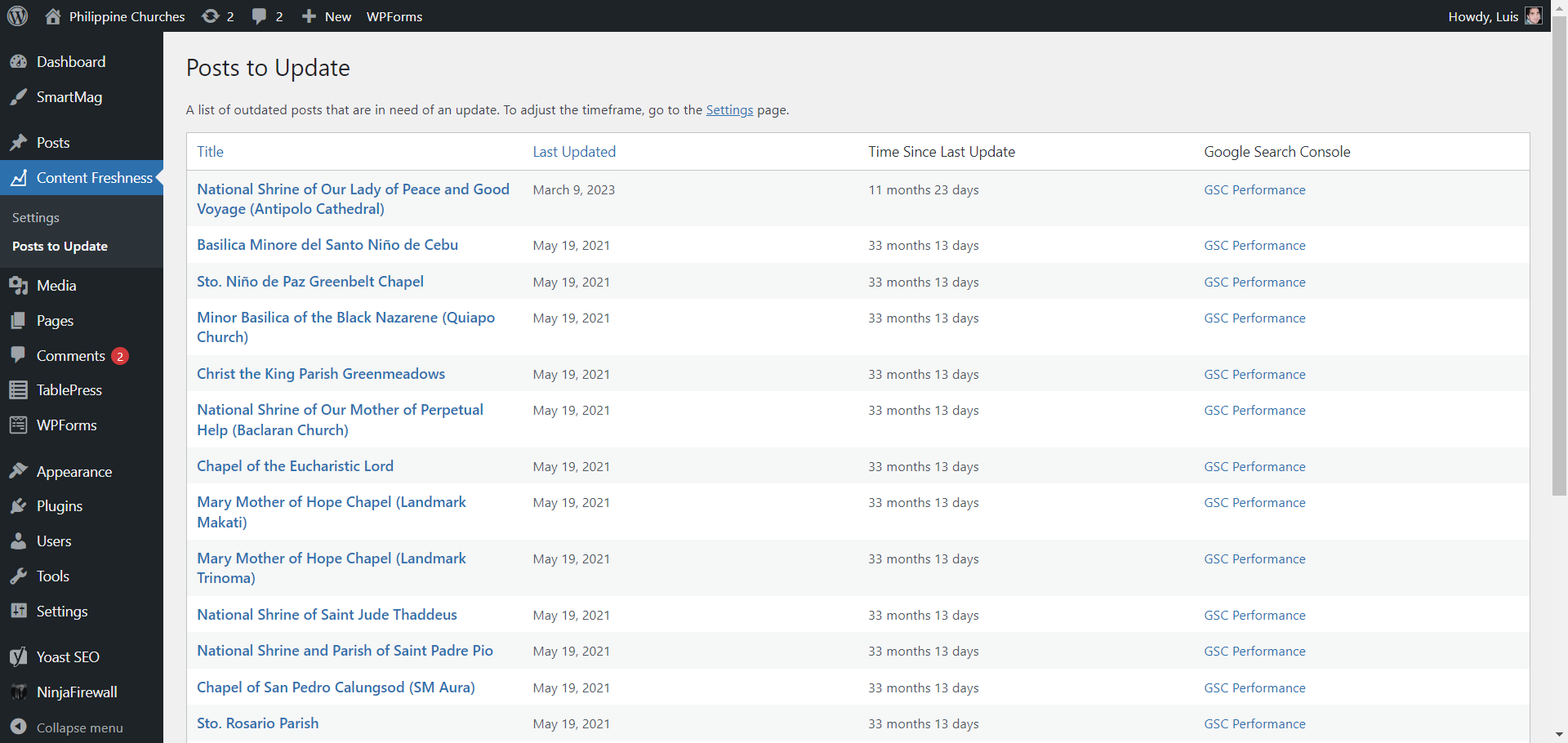
A list of posts that need updating
Changelog
1.1
- Added “Updated Posts” page
- Added statistics page
1.0.0
- Initial version.