

Content Importer for Notion
Sync and display content from a Notion database in your WordPress site. Easily customize element styles and add custom CSS.
Plugin info
Maintenance & Compatibility
Maintenance score
Possibly abandoned • Last updated 442 days ago • 1 reviews
Is Content Importer for Notion abandoned?
Possibly abandoned (last update 442 days ago).
Compatibility
Similar & Alternatives
Explore plugins with similar tags, and compare key metrics like downloads, ratings, updates, support, and WP/PHP compatibility.
Description
Content Importer for Notion is a powerful WordPress plugin that allows you to pull content from a Notion database directly into your WordPress site. This plugin provides a flexible way to display and style Notion pages using shortcodes, manage individual page refreshes, and configure custom styles in the WordPress admin.
Key Features
- Sync Notion Content: Pull content from any Notion database using your API Key and Database URL.
- Content Shortcodes: Generate shortcodes for individual Notion pages to display them easily in posts or pages.
- Flexible Styling: Customize styles for tables, lists, and list items, and add global custom CSS.
- Local Storage: Stores Notion content locally, reducing API calls and improving performance.
- Customizable Admin Interface: Set up tabs for easy style and custom CSS management.
Usage
- After setup, navigate to Content Importer for Notion > Notion Pages to see a list of pages from your connected Notion database.
- Copy the shortcode for a page and paste it into any WordPress post or page.
- Customize styles and global CSS under Content Importer for Notion > Styles.
External services
This plugin uses the Notion API to fetch content from Notion databases and display them in WordPress. It does not use the Notion API to update content in Notion. The data that is sent to the api are the Developer Integration Token and the Database URL. These are user generated and stored in the WordPress database. Content from Notion is stored locally as a custom post type. This reduces the number of API calls and improves performance and reduces the number of API calls to Notion. Content can be refreshed manually for specific pages or all pages at once.
This plugin uses the following API calls:
https://api.notion.com/v1/databases/{database_id}/query – Get list of pages in a database
https://api.notion.com/v1/blocks/{database_id}/children – Get list of blocks in a page
https://api.notion.com/v1/pages/{page_id} – Used for getting the title of a page
For more information on the Notion API, please refer to the Notion API documentation.
Privacy
This plugin does not collect any data from your site or users. It only uses the data that you provide to it. The Developer Integration Token and the Database URL are stored in the WordPress database and are not shared with any external services. The content is stored locally as a custom post type and is not shared with any external services.
License
This plugin is licensed under the GPLv2 or later. See https://www.gnu.org/licenses/gpl-2.0.html for details.
Installation
- Upload the
content-importer-notionfolder to the/wp-content/plugins/directory or install the plugin via the WordPress Plugins screen directly. - Activate the plugin through the ‘Plugins’ screen in WordPress.
- Go to Content Importer for Notion > Settings to enter your Notion API key and Database URL.
- Use Content Importer for Notion > Notion Pages to list and manage synced pages, view shortcodes, and refresh content as needed.
Frequently Asked Questions
Refer to the Notion API documentation to create an integration and find the necessary keys. Make sure the integration has access to the database you want to sync.
Yes! Use the Classes section in Content Importer for Notion > Styles to customize CSS for each element. You can also add custom CSS in the Custom CSS tab.
Yes, it stores content locally as a custom post type. This reduces the number of API calls and improves performance and reduces the number of API calls to Notion. Content can be refreshed manually for specific pages or all pages at once.
Review feed
Screenshots
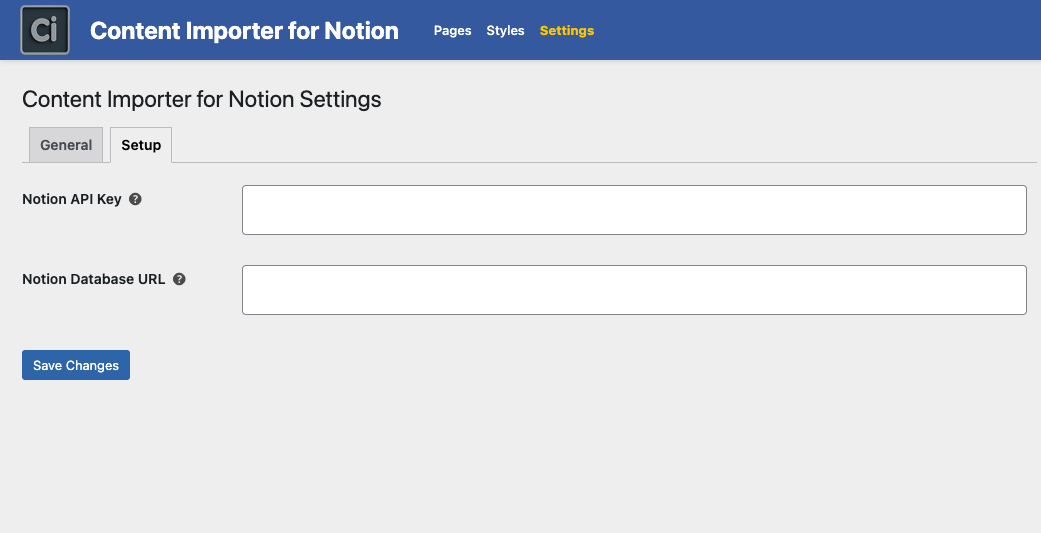
Settings Page - Enter API Key and Database URL to connect to Notion.
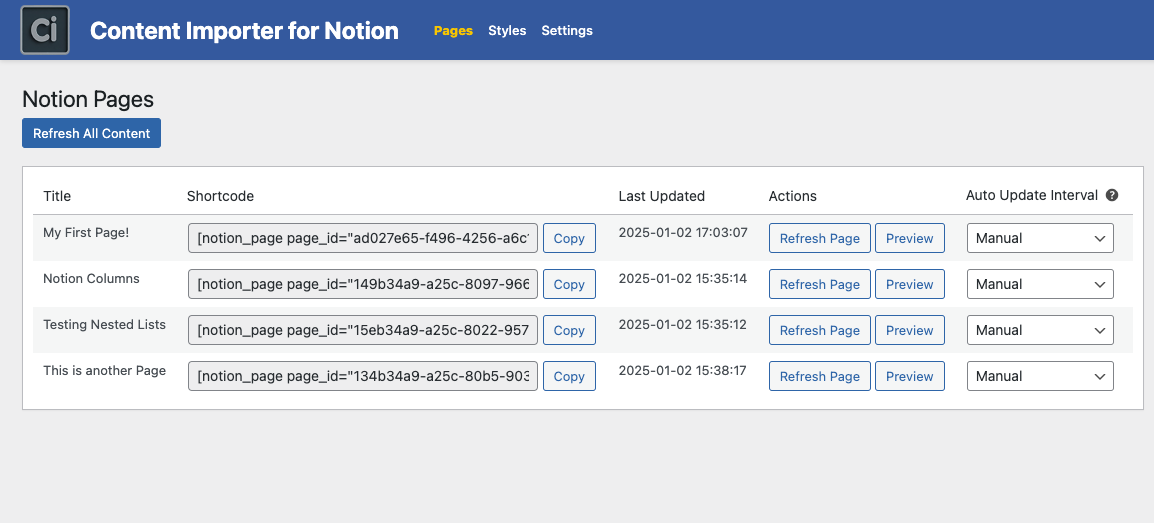
Notion Pages Listing - View synced pages and copy shortcodes.
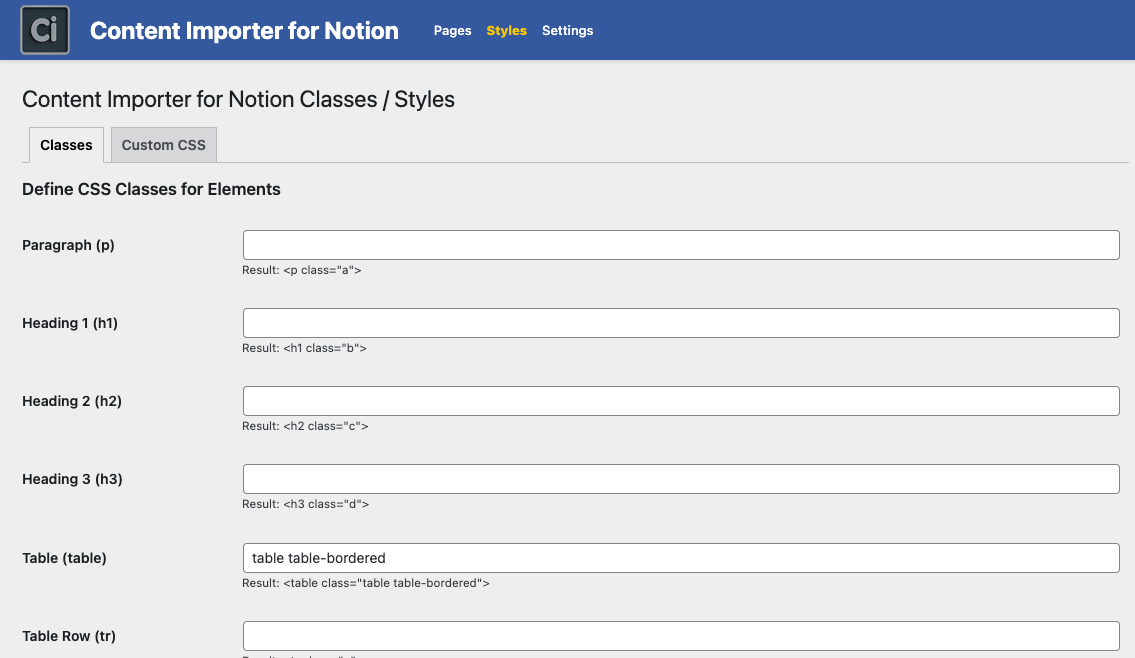
Classes - Customize CSS classes for Notion content elements.
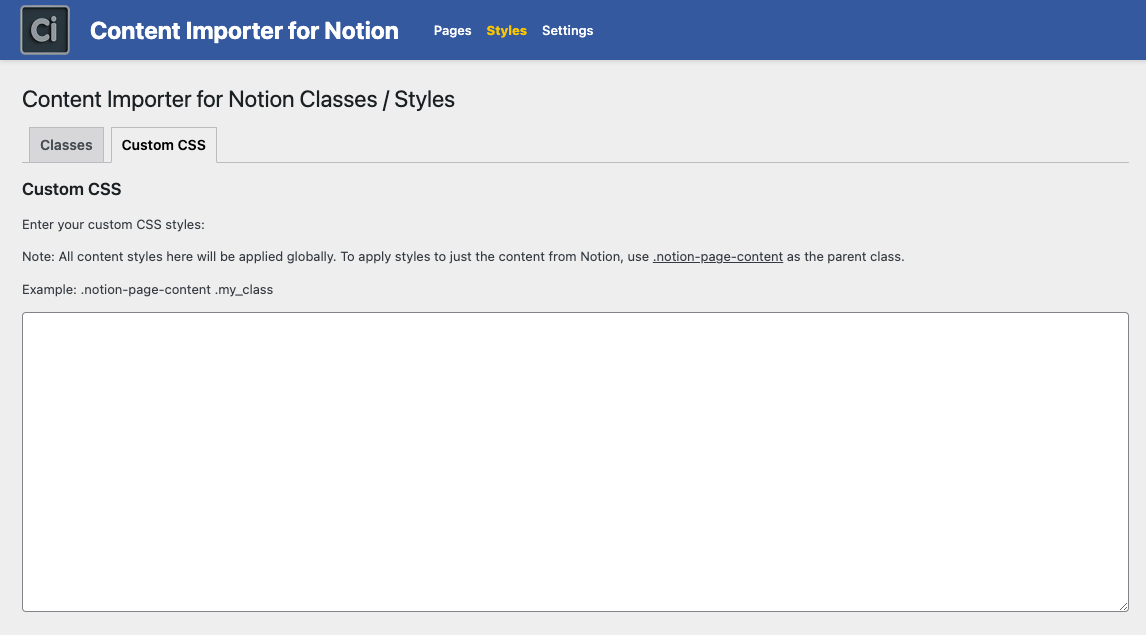
Custom CSS - Add global CSS for all Notion content.
Changelog
1.0.1
- Fixed issue with the page title not being displayed if the title property has a different name than the default “Name”
1.0.0
- Initial release of Content Importer for Notion.
- Sync content from Notion database to WordPress.
- Customizable classes and custom CSS for enhanced styling.
- Local storage for efficient page loading.