

All-in-One Content Restriction – Conditional Content Visibility & Access Control for WordPress
Take control of your content. Restrict any post, page, or custom content based on user roles, login state, or custom rules. No code needed.
Plugin info
Maintenance & Compatibility
Maintenance score
Stale • Last updated 277 days ago • 1 reviews
Is All-in-One Content Restriction – Conditional Content Visibility & Access Control for WordPress abandoned?
Likely maintained (last update 277 days ago).
Compatibility
Similar & Alternatives
Explore plugins with similar tags, and compare key metrics like downloads, ratings, updates, support, and WP/PHP compatibility.
Description
Who sees what? You decide.
All-in-One Content Restriction is the ultimate WordPress plugin for managing who can access which parts of your site – posts, pages, taxonomies, custom post types, you name it.
Whether you’re building a members-only area, hiding content from guests, or creating a personalized experience for logged-in users — this plugin lets you define visibility rules in a few clicks.
🏆 Perfect for:
– Membership sites
– Online courses
– Premium content gating
– Multi-role intranets
– Custom user journeys
Want even more power? Unlock premium features with Content Restriction Pro.
🚀 Features at a Glance
🔐 Restriction Logic
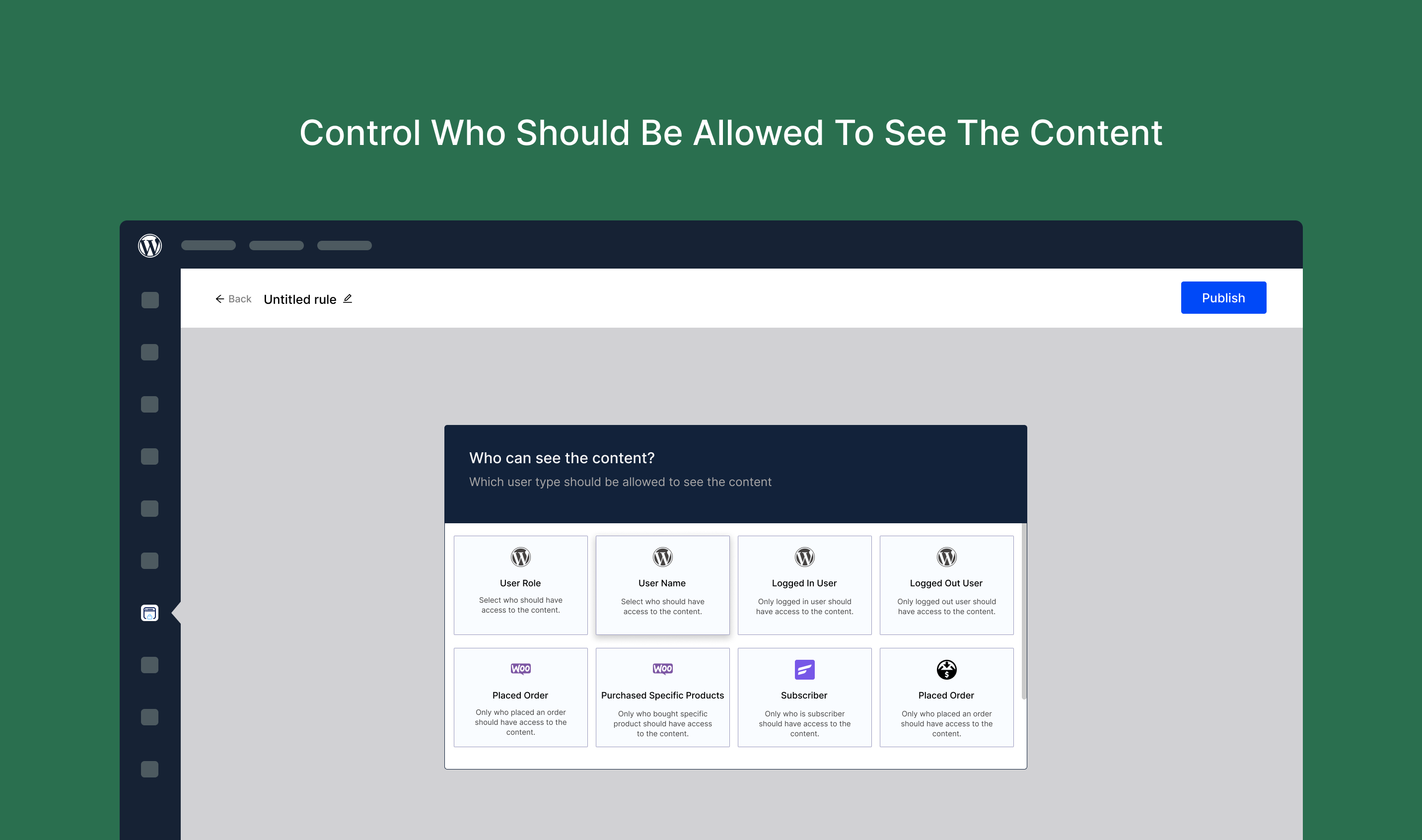
– Show/hide content based on:
– Logged-in status
– User roles
– Specific usernames
– Guest visitors
🧱 Content Coverage
– Posts (individual or category/tag-based)
– Pages (including homepage)
– Custom post types
– Any taxonomy
🛑 Restriction Methods
Choose what happens when access is denied:
– Replace: Swap content with a custom message
– Hide: Make it vanish completely
– Login & Return: Prompt login, then redirect back
– Redirect: Send users to another page (custom or predefined)
– Blur: Apply visual blur to titles, excerpts, or content
– Obfuscate: Garble text to hide meaning
🎯 Built for Everyone
Non-techies can restrict content in seconds — no coding, no confusion.
Developers get hooks, filters, and tight integration with popular plugins. Scale it however you like.
📦 Integrations (Native Support)
✅ WooCommerce
✅ Easy Digital Downloads
✅ FluentCRM
✅ Directorist
✅ Login Me Now
🛠 Coming soon:
– ACF (Advanced Custom Fields)
– Elementor
– BuddyPress
– BuddyBoss
– Tutor LMS
– LearnDash
🧩 Other Plugins by Us
🔥 Login Me Now — Passwordless login, user switching, email magic links, and more.
📥 Installation
- Upload the plugin files to
/wp-content/plugins/content-restriction, or install via the WordPress Plugin Directory. - Activate the plugin through the “Plugins” screen in WordPress.
- Start setting rules under the “Content Restriction” menu.
🛠 Need Help?
We monitor the support forum actively — drop your questions there. Please search before creating a new topic to avoid duplicates.
🧾 Changelog
1.4.0 – May 16, 2024
- New: Shortcode Module
1.3.2 – Nov 29, 2024
- Fix: Translation Warning Issue
1.3.1 – Nov 26, 2024
- Add: Hook –
content_restriction_module_condition_check_before
1.3.0 – Nov 4, 2024
- New: Integrations Page
- Improve: User Consent UI
- Improve: Default Visibility Behavior
- Launch: PRO Version Announcement
1.2.2 – Sep 21, 2024
- Fix: Login & Dashboard Return Bug
1.2.1 – Sep 19, 2024
- Fix: Specific Post Visibility Issue
- Fix: Cache Conflict on Dashboard
1.2.0 – Sep 7, 2024
- Add: WooCommerce Subscription Integration
- Fix: WooCommerce Display Issue
1.1.1 – Aug 30, 2024
- Fix: Content Hide Bug
1.1.0 – Aug 27, 2024
- Add: WooCommerce, Directorist, FluentCRM, Login Me Now, and EDD Integrations
1.0.0 – Aug 18, 2024
- Initial Release
Installation
Install Content Restriction either via the WordPress.org plugin repository or by uploading the files to your server.
Frequently Asked Questions
Yes, Content Restriction works with most well-coded WordPress themes. If something looks off, hit us up in the support forum — we’re on it.
It restricts the display of embedded media in posts/pages, but direct media URLs can still be accessed unless protected via server-level rules.
We do not collect any personal data or track users. You’re in full control. If we ever request anonymous usage data, you’ll have the option to opt in.
Nope. Everything lives securely in your WordPress dashboard. No 3rd-party accounts or logins needed.
Review feed
Screenshots



Changelog
1.3.2 – Nov 29, 2024
- Fix: Translation Warning Issue
1.3.1 – Nov 26, 2024
- Add: Hook – content_restriction_module_condition_check_before
1.3.0 – Nov 4, 2024
- New: Integrations Page Added
- Improve: Add User Consent
- Improve: Changed Default Status
- Announce: PRO Released
1.2.2 – Sep 21, 2024
- Fix: Login & Back Dashboard Error
1.2.1 – Sep 19, 2024
- Fix: Specific Post Hide Issue
- Fix: Cache Issue for Dashboard
1.2.0 – Sep 7, 2024
- Add: WooCommerce Subscription Integration
- Fix: WooCommerce Error
1.1.1 – Aug 30, 2024
- Fix: Hide Issue
1.1.0 – Aug 27, 2024
- Add: WooCommerce Integration
- Add: Directorist Integration
- Add: FluentCRM Integration
- Add: Login Me Now Integration
- Add: Easy Digital Downloads Integration
1.0.0 – Aug 18, 2024
- Initial Release