

Contextual Feed Widget
This widget displays different feed links depending on which page it's on.
Plugin info
Maintenance & Compatibility
Maintenance score
Possibly abandoned • Last updated 2564 days ago
Is Contextual Feed Widget abandoned?
Possibly abandoned (last update 2564 days ago).
Compatibility
Similar & Alternatives
Explore plugins with similar tags, and compare key metrics like downloads, ratings, updates, support, and WP/PHP compatibility.
Description
Contextual Feed Widget displays links to different RSS feeds depending on which page is displayed. For example, a category page will link to the feed for that category. On a single post, it will link to the feed for that post’s comments.
Through the customizer, you can add your own text (or HTML code) to the beginning of the widget. You can use this to explain what the feed links are, or you can leave it blank.
The widget will use Dashicon code by default, which is built into WordPress and used by many themes. If your theme doesn’t use Dashicons, or you’d rather use other icons instead, then you’re free to remove or change the code through the customizer.
Need a new feature or found a bug? Get involved! You can submit an issue or pull request at the plugin’s git repository.
Installation
- Upload the plugin files to the
/wp-content/plugins/plugin-namedirectory, or install the plugin through the WordPress plugins screen directly. - Activate the plugin through the ‘Plugins’ screen in WordPress.
- Add the widget through the ‘Appearance->Widgets’ screen or through the Customizer.
Frequently Asked Questions
Review feed
Screenshots
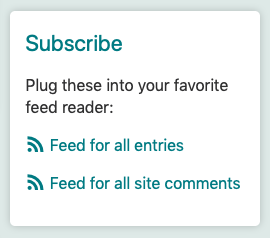
The default feed links shown on all pages.

The feed links shown on a category titled "Blog."

The feed links shown on a single post.
Changelog
1.0
Initial release.