
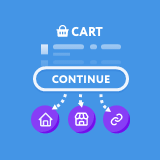
Continue Shopping for WooCommerce
Easily change the 'Continue Shopping' link when redirected to the Cart after adding a Product.
Plugin info
Maintenance & Compatibility
Maintenance score
Stale • Last updated 209 days ago • 12 reviews
Is Continue Shopping for WooCommerce abandoned?
Likely maintained (last update 209 days ago).
Compatibility
Languages
Similar & Alternatives
Explore plugins with similar tags, and compare key metrics like downloads, ratings, updates, support, and WP/PHP compatibility.
Description
When a customer is redirected to the Cart page after the addition of a product, there is a ‘Continue Shopping’ button. As default, this button takes the customer back to your website Home Page.
This can be very annoying for customers who want a smooth flowing shopping process.
This can now be solved with the click of a button. This plugin adds a list of options into the WooCommerce Settings page that allows you to easily alter where this button will take your customers.
You can choose between the preset locations below:
– Homepage
– Shop
– Most recently visited Product
– Most recently visited Category
Finally there is a fifth option of your own custom link. This can be used to allow you to push customers back to a custom Landing page, or your best selling product.
Installation
- Upload the folder to the
/wp-content/plugins/directory - Activate the plugin through the ‘Plugins’ menu in WordPress
- Go to WooCommerce -> Settings -> Products -> Continue Shopping to change where the button will take you.
Frequently Asked Questions
This plugin allows you to quickly and easily change where the WooCommerce standard ‘Continue Shopping’ button takes you. In order for the WooCommerce ‘Continue Shopping’ button to appear you need to set the ‘Add to cart behaviour’ of WooCommerce to ‘Redirect to the cart page’.
Review feed
Screenshots
Changelog
1.6.2 – 5th September 2025
- UPDATE – Works with WooCommerce 10.2+
- UPDATE – Works with WordPress 6.8.2+
- UPDATE – Branding Changes – Comply with WC Trademark.
1.6.1 – 27th September 2024
- UPDATE – Works with WooCommerce 9.3+
- UPDATE – Works with WordPress 6.6+
1.6 – 27th October 2023
- NEW – Tested and declared compatibility with WC HPOS
- UPDATE – Works with WooCommerce 8.2.1
- UPDATE – Works with WordPress 6.3.2
1.5 – 24th March 2023
- FIX – Fixed issue with settings page not linking back to the add to cart redirect setting
- NEW – Added an option to remove the WooCommerce Empty Cart notice on cart
- UPDATE – Works with WooCommerce 7.5.1
- UPDATE – Works with WordPress 6.1.1
- UPDATE – Works with PHP8+
1.4.4 – 1st July 2022
- FIX – Increase Internationalisation to include previously missed fields.
- UPDATE – Works with WooCommerce 6.6.1
- UPDATE – Works with WordPress 6.0
1.4.3
- NEW – Added the ability to change the Continue Shopping Text site wide
- FIX – Update Cart no longer breaks continue link for ‘Most Recent Product’ or ‘Most Recent Category’
- FIX – Fixed incorrect Text Domain
- IMPROVEMENT – Added in more filters for customisation
- UPDATE – Works with WooCommerce 4.1.1
- UPDATE – Works with WordPress 5.4.1
1.4.2
- FIX – Text Domain fix for external translations
1.4.1
- FIX – Category redirect now works with translated Cart permalinks
- FIX – Added Text Domain to allow for external translations.
- UPDATE – Works with WooCommerce 4.0+
1.4
- NEW – Added an optional Continue Shopping button next to the Update Cart button
- NEW – Added an optional modification to the Cart Updated notice.
- NEW – Added in Filters to allow for external modifications
- FIX – Corrected an issue where Cart could refer back to itself on Update
- UPDATE – Works with WordPress 5.3+
- UPDATE – Works with WooCommerce 3.8+
1.3.1
- FIX – Fixed bug with ‘Add to Cart’ buttons on the category pages redirecting back to the wrong category.
1.3
- NEW – Added an option to always show the Continue Shopping button on an Empty Cart – With customisable text.
- UPDATE – Works with WordPress 4.9.4+
- UPDATE – Works with WooCommerce 3.3.3+
- FIX – Can no longer redirect back to the cart on Ajax refresh when ‘Recent Product’ is selected.
1.2
- UPDATE – Works with WordPress 4.7.5+
- UPDATE – Works with WooCommerce 3.0.7+
1.1
- UPDATE – Works with WordPress 4.6+
- UPDATE – Works with WooCommerce 2.6+
1.0
- Initial Release.