

Cookifi – GDPR/CCPA Compliant Cookie Banner with Consent Mode & Geo Targeting
Easily integrate Cookifi Consent Management Platform into your WordPress site for GDPR, CCPA, and privacy compliance.
Plugin info
Maintenance & Compatibility
Maintenance score
Maintained • Last updated 132 days ago
Is Cookifi – GDPR/CCPA Compliant Cookie Banner with Consent Mode & Geo Targeting abandoned?
Likely maintained (last update 132 days ago).
Compatibility
Similar & Alternatives
Explore plugins with similar tags, and compare key metrics like downloads, ratings, updates, support, and WP/PHP compatibility.
Description
Cookifi is a comprehensive consent management platform that helps you comply with GDPR, CCPA, and other privacy regulations. This plugin makes it easy to integrate the Cookifi consent dialog into your WordPress website.
Features
- Easy Integration – Simple setup with just your API key
- GDPR Compliant – Full compliance with European privacy regulations
- CCPA Ready – Support for California privacy laws
- Customizable – Configure your consent dialog through the Cookifi dashboard
- Debug Mode – Test your implementation with debug options
- Lightweight – Minimal impact on site performance
- Auto-Updates – The consent dialog updates automatically without plugin updates
How It Works
- Install and activate the plugin
- Sign up for a free account at admin.cooki.fi
- Get your API key from the Cookifi dashboard
- Enter your API key in the plugin settings
- That’s it! The consent dialog will appear on your website
Why Choose Cookifi?
- User-Friendly – Easy setup and management
- Comprehensive – Covers multiple privacy regulations
- Transparent – Clear consent tracking and reporting
- Reliable – Enterprise-grade infrastructure
- Support – Dedicated customer support team
Get Started
Don’t have a Cookifi account yet? Sign up for free and get your API key to start managing consent on your WordPress site.
Privacy Policy
This plugin connects to the Cookifi service at lib.cooki.fi to load the consent management dialog. When the plugin is active with a valid API key, it will:
- Load the Cookifi script from https://lib.cooki.fi
- Send visitor consent choices to Cookifi servers
- Store consent preferences according to your Cookifi configuration
For more information about data processing, please review the Cookifi Privacy Policy at https://cooki.fi/privacy.
External Services
This plugin relies on the Cookifi service:
- Service URL: https://lib.cooki.fi
- Website: https://cooki.fi
- Privacy Policy: https://cooki.fi/privacy
- Terms of Service: https://cooki.fi/terms
The plugin loads JavaScript from lib.cooki.fi to display the consent management dialog on your website.
Installation
Automatic Installation
- Log in to your WordPress admin panel
- Navigate to Plugins > Add New
- Search for “Cookifi”
- Click “Install Now” and then “Activate”
Manual Installation
- Download the plugin zip file
- Log in to your WordPress admin panel
- Navigate to Plugins > Add New > Upload Plugin
- Choose the zip file and click “Install Now”
- Activate the plugin
After Installation
- Go to Settings > Cookifi
- Sign up at admin.cooki.fi to get your API key
- Enter your API key in the plugin settings
- Save your settings
- Visit your website to see the consent dialog
Frequently Asked Questions
Yes, you need to create a free account at admin.cooki.fi to get your API key.
Cookifi is not free but aims to be affordable and transparent. Visit cooki.fi for pricing details.
You can customize the appearance and behavior of your consent dialog through the Cookifi dashboard at admin.cooki.fi.
Yes, Cookifi is designed to help you comply with GDPR and other privacy regulations. However, you should consult with legal counsel to ensure your specific implementation meets all requirements.
Debug Mode shows additional information about the consent dialog, which is useful for testing and troubleshooting. It should be disabled on production sites.
Review feed
Screenshots
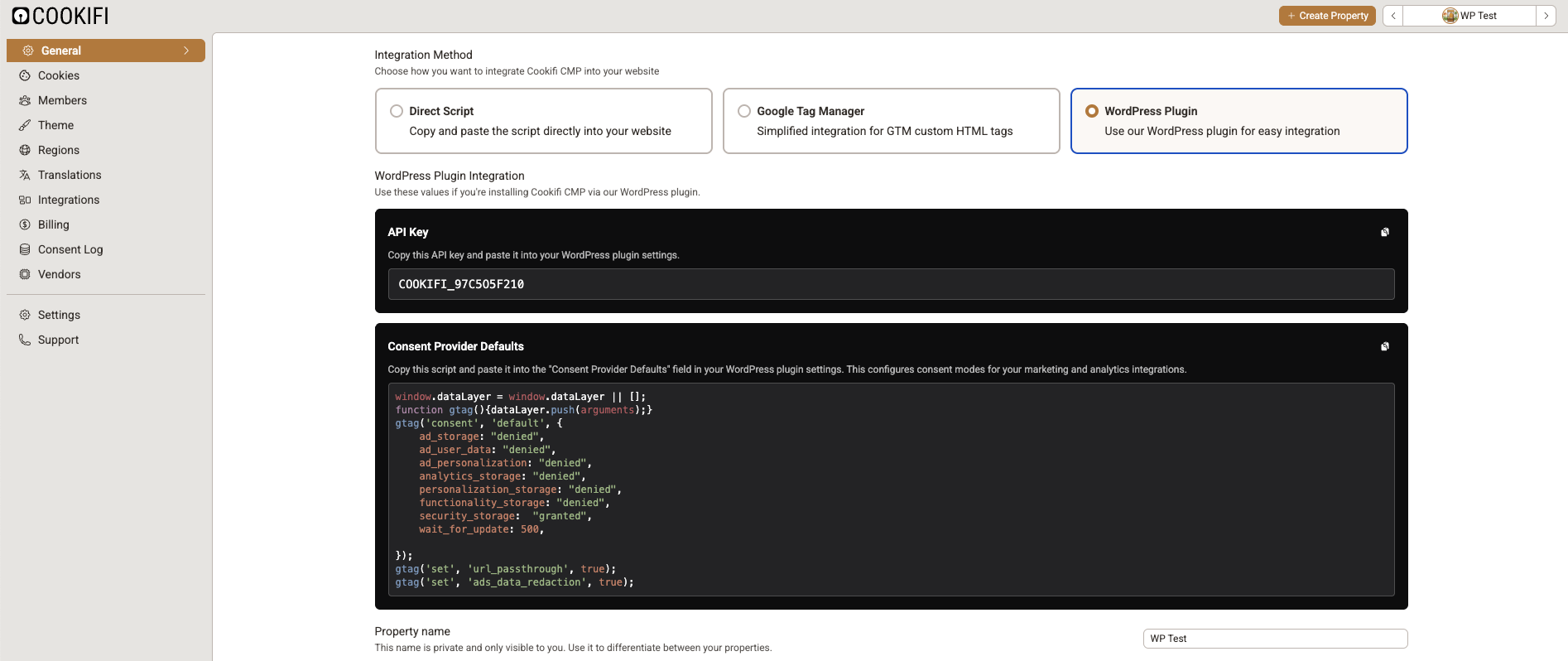
Plugin settings page - Easy configuration interface
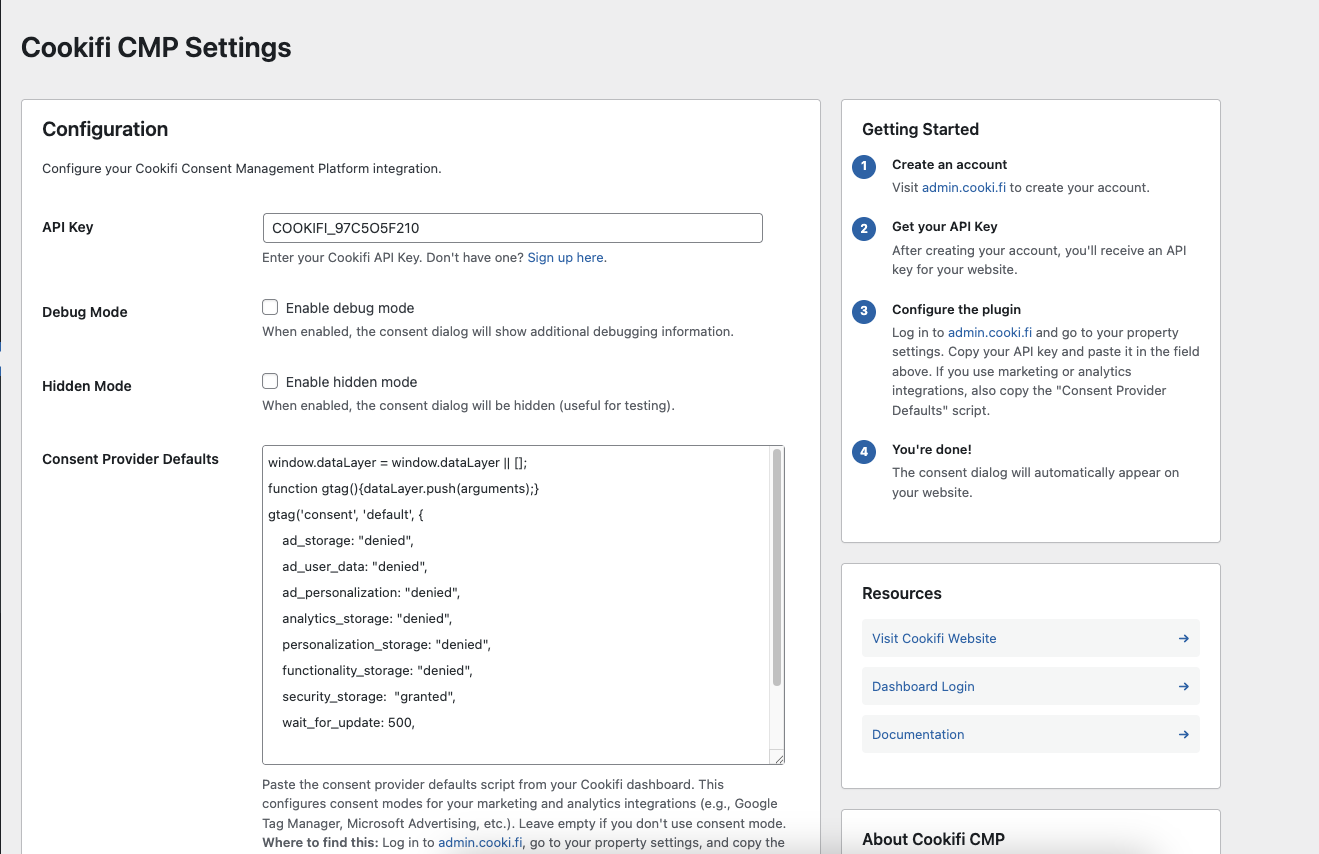
API key setup - Enter your Cookifi API key
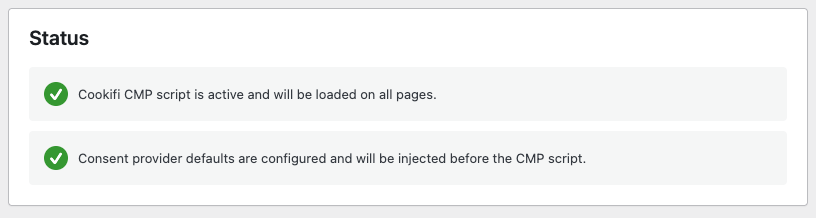
Status indicator - See if your integration is active

Getting started guide - Step-by-step instructions
Changelog
1.0.0
- Initial release
- API key configuration
- Script injection into site header
- Debug mode option
- Hidden mode option
- WordPress admin settings page
- Status indicator
- Getting started guide