

Cool Responsive Megamenu
Cool Responsive Megamenu is a user-friendly, highly customizable Bootstrap 4 responsive Megamenu WordPress plugin. You can override css files, megamen …
Plugin info
Maintenance & Compatibility
Maintenance score
Possibly abandoned • Last updated 744 days ago • 2 reviews
Is Cool Responsive Megamenu abandoned?
Possibly abandoned (last update 744 days ago).
Compatibility
Similar & Alternatives
Explore plugins with similar tags, and compare key metrics like downloads, ratings, updates, support, and WP/PHP compatibility.
Description
Cool Megamenu is a user-friendly, highly customizable responsive Megamenu WordPress plugin. It works out of the box with the WordPress 3 Menu System, making it simple to get started but powerful enough to create highly customized and creative mega menu configurations.
Note: Use 'primary')); ?> instead of 'primary')); ?>.
You can ask your questions here
Installation
Instructions for installing Cool Responsive Megamenu Plugin.
- Download and extract the Plugin zip file.
- Upload the folder containing the Plugin files to your WordPress Plugins folder (usually ../wp-content/plugins/ folder).
- Activate the Plugin via the ‘Plugins’ menu in WordPress.
- Use
<?php cool_megamenu(array('theme_location' => 'primary')); ?>instead of<?php wp_nav_menu(array('theme_location' => 'primary')); ?>, where you want to display your menu.
You can use default functions too <?php wp_nav_menu(array('theme_location' => 'primary')); ?>
If you are using default function mobile menu icon will not be displayed. You need to add mobile button icon manually.
Frequently Asked Questions
Review feed
Screenshots
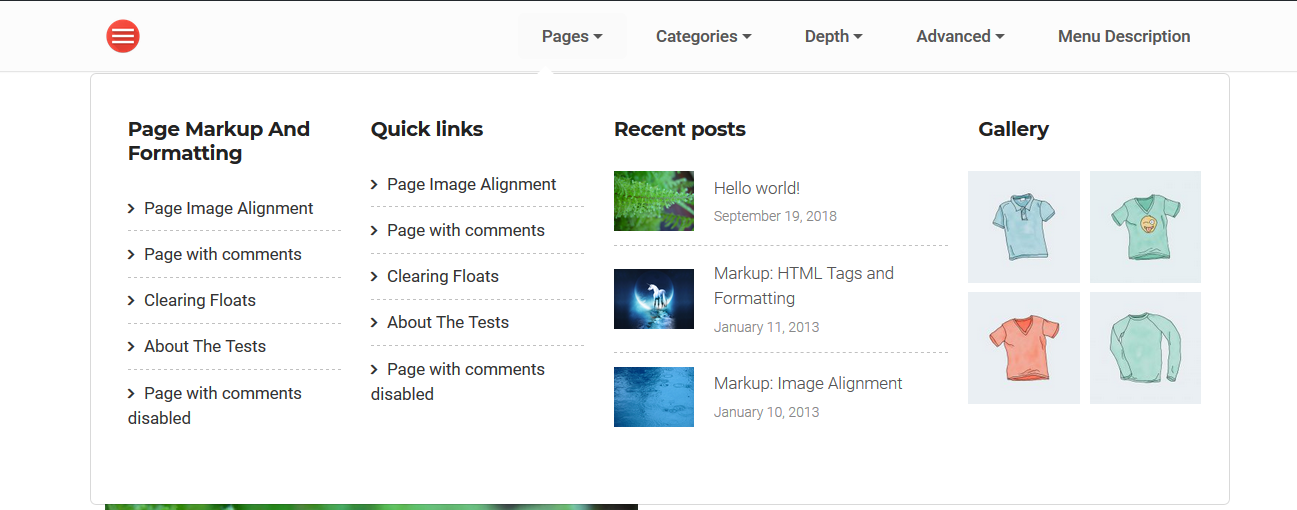
assets/screenshot-1.png

assets/screenshot-2.png

assets/screenshot-3.png

assets/screenshot-4.png
Changelog
1.2.1 =
* Fixed comfortability issues
1.2.0 =
* Updated admin UI
* Fixed Dynamic Bootstrap CSS load issue
* Fixed Dynamic Bootstrap JS load issue
1.1.3 =
* bug fixed
1.1.1 =
* PHP warning issues fixed
1.1.0 =
* Inital release for Bootstrap 4
1.0.0 =
Initial release