

Copy Nav Menu Items
Simple plugin that allows for nav menu items to be copied with a single click.
Maintenance 28/100480d since update
Active installs
100
Downloads
3,513
Reviews
1
Age
5.4y
Plugin info
Total downloads: 3,513
Active installs: 100
Total reviews: 1
Average rating: 5
Support threads opened: 0
Support threads resolved: 0 (0%)
Available in: 1 language(s)
Contributors: 1
Last updated: 12/9/2024 (480 days ago)
Added to WordPress: 11/6/2020 (5 years old)
Minimum WordPress version: 5.0
Tested up to WordPress version: 6.7.4
Minimum PHP version: f
Maintenance & Compatibility
Maintenance score
Possibly abandoned • Last updated 480 days ago • 1 reviews
28/100
Is Copy Nav Menu Items abandoned?
Possibly abandoned (last update 480 days ago).
Compatibility
Requires WordPress: 5.0
Tested up to: 6.7.4
Requires PHP: f
Similar & Alternatives
Explore plugins with similar tags, and compare key metrics like downloads, ratings, updates, support, and WP/PHP compatibility.
ELK Minimum Items per Order for WooCommerce
Rating 0.0/5 (0 reviews) • Active installs 0
Auction Nudge – Your eBay Listings
Rating 4.8/5 (85 reviews) • Active installs 2,000
WooCommerce – Allow Only One Item in Cart
Rating 5.0/5 (1 reviews) • Active installs 40
Diablo 3 Tooltip
Rating 0.0/5 (0 reviews) • Active installs 10
Description
Simple plugin that allows for nav menu items to be copied with a single click. Copied nav menu items are added directly after the clicked nav menu item at the same depth. All field values, including custom fields, are duplicated as well.
Installation
From Your WordPress Dashboard
- Log into the WordPress admin
- Go to Plugins > Add New
- Search for Copy Nav Menu Items
- Click Install Now for the “Copy Nav Menu Items” plugin
- Click Activate
From WordPress.org
- Download the plugin
- Log into the WordPress admin
- Go to Plugins > Add New
- Click Upload Plugin
- Click Browse and select the downloaded ZIP file
- Click Install Now
- Click Activate Plugin
Via File Transfer
- Download the plugin
- Extract the ZIP file
- Upload the contents of the ZIP file to wp-content/plugins/
- Log into the WordPress admin
- Go to Plugins
- Click Activate under “Copy Nav Menu Items”
What’s Next?
Once the plugin is active, simply visit Settings > Copy Nav Menu Items and enable the settings appropriate for this site.
Frequently Asked Questions
No FAQ available
Review feed
No reviews available
Screenshots

Plugin settings
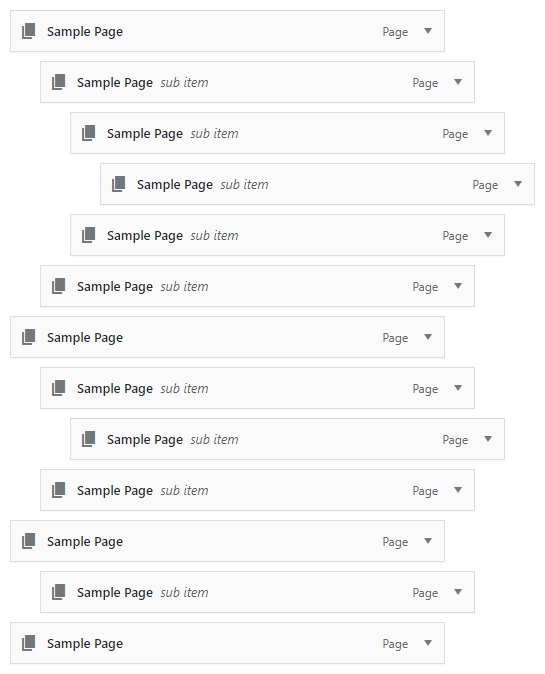
Nav menu items
Changelog
1.1.5
- Verified: Functionality for WordPress 6.7
1.1.4
- Verified: Functionality for WordPress 6.5
1.1.3
- Verified: Functionality for WordPress 6.2
1.1.2
- Updated: Third-party scripts
- Improved: Query arguments
- Improved: jQuery selectors
- Removed: PHP_INT_MAX fallback
1.1.1
- Fixed: Issue with copied child nav menu items
- Improved: Asset generation
1.1.0
- Added: Form data validation
1.0.1
- Added: Support back to WordPress 5.0.*
- Improved: AJAX handling
1.0.0
- Initial release